Deploying Onplana on AWS: Architecture and Steps
Deploy Onplana on AWS with full data sovereignty: VPC layout, ECS or EKS container choice, RDS for PostgreSQL, S3, IAM roles, and KMS encryption in one guide.
Some teams open a browser, point it at a SaaS URL, and start scheduling. Their project data lives on the vendor's servers, in the vendor's region, under the vendor's access controls. For most teams, that is a reasonable tradeoff.
Some teams run Onplana on AWS because that tradeoff is not available to them. Defense contractors who handle Controlled Unclassified Information. Financial institutions under SOX data-residency audit clauses. Healthcare organizations with HIPAA covered-entity requirements. EU companies under GDPR Article 44 cross-border transfer restrictions. For these organizations, "trust our cloud" is the one answer the security review cannot accept.
Deploying Onplana inside your own AWS VPC solves this. Your data stays in your region, your account, your controls.
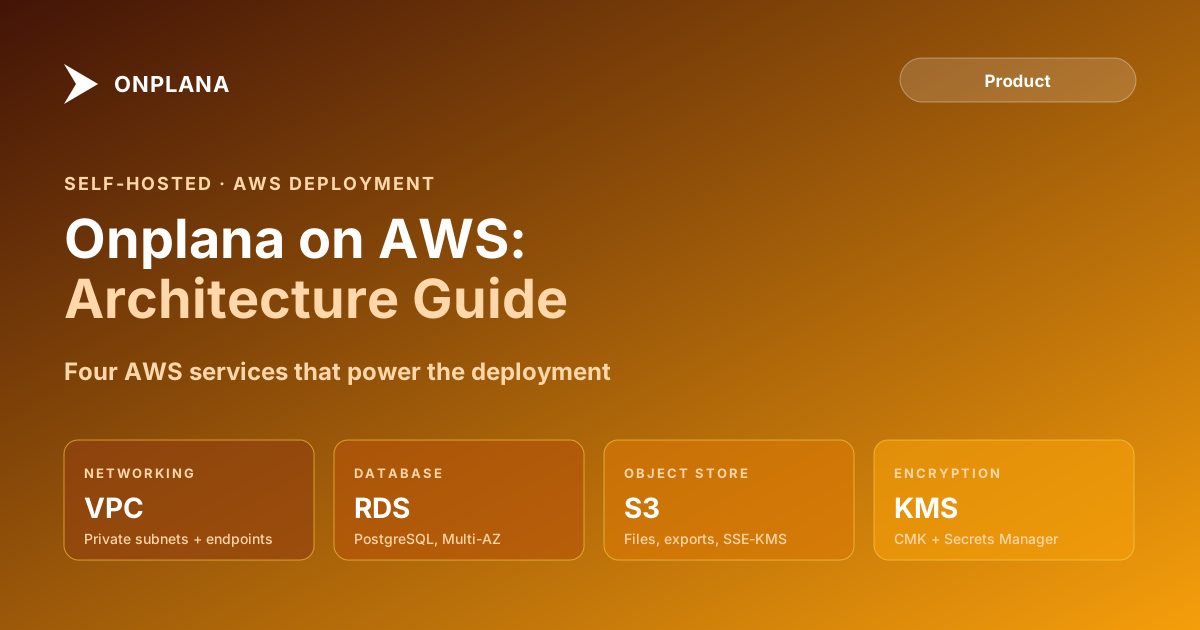
TL;DR Onplana deploys on AWS using ECS Fargate or EKS for the application layer, Amazon RDS for PostgreSQL as the database, and S3 as the object store. An Application Load Balancer handles inbound HTTPS. Secrets Manager holds credentials; KMS encrypts data at rest. VPC endpoints keep all service traffic off the public internet. The deployment takes one to two days for an experienced AWS engineer. Every Onplana feature, including AI, .mpp import, and the governance pipeline, works identically in self-hosted mode.
When AWS Makes Sense for an Onplana AWS Deployment
The decision is not about features; SaaS and self-hosted Onplana have identical capabilities. It is about where operational responsibility should live and whether your compliance situation requires it.
Three conditions justify an AWS self-hosted deployment. First: your organization has a contractual or regulatory requirement that project data must reside in your own AWS account, not just in a specific region. Auditors expect to see access logs in your own CloudTrail, not the vendor's. Second: your environment is air-gapped or operates in a restricted network that blocks outbound traffic to SaaS endpoints. Third: your data warehouse, SIEM, or analytics pipeline runs on-premise and needs direct database access to project data without crossing a public API.
If none of those conditions apply, Onplana's SaaS Enterprise tier with region selection covers most data-residency preferences without any infrastructure burden on your team. The self-hosted deployment overview covers the full decision framework, including sizing and ongoing maintenance estimates, before you commit to the AWS path.
The Onplana AWS Reference Architecture
The diagram below shows the full architecture. The application runs inside a VPC across two Availability Zones. A public subnet holds the Application Load Balancer; private subnets hold the ECS Fargate tasks and the RDS instance. S3, Secrets Manager, and KMS are accessed through VPC endpoints so no traffic crosses the public internet boundary.
Three components define the architecture: the container layer running the Onplana application, the managed database layer providing persistence, and the AWS service layer providing object storage, credential management, and encryption.
VPC and Networking Layout
Separate public and private concerns cleanly in the VPC. The ALB sits in a public subnet and accepts inbound HTTPS from users. The ECS tasks and RDS instance sit in private subnets with no direct internet access. Private subnet route tables point outbound traffic to a NAT Gateway only if the deployment requires it; for fully air-gapped environments, disable the NAT Gateway entirely.
Design across two Availability Zones at minimum. ECS Fargate spreads tasks across both AZs automatically when the service is configured with REPLICA mode and two private subnet IDs. RDS Multi-AZ handles database failover without manual intervention. This gives you the same HA baseline that SaaS provides, without managing the underlying compute yourself.
Create three VPC endpoints to keep service traffic off the public internet. S3 uses a Gateway endpoint (no cost, no subnet route changes needed). Secrets Manager and KMS use Interface endpoints (each creates an ENI in your private subnets). Without these endpoints, API calls to S3, Secrets Manager, and KMS cross the internet gateway, which will fail the audit requirement that drove you to self-hosted in the first place.
If your environment requires zero outbound internet access, AI features are disabled, since they require outbound access to Onplana's managed AI providers (Claude and Azure OpenAI). All scheduling, Gantt, resource management, and governance features work with no outbound internet access at all.
Container Layer: ECS Fargate vs EKS
Onplana runs as a single Docker container. The choice between ECS Fargate and EKS is an operational question, not a product question; both run the same image.
ECS Fargate is the lower-overhead path. Define a Task Definition with the Onplana image, set environment variables from Secrets Manager references, assign the IAM task role, and create a Service behind the ALB. AWS manages the compute layer entirely. Upgrades are a Task Definition version bump plus a service deployment; there is no cluster patching, no node draining, no control-plane cost. For most Onplana deployments, ECS Fargate is the right call.
EKS makes sense when your organization already runs Kubernetes and wants Onplana to live inside the same cluster, share the same Ingress controller, and appear in the same monitoring dashboards as your other containerized workloads. Onplana deploys via a Helm chart that creates a Deployment, Service, and Ingress resource. The tradeoff is EKS control-plane cost (roughly $73/month per cluster) plus the operational expertise your team already needs to maintain the cluster.
Start with ECS Fargate unless you have an existing EKS cluster. The migration path from Fargate to EKS later is a container rescheduling exercise, not an application change.
Database: Amazon RDS for PostgreSQL
Onplana requires PostgreSQL 14 or later. Provision a Multi-AZ RDS instance in the private subnet. Enable encryption with a KMS key: an AWS managed key (aws/rds) works for most deployments; a customer-managed key (CMK) is required when your compliance policy mandates CMK or when you need to audit every decrypt operation in CloudTrail.
For sizing, the Amazon RDS instance types page gives the full vCPU and memory specs. In practice: a db.t3.medium (2 vCPU, 4 GB RAM) handles up to 50 concurrent active users on a typical PMO workload. A db.t3.large (2 vCPU, 8 GB RAM) handles 50 to 200 users. Beyond 200 active users, move to db.m5.large or db.m5.xlarge and review the connection pool settings in the Onplana environment configuration. Scale the database before the application container; the container layer scales horizontally and cheaply, the database does not.
Set automated backup retention to at least 7 days. For compliance-heavy deployments, extend to 30 days and export daily snapshots to a separate S3 bucket under your own retention policy. Enable Enhanced Monitoring and Performance Insights; the dashboard surfaces slow queries before they affect user experience.
Object Storage: Amazon S3
Onplana uses S3 for file attachments, .mpp import processing, report exports, and application assets. Create a dedicated bucket in the same region as your VPC. Enable SSE-KMS using the same customer-managed key as RDS if you want a unified encryption audit trail. Enable versioning if your compliance policy requires point-in-time file recovery.
The ECS task role needs s3:PutObject, s3:GetObject, s3:DeleteObject, and s3:ListBucket scoped to the specific bucket ARN, not s3:* on *. Block all public access at the bucket level. Onplana serves file downloads through signed S3 URLs with short expiry windows; no content should ever be publicly readable.
Enable S3 server access logging to a separate audit bucket if your security team requires object-level API event records. The audit logs capture every GET and PUT operation with the IAM principal, timestamp, and object key, giving auditors a complete access trail without CloudTrail data-event charges.
Identity and Secrets: IAM, KMS, and Secrets Manager
Three IAM constructs underpin a correct deployment.
Two separate task roles. The ECS Task Execution Role allows the Fargate control plane to pull images from ECR and ship container logs to CloudWatch. The ECS Task Role allows the Onplana application itself to access S3, Secrets Manager, and KMS. Keep these roles separate. The execution role does not need S3 or KMS access; the task role does not need ECS control-plane permissions. Least-privilege by default, and each role appears separately in CloudTrail.
Secrets Manager for all credentials. Store the database connection string, the Anthropic API key (if using SaaS AI), and any SMTP or SSO secrets as individual Secrets Manager secrets. Reference them in the Task Definition using valueFrom: secretArn. The application retrieves secrets at container startup; no plaintext credentials appear in environment variable logs, in the Task Definition console view, or in any configuration file. Enable automatic rotation for the RDS master password using the built-in rotation Lambda.
KMS for encryption governance. A single customer-managed KMS key for RDS, S3 SSE-KMS, and Secrets Manager encryption creates a single audit surface. Every decrypt operation from the Onplana task role generates a CloudTrail KMS event with the ARN of the calling principal. This is the evidence trail an auditor needs to verify that no unauthorized principal accessed encrypted data.
For the full Onplana application-layer security architecture, including SSO, SCIM, audit log retention presets, and the encryption model above the storage layer, the security and compliance overview has the complete technical picture.
First Deployment Checklist
Before routing production traffic to your self-hosted instance, run through each item. These are the things that have caused production incidents in real deployments.
Confirm the healthcheck returns 200 with database status OK. Hit
/api/healthfrom inside the VPC. A database connection problem surfaces as a 500 on every page, not a clear error message; catch it here.Test S3 access with a real upload and download. The healthcheck does not exercise S3. Upload a test file attachment through the Onplana UI and download it before go-live. Permission errors on S3 are silent at startup and loud in production.
Check Secrets Manager access in the container logs. A missing
secretsmanager:GetSecretValuepermission causes a generic startup failure. Look for authorization errors in the ECS task logs in CloudWatch before users report login problems.Set the ALB idle timeout to at least 60 seconds. The default is 60 seconds, which works. If you previously lowered it for another application on the same ALB, raise it back; Onplana's real-time update connections require it.
Validate SSO before go-live if your organization uses SAML or OIDC. Configure the IdP callback URL in your identity provider and test a complete authentication flow. SAML assertion clock skew is the most common single-sign-on failure mode and it does not surface until a user actually tries to log in.
Import a test .mpp file. Confirm that dependency parsing and baseline preservation work correctly against your actual Project Online exports before migrating production project data to the new instance.
Restore from backup before relying on backup. Take the first RDS automated backup, restore it to a test instance in the same VPC, and verify the application connects and serves data. Untested backups are not backups.
Review your Onplana features configuration for AI token usage. If AI features are enabled but the API key is missing or the VPC blocks the outbound endpoint, AI calls fail visibly in the UI. Confirm AI is working or deliberately disabled before users try the AI Project Kickstart.
For compliance documentation specific to an AWS deployment, including data-processing agreements, control matrices, and evidence packages for auditors, reach out via the contact page.
Microsoft Project Online™ is a trademark of Microsoft Corporation. Onplana is not affiliated with Microsoft.
Frequently asked questions
Can Onplana be deployed on AWS?
Yes. Onplana ships as a Docker image and runs on ECS Fargate, EKS, or any EC2-based container runtime. Amazon RDS for PostgreSQL is the recommended database, and S3 serves as the object store.
What AWS services does an Onplana deployment require?
Core services: ECS Fargate or EKS for containers, Amazon RDS for PostgreSQL, Amazon S3 for object storage, an Application Load Balancer, and Secrets Manager for credentials. KMS is optional but recommended for encryption at rest.
Does Onplana on AWS have full feature parity with the SaaS version?
Yes. Self-hosted Onplana runs the same codebase as the SaaS product. All features, including AI Project Kickstart, Gantt with critical path, .mpp import, and the full governance pipeline, are available.
What IAM permissions does the Onplana ECS task role need?
The task role needs s3:PutObject, s3:GetObject, s3:DeleteObject, and s3:ListBucket on the project storage bucket; secretsmanager:GetSecretValue for database credentials; and kms:Decrypt plus kms:GenerateDataKey if using CMK encryption.
How do I enable customer-managed keys in Onplana on AWS?
Create a KMS key, grant the ECS task role kms:Decrypt and kms:GenerateDataKey, and set the STORAGE_KMS_KEY_ARN and DB_KMS_KEY_ARN environment variables in the container definition.
What instance size should I use for Onplana on AWS?
For up to 50 users, a Fargate task of 2048 CPU units and 4096 MiB with an RDS db.t3.medium. For 50 to 200 users, 4096 CPU units and 8192 MiB with a db.t3.large. Scale the RDS instance first when you see query latency rise.
Can Onplana on AWS run in an air-gapped environment?
Yes. Pull the image to a private ECR registry, use VPC endpoints for S3 and Secrets Manager, and configure the application with no external outbound traffic. AI features need outbound API access to Onplana's managed AI providers (Claude and Azure OpenAI), so in a fully air-gapped deployment AI features are disabled while all scheduling, Gantt, resource, and governance features continue to work.
Ready to make the switch?
Start your free Onplana account and import your existing projects in minutes.