Onboarding a New PMO Administrator: The First 30 Days
PMO administrator onboarding starts with a broken system. A 30-day plan that turns a week-one audit into operating standards before the chaos becomes permanent.
Here is what PMO administrator onboarding actually looks like on day one. The outgoing admin's last action in the system was a configuration change pushed on their final afternoon. Their documentation is two years out of date. The PM team has built at least five workarounds nobody has written down. Your manager believes the transition took a week.
You did not inherit a clean system. You inherited a system that ran on one person's institutional knowledge, which just walked out the door. The first 30 days are not about learning the tool. They are about learning the gap between what the tool is configured to do and what the PMO actually needs it to do. That gap is almost always larger than the job posting suggested.
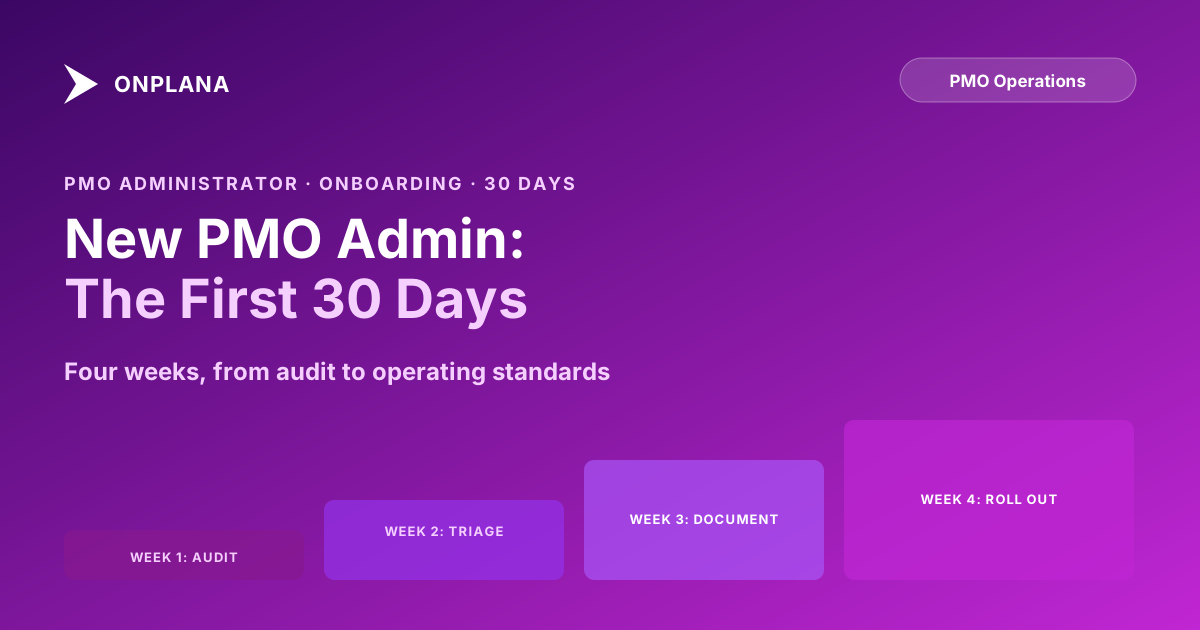
TL;DR. A structured PMO administrator onboarding takes 30 days: week 1 is a data-quality and process audit, week 2 is triage and cleanup of the urgent findings, week 3 is documentation aligned to how PMs actually work, and week 4 is a controlled rollout with feedback. Skip the audit and you will spend the next six months fixing the same problems twice.
What a PMO administrator actually inherits
A new PMO administrator typically finds the same landscape regardless of which tool the organization runs or how recently it was "cleaned up." Active projects with no status update in 30 or more days. Resources assigned to projects they stopped working on in Q1. Custom fields added for a single initiative two years ago, never removed, currently blank on 90% of active projects. A standard project creation workflow documented in a Confluence page that diverges from what PMs actually click on four of its seven steps.
None of this is negligence. It is what organizational growth does to any system that is not actively maintained. The resource records are stale because the resource manager moved to a different team and nobody reassigned their admin rights. The custom fields are empty because the initiative that needed them ended and cleanup never made anyone's sprint backlog.
The problem is that stale data compounds. A PM who cannot find accurate resource availability builds a schedule on wrong assumptions. That schedule slips. The retrospective identifies "resource planning" as the root cause, which is technically true but misses the real root cause: the input data was broken before the schedule was ever built.
Understanding what you have inherited before changing anything is the only way to avoid creating new problems while solving old ones.
Why the first 30 days set the tone
Two reasons the first 30 days matter beyond what you learn in them.
First, the people around you are forming their read on what kind of administrator you will be. PMs who have lived through three or four admin transitions have developed a precise model for this. The admin who audits first, asks questions before touching anything, and involves PMs in the documentation phase earns trust that pays forward for years. The admin who starts reconfiguring on day three because the current setup "doesn't make sense" creates immediate resistance that takes months to undo.
Second, durable process improvements come from understanding the actual state of the system, not the intended state. Every PMO has a gap between the documented workflow and the real one. If you build your new processes on the documented workflow without validating it against observed behavior, you will write documentation that PMs ignore on day one because it does not match how they actually work.
The PMO maturity tiers your organization operates at also shape what needs to happen in the first 30 days. A tier 1 PMO needs basic data hygiene and a small set of consistent field definitions. A tier 3 PMO may need a harder look at how reporting outputs connect to governance decisions. Before you decide which cleanup work to prioritize, the PMO Maturity Assessment takes about 10 minutes and surfaces the gaps most likely to matter at your current scale.
Week 1 of PMO administrator onboarding: the full audit
The audit covers four dimensions. Run each one systematically, document findings without fixing them, and spend Friday synthesizing into a triage list.
Day 1: Data quality. Pull a full export of all active projects and apply three filters: projects with no status update in the past 30 days, projects whose scheduled end date has passed with no close-out record, and projects with zero task assignments. These three filters surface 80% of the worst data-quality problems. Write down the counts. Do not touch anything yet.
Day 2: Resource accuracy. Check every resource in the resource pool with a role assigned. Are availability percentages current? Are there resources in the system for people who left the organization? Are generic resources being used where named resources should be? Document the count of each problem type. The difference between current state and correct state is your resource-cleanup backlog.
Day 3: Configuration and custom fields. Open every custom field defined in the system. For each one, answer three questions: does it have a clear definition, is it populated on more than 20% of active projects, and is there an owner responsible for its accuracy? A field empty on 90% of projects is almost always a zombie from a past initiative and a candidate for archival. Write the list; do not act yet.
Day 4: Process documentation. Read everything the outgoing admin left. Then spend 90 minutes with one of the most experienced PMs in the team and have them walk you through how they actually create a project, assign resources, update status, and close out. The gaps between the written documentation and the walkthrough are your process risk inventory.
Day 5: Synthesis. Map every finding from days 1 to 4 into three buckets: urgent (breaks reporting or corrupts data on active projects), important (degrades efficiency but does not break anything), and cleanup (outdated records that create noise). You now have a triage list you can actually work from.
The diagram below shows how the four audit dimensions feed into the day 5 synthesis.
Week 2: triage and cleanup
Work through the urgent bucket first. The two most common urgent findings across PMOs are projects with no active PM assigned and resources whose availability is off by more than 30 percentage points. Both degrade every schedule that depends on them. Correct the data before making any structural changes.
Then move to the important bucket. For zombie custom fields: if a field is empty on more than 80% of projects and has no clear owner, draft a short message to the team explaining which fields you are proposing to retire and why. Wait 48 hours for objections. If none arrive, archive rather than delete. Most tools let you hide a field from the project creation form without removing historical data. Archiving is reversible; deletion usually is not.
For stale projects: do not close them yourself without explicit permission. Send the list to each project's named PM and ask for a one-line status update. Seventy percent will reply within a day. The other thirty percent tell you which PMs are disengaged from the tool, which is itself important information before you design any new processes.
Do not touch the cleanup bucket this week. Those are old records that do not affect anything currently active. They will wait, and acting on them before you have more context risks deleting something that someone actually needs.
Week 3: document the real workflow
Week 3 turns the knowledge from weeks 1 and 2 into documented, repeatable processes. The highest-value documentation for a PMO administrator is the kind that answers a PM's question before they ask you.
Start with the project creation workflow. Write it as a numbered list with field names or screenshot references at every step where PMs currently diverge from the intended path. The goal is not a comprehensive manual. It is a short reference that handles the ten most common questions in three pages or fewer.
Then document the resource assignment protocol: who is authorized to assign above a certain utilization threshold, what approval is required, and how exceptions are handled. This is the process with the most informal workarounds and the one whose workarounds cause the most downstream damage. The discipline of documenting milestones and decision points applies here too: every step that requires a judgment call needs a named owner and a clear threshold, or it will be decided inconsistently every time.
For each piece of documentation, ask one PM to read it and attempt to follow it without asking you questions. Every question they have is a gap. Fix the gap before publishing.
Week 4: roll out and measure
By week 4 you have a cleaner dataset, documented processes, and a configuration change list. The rollout question is what can go live immediately and what needs a change notice.
Configuration changes with no user-facing impact (data corrections, archived zombie fields, fixed availability percentages) can go into production without announcement. Changes that affect how PMs create or update projects need at least one week of notice and a written summary that explains what changed, why it changed, and what the PM needs to do differently starting next Monday.
Measure two things at the end of week 4: the reduction in urgent findings relative to the start of week 1, and whether the PMs you worked with can explain the new processes in their own words. The first number is a data signal. The second is a judgment call that matters more. If the answer is "mostly yes," week 4 went well. If PMs are still confused, the documentation needs another revision.
What success looks like at day 30
At day 30, PMO administrator onboarding is complete in a practical sense when four conditions hold: the urgent audit findings are resolved or have an owner and a date; all active projects have an identified PM; the most frequently broken processes are now documented in a place PMs can find; and at least two or three PMs have volunteered, unprompted, that something works better than before.
That last item is not a soft metric. It is the signal that the changes you made fit the actual workflow rather than the intended one. If you have done the cleanup work and nobody has noticed an improvement, either the changes were not the right ones or they were not communicated clearly enough.
What is not required at day 30: a fully clean historical record, a documentation library covering every edge case, or a reconfigured governance structure. Those are 90-day goals. The first 30 days are about stopping the compounding and establishing a baseline the organization can build on.
For a structured view of where your PMO sits across governance, resource management, reporting, and delivery dimensions, the PMO Maturity Assessment takes about 10 minutes and gives you a scored gap analysis to share with your PMO director.
The pattern that undoes new admins
One more failure mode worth naming separately: the admin who decides, on week 3, to solve a problem that was not in the audit scope.
Someone mentions in passing that the project health dashboard has always been slightly wrong. The admin opens it, spots what looks like an easy fix, and spends two days reconfiguring the view. The fix breaks a custom report three PMs depend on. The PMs go to the admin's manager. The admin is now three days behind on week 3's documentation work and has generated a political problem with no warning.
The lesson is not to avoid initiative. It is that every change outside the triage list needs a written summary of what you are changing and why before you touch anything. Write the summary, send it to the PMO director or your manager, wait for a response. This habit protects you, creates an audit trail, and forces you to articulate your reasoning clearly enough that you sometimes catch a bad idea before it goes live.
The Status Report Writer can help you draft the weekly summaries you will need to send your manager during these first 30 days: a short RAG-coded update on what you found, what you changed, and what is still outstanding. Sending consistent written updates during onboarding is the fastest way to build the credibility that makes later change proposals easier to approve.
Run the free PMO Maturity Assessment Score your PMO's governance, reporting, and resource management practices against five maturity tiers and get a structured gap analysis you can share with your PMO director. No signup required. Open the assessment
Frequently asked questions
What does a PMO administrator do?
A PMO administrator owns the operational layer of the PMO: tool configuration, process documentation, data quality, user onboarding, and reporting cadence. They are not project managers but they make project managers more effective by owning the infrastructure those PMs work in.
How long does PMO administrator onboarding take?
Thirty days is enough to complete a full audit and establish operating standards. Full ownership, where you are proactively improving rather than reacting, usually takes 90 days.
What should a new PMO administrator audit in the first week?
Start with data quality: active projects without recent status updates, resources with incorrect availability, custom fields with inconsistent values, and open issues sitting unassigned. These compound every week they are left unaddressed.
What is the difference between a PMO administrator and a PMO director?
A PMO director owns strategy and stakeholder relationships. A PMO administrator owns operations and tooling. In small PMOs one person does both; in mature PMOs they are distinct roles with different daily work.
How do I document PMO processes as a new administrator?
Document what people actually do, not what the previous admin intended. Watch an experienced PM work through the tool from scratch, and write down each step. Your first draft will surface gaps that nobody has ever written down.
What mistakes do new PMO administrators make in the first 30 days?
The most common is changing things before finishing the audit: deleting data before understanding why it exists, reconfiguring dashboards before asking who uses them, and rolling out new processes before validating them with even one PM.
How do I handle stale projects I find during the audit?
Do not close them yourself. Send a list to each project's named PM and ask for a one-line status: active, on hold, or ready to close. The ones who don't reply tell you which PMs are disengaged from the tool.
Ready to make the switch?
Start your free Onplana account and import your existing projects in minutes.