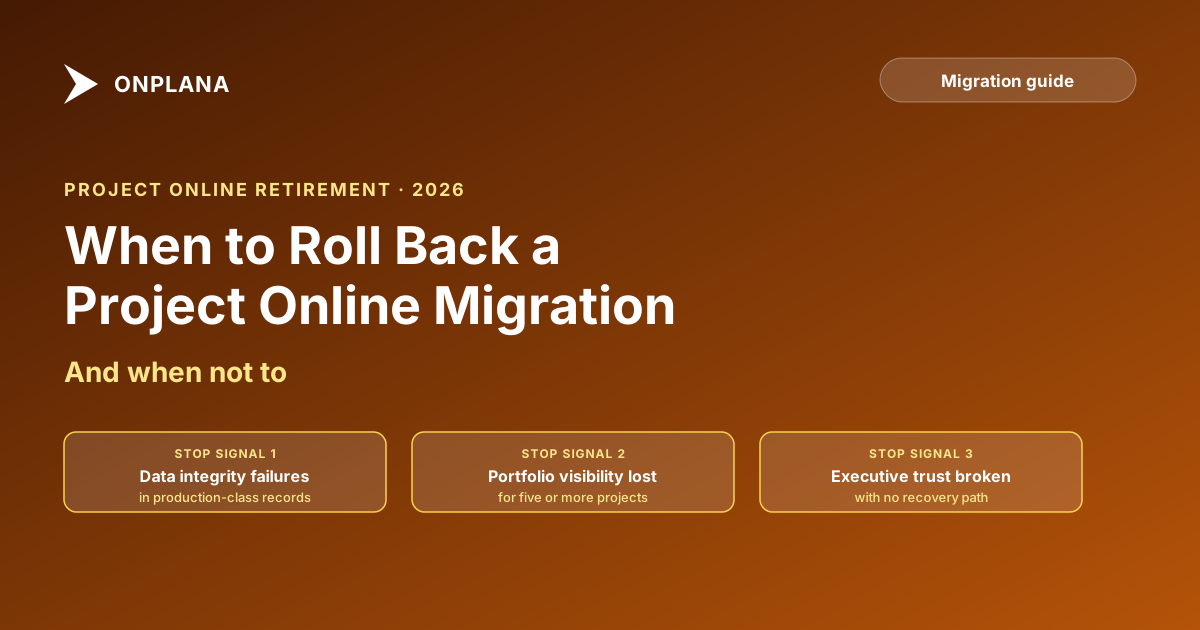
When to Roll Back a Project Online Migration (And When Not To)
The Project Online rollback decision is the one no migration plan prepares you for. Here are the signals that say stop and those that say push through.
Here's the scenario that plays out in Project Online migrations every year. The cutover window opens Friday evening. Six hours later, the import is complete and the validation checks start running. The first project file opens in the new tool and shows a 23% schedule variance that does not exist in the source. The HR integration returns a 403 on its first write attempt. Someone says "I think it's a token expiration." Someone else says "we've come too far to stop now."
The person whose name is on the Project Online rollback decision authority is on a plane to Sydney.
What happens in the next 90 minutes will either cost you two weekends or three months. The problem is not the technical failure, technical failures are expected in migrations. The problem is that nobody in the room has a decision framework. They have opinions, they have fatigue, and they have sunk-cost pressure. None of those produce good decisions at 02:00 on a Saturday.
TL;DR. The Project Online rollback decision reduces to three questions you should have answered before the failure arrived: Is this a data integrity problem or a configuration error? Are business-critical systems affected or only peripheral ones? Does the team have a credible four-hour fix? Three signals say stop. Three say push through. Neither set overrides the other automatically. Know which applies before you enter the cutover window.
Why rollback calls fail under cutover stress
The reason rollback decisions are made badly has nothing to do with the technical complexity of the failure. It has to do with three structural gaps that existed long before the cutover started.
The first gap is no named decision authority. Most migration plans describe the rollback process: export back to .mpp, re-point integrations, freeze the new tool. Fewer name a single person who has the authority to invoke that process, binding and without committee override. The result, when something breaks at 02:00, is a group negotiation under sleep deprivation. Sponsors who approved a seven-figure migration want to push through. The migration team lead does not want to be the one who called a stop. The PMO director is waiting to see what the sponsor says. Nobody calls it, and the team spends three more hours trying to patch a failure that should have triggered a rollback 90 minutes earlier.
The second gap is no defined triggers. If your rollback plan says "roll back if the migration fails," the plan is useless. "Fails" is not a trigger. A validation failure rate of 24% on tier-1 projects is a trigger. A named business-critical integration that cannot receive writes and has no resolution path is a trigger. A sponsor invoking documented stop authority is a trigger. The difference between a trigger and a description is that triggers produce a yes or no answer within ten minutes. If the team needs to deliberate for an hour to determine whether a trigger has fired, the trigger was not defined clearly enough.
The third gap is sunk-cost pressure. The team has worked for weeks. The sponsor approved budget. The parallel-running window is closed. Reversing now means admitting the plan did not survive contact with reality, scheduling a second cutover weekend, and explaining the delay to every stakeholder. That pressure is real, and it kills rollback decisions that should be called. The way to remove it is to define triggers before the pressure exists, with a named authority whose decision is not subject to sponsor override.
For a catalog of the planning failures that create these gaps, see why Project Online migrations fail: most of what breaks at 02:00 on cutover weekend was set in motion months earlier.
Three signals that justify the Project Online rollback decision
Each of these signals is specific enough to produce a yes or no answer within ten minutes. If any one fires, the rollback call is justified.
Data integrity failure above the validation threshold. Run a validation check against a representative sample of imported projects, not just the straightforward ones. If the failure rate on your critical project set exceeds 20%, you have a structural import problem, not an isolated anomaly. Structural failures show characteristic patterns: task dates shifted by weeks without explanation, dependencies dropped or inverted, baseline values that do not match the source, resources reassigned without input. Configuration issues produce consistently wrong output. Data integrity failures produce chaotic output: some projects look fine, others are unrecognizable, and the team cannot explain the variance without hours of investigation. Chaotic output at 20%+ on critical projects is a stop trigger.
Named decision authority invokes the stop trigger. If you designed your rollback approach correctly, one person has rollback call authority. That authority is binding when they exercise it. If the named authority looks at the validation results, the integration failure rate, and the team's confidence level and says "stop," the decision is made. It does not go back to the sponsor for approval. The named authority exists precisely so the call is not negotiated under stress.
Business-critical integration failure with no credible resolution path. Not all integration failures are equal. A secondary report that breaks because its data source changed is inconvenient. An HR integration that cannot push headcount updates to the payroll system is business-critical. An ERP integration that cannot receive project cost actuals blocks finance closing. The test: can the business operate normally Monday morning without this integration? If the answer is no, and the migration team cannot provide a specific, credible path to resolution within four hours, the rollback trigger has fired. "We think we can probably fix it" is not a credible path. "The problem is X, the fix is Y, it will take two hours" is.
Three signals that mean push through
The inverse conditions are equally specific. If your failure matches one of these, calling rollback is the wrong decision.
The problem is a configuration error, not a data failure. Configuration errors produce predictably wrong output. One view is showing the wrong field. A calculated column uses a stale formula. A user's permission role was imported with the wrong mapping. These failures have a consistent pattern, a specific cause, and a fix that does not require reverting the import. The test: can a member of the migration team name the exact cause and exact fix within fifteen minutes? If yes, it is a configuration issue. Push through and apply the fix.
Only non-critical systems are affected. A rollback is justified when the business cannot operate. If the failures are in secondary dashboards, non-essential reports, or features a small fraction of users depend on, the cost of rollback almost certainly exceeds the cost of extended validation and patching. Define "critical" before cutover weekend: which systems, integrations, and projects must be functioning Monday morning for the business to operate. Anything outside that list is not a rollback trigger, regardless of how visible the failure is.
The team has a credible four-hour fix window. "We think we can fix it" is not a four-hour fix window. A credible window sounds like this: "The OAuth token for the HR integration expired because the rotation policy was not updated in the new environment. The fix is to issue a new token and update three configuration files. That will take two hours." Specific problem. Specific cause. Specific fix. Time estimate from someone who has already completed the diagnosis, not someone who is about to start it. If the migration team can give you that conversation, push through.
How the signals interact in practice
The diagram below shows the two decision paths side by side. Evaluate your failure against both columns. If you match any condition in the left column, the rollback call is justified regardless of what is true in the right column. Data integrity failure and a credible fix window do not cancel out.
What the first 90 minutes look like after calling rollback
The rollback call is made. The decision authority has invoked the trigger. Here is the sequence.
Minutes zero to ten: communicate the decision. Don't negotiate. The named authority sends the pre-written message to project managers, functional leads, and IT. "Migration cutover has been halted. Project Online is your system of record until further notice. All work in the new tool stops now. Do not update any projects until you receive a second message." This message should have been drafted before the cutover weekend. If it wasn't, write it now and keep it under four sentences.
Minutes ten to thirty: halt all writes to the new tool. If any project managers have already updated their projects in the new tool during the import window, stop them immediately. Projects updated post-import in the new tool will need to be reconciled against Project Online when you re-attempt the cutover. Log every project that received post-import updates: you will need that list.
Minutes thirty to sixty: confirm Project Online is intact. Verify that IT has not started any post-cutover cleanup. No archived projects, no deleted resources, no license changes, no data deletion. If cleanup has started, pause it immediately. The source data must remain intact for the full rollback window.
Minutes sixty to ninety: document the failure state. What specifically triggered the rollback? Which validation checks failed? Which integrations broke? Which projects were affected? This documentation drives the post-mortem and the redesign of the import process before the next attempt. It also provides the audit record if any stakeholder questions the decision.
For the full mechanics of executing the reversal, including the one-page rollback plan template, see designing the rollback plan. The decision to call rollback and the procedure for executing it are two separate documents that need to exist independently.
When partial rollback is and is not viable
In most migrations, rollback is all-or-nothing. There is a specific case, however, where a partial rollback makes sense: the failures are concentrated in a small, identifiable set of projects, the rest of the portfolio validated cleanly, and both systems can run simultaneously during an extended window.
A partial rollback looks like this: five complex projects have data integrity failures above the threshold. The other 40 projects validated cleanly and integrations are functioning. You revert those five to Project Online read-only mode, continue the new system for the 40 that succeeded, and schedule a targeted re-import of the five with corrected field mapping.
This is viable only if three conditions hold simultaneously. The new tool must let you identify and remove specific projects by import batch without affecting the others. Project Online must remain accessible for the reverted projects throughout the extended window. And your PMO must communicate clearly to project managers about which system they are working in, so that data is not entered in both tools for the same projects.
If any of those conditions does not hold, a partial rollback is worse than a full one. You end up with a split state, ambiguous ownership, and data entered in both systems that nobody can reconcile. The cutover day runbook covers how to structure the go or no-go checkpoint before the cutover starts, which is the place where the conditions for partial rollback should be pre-assessed.
Why September 30, 2026 closes the rollback window permanently
Microsoft Project Online retires on September 30, 2026, as confirmed in Microsoft's announcement. After that date, Microsoft archives tenant data and self-service access ends. The rollback option that exists today, reverting to Project Online, requires Project Online to be accessible. After retirement, it is not.
Teams planning cutovers in August and September 2026 are entering a window where the rollback path shortens to days and then disappears. A migration that fails on September 27 does not have a weekend to recover: there are three days before the tenant closes. The rollback call, if it needs to be made, must be made within hours, and the reversal must complete before September 30.
If your migration is not positioned to complete by mid-September, the risk profile changes significantly. A migration with a full rollback window completed in June or July is lower risk than one compressed into the final two weeks with no viable recovery path if the cutover fails. The rollback decision is only meaningful if there is still a system to roll back to.
Run the free Migration Preview on your most complex projects before cutover weekend. It surfaces field-mapping gaps, dependency problems, and validation issues before they arrive as rollback triggers at 02:00 Saturday, giving the migration team a higher-confidence baseline to work from.
Run the free Migration Preview Upload your .mpp files and surface data-fidelity gaps, broken dependencies, and field-mapping problems before they become rollback triggers on cutover weekend. No signup required. → Open the Migration Preview
Microsoft Project Online™ is a trademark of Microsoft Corporation. Onplana is not affiliated with Microsoft.
Frequently asked questions
When should you roll back a Project Online migration?
Roll back when validation failure rates exceed 20% on critical projects, when a named decision authority invokes the stop trigger, or when a business-critical integration fails and the team cannot resolve it within four hours.
How is the rollback decision different from the rollback plan?
The rollback plan covers how to execute a reversal. The rollback decision covers when to call one. Both need to exist before cutover. Most teams design the former and skip the latter.
What makes a rollback call fail under cutover stress?
Three failure modes: no named decision authority, so the call becomes a committee debate; no defined triggers, so teams argue about whether conditions are met; and sunk-cost pressure from sponsors who want to push through regardless.
What is a partial rollback in a Project Online migration?
A partial rollback reverts the most critical projects while leaving others in the new tool during an extended validation window. It requires both tools to support the split state simultaneously, and it works only when the critical project set is defined in advance.
What happens to rollback options after September 30, 2026?
After the retirement date, Microsoft archives Project Online data. A rollback becomes a support ticket with an uncertain timeline rather than a same-weekend self-service reversal.
How do you distinguish a data corruption trigger from a configuration issue?
Run validation checks on a representative sample before declaring rollback. A failure rate above 20% on your critical project set indicates a structural import problem. Isolated anomalies below 5% are usually configuration issues the migration team can fix without reverting.
Ready to make the switch?
Start your free Onplana account and import your existing projects in minutes.