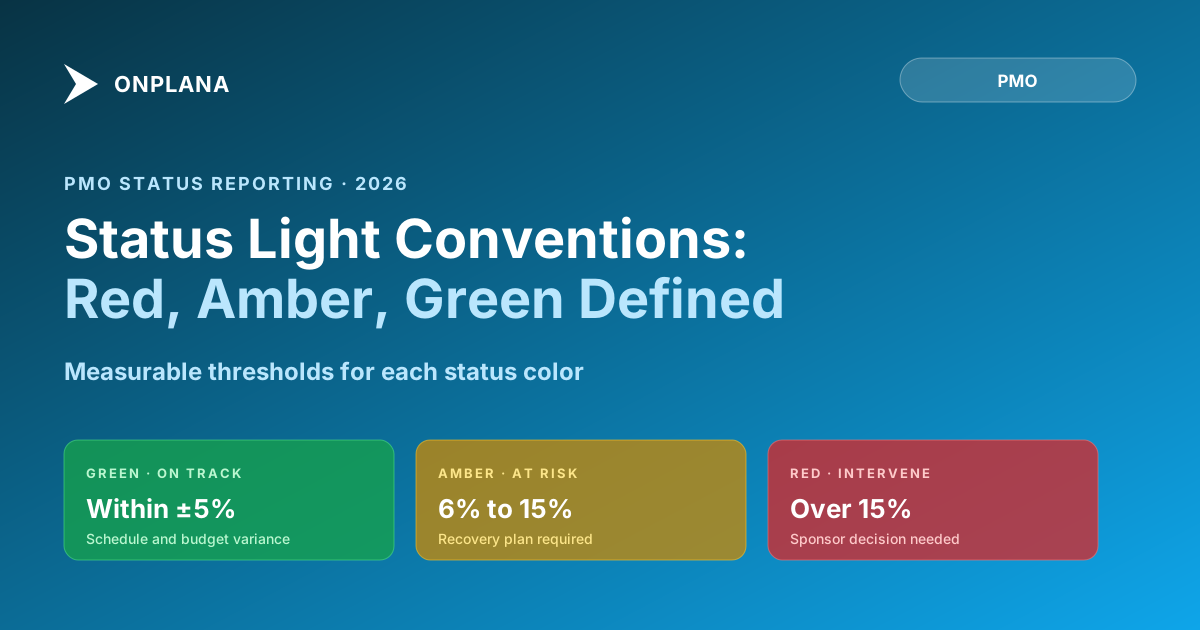
RAG Status Meaning: Red, Amber, and Green Thresholds
RAG status meaning: green stays within agreed variance, amber needs a recovery plan, red needs a sponsor decision, defined by numeric thresholds, not feel.
The direct answer: RAG status meaning comes down to three numeric zones, not a feeling. Green means the project is within agreed schedule and budget variance, typically within plus or minus 5%, with no unmitigated high risks. Amber means a metric has moved outside that tolerance, commonly 6% to 15% variance, and a recovery plan is active. Red means the project cannot recover without a sponsor decision, usually variance over 15% or a missed milestone with no viable recovery path. Without written thresholds behind them, the same three words mean something different on every team, which is why RAG status is distrusted in most organizations that use it.
The short answer. RAG status meaning only holds when green, amber, and red map to specific numbers: schedule variance, budget variance, and open high-risk count, agreed in writing before the project starts. Green needs no action. Amber means a recovery plan is in progress and the sponsor should ask what's needed. Red means the PM has reached the edge of their authority and needs a sponsor decision. A free Status Report Writer can format the resulting status line once the thresholds are set.
| Status | Schedule variance | Budget variance | Unmitigated high risks | What the sponsor does |
|---|---|---|---|---|
| Green | Within ±5% | Within ±5% | Zero | Nothing; no action required |
| Amber | 6% to 15% over | 6% to 15% over | One or two | Ask what the PM needs |
| Red | Over 15%, or a missed milestone with no recovery path | Over 15%, or confirmed unapproved funding need | Three or more | Make a decision: scope, schedule, or budget |
RAG status (Red, Amber, Green) as a project reporting convention became widely adopted through structured methodologies like PRINCE2, published by AXELOS. PRINCE2 defines the reporting structure but not the specific thresholds that should trigger each color, and every organization fills in that gap differently, which is the actual source of the disagreement over what the colors mean.
Ask ten PMs on ten different teams what "amber" means on their RAG status report, and you'll get ten different answers. One team's amber is a schedule slip of two days with a recovery plan in progress. Another team's amber is a three-week delay with no recovery plan, because calling it red would start a conversation the PM isn't ready to have. A third team's amber is a gut feeling that something is off but nothing is formally late yet.
This is the real reason RAG status is distrusted in most organizations: it doesn't encode project health. It encodes the PM's judgment about what color will generate the least difficult response from the sponsor.
When that's true across a portfolio, the status dashboard becomes a collection of personality profiles rather than a risk register. The PMO director has no way to compare a green from one PM to a green from another. The steering committee stops believing the report. Eventually everyone agrees that "amber" means something is going on without agreeing on what.
The fix is simpler than most PMOs expect. Define thresholds in writing, make them apply to everyone, and enforce them consistently. When you do this, the colors become trustworthy again, not because the PMs changed their personalities, but because the definition of "on track" is no longer a matter of opinion.
Why RAG status meaning breaks down when it's subjective
Every PMO eventually runs into the same pattern. Projects track green for weeks, then surface an amber at the quarterly review that should have been visible two weeks earlier. The sponsor asks why it wasn't caught sooner. The PM explains that things had looked manageable until they didn't. The sponsor nods, makes a note, and starts mentally discounting every future green from that PM.
The underlying problem is that the PM was making a probability judgment rather than applying a threshold. "It looks like we might recover" is a legitimate judgment, but it's not a status color. A status color should be calculable from the project data, not from the PM's confidence level about recovery.
Three specific failure modes come from subjective RAG:
The optimistic baseline effect. When a PM consistently rates their own projects as green, the organization eventually loses the ability to distinguish well-run projects from poorly-run ones. Both look green until they don't. The PM with the highest average green percentage often has the least visible problems, not the fewest actual problems.
The political color shift. A PM with a genuinely amber project hesitates before reporting it because the last time they reported amber the sponsor reorganized the team. The rational response to that history is to delay amber reporting until the issue is undeniable. But delaying amber reporting means the steering committee sees amber on the week that red would be the honest answer.
The inheritance trap. A new PM takes over a project with three months of green status in the history. They review the schedule, find two unmitigated high risks and a 12% schedule variance, and aren't sure whether to call it amber or trust the established pattern. Without documented thresholds, there's no way to make that call consistently.
How to define Green: the on-track threshold
Green means no intervention is required. The project is executing within the plan as approved, any variance is within the agreed tolerance, and the team has the information and resources they need to continue.
The thresholds that define "within tolerance" should be set at the beginning of the project, agreed with the sponsor, and documented in the project charter or status report template. Generic starting defaults for most PMOs:
- Schedule variance: within plus or minus 5% of the planned schedule. A project with a planned finish of 200 working days can slip to 210 and still be green.
- Budget variance: within plus or minus 5% of the committed budget. A project with a budget of $500,000 can run to $525,000 and still be green.
- Open high risks: zero unmitigated high-impact risks, or all high risks have a documented mitigation plan and an owner.
- Milestone status: all milestones scheduled in the current period have been achieved, or a recovery plan is in effect and within the schedule tolerance.
These thresholds are defaults, not rules. A project with a hard contractual deadline may warrant a tighter schedule tolerance. A project with low budget flexibility may warrant a tighter cost tolerance. The point is to agree on the numbers before the project starts, not to argue about them while a slip is in progress.
How to define Amber: the warning zone
Amber means something requires active monitoring and a mitigation plan is in progress. The project is not in crisis, but it is outside the green tolerance and the PM is not certain it will recover without some action.
The amber zone is explicitly not "things are probably fine." Amber is a signal to the sponsor that a conversation may be needed soon. The correct sponsor response to an amber status is to ask what the PM needs, not to escalate immediately.
Amber thresholds, using the same metrics:
- Schedule variance: between 6% and 15% over the planned schedule.
- Budget variance: between 6% and 15% over the committed budget.
- Open high risks: one or two high-impact risks without fully closed mitigation plans.
- Milestone status: one milestone in the current period is late, but a recovery path is identified and the project can absorb the slip without breaching the red threshold.
The amber color also applies when any single metric has moved outside the green zone even if the others are fine. A project running on schedule and budget but carrying three unmitigated high risks should still be amber.
How to define Red: intervention required
Red means the project cannot recover without a decision by the sponsor or steering committee. Red is not "things are bad." Red is "we need something from outside the project team."
This distinction matters because PMs avoid red when they interpret it as an admission of failure. Red should be interpreted as a request for a resource, a scope decision, a schedule revision, or a budget increase. Those decisions belong to the sponsor. Red is the PM saying "I've reached the boundary of what I can solve within my authority."
Red thresholds:
- Schedule variance: greater than 15% over the planned schedule, or a missed milestone with no viable recovery path within the current budget.
- Budget variance: greater than 15% over the committed budget, or a confirmed need for additional funding not yet approved.
- Open high risks: three or more unmitigated high-impact risks, or a single high-impact risk that has materialized as an issue with active schedule or budget impact.
- Milestone status: a milestone has been missed with no recovery plan that keeps the project within the amber threshold.
Red does not require a perfect forecast of how bad things will get. Red requires the PM's honest judgment that they cannot recover without external input.
The threshold matrix you can adopt today
The diagram below shows the full threshold matrix for a standard PMO setup. Use this as a starting point and adjust the specific percentages to match your organization's risk tolerance and project complexity.
Start with these defaults and tune the percentages after your first three or four projects cycle through. The specific numbers matter less than the shared understanding that they exist.
The political problem with reporting an honest red
Honest red status is professionally uncomfortable. The PM who calls red is implicitly saying "the situation is beyond my ability to manage alone." In organizations where red status gets associated with PM failure rather than project complexity, PMs will delay the call.
The right way to frame red is to pair it with a specific ask. Red status without an ask is a problem statement. Red status with an ask is a decision request. "Project is red: schedule variance is 18%, we need the sponsor to approve a three-week extension or agree to cut the integration deliverable" is a complete red report. The sponsor gets the decision they need to make, not just the information that something is wrong. An escalation framework is what makes that ask land on the right person instead of stalling in an inbox: red status is the trigger, escalation is the mechanism that turns it into a decision.
This is also why the amber threshold matters. If amber is well-defined and trusted, the sponsor sees the warning before the situation becomes red. The progression from green to amber to red should feel like a ramp, not a cliff. Teams that skip amber reporting (because they believe they can recover, or because amber generates too much sponsor scrutiny) tend to go from green to red in a single reporting cycle, which looks like the PM either missed the problem or concealed it.
How to calculate your RAG status report automatically
Manual RAG calculation is where the subjective bias enters. When the PM calculates the status, they naturally include their confidence about recovery and their read of the political situation. When the tool calculates the status and the PM confirms it, the calculation is based on data.
Most project management tools can surface schedule variance and budget variance as numeric fields. The calculation looks like this:
- Pull planned finish date and current forecast finish date. Compute variance as
(forecast - planned) / planned_duration. - Pull committed budget and current forecast cost. Compute variance as
(forecast - committed) / committed. - Pull open risk count from the risk register, filtered to high impact and without a closed mitigation plan.
- Apply the threshold matrix: if any metric is in the red zone, the suggested status is red; if any metric is in the amber zone (and none is red), the suggested status is amber; otherwise suggest green.
- Present the suggestion to the PM. The PM reviews and overrides if their judgment differs, with a note explaining why.
The free Schedule Health Check tool can surface schedule variance from your project file automatically, so the manual calculation step for that metric can be replaced with an upload. The result gives you the input you need to apply the threshold matrix above.
Automating the suggestion while keeping the human override preserves the PM's judgment while removing the subjectivity that erodes trust.
Writing the RAG line in your status report
Once you have the status, the status report's RAG line should be a single sentence:
Green: "GREEN: schedule variance +2%, budget variance +1%, no unmitigated high risks. No action required."
Amber: "AMBER: schedule variance +9% due to vendor API delay; recovery plan in place targeting a two-week catch-up by July 10. Monitoring mitigation progress."
Red: "RED: schedule variance +19%, no viable recovery within current scope; requesting sponsor decision on a four-week extension or removal of the mobile integration deliverable. Decision needed by June 27."
The RAG line is not a paragraph. It is a sentence or two with the specific number, the specific reason, and (for anything other than green) a specific action or request. If you need more than three sentences to explain the status, put the explanation in the body of the report and keep the RAG line tight.
The Status Report Writer tool applies this structure automatically. You input the raw status (variance numbers, blockers, milestones, asks) and it formats the RAG line along with the full executive, steering committee, or team versions of the report. Using a consistent structure across all your reports means the sponsor can scan any report in the portfolio and extract the same information in the same place every time.
That's how you make RAG status trustworthy: consistent thresholds, data-driven calculation, and consistent formatting. Nothing revolutionary. But consistently applied, it's what separates a status dashboard the steering committee trusts from one they've learned to discount.
The RAG line is one piece of a larger report; the full guide to cutting a status report from 90 minutes to 10 covers the rest of the document it sits inside, and a decision log your successor can actually read covers where the reasoning behind an amber-to-red escalation should live once the report itself has moved on. The rest of the Onplana blog covers the adjacent PMO reporting practices this threshold matrix assumes are already in place.
Run the free Status Report Writer Input your project status numbers and blockers, pick a tone (executive, technical, or team), and get a structured draft in about 10 seconds. The RAG line and ask section are auto-formatted. No signup required. Open the Status Report Writer
Frequently asked questions
What does RAG status mean in project management?
RAG stands for Red, Amber, Green, a traffic-light system for project health: green means on track, amber means at risk but manageable, red means intervention required. The colors only carry that meaning when a team defines 'on track' and 'at risk' as numeric thresholds instead of leaving them to feel.
What should Green RAG status mean on a project status report?
Green means the project is within pre-agreed tolerance on schedule variance, budget variance, and open risk count. A common starting threshold: schedule variance within plus or minus 5% of planned, budget variance within plus or minus 5% of committed, and no high-impact risks without a mitigation plan.
What thresholds should trigger an Amber RAG status?
Amber should trigger when any key metric moves outside the green tolerance but hasn't yet breached the red threshold. Example: schedule variance between 6% and 15%, or one or two unmitigated high risks, or budget variance between 6% and 15%. The team should be actively working a recovery plan.
What should trigger a Red RAG status?
Red means the project cannot recover without external intervention. Common thresholds: schedule variance over 15%, budget variance over 15%, three or more unmitigated high risks, or a missed milestone with no approved recovery plan. Red is not 'things are bad.' Red means 'sponsor needs to make a decision.'
Why don't PMs trust each other's RAG colors?
Because the colors are subjective. One PM calls amber what another calls green. A new PM inherits a project with a history of optimistic green status, doesn't know the pattern, and calls it green too. Without shared thresholds defined in writing, the colors encode personality and political risk tolerance rather than project health.
How do you automate RAG status calculation from project data?
Connect your project management tool's schedule variance and budget variance fields to the threshold rules. If SV > 15% or BV > 15%, auto-suggest red; if either is between 5% and 15%, auto-suggest amber; otherwise suggest green. The PM confirms or overrides. Automation surfaces the signal; human judgment makes the final call.
Ready to make the switch?
Start your free Onplana account and import your existing projects in minutes.