AI Project Management Limitations and Failure Modes
AI project management limitations are predictable: novel projects, bad data, and judgment calls each break AI in a consistent pattern. Here is the catalog.
Every AI product page in project management is the same. The features section lists what the AI does well: plan generation, risk detection, status summaries, schedule analysis. The comparison table shows check marks. The case studies quote time saved.
Nobody publishes the failure modes. Not because they are hidden, but because the vendor's job is to sell the tool, and listing where it breaks down is not a standard section in a SaaS pricing page.
That leaves PMOs to discover the AI project management limitations in production, at the worst possible moment: when a project has slipped and the AI missed it, when a status report confidently describes the wrong situation, when a risk scan returns no flags on a project that everyone knows is in trouble.
This post names the failure modes before you encounter them. Understanding where AI consistently breaks in PM lets you design around the gaps rather than being surprised by them.
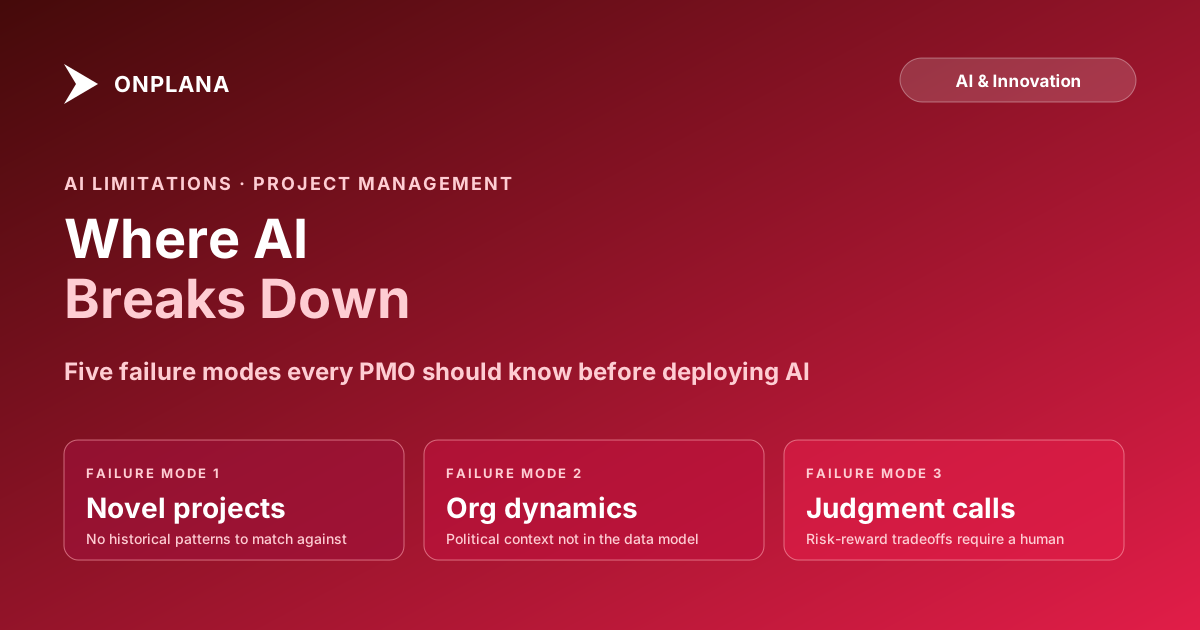
Five failure modes appear across every AI PM tool: novel projects (no reference patterns), political dynamics (not in the data), true judgment calls (risk-reward tradeoffs the model cannot own), bad input data (confident but wrong output), and context mismatch (high confidence, wrong situation). None can be fully eliminated. All can be designed around once you know they exist.
Why Naming AI Project Management Limitations Builds Better Outcomes
The NIST AI Risk Management Framework describes a principle that translates directly to PM: identifying AI limitations before deployment is the precondition for safe and useful AI use. Applied to project management, this means defining the failure cases before relying on AI output in a live project.
PMOs that deploy AI tools without understanding the limitations tend to make one of two mistakes. Some over-trust: they accept AI-generated risk assessments or status summaries as ground truth without validating them against what they know about the project. Others under-trust: after encountering one bad output, they stop using the AI features entirely and lose the genuine benefits on the operations where AI works well.
The productive position is in between: use AI confidently for the operations where it is reliable, apply mandatory human review for the operations where it is not, and know the difference between those two groups before you start.
Failure Mode 1: Novel Projects Without Historical Patterns
AI risk detection, duration estimation, and pattern-based recommendations all depend on historical signals. When a PM tool's AI evaluates schedule health, it compares the current project against patterns: how long tasks like this typically take, what overallocation ratios tend to predict slippage, what milestone proximity without active work looks like across past projects.
For a project unlike any the organization has run before, those patterns do not exist. The AI either applies analogies that do not fit or falls back on generic baselines that are not calibrated to your organization's velocity, team size, or delivery model.
Examples where this failure mode bites:
- The first time an IT-focused PMO runs a capital construction project
- A technology migration to a platform the organization has never used
- A regulatory response project with a constraint set the organization has never navigated before
- A program with a political structure that differs significantly from the standard portfolio
In these cases, AI output on schedule health, risk severity, and realistic duration is speculative at best. The model has no relevant reference class. What it returns is a well-formatted guess.
The workaround: Treat AI output on novel projects as a prompt for human judgment, not a finding. Configure AI tools to flag low-confidence outputs explicitly (some do, most do not). For duration estimation on novel work, use three-point estimates from subject-matter experts rather than AI-suggested baselines.
Failure Mode 2: Political and Organizational Dynamics
AI reads structured data and text. The schedule, task assignments, comments, status updates, and resource logs are all readable. What the AI cannot read is the informal organizational context that determines whether a project is actually healthy.
The stakeholder who is three levels above the PMO and has privately decided to kill the project does not appear in the task list. The executive sponsor who has lost interest and has stopped attending steering committee meetings appears in the system as "no comment in 14 days," which might trigger a staleness flag. The cross-department conflict that is slowing a deliverable because two VP-level managers are not speaking to each other appears as a delayed task.
AI can surface the signal (the flag, the delay, the missing review). It cannot interpret the organizational cause. A PM who understands the political context looks at the delayed task and immediately knows why. The AI looks at the same task and produces a generic risk description about "resource bottleneck or scope ambiguity."
This limitation is not fixable by improving the model. The organizational context is not in the data, because it exists in interpersonal dynamics and institutional knowledge that PMs carry but systems do not capture.
The workaround: Treat AI-surfaced flags in politically complex projects as starting points for human investigation, not conclusions. Add a standing review step where a senior PM with organizational context screens AI-generated risk and status output before it goes to stakeholders.
Failure Mode 3: True Judgment Calls on Risk and Scope
The diagram below maps AI project management limitations against the types of decisions in a typical PMO. The pattern is consistent across tools: AI performs well on detection and summarization; it breaks down on value judgment and prioritization.
True judgment calls are the category where AI fails most predictably. Whether to cut scope or extend the deadline when both are bad options, which stakeholder to escalate to when multiple executives have competing interests, whether a contractor's missed milestone is a negotiating posture or a real delivery problem: these require risk-reward reasoning grounded in organizational context that the model does not have.
AI tools that attempt to make these judgment calls produce output that sounds plausible because it is formatted like an analysis. The PM who knows the project reads the same output and immediately recognizes that it is missing the organizational context that changes the answer.
The workaround: The decision categories in Onplana's AI decision-boundary model map this explicitly: high-stakes, judgment-dependent decisions are in the "stay out" zone by design, not because the AI lacks capability in a general sense but because the specific context is not in the system. Respecting this boundary, and building a review process that catches AI output before it reaches stakeholders on judgment calls, is the right architecture.
Failure Mode 4: Low-Quality or Sparse Input Data
AI applied to bad data produces confident-sounding wrong output. This is arguably the most dangerous failure mode because it is the hardest to detect.
When a PM runs a risk scan on a well-maintained project (updated tasks, current assignments, recorded baselines, recent status notes), the AI has rich signal to work with. The output quality is high because the input quality is high.
When a PM runs the same scan on a project with two summary tasks, no baselines, no resource assignments, and no recent updates, the AI still returns output. It uses the same format, the same confidence tone, the same risk severity labels. The output looks like a legitimate risk assessment. It is not: it is pattern-matching applied to noise.
This failure mode is common in organizations that are adopting structured project management for the first time. The PM discipline is still developing; project data is incomplete. AI gets deployed as part of the tooling before the data quality practices are in place to support it.
The practical test: before relying on AI output, verify that the project has been updated within the last 7 days, has at least one baseline, has resource assignments on active tasks, and has comments or status notes from the current period. If it fails any of these checks, the AI output is unreliable. Onplana's Schedule Health Check runs a deterministic first pass on schedule quality that surfaces these data gaps before any AI analysis runs, specifically to catch the low-quality-input problem before it produces misleading AI output.
The workaround: Establish a minimum data quality standard before AI-powered operations run. Treat low-quality-input flags as a blocker on AI output, not as a prompt to run the AI and see what comes back.
Failure Mode 5: High AI Confidence on the Wrong Context
The most subtle failure mode: the AI's model confidence is high, the output format is correct, and the analysis is wrong because the AI is answering a slightly different question than the one you meant to ask.
An example: you run a risk scan on a project during a planned pause period, when the team is on scheduled downtime. The AI sees: tasks with no progress in 14 days, milestones approaching with no active work, a resource pool with no recent updates. It flags the project as high-risk. The risk score is confidently calculated. The output is formatted like a genuine risk finding.
The PM knows immediately that this is a false positive: the project is intentionally paused. But the AI has no concept of "planned pause" unless that context is explicitly in the system. It sees the same signals as an unplanned stall and responds accordingly.
This class of failure appears whenever the AI is answering the literal question ("is there slippage signal here?") rather than the contextual question ("is there slippage signal here in a situation I should be concerned about?"). The gap between those two questions is organizational context that the model does not hold.
The workaround: Build context-setting mechanisms into the workflow. Planned pauses, scheduled reviews, intentional no-update periods should be recorded explicitly in the PM tool so that AI operations have access to the context. How AI runs project management in Onplana covers how dismissal feedback reduces false-positive rates over time: if your team consistently dismisses a specific risk pattern, the next run is primed with that context.
How to Use AI in PM Without Being Bitten by the Failure Modes
Understanding these five failure modes turns them from surprises into manageable design constraints. The practical adjustments for a PMO deploying AI PM tools:
Classify your workflows before you deploy. Sort every AI-powered operation in your PM tool into one of two buckets: high-reliability (pattern recognition on structured data: schedule anomaly detection, duration estimation from past tasks, activity-based status summaries) and review-required (novel projects, political stakeholders, judgment calls, low-data-quality environments). Apply the same scrutiny to the review-required bucket that you would to any human analysis: verify before using.
Establish data quality gates. Define the minimum project state that qualifies for AI analysis. A reasonable default: updated within 7 days, at least one baseline, resource assignments on active tasks, at least one status note in the current period. Flag projects that fail this check rather than running AI analysis on them.
Use feedback loops. Every AI PM tool with a dismissal or rejection mechanism improves its precision over time if you use it consistently. When AI output is wrong, dismiss it with a category (false positive, wrong context, organizational factor). Over months, the false-positive rate on your specific portfolio decreases because the model is calibrated to your dismissal patterns.
Tell stakeholders what the AI did and did not consider. When sharing AI-generated risk reports or status summaries, be explicit about the scope: "This is an AI-generated analysis based on schedule data and activity logs. It does not incorporate the organizational context from last week's steering committee." That framing sets correct expectations and ensures the recipient applies their own judgment on the dimensions the AI missed.
AI in project management works well on a specific, well-defined set of operations. The failure modes above are not reasons to avoid AI tools: they are the constraints that define where AI is and is not reliable. Designing around them rather than discovering them in production is the difference between AI that helps and AI that creates extra work to verify.
Frequently asked questions
What are the main AI project management limitations?
Five failure modes appear consistently: novel projects with no historical patterns, political and organizational dynamics the AI cannot perceive, true judgment calls requiring risk-reward reasoning, low-quality or sparse data that degrades model output, and high-confidence AI output applied to the wrong context. Each has a workaround; none can be fully eliminated.
Why does AI fail on novel projects in project management?
AI risk detection and duration estimation rely on pattern recognition across past projects. A project unlike any the organization has run before has no reference patterns. The AI either applies analogies that do not fit or defaults to generic baselines. The failure is not the model's fault; it is a data problem: novel means no relevant training signal in your history.
Can AI project management tools detect political risks?
No reliably. AI reads structured data and text. Stakeholder sentiment, executive relationships, cross-department dynamics, and informal power structures are not in the database. AI can surface signals (a stakeholder has not commented in three weeks, a high-priority reviewer has rejected four deliverables) but the interpretation requires human contextual knowledge the model does not have.
What is the difference between AI features that work and ones that don't in PM?
AI works well on high-frequency, pattern-rich, structured operations: schedule anomaly detection, status summarization from activity logs, duration estimation from similar past tasks, overallocation flagging. AI works poorly on low-frequency, novel, politically complex, or judgment-dependent operations. Knowing which bucket a workflow falls into is the evaluation decision.
How should a PMO set expectations for AI in project management?
Set expectations at the workflow level, not the product level. For each AI operation, ask: does this depend on pattern recognition over structured data? If yes, expect good results. Does this require organizational context, political judgment, or reasoning over ambiguous qualitative information? If yes, treat AI output as a first draft requiring human review, not a reliable answer.
Does bad data make AI project management worse than no AI?
In some cases, yes. AI applied to sparse or inconsistent data produces confident-sounding output that is wrong. A PM who runs a risk scan on a project with two tasks, no baselines, and no resource assignments gets a result that looks valid but has nothing to ground it. Bad-data outputs are harder to catch than obvious errors because the format is indistinguishable from good outputs.
Ready to make the switch?
Start your free Onplana account and import your existing projects in minutes.