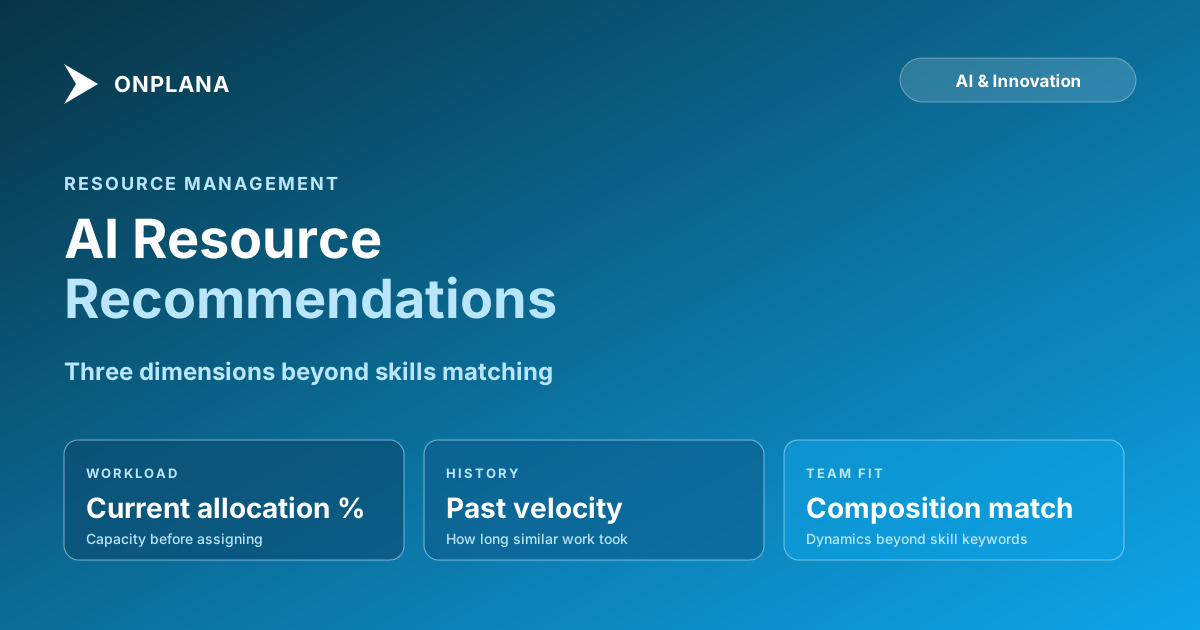
AI Resource Allocation: Skills Matching Is Half the Job
AI resource allocation that only matches skills misses workload, velocity, and team dynamics. Here's what smarter resource recommendations actually look at.
Most AI resource matching works like a keyword search. You tag a task with "Python, REST APIs, senior engineer" and the tool finds team members whose profile contains those words. The model returns a shortlist, you pick one, the task gets assigned. It is a form of autocomplete dressed up as intelligence, and it gets the easy cases right.
The easy cases are not the ones that sink projects.
The allocation decisions that create trouble are the ones where the skills match is obvious but the assignment is still wrong. The available senior engineer is already the critical path dependency on two other projects. The "Python" expert has the skills but spent the last eight months on infrastructure work and will need two weeks to ramp back into application development. The team member who appears at 60 percent utilization is already the approver, reviewer, and escalation point for everything else on the project, and a formal assignment will push them past capacity regardless of what the utilization number says.
AI resource allocation that is worth the name has to reason about those constraints, not just the skills tag.
The direct answer: Skills-only AI resource matching reliably identifies who can technically do a task. Smarter AI resource allocation adds workload, project history, team composition, and downstream bottleneck reasoning to answer who should do the task given all the context. The gap between those two questions is where most allocation mistakes live.
What skills-only matching gets right (and what it misses)
Skills matching is not useless. It solves a real problem at scale: when a PMO is managing 200 engineers across 50 projects, no individual PM has a complete mental map of who has what skills. A skills-matching filter eliminates the candidates who demonstrably cannot do the work and reduces the shortlist to a manageable set. For routine task assignment in a well-staffed team, that is often enough.
What it misses is the context that determines whether a skills-qualified candidate is actually a good choice at this moment, for this task, on this project.
Current workload is the most commonly ignored dimension. A person at 95 percent allocated has the skills; adding another task does not change their skill set, it changes what they can actually deliver. Skills matching never touches this question unless you have explicitly wired workload data into the matching criteria, which most teams have not done.
Velocity history matters because the same skill produces different output at different experience levels with a specific technology, team, or codebase. A developer who has done twelve API integrations on your specific platform and knows where the undocumented edge cases live is a different resource than a developer who has the same listed skills but has never touched your stack. Skills matching sees an equivalent resume; project history reveals the difference.
Team composition effects are invisible to skills matching entirely. Adding a particular person to a team changes the team's dynamics: communication patterns shift, review dependencies change, and the informal knowledge-sharing network reorganizes around the new member. These effects are not quantifiable at the moment of assignment, but experienced PMs account for them intuitively. AI that has access to past team composition and outcome data can surface signals about which combinations have worked and which have not.
The five dimensions smarter AI resource allocation uses
The difference between AI that generates a shortlist and AI that generates a recommendation is the number of dimensions being evaluated simultaneously. Effective AI resource allocation reasons across five dimensions beyond skills.
Current load. How many hours of committed work does this person have over the task's duration window? This requires that tasks have estimated hours, not just status labels. A task list where everything is "in progress" with no hours estimate provides no load signal; AI falls back to skills matching. The pre-condition for smarter AI resource recommendations is clean workload data: every active task has an owner and an hours estimate.
Historical velocity. How long does this type of work typically take this person? Not the category average, but the individual average, drawn from completed tasks of a similar type. A person who consistently completes three-point tasks in four days rather than two is not slow: their three-point tasks may be higher-quality or more complete. But the AI needs to know that their delivery cadence for this work type is four days, not two, to produce an accurate availability model.
Project familiarity. Has this person worked on this project or codebase before? Ramp-up time for unfamiliar context is the most consistently underestimated cost in task assignment. A two-week task assigned to someone with deep context takes two weeks; the same task assigned to someone without context takes three to four weeks because the first week is learning the system. AI with access to historical project assignments can flag the ramp-up cost before the assignment is made.
Downstream bottlenecks. Does this assignment create a concentration of work on a single person who is already a critical dependency elsewhere? If the proposed assignee is already the only reviewer for three concurrent deliverables, adding a fourth assignment to them creates a serialization bottleneck across four workstreams simultaneously. This is the allocation mistake that most commonly causes schedule slip in well-resourced projects: the bottleneck is not capability but review-queue depth.
Learning curve value. Sometimes the right assignment is not the fastest one. Assigning a stretch task to a junior team member costs time now and builds capability for future assignments. AI that can model this trade-off, comparing the schedule cost of a stretch assignment against the velocity gain on future similar tasks, produces recommendations that serve the team's long-term capacity rather than just the current task's shortest completion path.
How workload visibility changes the math
The transition from skills matching to workload-aware AI resource allocation produces a different output for a specific case type: the fully-loaded team member.
Without workload data, a person at 95 percent allocation looks identical to a person at 40 percent allocation in a skills search. Both have the required skills; both appear in the shortlist. The PM picks based on familiarity or availability impression, often adding the person who is most responsive in Slack, which is usually the person who has the most time, not the person who is most appropriate for the task.
With workload data, the 95 percent allocated team member either does not appear in the recommendation (if the system is configured to filter above a threshold) or appears with a clear capacity warning: "Priya has the required skills and highest historical accuracy for this task type, but her current allocation is 94 percent through the task's projected delivery window. Assignment will push her to 117 percent in weeks 3 and 4."
That information changes the conversation. The PM can choose to assign Priya with awareness of the overallocation, negotiate scope reduction on one of her existing tasks to create room, or select the second-ranked option at lower load. Without the workload signal, none of those options exist as explicit choices: the PM assigns Priya because Priya is available enough to appear on the shortlist.
The Resource Heatmap tool surfaces this workload data without requiring a full PMO toolchain upgrade. Upload a .mpp file or connect to your current project data and the heatmap shows individual utilization by week: who is overloaded, who has capacity, and where the workload is concentrated. This is the baseline data the AI needs to generate recommendations rather than keyword matches. For a deeper treatment of how overallocation forms and how to read utilization data, see Resource Overallocation: The Math That Breaks Schedules, which covers the mechanics of utilization calculation and why weekly rollups hide the problem until it is too late.
The diagram below compares what skills matching and workload-aware AI resource allocation each see.
Learning from project history
Project history is the dimension that most AI resource tools have access to but use least effectively. The data exists: every completed task has an assignee, a start date, a completion date, and a category. That is enough to build a velocity profile for each person across different work types.
Why this matters: velocity is not uniform. A senior developer may complete typical backend tasks at 0.8x estimated time (consistently fast) but complete documentation tasks at 1.4x estimated time (relatively slow). A mid-level designer may complete UI component work at 1.0x estimated time but visual identity work at 0.7x estimated time (they have a personal strength there). A project manager may complete stakeholder reports at 1.1x estimated time but meeting facilitation planning at 0.6x (experience in that specific form).
Skills matching treats all of these people as interchangeable within their role label. Velocity-aware AI sees the difference and surfaces it in the recommendation. When you are deciding whether to assign the 0.8x backend developer or the 1.2x backend developer to a task on the critical path, the difference is not trivial: it changes the expected delivery date, the buffer requirements, and the risk profile of the schedule.
Building this history requires that completed tasks carry accurate completion data: the actual hours spent, not just a "done" status. Most teams track task status but not task effort, which makes the velocity profile flat and uninformative. The pre-condition for history-based AI recommendations is accurate effort tracking on completion, which is also a pre-condition for accurate future estimation. If your team does not currently track this, starting now will produce a useful history within three to six months.
What AI resource recommendations cannot replace
Three things that remain human judgment regardless of how sophisticated the AI becomes.
Team chemistry and collaboration fit. AI can surface that two people have collaborated successfully on similar work in the past. It cannot surface that they now have a communication conflict, or that one is mentoring the other in a way that should be protected, or that the team is approaching a cohesion tipping point where adding a new member would be disruptive. These signals live in conversations and relationships, not in task data.
Career development intent. The optimal assignment from a pure schedule perspective is rarely the optimal assignment from a career development perspective. A PMO investing in its team assigns stretch tasks deliberately, even when a faster alternative exists. AI can surface the schedule cost of a stretch assignment; the decision to absorb that cost for long-term team capacity is a management judgment that belongs to a human resource manager or PMO lead.
Political constraints. Some assignments are constrained by organizational dynamics that never appear in task data. A specific team member must be visible on a high-profile project for retention reasons. A particular senior engineer cannot be assigned to a vendor engagement for contractual reasons. A team lead's assignments need to be balanced across divisions to maintain relationships. AI has no access to these constraints unless they are explicitly configured as rules, and most of them change too often to maintain as formal rules.
For PMOs at the maturity level where resource management is a formal function with dedicated resource managers, see PMO Maturity Tiers Explained for a framework on when and how to add resource management discipline to your PMO. The resource recommendation tools work best at maturity levels where workload tracking is already a standard practice: they amplify an existing discipline, not substitute for it.
Building an AI resource recommendation workflow
Four implementation steps, in the order that matters.
Step 1: Clean your workload data. Every active task should have an assigned owner and an estimated hours value. Without hours, the AI cannot reason about capacity and falls back to skills matching. This single step provides more AI recommendation improvement than any model upgrade. Organizational analytics tools like Microsoft Viva Insights can supplement PM tool data with collaboration patterns, but the primary workload source must be your PM tool's actual task and assignment records.
Step 2: Close the loop on completed tasks. Add actual hours to completed tasks. Three months of accurate completion data is enough to produce meaningful velocity profiles for common work types. Use this data to calibrate your future estimates: if your estimates are consistently 20 percent low for a specific work category, that is a systematic bias the AI can correct for in future recommendations.
Step 3: Configure workload thresholds. Set the allocation threshold above which candidates are deprioritized in recommendations. Most PMOs use 85 to 90 percent as the threshold for surfacing capacity warnings; above that threshold, the recommendation flags the overallocation rather than filtering the candidate entirely. You still see the recommendation, but with the context you need to make an informed decision.
Step 4: Review the first thirty recommendations manually. Before trusting the AI output unsupervised, run thirty allocation decisions through both the AI recommendation and your own judgment independently. Compare the results. Identify where they diverge and why. Divergences in your favor reveal AI blind spots (probably political or relationship constraints); divergences in the AI's favor reveal human cognitive biases (probably availability heuristics and recency bias in candidate selection). The calibration exercise takes a few weeks but sets a concrete trust baseline for the AI recommendations.
The free Resource Heatmap tool is a practical starting point for understanding your current workload state before adding AI recommendation logic. It takes a project file or data export and returns a week-by-week utilization view across all resources. If the heatmap reveals overallocation you did not know about, that is a signal that your current allocation process has systematic visibility gaps that AI recommendations will help address.
For teams managing resource allocation across large portfolios in Onplana, the AI recommendation surfaces are covered in the broader AI project management features overview. Recommendations in Onplana draw on the same workload data, velocity history, and project familiarity signals described above, grounded through RAG access to your organization's actual task and assignment history. For a description of the underlying technical approach, see How AI Runs Project Management in Onplana, which covers the full AI stack including the risk detection and recommendations surfaces.
See your resource workload in 30 seconds The free Resource Heatmap turns a project file into a week-by-week utilization view, so you can see where capacity exists and where overallocation is hiding before making assignment decisions. No login required. → Open the Resource Heatmap
Frequently asked questions
What is AI resource allocation in project management?
AI resource allocation uses machine learning to recommend which team members should be assigned to specific tasks or projects. Better implementations go beyond skills keywords to consider current workload, project history, team dynamics, and learning-curve implications.
How does AI resource matching go beyond skills?
Skills matching answers 'can this person do the work.' Smarter AI resource allocation also answers 'are they available, have they done this before, what will the learning curve cost, and does the assignment create or resolve a downstream bottleneck.'
What data does AI need for better resource recommendations?
Workload data (current assignments with hours, not just task count), historical velocity (how long similar work actually took each person), project history (what they worked on previously), and calendar integration (leave, recurring meetings, part-time schedules).
Can AI replace a resource manager?
No. AI resource recommendations surface signals that are hard to hold in a human head across 50 projects and 200 people. The judgment call, weighing team dynamics, career development, and political considerations, still belongs to a human resource manager or PMO lead.
What is the difference between AI resource matching and AI resource recommendations?
Resource matching is a lookup: find people whose profile contains the required skills. Resource recommendations are advisory: given all the constraints and context, here are the best options and why, ranked by fit. Matching is a filter; recommendations are a judgment.
How do I implement AI resource recommendations in my PMO?
Start with clean workload data: every active task should have an assigned owner and an estimated hours value. Without hours, the AI cannot reason about capacity. Once workload data is clean, resource recommendations are a configuration decision, not an engineering project.
Ready to make the switch?
Start your free Onplana account and import your existing projects in minutes.