Generating a Project Plan from a Plain-English Prompt
AI project plan generation works best when your prompt includes scope, constraints, and team context. Here's what separates a useful plan from a generic one.
Here's a test. Write a one-sentence description of a project you ran last quarter: not the project plan, but the brief you'd give a new team member in a hallway conversation. Something like: "We need to migrate our customer support team from Zendesk to Freshdesk before the contract renews in September, with four support engineers and two weeks of parallel running." Now paste it into an AI project plan generation tool and ask for a plan.
What comes back reveals exactly where AI project plan generation stands in 2026: confident on structure, variable on substance, and almost entirely dependent on what you gave it to work with. The prompt determines the plan. Getting a useful output is as much a skill as getting a useful output from a human consultant: ask a vague question and you get a vague answer.
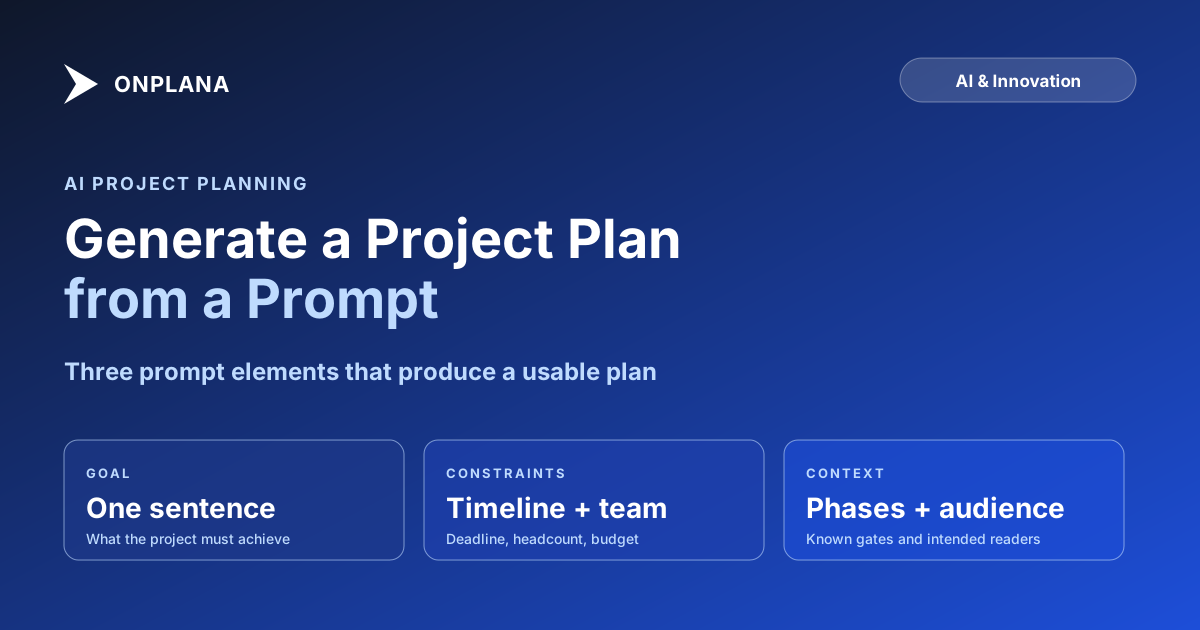
The direct answer: AI project plan generation reliably handles phasing, dependency types, and milestone placement for well-understood project categories. It needs four things from you to produce a usable plan: a clear goal, concrete constraints, any known phases or dependencies, and the intended audience. Everything after that is editing, not rewriting from scratch.
Why prompt quality determines plan quality
A language model generating a project plan has no access to your organization, your team, or the history of similar projects your PMO has run. What it has is what you typed.
When the input is vague ("plan a software migration"), the model defaults to what a migration plan generically looks like: discovery, design, build, test, deploy. The output is technically correct and practically useless, because every project team already knows those phases exist. The value was supposed to be in the specifics.
When the input is specific ("migrate a 12-team engineering org from GitHub Enterprise Cloud to self-hosted GitLab, with CI/CD rebuilds required for each team, a hard April 30 deadline, and two DevOps engineers doing the migration work"), the model has enough constraint to produce a plan with realistic phasing, a plausible workload distribution, and at least the right questions to ask. The plan still needs editing, but editing starts from a working draft rather than a blank canvas.
This is not a limitation that future AI will overcome. It is a feature of the task: the plan is only as specific as the project definition. The model cannot guess that your enterprise Git migration has a licensing audit requirement attached to it unless you say so. The question is not whether AI is smart enough; it is whether you gave it enough to work with.
What AI project plan generation actually does with your words
Understanding the pipeline helps calibrate expectations. When you submit a natural-language brief, three things happen in sequence.
First, the model identifies the project type and maps it to its training data for that category. Software migration, product launch, training rollout, compliance implementation: the model has seen thousands of examples of each and knows the standard phases, common risks, and typical stakeholder structure for each type.
Second, it extracts the constraints from your prompt. Timeline, team size, known dependencies, stated phases, explicitly named milestones. Anything you did not state, the model fills in with category defaults. A migration without a stated deadline gets average migration durations. A project without a team size gets a solo-contributor model.
Third, it generates a structured plan: tasks grouped into phases, dependency types assigned, durations estimated, milestones placed at logical boundaries. In tools like Onplana, this output lands directly in the scheduling engine as a real plan with Gantt representation rather than as a text block you have to copy and paste elsewhere.
The models that handle this third stage, including Anthropic's Claude and Azure OpenAI, have improved substantially at structured constraint satisfaction and sequential planning in recent model generations, which is why AI plan generation has moved from producing generic templates to producing editable drafts.
The diagram below shows this pipeline.
Step two is where your prompt pays dividends or fails. If the model cannot extract a deadline from your input, it assigns generic durations. If you did not name a team size, it cannot reason about parallelism. If you did not mention a specific constraint (regulatory review, vendor dependency, budget cap), it will not appear in the plan.
The four elements of a prompt that produce a real plan
Over time, a pattern emerges in which AI plan generation prompts produce usable output and which do not. The difference consistently comes down to four elements.
The goal, in one sentence. Not the project name: the outcome. "Launch the v2 API with OAuth 2.0 support" is a goal. "API v2 project" is a name. The model reasons about the outcome when deciding what phases and risks to include. A goal-based prompt produces a plan shaped around the endpoint; a name-based prompt produces a generic template with your project name substituted in.
The constraints. Timeline is the most important: a hard deadline changes everything about how the model distributes work across phases. Team size and composition matter next. "Two backend engineers, one QA, and a part-time PM" produces a different resource model than "cross-functional team of ten." Budget matters when it is the binding constraint rather than time.
Known phases or dependencies. If you already know the project has a regulatory review in phase 2 that gates everything else, say so. The model will not invent regulatory requirements, but it will structure the plan around them if you provide the constraint. This is the most commonly skipped element and the one that produces the most generic output when omitted.
The audience for the plan. An executive summary plan has different granularity than a working plan for an engineering team. Naming the audience in the prompt changes the level of detail, the prominence of milestones versus tasks, and the framing of risks. A plan intended for a sponsor looks different from a plan intended for the team delivering the work.
A prompt that includes all four elements reads something like:
"Migrate our internal IT service desk from ServiceNow to Jira Service Management by September 15. Team: one IT architect, two admins, one PM. Known constraint: parallel running for 30 days before cutover, and legal requires a data retention review before any data moves. Plan for the IT team, not executive."
That prompt produces a plan worth editing. "Plan a help desk migration" produces a template.
What AI project plan generation handles confidently
Three things AI handles reliably across project types, once you have given it a specific enough prompt.
Standard phasing. For any well-understood project category, the model produces sensible phase breakdowns without you enumerating them. Software deployments get Discovery, Build, Test, Deploy. Migrations get Inventory, Export, Transform, Import, Verify. Training rollouts get Curriculum design, Pilot, Rollout, Evaluation. The phases map to real work without you listing each one in the prompt.
Dependency typing. Modern AI plan generators assign Finish-to-Start, Start-to-Start, and other dependency types correctly for the relationships they create. Parallel review tasks that can start once inventory is done come out as Start-to-Start; the cutover that can only happen after migration validates comes out as Finish-to-Start. This is tedious to assign manually and the AI handles it well for standard project structures. For a deeper look at how dependency types behave, see Critical Path Method Explained, which covers the scheduling math behind each type.
Risk identification. The model is generally good at surfacing the standard risks for a project type. A database migration plan will include a rollback-testing risk. A regulatory compliance project will flag a documentation-sign-off dependency. These are not deep insights: they are the things PMs sometimes forget to add on the first pass. Think of the generated risk list as a checklist seed, not a risk assessment.
Where AI-generated plans need human review
Three areas where the generated output is a starting point, not a conclusion.
Durations. AI-assigned durations reflect what a project of this type typically takes across many examples, not what your team specifically can deliver. A ten-day estimate for "API integration testing" represents the category average; whether your QA team can execute that in ten days depends on their current load, your test coverage, and the complexity of your specific integrations. Adjust every duration before you publish the plan to any stakeholder. AI durations consistently underestimate coordination overhead and overestimate automation leverage.
Organizational dependencies. AI generates logical dependencies, but projects run on organizational dependencies that are not logical. The VP of Engineering must sign off before the team can begin. Legal requires a five-business-day review window regardless of how fast they can read the document. The model does not know your organization: these dependencies must be added manually after the plan is generated.
Novel or specialized work. For projects in well-understood categories, the model has good coverage. For genuinely new work, specialized domains, or anything where your organization has developed uncommon processes, the model falls back on generic structure. Pharmaceutical validation plans, aerospace certification sequences, regulated financial system changes: AI will produce something, but something is not the same as correct. The further a project is from the standard, the more the generated plan is a skeleton rather than a draft.
Verification checklist before publishing an AI-generated plan
Run through these five checks before sharing any AI-generated plan with stakeholders:
- Every milestone has at least one preceding task. Floating milestones without predecessors do not constrain the schedule; they float to the project end date and give a false sense of planning.
- Every duration above ten days has been reviewed. These are the estimates AI gets most wrong. Breaking them into shorter tasks also helps the model on subsequent iterations.
- Organizational dependencies have been added. If the steering committee must approve phase 2 before phase 3 can start, that gate needs to exist as an explicit dependency in the plan.
- The critical path makes intuitive sense. If the longest dependency chain is not what you would expect given the project, something in the logic is probably wrong. Review the chain task by task.
- Generic filler tasks have been removed. Tasks that exist because they exist in the template, rather than because your specific project needs them, add noise and inflate the duration. Cut them.
The free Schedule Health Check runs these structural checks against any project plan automatically: missing predecessors, constraint-heavy tasks, logic gaps, and resource bottlenecks all appear in a structured report. Running a generated plan through it takes under a minute and catches the structural problems AI-generated schedules produce most often.
How AI project plan generation works in Onplana
Onplana's AI Project Kickstart implements this pipeline in the product's first-run flow. When you type a project brief into the Kickstart form, the model returns a draft: typically 8 to 16 tasks across two to four phases, with dependency types assigned, realistic category durations, and one to three surfaced risks. The draft is flagged as AI-generated until a PM reviews each component: tasks land in TODO status with an "AI-drafted" label visible in the task list.
The full Kickstart walkthrough covers the flow from an actual brief. What that post does not cover is the prompt-quality dynamic above. The two-minute benchmark assumes a reasonable input. A vague one-word brief produces a generic plan; a specific four-element brief produces a working draft.
The AI-first architecture post covers the technical side: how the model is grounded in organizational project history, how the plan lands in the scheduling engine, and how subsequent AI surfaces interact with the generated plan. Risk detection, status summaries, and recommendations all benefit from plans that have real structure rather than placeholder phases. The architecture also explains how Onplana uses Retrieval-Augmented Generation to anchor AI outputs to your organization's actual data rather than generic training patterns.
Onplana's plan generation is on the Pro plan ($12/seat/month). We moved it down from the Business tier specifically because the value is clearest when teams use it habitually rather than only for the first project. The free tier includes two projects with AI core features (chat, NL parsing, status summaries); plan generation is the first capability worth upgrading for once you are past the free tier.
What to do when a generated plan needs full rework
Every team produces a bad prompt at some point and gets back something useless. The right response is not to run generation again immediately: it is to examine what the prompt was missing and add it before the next attempt.
The most common failure mode is a prompt that describes what the project is rather than what it must achieve. "Create an employee onboarding program" is a description. "Create an onboarding program for 50 engineers joining in Q3, reducing time-to-first-PR from 14 days to under 7, with cross-functional delivery across HR, IT, and Engineering" is a goal with constraints. The second prompt produces a plan worth editing; the first produces a generic checklist with the word "onboarding" in it.
If a generated plan requires restructuring more than editing, use it as a reference rather than a starting point. Keep the phases and correctly identified risks; rebuild the tasks to match your specific workflow. The model is better at identifying what categories of work happen in a project like this than at sequencing the specific tasks your team actually does. Sometimes the phases are right and the tasks are wrong; keeping the former and replacing the latter is faster than starting from an empty Gantt.
AI project plan generation is not a replacement for the planning skill that makes PM work valuable. What it replaces is the blank-page problem: the 30 to 60 minutes of staring at a new project before anything exists to edit. That time is a real cost, across a PMO running ten projects a quarter it adds up to weeks, and eliminating it frees PM attention for the judgment work that actually determines whether a project succeeds.
Run the free Schedule Health Check After generating a plan, run it through the Schedule Health Check to catch structural problems before they create schedule surprises downstream. Checks for missing predecessors, floating milestones, logic gaps, and constraint density. No login required. → Open the Schedule Health Check
Frequently asked questions
What is AI project plan generation?
AI project plan generation uses a language model to convert a plain-English description of a project into a structured plan with tasks, milestones, dependencies, and estimated durations. The quality of the output depends heavily on what you give it to work with.
What should I include in a prompt for AI project plan generation?
Four elements matter most: the project goal in one clear sentence, the key constraints (timeline, team size, budget), any known phases or dependencies, and the intended audience for the plan. Prompts that omit constraints produce generic plans.
Can AI-generated project plans be used directly without editing?
No. AI-generated plans are reliable starting points for structure and phasing, but task durations need calibration against your team's actual velocity, and any generated plan requires PM review before sharing with stakeholders.
What does AI project plan generation handle well?
AI handles well-understood project categories accurately: software launches, system migrations, training rollouts, compliance implementations. It produces reasonable phasing, standard dependency types, and typical milestone placement.
Where does AI plan generation fall short?
AI-generated plans miss organizational politics, team-specific velocity, specialist domain nuance, and any constraint you didn't state in the prompt. Novel projects and regulated-industry workflows need significant human rework.
Does AI plan generation replace the project manager?
No. AI generates a starter structure; the PM owns the judgment calls, stakeholder communication, and scope decisions. The value is in eliminating the cold-start problem and the blank-page time at the beginning of planning.
Ready to make the switch?
Start your free Onplana account and import your existing projects in minutes.