Best Construction Project Management Software: 7 Must-Haves
The best construction project management software computes the critical path and keeps all four dependency types on a P6 or .mpp import. Seven things to test.
The best construction project management software is the one whose scheduling engine survives your own schedule: it keeps all four dependency types with lag, recomputes the critical path when a task slips, and imports your existing Primavera P6 or Microsoft Project file without flattening it. McKinsey's 2016 research found that large construction projects typically take 20 percent longer to finish than scheduled, which is why the schedule engine, not the demo interface, is the first thing to test.
Summary. Construction PM software must support FS/SS/FF/SF dependencies with lag, a computed critical path with float, saved baselines, P6 and .mpp import, mobile field access and ERP integration. Generic work management tools fail on scheduling fidelity, field-first tools such as Procore and Fieldwire are strongest on site and lighter on scheduling, and Primavera P6 wins on depth at the cost of implementation overhead. Test any candidate by importing a real schedule through the free Schedule Health Check first.
Most tools in this category are sold on a Gantt chart demo and a drag-and-drop interface. That is the wrong starting point, because construction projects run on physical constraints. Concrete cannot be poured before rebar is placed, and final finishes cannot begin until MEP inspections clear. Each constraint is a predecessor in a dependency network that must compute correctly. A tool that draws Gantt bars without propagating a three-day critical-path slip downstream is a drawing tool with calendar features, and it produces schedules that look correct and diverge from reality at milestone reviews and contract penalty discussions.
The sections below cover the seven things to test, in the order they usually decide a purchase. For the wider contrast between the two disciplines, see why construction scheduling differs from IT scheduling.
Why Construction Scheduling Demands a Real Scheduling Engine
The distinction between "work management" and "project management" matters most in construction because the work itself is physically constrained.
In a software project, a blocked developer can often pivot to another task and the schedule absorbs the slip without visible cascade. In a construction project, a blocked trade cannot substitute another activity without explicit coordination. The framing crew does not start interior finishes because MEP rough-in is delayed. They wait, or they are released and rescheduled at cost. Either outcome affects the project timeline in a way that must be computed, not just noted.
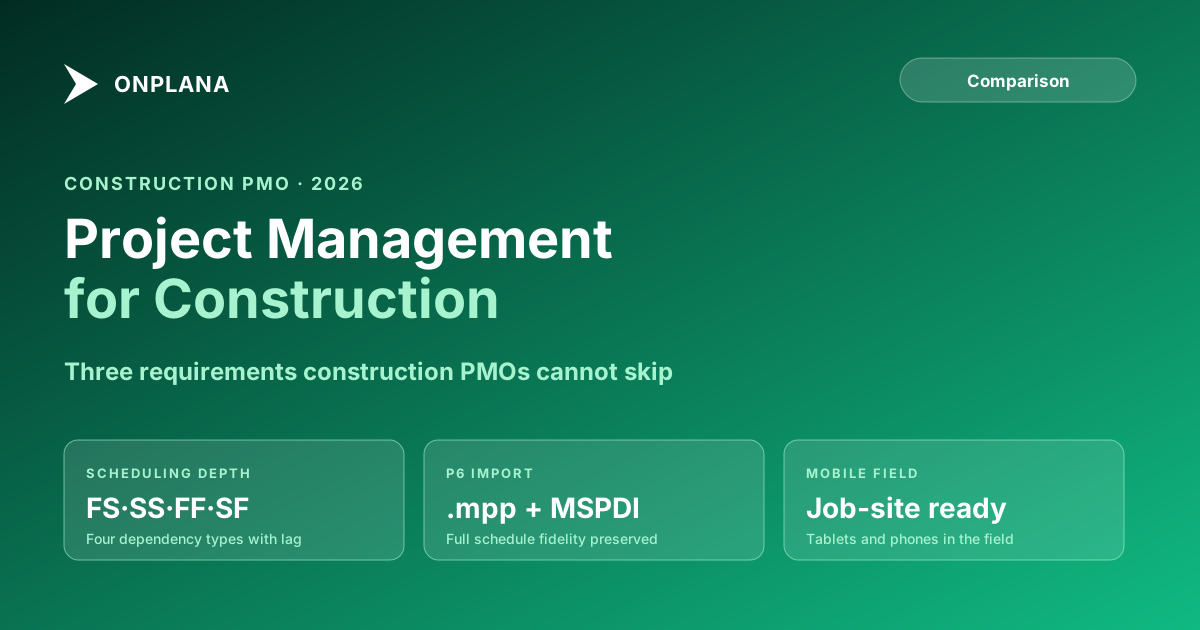
The scheduling math behind a construction project involves dependency types that most generic PM tools do not support. There are four: Finish-to-Start (FS), Start-to-Start (SS), Finish-to-Finish (FF), and Start-to-Finish (SF). Construction schedules use all four, often with lag values that model the minimum lead time between activities. A common example: concrete formwork can begin after the foundation is complete (FS relationship), but the cure period adds a mandatory lag before the next activity can proceed.
When these relationship types are flattened to FS-only in a generic PM tool, the schedule computes incorrectly. The resulting Gantt looks reasonable but contains hidden float errors and wrong critical path calculations. The PM manages to the displayed picture, which does not match the math. The math resolves when the project meets the calendar, usually at a delivery milestone.
Our post on why construction scheduling differs from IT scheduling covers the full contrast in detail. The short version: construction PMs need a scheduling engine. IT PMs often need a coordination tool. The evaluation criteria are different.
What are the must-haves in construction project management software?
The core requirements list is short. Every tool on the shortlist should pass all of them before the procurement team spends time on secondary features.
Full dependency types with lag values. FS, SS, FF, and SF dependencies, each configurable with positive or negative lag values. Without this, the schedule model is wrong from the start.
Critical path calculation with float. The scheduling engine must compute total float for every task and identify the critical path as the longest network of tasks with zero float. Float display and critical path highlighting should update automatically when the schedule changes. Visual Gantt bars that do not compute float are not critical path; they are bar charts.
Multiple baselines. Construction projects go through phases with formal baseline sign-offs at contract award, scope change approvals, and schedule revisions. Without multiple saved baselines, schedule performance reporting against the original approved plan is not possible.
Resource management with calendar support. Named resources with working calendars, shift patterns, and availability windows. Subcontractor resources should be trackable against committed windows, not just individual task assignments.
Mobile access. Field-ready interface accessible on tablets and phones, with task updates, punch list creation, and issue logging that does not require navigating a full desktop session in the field.
P6 or .mpp file import. If the PMO has existing schedules in Primavera P6 or Microsoft Project, the new platform must import them without degrading dependency types, lag values, baselines, or resource assignments.
ERP integration. API access to route budget actuals, change order status, and labor hours between the PM platform and the construction ERP.
The Schedule Health Check surfaces the current state of your project schedules against these criteria: dependency completeness, critical path accuracy, and resource loading.
P6 and .mpp Import: Test This Before You Sign Any Contract
Every construction PMO evaluating a new platform has existing schedules. Those schedules represent the organization's operational history: baselines approved at contract award, dependency logic built by experienced schedulers, and resource assignments tied to awarded subcontracts. If the new platform cannot import them without data loss, the migration cost includes rebuilding those schedules from scratch.
Import fidelity for construction schedules means all four dependency types are preserved including lag values, resource assignments survive with their working calendars, at least the primary baseline is preserved, hard constraints (Must Start On, Start No Earlier Than, Finish No Later Than) carry through, and the WBS hierarchy is maintained.
Primavera P6 is the dominant scheduling engine for large construction programs. It exports schedules as .xer files and as XML. Microsoft Project's native format is .mpp. Most modern PM platforms import MSPDI XML with reasonable fidelity, and native .xer import is less common. Onplana imports .mpp, MSPDI XML and Primavera .xer files through one import dispatcher, so a P6 schedule does not have to take the detour through MSPDI XML first.
The import test is not optional. Run a representative schedule, one with SS and FF dependencies, multiple resources, and an active baseline, through the import process before signing a contract. Check what survived and what was dropped. If dependencies were flattened to FS-only or resource assignments were lost, the import fidelity is insufficient.
The diagram below shows the two common import paths and what each preserves.
The import test is one of the highest-value steps in a construction PM platform evaluation. Run it with a real schedule before the procurement decision.
Mobile Field Use: Why This Kills Adoption at the Job Site
Field supervisors, subcontract foremen, and QA engineers spend their working days on site, not at a desk. If the PM software cannot be used on a tablet or phone without reverting to a cluttered desktop layout, the field team does not use it. They use paper punch lists, WhatsApp groups, and verbal updates to the superintendent instead.
The resulting data lag is predictable. Issues are logged hours or days after they occur. Update cycles become daily or weekly instead of real-time. The PM's schedule reflects what was true yesterday. By the time a critical-path delay surfaces in the system, the recovery window may already be closed.
Minimum viable mobile functionality for construction PM software:
- Task status updates from a smartphone without navigating a full desktop interface
- Punch list creation with photo attachments linked to the schedule activity and location
- Issue and RFI logging linked to the responsible subcontractor and activity
- Read access to the current schedule and upcoming milestone dates
- Offline-capable operation, or graceful degradation in low-signal site environments
Some construction-specific platforms (Procore, Fieldwire) are built mobile-first and handle the field layer well but offer limited scheduling depth. General PM platforms with responsive mobile layouts offer better scheduling but often lack field-specific features like punch list workflows and photo documentation. Evaluating both layers is part of a thorough procurement process.
Resource Management for Trades and Subcontractors
Construction resource management differs from IT resource management in a structural way. Many construction resources are external: subcontractors, specialty trade firms, and owner-furnished equipment vendors are not employees whose calendars the PM controls. The schedule records their committed availability windows, not their full organizational capacity.
What construction PM software needs for resource management:
- Named resource assignments with working calendars that account for union holidays, shift patterns, and seasonal constraints
- Generic resource types for cost estimation before specific subcontractors are awarded
- Resource loading reports showing which subcontractors are committed across overlapping weeks
- Rate tables for tracking budget commitments against actuals
- Subcontract commitment records that flag conflicts when the same trade is allocated to multiple concurrent activities
The Resource Allocation Heatmap computes cross-project utilization from uploaded .mpp files, useful for PMOs managing multiple concurrent projects sharing subcontractor resources.
How do the main construction PM software categories compare?
The table below compares the three main tool categories across the criteria that matter most for a construction PMO decision.
| Dimension | Generic PM tools (Asana, Monday) | Primavera P6 | Onplana |
|---|---|---|---|
| Dependency types | FS only | Full FS/SS/FF/SF + lag | Full FS/SS/FF/SF + lag |
| Critical path calculation | No | Yes, with float | Yes, with float |
| P6 / .mpp import | No | Native P6 .xer | .mpp, MSPDI XML and .xer |
| Multiple baselines | No | Yes (unlimited) | Yes |
| Mobile field use | Web-responsive layout | Limited | iPhone and Android companion apps |
| Enterprise resource pool | No | Yes | Yes |
| Stage-gate governance | No | No | Proposal governance pipeline |
| ERP integration | Third-party connectors | Oracle native | REST API + webhooks |
| Self-hosted deployment | No | On-premise server | AWS, Azure, GCP, Docker |
| Pricing | $10-25/user/month | $5,000+ perpetual | Free, then $7 to $29/user/month |
The pattern across these dimensions is consistent. Generic tools fail on scheduling fidelity. P6 wins on scheduling depth but carries infrastructure overhead that only the largest programs justify. A modern PM platform with genuine scheduling depth, mobile access, governance, and API integration covers most construction PMO use cases without the implementation and maintenance burden of an enterprise P6 deployment.
For large capital programs with hundreds of activities, earned value management requirements, and multi-contractor reporting obligations, P6 remains the scheduling engine of record. For mid-market construction PMOs managing 10 to 150 active projects, a platform built for PMO depth with modern pricing and flexible deployment is typically the better investment. The Microsoft Project alternatives page covers the broader landscape if your PMO is also evaluating a move off MS Project.
Run the free Schedule Health Check Upload your current .mpp or MSPDI XML file and get a breakdown of dependency health, critical path accuracy, and resource loading in 30 seconds. No signup required. Open the Schedule Health Check
Microsoft Project® is a trademark of Microsoft Corporation. Onplana is not affiliated with Microsoft.
Frequently asked questions
What makes project management software for construction different from generic PM tools?
Construction projects depend on physical trade sequencing, hard delivery constraints, and critical path precision that generic work management tools do not model. Construction PM software needs full FS/SS/FF/SF dependency types with lag values, critical path calculation, P6 or .mpp import, mobile field access, and ERP integration.
Does Onplana support P6 or Microsoft Project file import?
Yes. Onplana imports .mpp, MSPDI XML and Primavera P6 .xer files, with tasks, dependencies, resources, baselines and costs carried across, on every plan including Free.
What scheduling features do construction PMs need that generic tools miss?
Construction PMs need all four dependency types (FS, SS, FF, SF) with configurable lag values, critical path calculation with float, multiple baselines, calendar-aware scheduling for trade shifts and holiday calendars, and resource loading that handles subcontractor commitments.
How important is mobile access for construction PM software?
Critical. Field supervisors and subcontract foremen access schedules and punch lists from job sites, often on tablets or phones in low-connectivity environments. PM software without a responsive mobile interface forces paper-based workarounds that create data lag and missed updates.
What ERP integrations do construction PMOs typically need?
Common integrations include Oracle E-Business Suite, SAP S/4HANA, Sage Intacct Construction, Vista by Viewpoint, and Procore's financial module. Key data flows are budget actuals, labor hours, subcontract commitments, and change order status.
Can Onplana replace Primavera P6 for construction PMOs?
Onplana handles most construction PMO use cases: full dependency types, critical path, enterprise resource pool, stage-gate governance, and ERP integration via API. For large programs requiring EVMS reporting to DoD standards, P6 Enterprise remains the specialized choice. For capital project portfolios with up to several hundred activities per project, Onplana is a viable alternative.
Ready to make the switch?
Start your free Onplana account and import your existing projects in minutes.