Driving PM Tool Adoption After Migration: The People Problem
PM tool adoption after migration fails quietly. Why it's a change-management problem, not a data problem, and the leading indicators you can catch in week two.
The migration succeeded. Every project imported cleanly, dependencies kept their lag values, and every project got a fresh baseline in the new tool. Cutover weekend was calm. The migration team declared victory and moved on to the next initiative.
Three months later, half the PMO is still keeping a shadow spreadsheet. Status meetings run off numbers a PM copied out of the new tool by hand because they don't trust what the dashboard shows. A resource manager asks, not hostilely, whether they can just keep using the old system "for now." Nobody called this a failure, because nothing broke. PM tool adoption after migration simply never happened; the tool changed, the habits didn't.
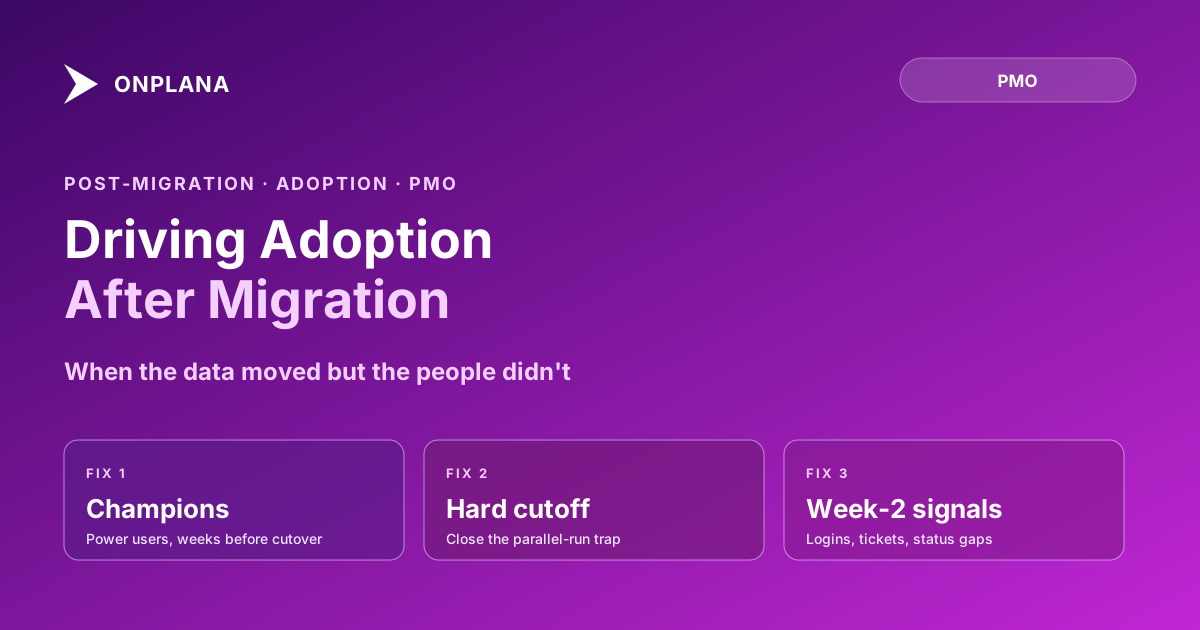
PM tool adoption after migration is a change-management problem, not a data problem, and it fails quietly rather than loudly. The fixes: build a champions cohort of power users weeks before cutover, cap parallel running to a hard date so the old tool stops being a fallback, treat training as repeated practice rather than a single session, and make the new tool the only source of truth by revoking write access to the old one. Watch four leading indicators from week two onward: login trend, spreadsheet requests, status-number mismatches, and where support tickets cluster. Catching adoption failure in week two is a fix; catching it in month three is a rebuild.
The diagram below shows how adoption diverges between PMOs that catch the warning signs early and PMOs that don't notice until the pattern has calcified.
Why Does PM Tool Adoption After Migration Fail When the Migration Didn't?
A migration and an adoption effort answer two different questions. Migration answers: did the data move correctly? Adoption answers: do people actually work in the new system now? A PMO can score perfectly on the first and fail the second, because nothing about clean data compels a PM under deadline pressure to change a decade of habits.
This gap is exactly why why Project Online migrations fail treats deferred training as a distinct anti-pattern from data-fidelity failures. The data problems get caught because someone checks a report and the numbers are visibly wrong. The adoption problem doesn't announce itself the same way. It shows up as a slowly rising tide of workarounds that nobody flags as a single, coherent failure until three months in, when the PMO director realizes the "migration" that finished on a calm Monday morning never actually took hold.
The pattern isn't specific to any one tool. It shows up in any PM tool migration, and it's showing up more often in 2026 as PMOs rush to cut over ahead of Microsoft's September 30, 2026 retirement of Project Online, where the technical cutover and the human transition are planned as if they were the same project with the same finish line. They aren't. The cutover has a weekend. Adoption has a curve, and the curve either bends up starting in week one or it flattens quietly and takes months to notice.
Adoption Is a Change-Management Problem, Not a Data Problem
Treating adoption as a technical afterthought, "the tool works, they'll figure it out," is the single most common reason it stalls. People don't adopt new software because it's correct. They adopt it because the alternative becomes harder than learning the new way, and because someone they trust showed them it actually works for real projects, not a demo.
That reframing changes what the PMO should be planning for. Instead of a go-live checklist, adoption needs its own plan with its own owner, its own timeline, and its own success metrics, running in parallel with the technical migration, not as a footnote to it. The rest of this post is that plan.
The Champions Model: Building a Power-User Cohort Before Cutover
The single highest-leverage adoption intervention is recruiting five to ten PMs to use the new tool as their daily driver during the migration pilot phase, weeks before the rest of the portfolio cuts over. This is the same cohort referenced in the training plan for PMs moving off Project Online, and the reason it works for adoption specifically is peer credibility. A PM who hears "the dependency editor works differently, here's how" from a colleague who's been using it on a real project for three weeks believes it. The same PM hearing it from an outside trainer in a one-hour session treats it as theory.
Pick champions deliberately. Look for PMs who are respected by peers, not necessarily the most senior; skeptics who ask hard questions during the pilot and get satisfied answers make more credible advocates than enthusiasts who liked the tool on sight. By cutover, this cohort should be able to answer real questions from the rest of the PMO without escalating to the migration team, which is the actual exit criteria for the champions phase.
Size the cohort to the portfolio, not to convenience. A 15-project PMO can run with five champions; a 200-project PMO needs closer to fifteen, distributed across the resource managers and functional leads whose teams will feel the change first. Too small a cohort and champions get overwhelmed with questions the moment cutover happens, which pushes them right back to escalating to the migration team, the exact outcome the model is supposed to prevent. Too large a cohort and the pilot phase runs longer than it needs to, delaying the very cutover the champions are meant to prepare for.
The Parallel-Running Trap
Every migration keeps the old tool reachable for some window after cutover, usually framed as a safety net. The trap is that the safety net has an expiration date it rarely gets, and every week past that date is a week PMs have the option to default to the tool they already know how to use under pressure.
The mechanism is specific: a PM hits a moment of friction in the new tool, maybe a report layout they haven't found yet, and instead of working through it, opens the old system because it's one click away and familiar. That single decision, repeated across a PMO for a few months, is how "parallel running" quietly becomes "permanent running." Our first-90-days playbook sets the hard cutoff at week 6; the exact number matters less than having one at all, set before cutover, and enforced without exceptions once it arrives.
Why Doesn't Training Alone Drive Adoption?
A training session introduces a concept. Adoption requires that concept to survive contact with a real, time-pressured Monday morning three weeks later. Those are different bars, and most training plans are built to clear only the first one.
The fix isn't more training content; it's a different training shape. Spread it across weeks instead of a single session, pair it with real project work instead of a sandbox exercise, and set an exit criteria a PM has to demonstrate, not just attend. This mirrors the structure in the training step of the 90-day plan: orientation, then scheduling motion, then reporting, then power-user workflows, each week building on hands-on repetition rather than a lecture. A PMO that compresses this into a single go-live-week overview session is optimizing for a checkbox, not for adoption.
Making the New Tool the Only Source of Truth
As long as two systems can both plausibly answer "what's the status of this project," some fraction of the PMO will keep checking both, and a smaller fraction will keep updating both, which is worse. The single most effective structural fix is removing the choice: revoke write access to the old tool on a fixed date, communicate it clearly in advance through the channels laid out in the stakeholder communications plan, and hold the date even if a few PMs push back that they're "not quite ready."
This feels aggressive to PMOs used to a gentler transition. It works because ambiguity, not resistance, is usually the actual enemy. Most PMs aren't refusing to adopt the new tool out of preference; they're hedging because both options remain technically available. Remove the hedge and the resistance mostly evaporates within a week or two.
The Leading Indicators You Can Catch in Week Two
Waiting for month three to notice an adoption problem means the habits are already set. Four numbers, tracked from week one, surface the problem while it's still cheap to fix:
- Weekly active PM logins. A curve that plateaus by week two, rather than climbing, is the earliest and clearest signal.
- Requests for exports "to double check." A PM asking for a spreadsheet export of their own project's data is telling you, directly, that they don't yet trust the tool as the source of truth.
- Status-number mismatches. When a status report doesn't match what's live in the tool, someone updated a different system and forgot to mirror it.
- Where support tickets cluster. Tickets trailing off across a broad set of topics is healthy. Tickets clustering tightly on one or two workflows, most often dependency editing or baseline management, means a specific piece of muscle memory hasn't transferred yet, and it's fixable with targeted, not general, support.
Run the free PMO Maturity Assessment at the 30-day mark after cutover; the tooling dimension specifically surfaces whether adoption is tracking toward a healthy tier or drifting toward the "bought a tool, didn't change the operating model" pattern that shows up in stalled migrations.
What Recovery Looks Like When Adoption Already Stalled
If three months have passed and the shadow spreadsheets are still running, recovery is possible but takes more deliberate effort than getting it right the first time. The fixes are the same ones described above, applied with more urgency: set a firm, communicated date to cut off the old tool's write access, even retroactively. Pull the champions cohort back into active duty, this time paired 1:1 with the specific PMs still reverting, rather than broadcasting general tips. And stop treating "go-live" as the finish line internally; report adoption metrics to the sponsor the same way you'd report a schedule risk, with a plan and a date, not an apology.
A stalled adoption effort recovered in four to six weeks of concentrated attention. Left alone, it calcifies into permanent dual-tool overhead that costs the PMO more, in labor and confusion, than either system ever charged in license fees.
The uncomfortable part of recovery is admitting the migration isn't actually finished, months after everyone agreed it was. That admission is also the fastest path out. PMOs that keep insisting the migration is "done" while quietly running two systems spend far longer stuck than PMOs that name the adoption gap directly, assign an owner, and treat closing it as a defined project with its own start and end date.
Run the free PMO Maturity Assessment A 15-question read on where your PMO's tooling, process, and governance actually stand 30, 60, or 90 days after a migration, not where the go-live announcement said they'd be. No signup required. → Take the PMO Maturity Assessment
Microsoft Project Online™ is a trademark of Microsoft Corporation. Onplana is not affiliated with Microsoft.
Frequently asked questions
Why does PM tool adoption fail even after a technically successful migration?
Because migration success and adoption success measure different things. A migration can move every task, dependency, and baseline correctly and still fail if PMs keep working in spreadsheets or the old tool out of habit. Adoption is a behavioral change, not a data operation, and it needs its own plan.
What is the parallel-running trap?
Keeping the old tool reachable alongside the new one for longer than a defined pilot window. It's meant as a safety net, but every extra week it stays open gives PMs a familiar fallback to default to under deadline pressure, which quietly prevents the new tool from ever becoming the habit.
Why doesn't training alone drive adoption?
Because a training session teaches a concept once; adoption requires repetition under real deadline pressure. PMs who see a new dependency editor demonstrated once in a session don't have the muscle memory to use it confidently three weeks later when a live project is on the line.
What are the earliest warning signs that adoption is failing?
A declining or flat weekly login trend by week two, PMs asking for exports 'to double check' in the old format, status reports with numbers that don't match what's in the new tool, and support tickets clustering around the same one or two workflows instead of trailing off.
What is a champions cohort and why does it help adoption?
A group of five to ten power users who go hands-on with the new tool weeks before the rest of the PMO, usually during the pilot phase of migration. By cutover they have real muscle memory and become peer trainers for the rest of the team, which lands better than instruction from someone outside the PMO.
Can a PMO recover adoption after it has already stalled?
Yes, but it requires the same fixes applied more aggressively: cut off the old tool's write access immediately, rotate the champions cohort into direct 1:1 support for the PMs still reverting, and stop measuring 'go-live' as done. Recovery from a three-month stall usually takes four to six weeks of concentrated effort.
Ready to make the switch?
Start your free Onplana account and import your existing projects in minutes.