The First 90 Days After Project Online Migration
After Project Online migration, the real work starts. The week-by-week plan for the first 90 days: data checks, reporting rebuild, and adoption that sticks.
Every Project Online migration guide ends at cutover weekend. With Microsoft's retirement of Project Online confirmed for September 30, 2026, the runbooks, the pilot phases, the go/no-go checklists have multiplied this year, and all of it points at one Saturday night when the data moves. What almost nobody writes about is life after Project Online migration, the Monday morning ninety days later, when the migration project team has moved on, the sponsor has stopped asking for updates, and the PMO is left to discover whether the thing actually worked.
It usually looks fine at first. The data landed. The dashboards render. Then, four weeks in, someone notices half the PMs are still keeping a shadow spreadsheet "just in case." Six weeks in, a status report goes out with numbers that don't match what's in the tool, because the PM updated the spreadsheet and forgot the tool. By week ten, the PMO director is quietly wondering whether the migration actually finished or just changed where the problem lives.
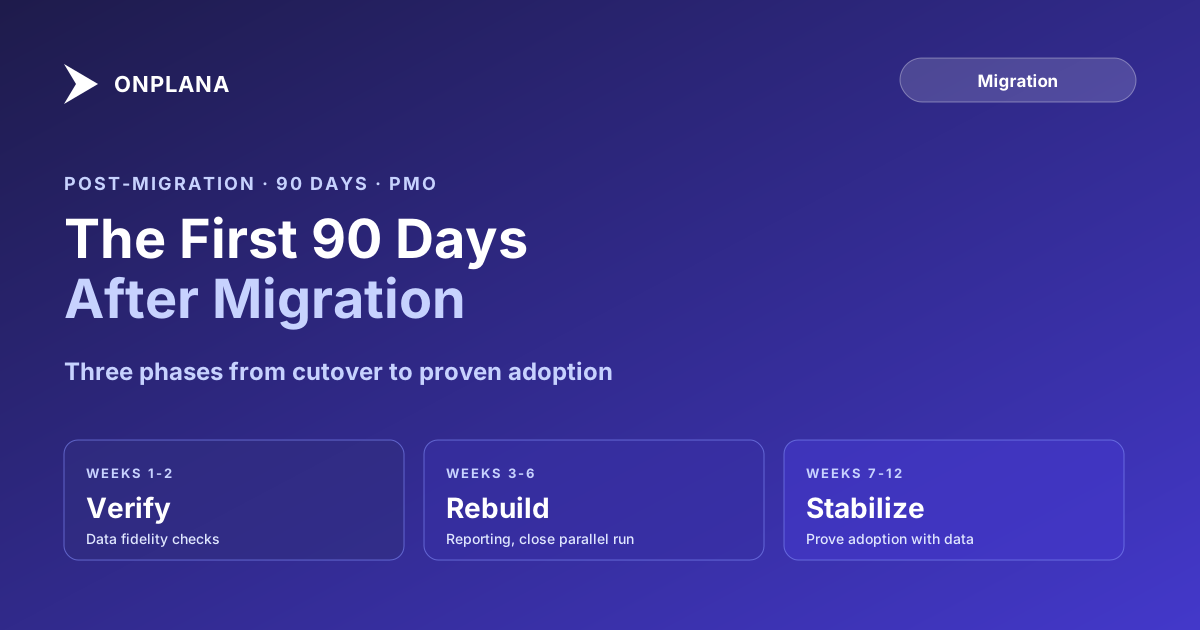
The first 90 days after a Project Online migration break into three phases: verify (weeks 1-2, confirm the data actually survived), rebuild (weeks 3-6, restore the reporting cadence and retire Project Online access), and stabilize (weeks 7-12, prove adoption with weekly login and update-rate data, not gut feel). The single biggest predictor of a stalled migration is a Project Online tenant still reachable past week 6; it becomes the fallback PMs quietly default to. Track four numbers weekly: active logins, percentage of projects updated in the new tool, report parity, and support ticket volume. If they aren't trending the right direction by week 6, the migration isn't finished, no matter how clean cutover weekend looked.
Why the First 90 Days After Project Online Migration Are a Separate Project
Most Project Online migration plans, including our own 90-day migration plan, are built around getting the data and the team to cutover. That is the right scope for a migration project. It is the wrong scope for the question a PMO director actually needs answered three months later: did this stick?
The two questions are different because the failure modes are different. A migration fails on cutover weekend when the data doesn't import cleanly, when dependencies lose their lag values, when baselines collapse into flat copies. Those are the failure modes covered at length in why Project Online migrations fail. A migration fails in the first 90 days when the data is fine but the behavior isn't: PMs keep two systems running, reports quietly diverge, and the organization never fully lets go of the old tool. That second failure is slower, harder to see, and far more common than a botched cutover, and it's the phase of your migration that decides whether the cutover weekend was actually worth it.
Treat the 90 days after cutover as their own project, with their own owner, their own checklist, and their own exit criteria. The migration team can hand off; the 90-day owner should not be the same person who is relieved the weekend is over and eager to move on.
The diagram below shows the three phases of the first 90 days and what changes at each stage gate.
Weeks 1-2: Verify the Data Actually Survived
The import log saying "success" is not verification. Before anyone in the PMO builds a status report, presents a dashboard, or makes a resourcing decision based on the new tool, confirm the data underneath it is correct.
- Compare task counts and dates project by project. Pull the original Project Online project list and match it against the new tool, project for project. A mismatch in task count is the fastest signal that something didn't import cleanly.
- Spot-check all four dependency types with lag. Finish-to-Start is the easy case. Confirm Start-to-Start, Finish-to-Finish, and Start-to-Finish dependencies carried their lag or lead values, not just the relationship type.
- Confirm baselines are historical snapshots, not flat copies. A baseline that matches the current schedule exactly, task for task, almost certainly imported as a copy rather than a preserved historical snapshot. Variance reporting depends on this being right.
- Validate custom field values, not just field names. A custom field that exists in the new tool but shows blank or default values for every project migrated with the label but not the data.
- Check resource assignments against the original allocation percentages. Assignment percentages sometimes survive import while the underlying leveling delays that adjusted them do not, which quietly shifts the schedule earlier than it actually is.
This audit discipline is the same one behind broken dependencies after migration and missing baselines after migration, and it deserves its own two weeks even if cutover weekend looked clean. A migration with a smooth go-live and unverified data is worse than a rocky go-live that gets caught early, because the smooth one gives everyone false confidence to build on top of it.
Weeks 3-6: Rebuild the Reporting Cadence
Once the data is verified, the next failure point is reporting. Every Power BI dashboard, every weekly status deck, every executive rollup that pointed at Project Online's OData feed stops working the moment that feed is gone or read-only. If nobody rebuilt it before cutover, weeks 3 through 6 are when the PMO has to do it under pressure, because sponsors will ask for the numbers regardless of whether the pipeline exists.
Start by inventorying every report that consumed Project Online data, then map each one to its replacement source in the new tool. Rebuilding the actual DAX and dashboard layout is covered in detail in rebuilding Power BI reports after leaving Project Online; the point for this phase is sequencing: reporting has to be re-established before week 6, because that's also the deadline for the next decision in this phase.
Close the parallel-running period on a hard date, not a soft one. Parallel running, keeping Project Online reachable alongside the new tool, exists to give PMs a safety net during the pilot and early cutover phases. Past week 6, that safety net turns into a liability: it's the tool PMs check when they don't fully trust the new numbers yet, and every day it stays open extends the window in which two versions of the truth can diverge. Confirm two consecutive reporting cycles where the migrated data matches source, then revoke write access to Project Online and move it fully to read-only.
Watch for status divergence during this window. It's common enough to have its own failure pattern, covered in status divergence during parallel running: a PM updates the spreadsheet or the old tool out of habit, forgets to mirror the change in the new system, and the two status reports quietly stop agreeing. The fix isn't more communication, it's cutting off the option to update the old system at all.
Weeks 7-12: Prove Adoption With Data, Not Impressions
By week 7, the PMO usually has a feeling about whether the migration is sticking. Feelings are not a scorecard. This phase is about replacing "seems fine" with four numbers, tracked weekly:
- Active PM logins. A flat or declining login trend by week 8 means PMs are doing their real work somewhere else, most likely a spreadsheet.
- Percentage of projects updated in the new tool versus tracked outside it. This is the single clearest adoption signal. A PMO with 80 active projects and 55 showing weekly updates in the tool has a 25-project shadow problem, whether or not anyone has said so out loud yet.
- Report parity. Do the rebuilt dashboards match what sponsors expect to see, without a manual reconciliation step behind the scenes.
- Support ticket volume. A steady decline through week 10 signals the team is becoming self-sufficient. A ticket volume that plateaus or spikes again in week 8 or 9 usually means a specific workflow, most often dependency editing or baseline management, still isn't landing for a subset of PMs.
The 90-day migration plan gets a portfolio to cutover. This scorecard is how you find out, with evidence instead of anecdote, whether the migration behind it actually worked, and it's the same discipline a sponsor-facing readout at day 90 should be built on.
Why Adoption Stalls Even When the Data Is Perfect
A PMO can nail every data-fidelity check in this post and still watch adoption stall. That happens because migrating data is a technical problem with a technical fix, and adoption is a behavioral problem that doesn't respond to the same fix.
The most common cause is muscle memory. A PM who has scheduled projects in Project Online for eight years has a set of habits: where dependencies live, how baselines get set, which report to pull for a steering committee. None of that transfers automatically, and under deadline pressure, people revert to whatever motion is fastest for them, not whatever tool they were told to use. Why Project Online migrations fail documents this as the deferred-training anti-pattern; the 90-day window is where that anti-pattern either gets corrected or calcifies into permanent shadow usage.
The second cause is a Project Online tenant that's still reachable. As long as PMs can log in and see the old numbers, a percentage of them will, especially when the new tool's report looks different from what they expect. This is the strongest argument for the hard cutoff described in the rebuild phase above: adoption accelerates measurably in PMOs that fully retire old-tool access by week 6, and stalls in PMOs that leave it open past week 10 "just in case."
What a Successful First 90 Days Looks Like
By day 90, a migration that actually stuck has these properties, not as aspirations but as observed facts:
- Every active project shows weekly updates from its actual PM, not a delegate catching it up after the fact.
- Report parity is confirmed and sponsors have stopped asking whether the numbers can be trusted.
- Project Online is fully read-only or decommissioned, with no PM holding onto standing access "for reference."
- Support ticket volume has dropped to a small, steady baseline, mostly new-feature questions rather than basic navigation.
- The PMO can point to the four-metric scorecard from this post and show a clean trend line, not a single good week.
Notice that none of these properties are about the technology working. They're about behavior: people doing their actual Monday-morning work in the new system, without a fallback they're quietly relying on.
Run the free Status Report Writer to rebuild the weekly reporting cadence during the first 90 days: it pulls milestone and status data directly from your active projects, so the reporting gap during the rebuild phase doesn't force sponsors back to asking for manual updates.
Run the free Status Report Writer Rebuild your weekly status cadence in the new tool without a manual reporting gap while Power BI dashboards catch up. No signup required. → Open the Status Report Writer
Microsoft Project Online™ is a trademark of Microsoft Corporation. Onplana is not affiliated with Microsoft.
Frequently asked questions
What should a PMO do in the first week after Project Online migration?
Verify data fidelity on every migrated project against the Project Online source: task counts, dependencies with lag, baselines, and custom field values. Do this before anyone reports on the new system, because a report built on unverified data compounds the problem it's supposed to catch.
How long does it take for a new PM tool to stick after migration?
Adoption typically stabilizes in 8 to 12 weeks if a power-user cohort is active from day one and the old tool is fully retired by week 6. PMOs that keep Project Online accessible past week 6 as a safety net see adoption stall closer to 16 to 20 weeks.
When should Project Online access be fully cut off after migration?
By week 6 at the latest, once data validation is complete and Power BI reports are redirected. A read-only fallback beyond that point becomes a standing invitation for PMs to check the old numbers instead of trusting the new tool.
What metrics show whether a migration is actually succeeding?
Weekly active PM logins, the percentage of projects updated in the new tool versus still tracked in spreadsheets, report parity between old and new dashboards, and open support ticket volume. A migration with clean data but flat login numbers in week 4 has an adoption problem, not a technical one.
Why do migrations that go smoothly on cutover weekend still fail?
Because cutover weekend measures whether the data moved. It says nothing about whether PMs use the new tool for their actual Monday-morning work. A migration that looks finished after a clean go-live can still fail quietly over the following two months if nobody tracks adoption.
How do you close out the parallel-running period after a Project Online migration?
Set a hard end date before cutover, not after. Confirm every migrated project has matched its Project Online source for two consecutive reporting cycles, then revoke write access to Project Online and move it to read-only. Extending parallel running past 4 weeks without a specific blocking issue almost always signals an adoption problem, not a data problem.
Ready to make the switch?
Start your free Onplana account and import your existing projects in minutes.