Project OKRs in Onplana: Connecting Goals to the Work
When project OKRs live in one tool and projects in another, quarterly progress vanishes between them. Here's the Onplana structure that closes the gap.
Quarter start. The executive team sets three Objectives with four Key Results each, the company's project OKRs for the quarter, in a spreadsheet. Two weeks later, the project team loads 40 tasks into the PM tool. By week five, both systems have drifted in different directions. The OKRs still say "increase customer retention by 15%." The PM is tracking a task called "Draft retention email campaign" with no connection to that goal. When the quarterly review arrives, there is a project status report and an OKR dashboard, and neither tells the other's story.
This is the default state of OKR-project integration: two parallel systems with no shared vocabulary.
TL;DR. Onplana's OKR feature lets you define Objectives and Key Results alongside your projects, then link project tasks, milestones, and initiatives to specific Key Results. Progress updates automatically as linked work completes. The structure works in both directions: browse project tasks to see which Objectives they serve, or browse Objectives to see which projects execute against each Key Result. The most common setup mistake is treating OKRs as a reporting layer rather than a planning input, setting them after the project plan already exists rather than before.
Why project OKRs and Project Plans End Up in Separate Tools
The separation is structural. OKRs emerged from strategy planning cycles, originating in Intel's management system and refined through Google's adoption in the late 1990s before spreading to most technology companies by the 2010s. Project plans emerged from delivery management: scheduling, resourcing, and tracking discrete scope. Most organizations adopted each from different sources at different times, and neither tool felt incomplete on its own.
The OKR framework tracks intent. It answers "what are we trying to accomplish this quarter?" It is written by leadership, reviewed monthly, and updated every three months. The cadence is strategic.
The project system tracks execution. It answers "what specific work is getting done, by whom, and by when?" It is written by PMs, updated continuously, and scoped to individual deliverables. The cadence is operational.
When they live in separate tools, both still work, as long as the team is small enough that one person holds both pictures in their head. At 5 to 10 people, a founder or team lead usually maintains that connection implicitly. At 20 to 50 people, the connection starts to fray. At a PMO managing 20 or more active projects, the gap is typically wide enough that leadership and project teams are routinely surprised by what the other is doing.
What the Disconnect Costs the PMO
Three failure patterns surface repeatedly when project OKRs and project plans operate independently.
Misallocated project resources. When the project pipeline is planned without reference to OKRs, projects get resourced based on internal advocacy, historical momentum, or whoever asked most persistently. Whether a given project serves the organization's actual quarterly priorities is a question nobody formally asked before the resources were committed.
Key Results with no project backing. A Key Result appears in the OKR system. No project task exists in the PM tool corresponding to it. Three weeks before the quarter closes, someone realizes the Key Result was never actually worked. The outcome: a red or amber OKR that everyone knew was at risk, but nobody flagged, because the OKR system had no visibility into the project pipeline that was supposed to deliver it.
Status reports that describe activity, not progress. A project team reports "on track." The OKR associated with that project's work sits at 20% of target with two weeks remaining. Both statements can be technically accurate at the same time: the project team tracks deliverables, the OKR system tracks outcomes. Without a connection between them, neither picture is complete. The framework in discipline, goals, milestones, and status reporting addresses how to separate what you measure at each layer so the two systems reinforce rather than contradict each other.
How Onplana's OKR Feature Is Structured
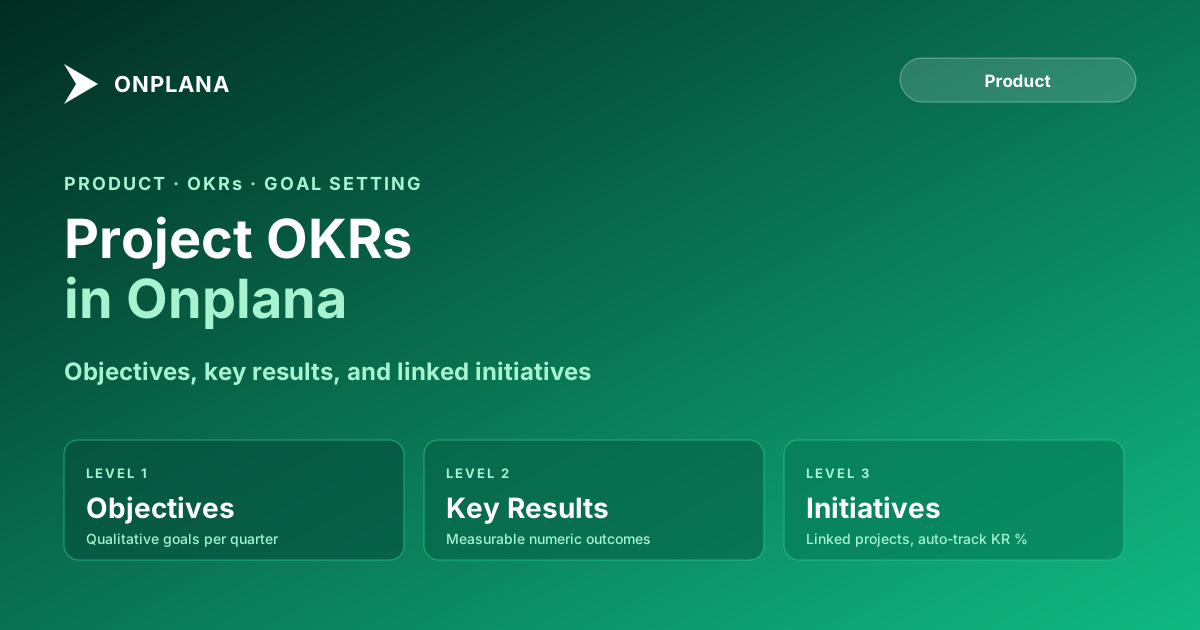
Onplana's OKR feature uses three levels: Objectives, Key Results, and Initiatives. The diagram below shows how they connect.
Objectives are the qualitative goals. Each carries a title, a quarter, an owner, and optional context. An Objective has no numeric target; that lives at the Key Result level. Example: "Reduce time-to-value for new customers."
Key Results define the measurable outcomes that constitute success for the parent Objective. Each Key Result has a metric type (numeric, boolean, or percentage), a start value, and a target value. Example: "Reduce median time from contract to go-live from 45 days to 25 days." Onplana tracks progress as the percentage of the gap between start and target that has been closed.
Initiatives are the projects or workstreams that execute against a Key Result. Linking a project to a Key Result does not change how the project is tracked: the Gantt, tasks, dependencies, and milestones operate normally. The linkage creates a data relationship that lets the OKR dashboard aggregate completion data from the project and display it as Key Result progress. When a linked task moves to Done, the Key Result's auto-progress updates immediately. The PM does not manually update OKR percentages.
The Three Structural Decisions That Determine Whether It Works
OKR-project integration adds clarity or adds overhead depending on three setup choices.
Set Key Results first, projects second. OKRs are planning inputs, not reporting outputs. If you draft the quarter's project plan first and then assign OKRs to existing projects, you are describing what you were already doing rather than allocating resources toward priorities. Set the Key Results, identify the projects that will execute against each one, and evaluate whether your current pipeline covers them. A Key Result with no linked project at week two of the quarter is an explicit resource allocation gap, not an oversight the OKR system will surface on its own.
Link Initiatives, not individual tasks, to Key Results. Linking 200 individual tasks to a Key Result produces a noisy progress signal: a Key Result moving from 47% to 52% because 10 low-effort tasks completed is not informative. Linking project-level Initiatives produces a cleaner signal: the Key Result advances when a meaningful chunk of work completes. Reserve direct task-to-Key Result linking for cases where a specific task represents a genuine outcome step, such as a go-live event, a contract signature, or a regulatory sign-off.
Separate the OKR review cadence from the project status cadence. Project status reviews happen weekly or biweekly. OKR reviews happen monthly or quarterly. If you review OKRs in every weekly project standup, the OKR discussion crowds out the project-level conversation. In Onplana, the OKR dashboard is a separate view from the project list. The data connection makes OKR progress visible without requiring a separate OKR meeting at every project review.
Setting Up Your First OKR Cycle in Onplana
A standard setup for a quarter's OKR cycle takes three steps and about two hours for a PMO with 5 to 10 active projects.
Create the Objectives. Navigate to the OKRs section of your workspace. Add an Objective for each strategic priority the quarter is supposed to address. Assign an owner and a quarter. Keep Objectives to 3 to 5 per team or department. More than five Objectives per owner typically means "strategic priority" is being applied too broadly.
Define Key Results for each Objective. Add 3 to 5 Key Results per Objective. Each Key Result needs a metric type (numeric, boolean, percentage), a start value, and a target value. Examples: numeric ("reduce support tickets from 200 to 120 per month"), boolean ("complete the security certification audit"), percentage ("increase project on-time delivery from 62% to 80%").
Link existing projects or create new Initiatives. For each Key Result, link the projects from your Onplana project list that will execute against that outcome. If the necessary project does not yet exist, create a new Initiative directly from the Key Result view. Assign a project lead and set a target completion date within the quarter.
After setup, the OKR dashboard shows each Objective with its Key Results and their current progress, derived from the linked projects. Project views remain unchanged: the project team uses the same Gantt, task list, and milestone view as before. The OKR layer is additive, not a replacement.
The full configuration options for OKRs, including time-period customization and cross-team Objective sharing, are documented on the Onplana features page.
Four Anti-Patterns That Break OKR-Project Integration
Vanity OKRs. A Key Result like "be best in class" or "improve customer satisfaction" with no numeric target is not a Key Result; it is a sentiment. The progress calculation requires a start value and a target value. Without them, progress is subjective and the OKR becomes a narrative rather than a measurement.
Key Results that describe outputs, not outcomes. "Launch the new onboarding module" is a project deliverable, not a Key Result. The corresponding Key Result is "reduce median onboarding completion time from 14 days to 7 days." Deliverables are the means; outcomes are the ends. When Key Results describe outputs, they measure activity rather than impact, and the OKR system becomes a second task list.
Over-linking. Attaching every project and every task to every OKR produces a dense web of relationships that is impossible to interpret. A Key Result with 15 linked projects never updates cleanly, because something is always progressing and something is always stalled. The progress number becomes noise. Limit each Key Result to 2 to 4 linked Initiatives. If more are required to achieve the outcome, the Key Result target is either too ambitious for one quarter or the scope of each Initiative is too narrow.
Quarterly setup, weekly abandonment. Teams that set OKRs in week one and stop reviewing them in week four produce an OKR system that exists in name only. The integration value comes from regular reference: at planning meetings, teams should ask "does this new request serve a Key Result?" before adding it to the pipeline. This discipline is a governance question as much as a tooling question, which is why the PMO Maturity Assessment evaluates it as one of the markers of a mature portfolio function.
When Keeping OKRs Separate Is Still the Right Call
Not every PMO should unify OKRs with project management. Three situations where separation remains correct:
The organization has no stable OKR practice yet. If Objectives change month to month, Key Results are set without owner agreement, and quarterly reviews are skipped regularly, the OKR system is not mature enough to serve as a planning input for the project pipeline. Linking a chaotic OKR practice to a stable project tool imports the chaos. Get the OKR practice stable first.
Project work is primarily reactive. PMOs managing maintenance, support escalations, and incident response with no predictable pipeline have limited ability to allocate project resources to Objectives. A Key Result that depends on reactive work completing on a defined schedule is not grounded in reality. For reactive PMOs, the OKR layer is better maintained separately, as aspirational direction rather than operational planning input.
Strategic OKRs contain information not shared below a certain level. Some organizations set OKRs for senior leadership that contain acquisition targets, competitive strategy, or headcount decisions not shared with project teams. Linking project-level data to those Objectives creates a visibility path the organization may not intend. In those cases, a partial unification works: link the non-confidential Key Results to project data and keep the sensitive ones disconnected.
For the majority of PMOs managing stable project portfolios with established quarterly planning cycles, unification is worth the setup cost. The clarity it produces (knowing which projects serve which Objectives and which Objectives have no project coverage) is the kind of visibility that grows more valuable as the portfolio grows. The PMO maturity tiers guide covers the full progression from ad hoc delivery to strategic portfolio management; OKR-project integration typically marks the step between maturity level 2 and level 3.
Run the free PMO Maturity Assessment See where your PMO sits on the maturity curve and which governance gaps to close before unifying OKRs with project data. No signup required. → Open the assessment
Frequently asked questions
What are project OKRs?
Project OKRs are Objectives and Key Results applied to project and portfolio work. Each Objective is a qualitative goal; each Key Result is a measurable outcome that defines what success looks like for that Objective.
How do OKRs connect to project tasks in Onplana?
In Onplana, you link project tasks, milestones, and initiatives to specific Key Results. When linked work completes, the Key Result's progress updates automatically based on the proportion of linked items in a done state.
What is the difference between an OKR Objective and a project?
An Objective is a qualitative goal that may take several projects to achieve. A project is a bounded scope of work with specific deliverables. One Objective often maps to two or three simultaneous projects.
Can Onplana track OKR progress automatically from project data?
Yes. When project tasks or milestones are linked to a Key Result, Onplana calculates progress from the linked items' completion state. You configure whether progress measures by task count, story points, or milestone completion.
Which Onplana plan includes OKR tracking?
OKR tracking is available on Onplana's Professional and Enterprise plans. The free plan does not include OKRs.
What is the biggest mistake teams make when setting up OKRs in a PM tool?
Setting OKRs after the project plan already exists. OKRs should be the planning input that determines which projects get resourced; retrofitting them onto an existing plan produces a cosmetic connection rather than a real one.
How many Key Results should each Objective have?
Three to five Key Results per Objective is the standard range. Fewer than three often means the Objective lacks specificity. More than five usually signals the Objective is too broad and should be split into two.
Ready to make the switch?
Start your free Onplana account and import your existing projects in minutes.