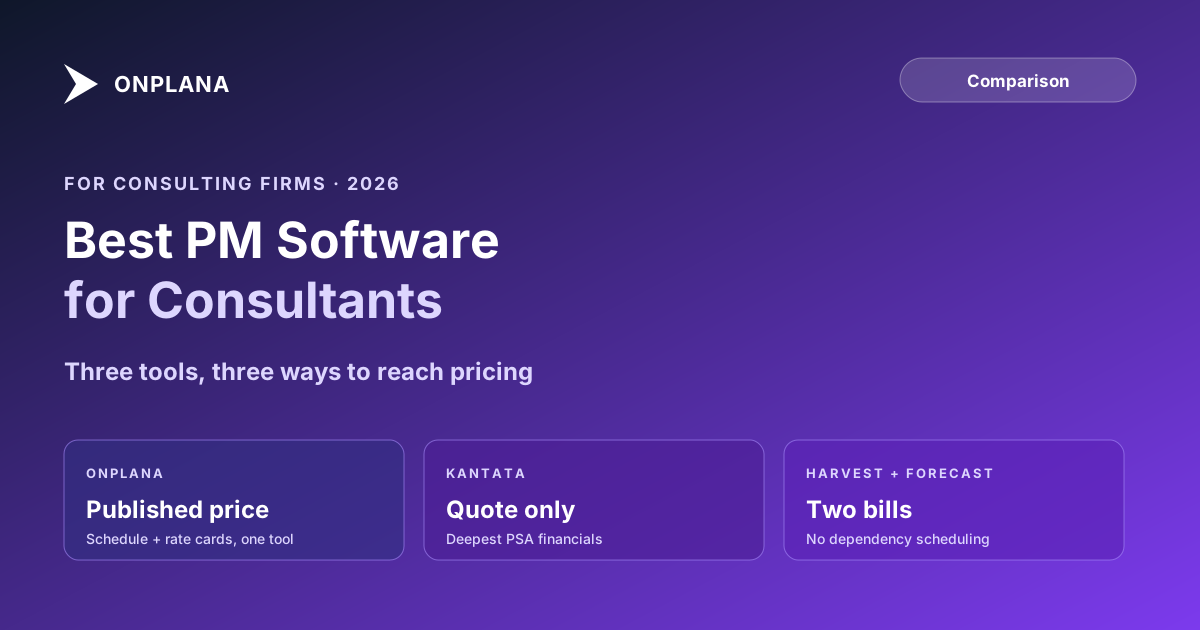
Best Project Management Software for Consultants
Best project management software for consultants depends on rate cards, multi-currency billing, and whether pricing is published or a quote.
A consultancy's PM tool has one job general PM software doesn't: it has to know the difference between an hour that gets billed and an hour that doesn't. Get that wrong and utilization dashboards look great while the invoice shrinks.
The direct answer: the best project management software for consultants is the one that combines real scheduling (dependencies, a critical path) with rate cards, multi-currency billing, and a time model that separates billable from internal work, at a price you can evaluate before a sales call. Kantata is the deepest purpose-built option for services-scale utilization and revenue recognition, reached only through a quote. Harvest plus Forecast covers time tracking and lightweight resource scheduling as two billed-separately products, with no dependency scheduling. Onplana publishes every price and ships rate cards, multi-currency budgets, and a Gantt with critical path on every plan including Free.
Three shapes of tool show up on every consulting shortlist. Kantata is the purpose-built professional services platform, strongest on utilization analytics and revenue recognition, quote-only at every tier. Harvest handles time tracking and invoicing at a published $9-14 per seat, with resource scheduling billed separately through Forecast at $5-6.25 per seat and no project scheduling depth in either. Onplana publishes Free through $29 per seat and includes rate cards, multi-currency budgets, dependency scheduling, and a critical path on every plan, adding resource capacity planning and timesheet cost math on Pro. Pick based on whether the bottleneck is services-scale financial depth, simple time and billing, or scheduling plus billing in one tool.
What a Consulting Firm's PM Tool Actually Needs to Do
A feature checklist that says "time tracking" and "reporting" describes almost every PM tool on the market and tells you nothing about whether it fits a consultancy specifically. Six things actually separate the tools worth shortlisting:
- Rate cards that carry both a cost rate and a billable rate per person, not just a single hourly number.
- Multi-currency budgets if any client is billed outside the firm's home currency.
- Billable-vs-internal hour tracking, the split that utilization and billability depend on and that a generic time tracker often flattens into one number.
- Real scheduling: dependencies and a critical path, not just a task list, so a delayed deliverable on one engagement is visible before it blows the deadline.
- Resource capacity planning across engagements, so a firm can tell whether a consultant is double-booked before the client finds out.
- Pricing you can evaluate before a sales call, because a firm sizing a shortlist wants to compare real numbers, not wait on three demo bookings to get three quotes.
Best Project Management Software for Consultants: Three Tools Compared
| Dimension | Onplana | Kantata | Harvest + Forecast |
|---|---|---|---|
| Pricing | Published: Free / $12 / $20 / $29 per seat | Not published; quote-only | Published: $9-14/seat (Harvest) + $5-6.25/seat (Forecast), billed separately |
| Free tier | Yes: 5 members, 2 projects | None | Yes, 1 seat, 2 projects (Harvest only) |
| Rate cards | Per-user, role-based, org-default, every plan | Included, configured during a quoted deployment | Not a published capability |
| Multi-currency budgets | 20 currencies, every plan including Free | Included as part of the financials module | Not a core feature |
| Dependencies & critical path | Full Gantt with FS/SS/FF/SF and lag, every plan | Not the product's focus; scheduling is engagement-level | Not offered in either product |
| Resource capacity planning | Per-person capacity vs. allocation (Pro and up) | Utilization analytics and bench visibility, a core strength | Forecast: team scheduling and capacity visualization |
| Revenue recognition | Not built as a dedicated module | Dedicated financial-consolidation tooling in higher tiers | Not offered |
| Time to first real project | Minutes, self-serve | Typically weeks, sales and configuration led | Minutes, self-serve |
The diagram below places the three where they actually sit: how much of the schedule-plus-billing problem each one solves inside a single product, versus how much is a second purchase or a sales process away.
Where Kantata Genuinely Wins
Kantata, formed from the 2022 merger of Mavenlink and Kimble Applications, is purpose-built for services economics at scale: utilization analytics, skills-based staffing against a shared resource pool, and a dedicated revenue-recognition module for firms with formal financial-consolidation requirements. That depth is real and earned for the segment it targets. Kantata's own pricing page states plans are tailored per company and routes every visitor to a sales conversation with no published rate anywhere on the site, which is the honest tradeoff for that depth: a firm evaluating Kantata is signing up for a configuration-led deployment, not a self-serve trial.
Where Harvest and Forecast Fall Short of a Full PM Tool
Harvest publishes straightforward pricing: free for one seat, $9 per seat on Teams, $14 on the Enterprise tier that adds profitability reporting and SSO, and it does time tracking and invoicing well. What it does not do is scheduling. Dependencies, a Gantt, and a critical path are not part of what Harvest or its companion resource-planning product Forecast advertise; Forecast, billed separately at $5 to $6.25 per seat depending on term, covers team scheduling and capacity visualization but not task-level dependency logic. A consultancy that adopts Harvest plus Forecast is choosing a strong time-and-billing layer and accepting that project scheduling lives in a third tool, or nowhere at all.
Which One Fits Your Practice
Kantata fits a services firm running many concurrent engagements against a shared consultant pool, with a finance team that needs formal revenue recognition and a budget already sized for a sales-led deployment. Harvest plus Forecast fits a practice whose real need is clean time tracking and invoicing, with resourcing as a secondary, lighter concern, and no requirement for dependency-level scheduling. Onplana fits a consultancy that wants scheduling and billing depth, rate cards and multi-currency budgets included, in one product at a price visible before committing anything, from a two-person practice checking whether the free tier covers a first engagement up to a fifty-person firm running resource capacity planning at Pro. Onplana vs Kantata goes deeper on that specific comparison if a PSA-scale deployment is genuinely on the table.
The compare hub has side-by-side pages for the tools most commonly shortlisted alongside consulting-focused platforms, and the wider Onplana blog covers the resourcing and billing practices consultancies build around whichever tool they land on. If rate cards and multi-currency billing are the parts worth seeing before anything else, Onplana's pricing is published end to end, free to start.
Frequently asked questions
What is the best project management software for consultants?
It depends on what the practice actually runs on: Kantata for services-scale utilization and revenue recognition reached through a sales quote, Harvest plus Forecast for lightweight time tracking and resource scheduling billed as two separate products, or Onplana for rate cards, multi-currency budgets, and full scheduling on one published price.
Do consultants need a dedicated PSA tool, or does general PM software work?
A dedicated professional services automation tool earns its cost once a firm runs many concurrent engagements against a shared resource pool and needs formal revenue recognition. A firm running a handful of engagements usually gets full value from general PM software that also carries rate cards and time tracking.
Is Harvest good for consulting project management, not just time tracking?
Harvest itself is time tracking and invoicing; project scheduling, dependencies, and a critical path are not part of what it or its companion product Forecast publish as capabilities. A consultancy that needs to schedule the work, not just bill it, needs a second tool alongside Harvest.
Why does Kantata not publish pricing?
Kantata positions itself as configuration-heavy professional services software and prices every deal individually based on company size and workflow; its own pricing page routes every visitor to a sales conversation rather than listing a rate.
Does a published price mean a tool is less capable?
No. Published pricing means the vendor is confident a self-serve buyer can evaluate the product without a sales-guided demo. Onplana publishes Free through $29 per seat and still ships rate cards, multi-currency budgets, and a critical path on every plan, the same category of scheduling and billing depth Kantata reserves for its quoted, configuration-led deployments.
What is the minimum a consulting firm's PM tool should track?
Billable versus internal hours, a rate card with both a cost rate and a billable rate, and enough scheduling depth (dependencies, at minimum) to know when an engagement is actually at risk, not just whether it is fully staffed.
Ready to make the switch?
Start your free Onplana account and import your existing projects in minutes.