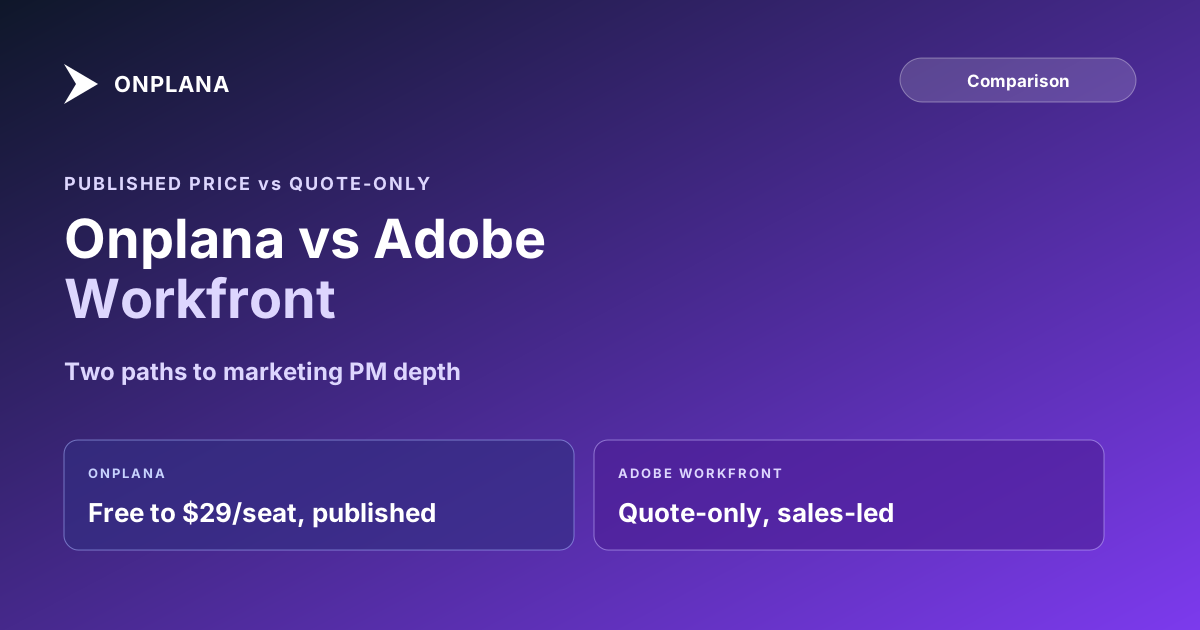
Onplana vs Adobe Workfront: Published Price vs Quote
Onplana vs Workfront: Workfront is quote-only and strongest in marketing request intake and creative proofing. Here's where each is the right pick.
Workfront earns its spot on marketing-operations shortlists for a real reason: Adobe built it around the specific workflow a busy creative team actually runs, requests come in through a shared queue, get routed and scoped, work happens, and a review round with markup and sign-off closes it out, and that reputation is exactly why teams without that exact workflow end up evaluating it anyway.
The direct answer: Onplana vs Adobe Workfront comes down to whether your team's bottleneck is creative review and request routing, or general PM depth at a price you can see before a sales call. Workfront is a quote-only platform, sold through Select, Prime, and Ultimate tiers, built for marketing and creative operations with request queues and a proofing module for markup and approval. Onplana publishes every price, runs dependency scheduling and a critical path on its free tier, and adds intake forms and governance depth on paid plans, all reachable without a demo request.
Workfront publishes no pricing; every path is a sales conversation, and the platform's real strength, creative proofing and request-queue routing for marketing operations, is exactly the depth that makes it slower to stand up. Onplana runs Free through $29-per-seat Enterprise, all published, with dependency scheduling and a Gantt and critical path on every plan, plus a resource pool and public intake forms on Pro and a governance pipeline at Enterprise. Pick Workfront when creative review and request-queue routing at marketing-operations scale is the actual, current bottleneck. Pick Onplana when you want to see real scheduling and intake depth working today, at a price you know in advance.
What Adobe Workfront Actually Is
Adobe positions Workfront as work management for marketing and enterprise teams: a shared front door for requests, routing rules that send each one to the right queue, and Workfront Proof, its markup and approval module for reviewing creative assets through a sign-off chain. Adobe's own documentation describes request queues as a centralized place to submit and organize requests through custom intake forms, with each request tied to a project rather than living as a loose ticket. Pricing runs through three tiers, Select, Prime, and Ultimate, each adding more of the automation and governance layer, and none of it is priced on Adobe's own site; every path leads to a sales conversation.
Onplana vs Adobe Workfront: Compared on 8 Dimensions
| Dimension | Onplana | Adobe Workfront |
|---|---|---|
| Pricing | Published: Free / $12 / $20 / $29 per seat, 20% off annual | Not published; quote-only across Select, Prime, and Ultimate tiers |
| Free tier | Yes: 5 members, 2 projects, Gantt + critical path included | None; evaluated through a demo |
| Request intake | Public intake forms auto-create tasks or projects (Pro and up) | Request queues with custom forms and automated routing |
| Creative proofing / markup | Not built in | Workfront Proof: dedicated review, markup, and approval module |
| Dependency scheduling | FS, SS, FF, SF + lag, every plan including Free | Included in its scheduling module; depth set during configuration |
| Resource capacity planning | Per-person capacity vs allocation (Pro and up) | Resource management module, configured per deployment |
| Governance / approval pipeline | 12-stage proposal pipeline, weighted gate scoring (Enterprise) | Approval paths configured around request queues and reviews |
| Time to first real project | Minutes, self-serve signup | Typically weeks, sales and configuration led |
The diagram below shows the same split as the table: two products built around different bottlenecks, one reached through a self-serve signup, one through a scoped deployment.
Where Workfront Genuinely Wins
Creative review is the honest edge case. A marketing or agency team running frequent client approval rounds on design files, video cuts, or campaign assets needs a place to mark up a specific frame or layout element and route it through sign-off, and Workfront Proof is purpose-built for exactly that loop. Onplana's document libraries hold versioned files with history but do not include markup or annotation tooling, so a team whose actual daily bottleneck is creative sign-off, not scheduling or intake, has a real reason to put Workfront on the shortlist that has nothing to do with brand inertia.
Where the Quote-Only Model Costs You Time
The bigger practical difference shows up before either platform gets judged on features at all. Reaching a configured Workfront deployment typically means a sales conversation followed by setup work scoped to your org's request types, queues, and approval chains, sized appropriately for the marketing operations it is built to serve but slow by the standard of a team that wants to see the tool running against a real project this week. Onplana's free tier ships the full dependency model, Gantt, and critical path with no configuration step, and public intake forms land on Pro without a sales quote, so a team can validate both scheduling and request handling before any implementation budget gets discussed. Best project management software in 2026 covers where Workfront and nine other platforms land on the same decision matrix if it is one of several tools on your list.
Which One Wins
Workfront wins for: marketing and creative operations teams running high request volume through a shared intake queue, with creative assets that need markup and multi-stage sign-off, and org budgets already sized for a sales-led enterprise deployment.
Onplana wins for: teams that want to see real scheduling depth, dependencies, critical path, a resource pool, plus request intake, before committing to anything, and PMOs outside marketing ops that want governance features at a published price with no configuration project required to find out if they fit. Demand management for PMOs covers the intake-pipeline side of that comparison in more depth, and project management for media production covers the closest adjacent use case to Workfront's core audience. The compare hub has side-by-side pages for the tools most commonly shortlisted alongside marketing work management platforms.
Frequently asked questions
What's the main difference between Onplana and Adobe Workfront?
Workfront is a quote-only enterprise work management platform built around marketing and creative operations, request queues, review and approval routing, and proofing, usually reached through Adobe sales. Onplana publishes every price, runs full dependency scheduling and a critical path on its free tier, and adds request intake and governance depth on paid plans without a sales conversation required to start.
Does Adobe Workfront publish its pricing?
No. Workfront is sold through three tiers, Select, Prime, and Ultimate, none priced on Adobe's own site; every path routes to a demo request. Third-party estimates for per-seat cost vary widely enough between sources that none is reliable to repeat here; the only verifiable fact is that pricing is negotiated, not published.
Does Onplana have a creative-proofing tool like Workfront Proof?
No, not today. Workfront's proofing and markup module is a genuine, long-standing strength for agencies and marketing teams running client review rounds on creative assets, and it is the clearest reason a creative-heavy team might pick Workfront over Onplana specifically.
Is Adobe Workfront overkill for a small marketing team?
Often, yes. Workfront's request-queue and proofing depth is built for an enterprise marketing org running many concurrent campaigns through a shared intake pipeline, which is real strength that a team of a few marketers usually does not need yet, and will still go through a sales-quoted deployment to access.
Can Onplana handle request intake the way Workfront's request queues do?
On Pro and above, yes in substance: password-protected public intake forms auto-create a task or project on submission, so unplanned work still lands in one place instead of a Slack thread. Workfront's queues add configurable routing rules and per-type field customization that Onplana's forms do not yet match.
Which one is faster to get running?
Onplana's free tier is self-serve: create an account and dependency scheduling, a Gantt, and a critical path are there in minutes. Workfront is reached through a sales conversation and a configuration pass sized to the org's request types and approval chains, which is real setup time before the first request queue is live.
Ready to make the switch?
Start your free Onplana account and import your existing projects in minutes.