Onplana vs Airtable for Project Delivery
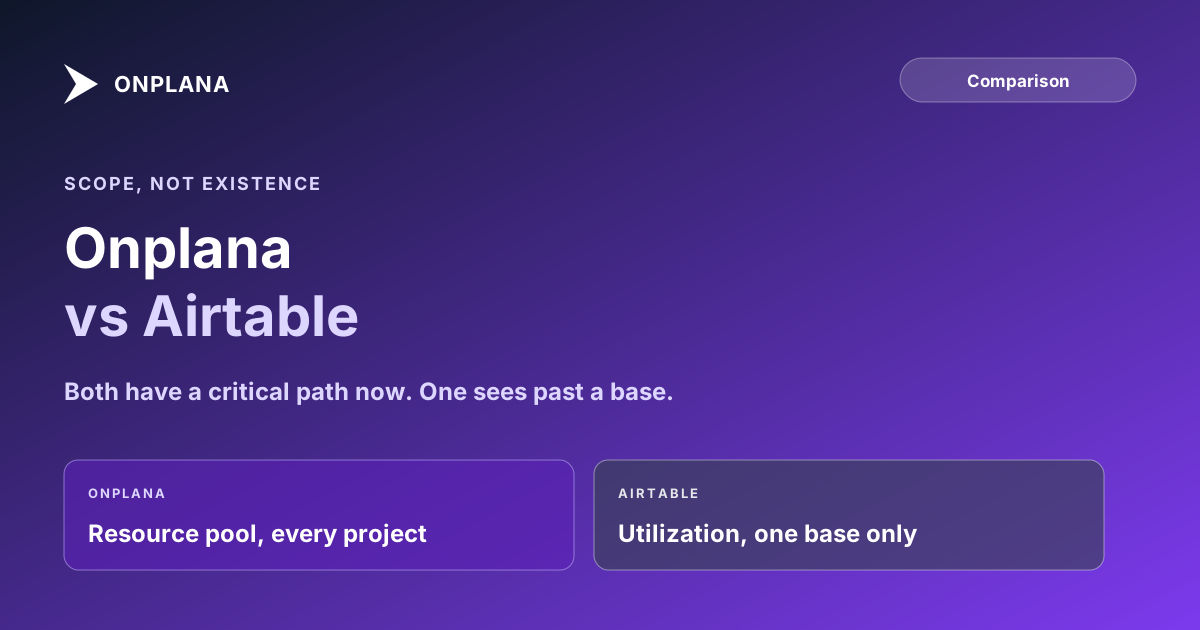
Onplana vs Airtable now hinges on scope, not existence: Airtable's Timeline view has a critical path, but its resource view can't see past one base.
Airtable spent 2026 closing the gap that used to make this an easy comparison: its Timeline view now has a Gantt layout with dependency arrows and a critical path highlight, on paid plans. That single addition makes the shortlist question fair to ask for the first time. It does not make Airtable a scheduling engine, and the reason shows up the moment more than one project shares a team.
The direct answer: Onplana vs Airtable is a question of scope, not existence. Airtable's Gantt layout supports finish-to-start dependencies and highlights a critical path, but only within one base, and only on the Team plan and above. Onplana supports all four dependency types with lag on every plan and calculates critical path automatically on every plan, Free included. The dimension that actually separates them is resourcing: Airtable's utilization view cannot see past a single base, while Onplana's resource capacity planning (Pro plan and up) runs a shared pool across every project in a workspace. For a flexible database that occasionally tracks a project, Airtable is still excellent. For delivery where the same people work across more than one project, that single-base ceiling is the deciding factor.
What Airtable's Timeline View Added, and What It Still Doesn't
Give Airtable credit for the update. The Gantt layout inside Timeline view draws dependency arrows between linked tasks, and a critical path toggle highlights the chain of dependent records that actually determines the project's finish date, exactly what a real scheduling engine is supposed to do. It also flags invalid dependencies, records scheduled to start before their predecessor finishes, or stuck in a dependency loop, with a red line.
Two limits remain. First, the dependency model is finish-to-start only: no start-to-start, no finish-to-finish, no start-to-finish, and no lag time between linked tasks. That covers simple sequential work fine and breaks down the moment a schedule needs two tasks to start together or a deliberate buffer between a design finish and a build start. Second, both the Gantt layout and the Timeline view sit behind Airtable's Team plan; the free tier has neither.
Where the Model Breaks: Resourcing Across More Than One Base
Airtable added resource allocation to Timeline view in 2026 too: a utilization view that compares allocated hours against a team member's available hours, with color-coded warnings above 75% and 100%. It works well, inside one base. It cannot aggregate a person's workload across multiple bases, which is how most Airtable-based project tracking actually gets structured once a team has more than a handful of concurrent projects, one base per project or per client.
That means the exact scenario a PMO cares about most, the same engineer staffed on two projects that live in two different bases, produces no warning in either base's utilization view. Each base sees a person at 60% allocated and reports them as available; the org-wide reality is 120%. Onplana's resource capacity planning is shared across every project in a workspace by design, specifically to catch that cross-project conflict before it becomes a missed deadline.
Onplana vs Airtable: Eight Dimensions Compared
| Dimension | Onplana | Airtable |
|---|---|---|
| Entry paid tier (annual/seat) | Starter, $7/month | Team, $20/month |
| Free tier scheduling | All 4 dependency types, Gantt, and critical path | No Timeline or Gantt view at all |
| Task dependency types | FS, SS, FF, SF with lag (every plan) | FS only (Team plan and up) |
| Critical path calculation | Automatic, every plan including Free | Automatic highlight, Team plan and up |
| Resource capacity | Shared pool across every project (Pro+) | Scoped to a single base only |
| Native Microsoft Project import | .mpp, XML, .xer, Excel/CSV | None |
| Core structure | Dependency-first scheduling engine | Flexible relational database with views |
| Records/tasks per project | No comparable cap at typical plan sizes | 1,000 (Free) to 125,000 (Business) per base |
Airtable's own Gantt view documentation and pricing page are the source for its column above; Onplana's plan details are at onplana.com/pricing.
The diagram below lines up where each tool actually wins.
Where Airtable Still Wins
None of this makes Airtable a weaker product, just a different one. Its custom views, linked records, and automations are built for general-purpose data work in a way no scheduling tool tries to match: a CRM, a content pipeline, an inventory system, and a lightweight project tracker can all live in the same base, cross-linked, without leaving the product. A team already running its operations in Airtable that also wants a simple, mostly-linear project timeline gets real value from the 2026 Gantt update without needing a second tool.
Which One Fits Your Team
Pick Airtable when the work is single-base and mostly sequential: a content calendar, a small team's linear task list, or a project that lives entirely inside a workflow Airtable already runs. The Gantt layout and critical path highlight are enough scheduling logic for that shape of work now.
Pick Onplana when people are shared across more than one project and a missed capacity conflict is the actual risk, or when dependencies need more than finish-to-start to model the real sequencing (a start-to-start pair, a deliberate lag between two phases). PM tool evaluation criteria covers the fuller framework for making this call across any shortlist, not just this one, and the comparison hub has the rest of the shortlist if Airtable is one of several tools still in the running. If overallocation across projects is the specific problem, the free Resource Heatmap shows exactly where a shared team is double-booked before it becomes a missed deadline.
See where your team is double-booked across projects Upload your project and resource data to the free Resource Heatmap and get a cross-project utilization view Airtable's single-base model can't produce. → Run the Resource Heatmap
This post sits alongside the rest of the tool comparisons, including Onplana vs Notion, in the Onplana blog.
Microsoft Project™ is a trademark of Microsoft Corporation. Onplana is not affiliated with Microsoft.
Frequently asked questions
Does Airtable have a Gantt chart?
Yes, on paid plans. Airtable's Timeline view has a Gantt layout that shows dependency arrows and highlights the critical path. It is not available on Airtable's free plan, and it only supports finish-to-start dependencies, not start-to-start, finish-to-finish, or start-to-finish.
Can Airtable calculate a critical path?
Yes, as of its 2026 Timeline view update. Toggling the critical path highlight in Gantt layout marks the chain of dependent tasks that determines the project's finish date in gold. This closed a real gap Airtable used to have.
Does Airtable have resource capacity planning across projects?
No. Airtable's Timeline view resource allocation shows utilization within a single base only; it cannot see workload across multiple bases. If the same person is staffed in two separate Airtable bases, neither base's utilization view shows the conflict.
Is Airtable a good fit for project management?
For straightforward, mostly-sequential work tracked in one base, yes, especially if the team already lives in Airtable for other data. For multi-project delivery where the same people are shared across projects, its single-base resourcing model becomes the limiting factor.
How does Onplana pricing compare to Airtable?
Both have a free tier. Airtable's paid plans start at $20 per seat per month (Team, annual billing); Onplana's start at $7 per seat per month (Starter, annual billing). Airtable's Gantt layout and critical path require its Team plan; Onplana's dependency types, Gantt, and critical path are free on every plan.
Ready to make the switch?
Start your free Onplana account and import your existing projects in minutes.