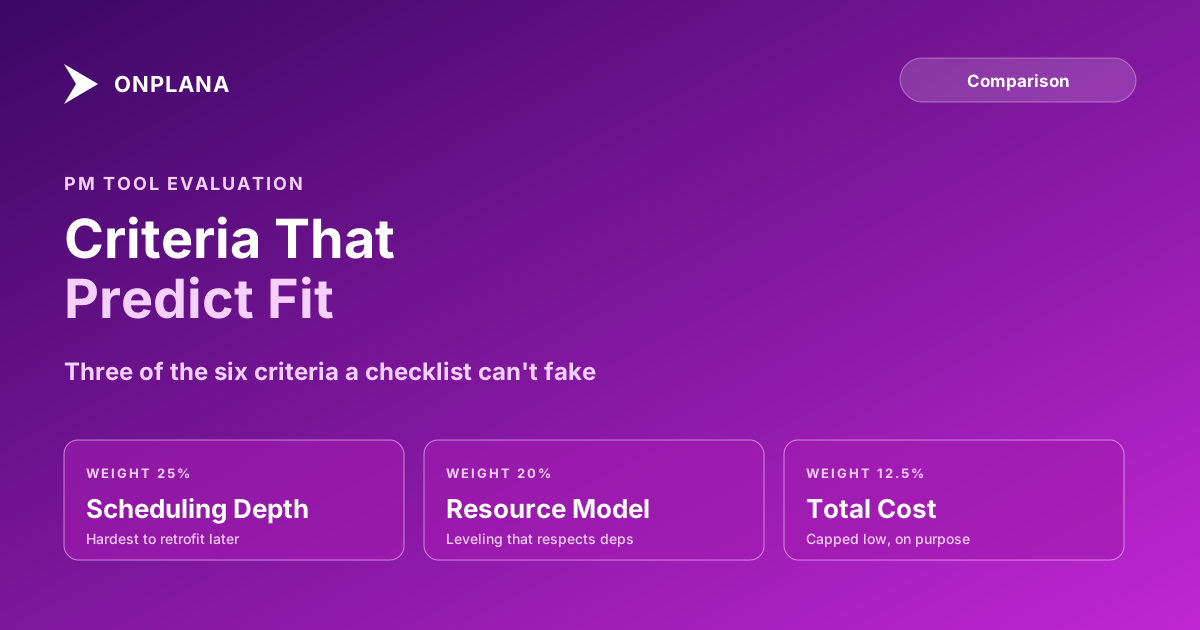
PM Tool Evaluation Criteria That Actually Predict Fit
PM tool evaluation criteria that predict fit: scheduling depth, resource model, governance, integrations, and total cost, not a checklist every vendor passes.
Every PM tool vendor answers yes to a feature checklist. Does it support dependencies? Yes. Resource management? Yes. Reporting? Yes. A checklist built from yes/no questions cannot tell a tool with four fully implemented dependency types from one that silently coerces everything to finish-to-start, so PMOs that evaluate on checklists end up picking on price or interface polish instead, and discover the real gap three months into rollout.
PM tool evaluation criteria that actually predict fit are the ones a checklist can't fake: scheduling depth measured against your real project shape, the resource model, governance and permissions, the integration surface, deployment options, and total cost, in that rough order of how expensive each is to get wrong. Score vendors against those six on a weighted scorecard, not a feature count, and the tool that wins the evaluation is the one your team is still using in year three.
The six criteria that predict fit, and why checklists miss them Scheduling depth and the resource model are hardest to retrofit later, so weight them highest. Governance, integrations, and deployment options are real differentiators most RFPs under-probe. Total cost matters, but capped low: a cheap tool that fails on scheduling depth costs more in re-entry than it saves in license fees. Test all six on your own data in a live demo, not a vendor's rehearsed sample project.
Why Feature Checklists Fail
A checklist question like "does it support dependencies" has exactly one useful answer and it is always yes, because every serious PM tool implements some version of task dependencies. What the checklist can't surface is depth: whether the tool implements all four dependency types (finish-to-start, start-to-start, finish-to-finish, start-to-finish) with lag and lead values, or only finish-to-start with none. Both tools answer the checklist question identically. Only one of them will hold up on a real construction or engineering schedule where overlap and enforced-wait relationships are common, not exceptions. The construction case is worked through in what to test in construction project management software.
The fix is not a longer checklist. It's evaluating on criteria specific enough that a weak vendor can't answer yes and mean it.
The Six PM Tool Evaluation Criteria That Actually Predict Fit
| Criterion | What "good" looks like | What a weak vendor shows |
|---|---|---|
| Scheduling depth | All four dependency types with lag, multi-baseline history, critical path recalculates live | Finish-to-start only, baselines as flat date copies |
| Resource model | Named and generic resources, rate cards, leveling that respects dependencies | Simple task assignment with no capacity math |
| Governance | Project and field-level permissions, audit log, approval workflows | Workspace-level permissions only, no audit trail |
| Integration surface | Documented API or MCP access, webhooks, SSO/SCIM | Manual CSV export as the only integration path |
| Deployment options | Cloud, self-hosted, or region-pinned data residency as genuine choices | SaaS-only with no data residency control |
| Total cost | Full 3-year TCO: license, migration, training, admin overhead | Per-seat sticker price with implementation quoted separately |
Scheduling depth and the resource model sit at the top because they are structural. A weak integration can be patched with middleware later; a scheduling engine that can't model your dependency types cannot be patched at all, only worked around.
Build a Weighted Scorecard
A decision matrix turns this from an argument into a number: list the six criteria as rows, assign each a weight that sums to 100, score every shortlisted vendor 0 to 5 per criterion against your own requirements, multiply by weight, and sum. The vendor with the highest weighted score wins the comparison, and because the weights and scores are visible, anyone on the evaluation committee can challenge a specific line instead of relitigating the whole decision.
The diagram below shows a sample weighting that reflects the "hardest to retrofit first" ordering: scheduling depth and resource model carry the most weight, cost the least.
Adjust the weights to your organization's actual risk: a regulated PMO should weight governance higher; a small team with no integration needs today can shift weight from integration surface to resource model. The scorecard structure matters more than the exact split.
The Demo Questions That Expose Gaps
A scripted demo on a vendor's sample project tells you almost nothing. Run every finalist through the same three tests on your own data:
- Live import. Hand the vendor your most complex active schedule and ask them to import it live, not pre-loaded. Watch what breaks.
- Real overallocation. Pick a week where a resource is genuinely double-booked and ask the tool to show it, then ask what leveling options it offers that respect existing dependencies.
- A permission change, end to end. Ask the vendor to change one person's access from a project member to a project viewer while you watch, including what happens to their existing assignments.
Vendors who ask to substitute their own sample data for any of these three are telling you something. For a structured way to formalize these tests before you run them, see the PM tool RFP template, which turns each of these demo questions into a scored requirement. Once the shortlist is down to two, a structured two-week trial settles it, and the vendor security questionnaire covers the security row of the scorecard.
The Trap: Buying for Features You Will Never Configure
The inverse failure is real too: PMOs that weight AI features, elaborate automation, or a long integration marketplace heavily during evaluation, then never configure most of it after rollout. Before scoring a criterion highly, ask who on the team will actually own that capability in six months. A criterion nobody will configure shouldn't outweigh one the whole team depends on daily. For a full roundup of how ten current tools score against these criteria in practice, see the current best project management software comparison, and the compare hub for head-to-head pages against specific vendors.
Frequently asked questions
What are the most important PM tool evaluation criteria?
Six: scheduling depth against your real project shape, the resource model, governance and permissions, integration surface, deployment options, and total cost. Feature counts and price alone predict fit poorly because every vendor's checklist answers yes.
Why do feature checklists fail to predict PM tool fit?
Because every vendor answers yes to a yes/no question. 'Does it support dependencies' is true of a tool that only implements finish-to-start without lag and true of one that implements all four types correctly. The checklist can't tell them apart.
How should I weight PM tool evaluation criteria?
Weight scheduling depth and the resource model highest, since they are the hardest to retrofit later, then governance and integrations, and cap price and feature count lowest. A decision matrix with explicit weights forces the comparison onto criteria that actually differ between vendors.
What demo questions expose a weak PM tool?
Ask the vendor to import your most complex real schedule live, show resource leveling on a genuinely overallocated week, and walk through a permission change end to end. Rehearsed sample-data demos hide exactly the gaps a real file exposes.
Ready to make the switch?
Start your free Onplana account and import your existing projects in minutes.