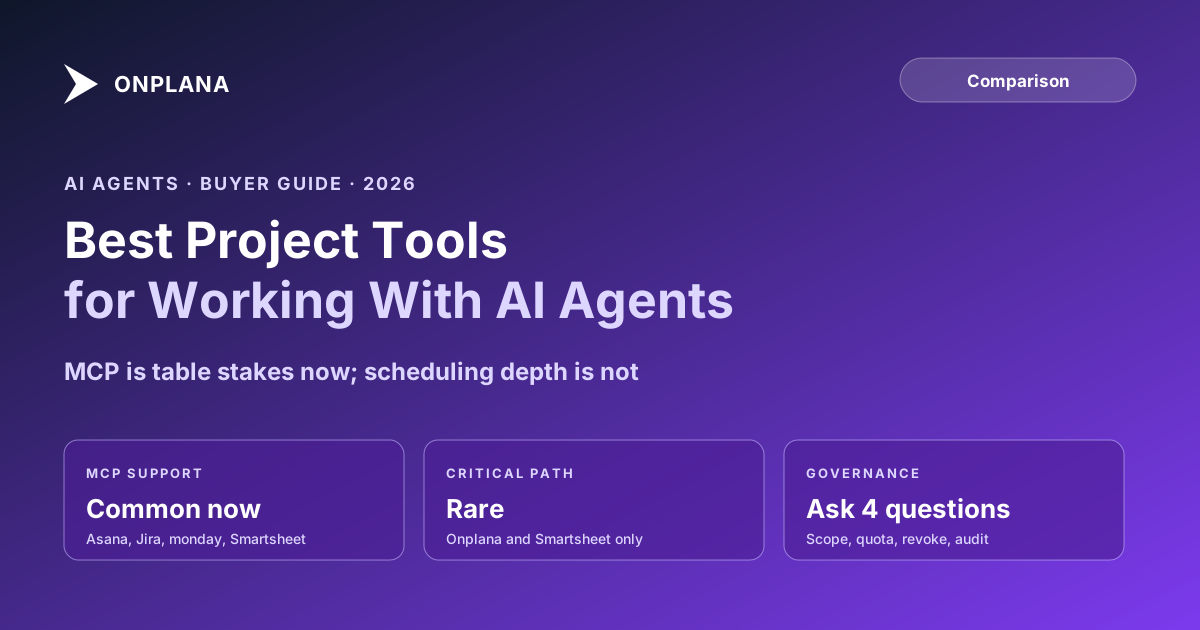
Best Project Management Tool for AI Agents
The best project management tool for AI agents is not the one with a chatbot; MCP is now table stakes, so score on scoping, quotas, and audit trail instead.
Score a PM tool for AI agents on whether it has a chatbot and you are asking the wrong question in 2026. MCP servers, the protocol that lets an agent discover and call a tool's data, shipped across most of the category in the last year: Asana, Atlassian's Jira and Confluence, monday.com, and Smartsheet all have official ones now. Basic agent connectivity stopped being the differentiator sometime around Q1.
The direct answer: the best project management tool for AI agents is not the one that added an MCP server first, nearly every major tool now has one. Score instead on two things a chatbot integration does not fix: whether the tool actually computes real scheduling structure, critical path and dependencies, that gives a connected agent something to reason over beyond a flat task list, and whether an admin can scope, quota, and audit agent connections with the same rigor they apply to human access. Most vendors pass the protocol test now. Fewer pass either of the other two.
The Best Project Management Tool for AI Agents Isn't the One With MCP First
As of mid-2026, Atlassian's Rovo MCP Server for Jira and Confluence is generally available and gives AI clients a permission-controlled gateway into both products. Asana publishes an official MCP server, now on its second version. Monday.com ships MCP preinstalled with every account, wrapping its GraphQL API in agent-callable tools. Smartsheet launched its own MCP server in March 2026. ClickUp's is live in public beta. Every one of these authenticates the connecting agent under the connecting user's own permissions rather than a blanket service account, which is the correct baseline and, at this point, the industry norm rather than a selling point.
That matters for how you evaluate a shortlist. If "does it support MCP" is still the first question on your checklist, you will find that question answered yes almost everywhere and learn nothing about which tool actually serves your agent well.
The Criterion Most Buyers Skip: Can the Agent Reason About Your Schedule?
An agent connected over MCP is only as good as the data model underneath the connection. Ask it "what's at risk on this project this week" and a genuinely useful answer depends on the tool knowing which tasks are on the critical path, which ones are just running late with slack to spare. Several of the biggest names in this category never compute that number at all: Asana, monday.com, and ClickUp support only finish-to-start dependencies and no critical path calculation; an agent connected to any of them can list overdue tasks, but it cannot tell you which one actually threatens the finish date, because the tool never worked that out either. Smartsheet and Onplana both calculate critical path natively, so an agent asking the same question through either one gets a real answer instead of a guess assembled from due dates.
The table below scores the field on agent protocol support alongside the scheduling depth that decides what a connected agent can actually reason about.
| Tool | MCP / agent protocol | Computes critical path | Dependency types | Free-tier agent access |
|---|---|---|---|---|
| Onplana | ✓, project-scoped tokens | ✓ | FS, SS, FF, SF with lag | ✓, 2 concurrent connections |
| Atlassian Jira (Rovo) | ✓, GA Feb 2026 | – | FS only (add-on for more) | ✓, rate-limited on Free |
| Asana | ✓, official V2 server | – | FS only | ✓, some tools need a paid plan |
| monday.com | ✓, preinstalled | – | FS only | ✓, preinstalled on every account |
| Smartsheet | ✓, launched Mar 2026 | ✓ | 2 of 4 types | – |
| ClickUp | Public beta | – | FS only | ✓, beta available on all plans |
The diagram below lines up the same split visually: agent protocol support clustered at the top of the field, scheduling depth splitting it in two.
The Governance Questions to Ask Any Vendor
Protocol support and scheduling depth answer what an agent can see and reason about. A separate question is what an admin can control once agents start connecting for real: ask any vendor these four before you commit an org to a tool.
- Can an admin restrict who is allowed to connect an agent at all? Onplana's
org.agent.connectpermission key controls this directly; a vendor without an equivalent is trusting every user's judgment individually. - Is agent access scoped per-project, or only org-wide? A personal access token scoped to a single project limits the blast radius of a bad connection to that project, not the whole catalog.
- Is there a connection quota an admin controls? Onplana caps concurrent agent connections by plan (2 on Free and Starter, 3 on Pro, 5 on Business, 10 on Enterprise, unlimited on Enterprise Plus), so growth in agent usage is a visible, governed number rather than an open tap.
- Does every agent action land in the same audit log as human activity? Agent-native project management covers why server-side audit, not a client-side claim, is the only version of this worth trusting.
A vendor that answers all four concretely is treating agent access as a governed extension of the permission system you already have. One that cannot is asking you to take the model's judgment on faith. MCP vs REST API covers the protocol mechanics behind these questions in more depth, and AI agent vs AI feature covers the adjacent question of whether the "agent" on a vendor's homepage is doing autonomous work at all or just answering prompts.
Where to Go From Here
If your shortlist is narrowing to tools that pass both the scheduling-depth and governance bar, the full comparison hub breaks Onplana down against each major alternative on the rest of the buying criteria, cost, migration path, team fit, that a protocol comparison alone does not settle. Teams researching this because they are evaluating a Microsoft Project alternative can treat agent readiness as one more column on that same shortlist, not a separate decision. The MCP setup guide covers what connecting an agent to Onplana actually looks like end to end if you want to see these governance controls working on a live account before you shortlist against them.
Microsoft Project™ is a trademark of Microsoft Corporation. Onplana is not affiliated with Microsoft.
Frequently asked questions
What is the best project management tool for AI agents in 2026?
There is no single winner on protocol support alone, most major PM tools now ship an MCP server. The real split is whether the tool computes real scheduling structure (critical path, dependencies) an agent can reason over, and whether an admin can scope, quota, and audit agent connections the same way they govern human access.
Do Asana, Jira, and monday.com support AI agents through MCP?
Yes. Asana ships an official V2 MCP server, Atlassian's Rovo MCP Server for Jira and Confluence went generally available in February 2026, and monday.com ships MCP preinstalled on every account. Smartsheet launched its MCP server in March 2026. ClickUp's MCP server is in public beta. MCP access itself is no longer a differentiator among the major PM tools.
Why does critical path calculation matter for an AI agent, not just a human PM?
An agent connected over MCP can only reason as well as the data model underneath it. If the tool never computes which chain of tasks actually controls the finish date, an agent asked 'what's at risk this week' has no critical path to check, only a flat list of tasks with due dates. The agent inherits the tool's scheduling depth, or its absence.
What governance questions should a buyer ask before connecting an AI agent to a PM tool?
Four: can an admin restrict which users are allowed to connect an agent at all, is agent access scoped per-project or only org-wide, is there a connection quota an admin controls, and does every agent action land in the same audit log as human activity. A vendor that cannot answer all four concretely is asking you to trust the model's judgment instead of a permission system.
Ready to make the switch?
Start your free Onplana account and import your existing projects in minutes.