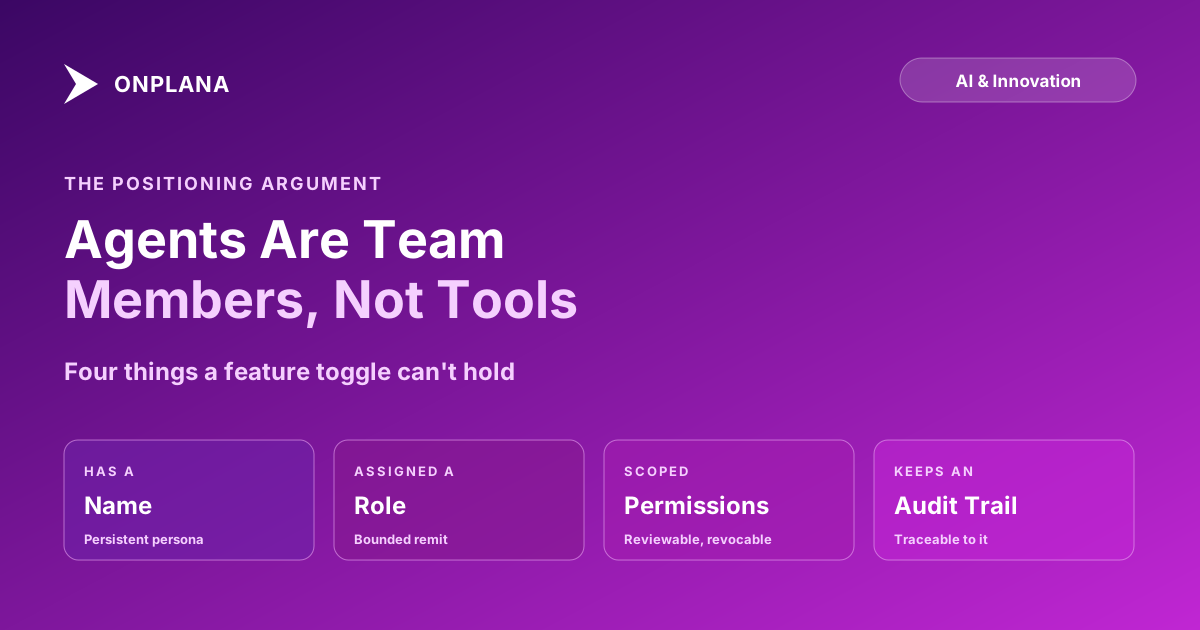
AI Agents Are Team Members, Not Tools
AI agents as team members, not tools, need a name, a role, permissions, and an audit trail. That framing changes what your project software has to support.
Most vendors sell an AI agent the way they'd sell a feature: flip a switch, and now your tool "has AI." That framing works fine in a demo and breaks the first time the agent does something wrong and nobody can say who was supposed to have caught it, because a feature doesn't have an owner, a role, or an access history the way a person does.
The direct answer: an AI agent that has a name, an assigned role, a defined permission scope, and an audit trail of its actions is being managed the way a team member is, not configured the way a feature is, and that difference changes what a project tool has to support underneath it. The argument holds even for a reader who picks a different vendor, because it's about what attribution, review, and accountability require, not about any one product's implementation.
Treating an AI agent as a team member instead of a feature means giving it a name, a role, a scoped permission set, and an audit trail, the same four things a new human hire gets. That framing isn't cosmetic: it's what makes a change traceable to a specific actor, what lets access be granted and revoked the way it is for people, and what makes accountability land on whoever assigned the work instead of dissolving into "the AI did it." A chat sidebar can't hold any of these four things, which is why agent-native software needs a different identity model than a feature toggle does.
The Feature Framing Breaks on the First Real Incident
A feature toggle has no identity. If an "AI-powered" checkbox drafts a bad status report or mis-tags a task, the log shows "AI suggestion applied," not who reviewed it, what it was scoped to touch, or whether the same feature has done this before. That's tolerable while the AI is only suggesting things a human types over. It stops being tolerable the moment the agent is doing real work: updating fields, closing tasks, drafting deliverables that go to a client. At that point, the questions a PMO actually needs answered, who assigned this, what could it access, has it done this before, are questions a feature toggle was never built to answer.
What Team-Member Status Actually Requires
Four things, and a chat window or a settings toggle can't hold any of them.
| Treated as a feature | Treated as a team member | |
|---|---|---|
| Identity | An anonymous system action | A named, persistent persona |
| Assignment | Configured once, applies broadly | Assigned specific work, like a task or a role |
| Access | Whatever the toggle was given | A scoped permission set, reviewable and revocable |
| History | A generic activity log entry | An audit trail attributable to that persona |
| Accountability | Diffuses to "the AI" | Lands on whoever assigned and scoped it |
Name. A persistent, named persona is what turns "the AI updated this" into "the onboarding agent updated this," which is the difference between an anonymous system event and something a reviewer can actually trace and question.
Role. An assigned role bounds what kind of work the persona is expected to do, the same way a job title bounds a new hire's remit before anyone hands them a task outside it.
Permissions. Scoped access, project-level rather than org-wide, read-only unless a specific task needs otherwise, is what keeps a mistake or a compromised connection from reaching further than the work it was actually given. Security review questions for AI agent access covers what a properly scoped connection looks like in practice.
Audit trail. Every action the persona takes should land in the same log as human activity, queryable in one place, not a separate system log a reviewer has to go hunting for. Audit trail requirements for agent work covers what that log needs to hold up under review.
The diagram below shows these four attributes as what actually constitutes a managed agent persona, rather than a single "AI enabled" switch.
The Argument Holds Regardless of Vendor
None of this is an Onplana-specific claim; it's a consequence of what happens once an agent does real work instead of answering questions in a sidebar. Agent-native project management covers why the underlying data model has to change to support this, tasks, permissions, and activity logs built to hold an agent's identity the same way they hold a person's, rather than a chat transcript bolted on top of software that wasn't built for it. Anthropic's Model Context Protocol announcement framed the same shift from the connectivity side: standardized, permissioned access is what lets an agent act inside real systems instead of being confined to answering questions about them, which is the technical precondition for treating an agent as something with defined scope rather than blanket access.
A reader evaluating any PM tool's AI claims can apply this test directly: can the agent be given a name that persists across sessions, assigned to specific work, scoped to specific access, and does every one of its actions show up in a log a human can actually review. A vendor that answers yes to all four is building for agents as team members. A vendor that answers with a feature list is still building for the sidebar.
What Changes in Practice Once an Agent Has a Persona
The practical shift is procedural before it's technical. Onboarding an AI agent to a team covers the actual mechanics, giving the persona a narrow starting scope, assigning it a first task class it can't do much damage on, and widening its remit only as it earns evidence, the same sequence a manager would run for a new human hire rather than a sequence anyone runs for a new checkbox. Multi-agent project orchestration covers what changes once there's more than one persona working the same plan at once, which is where the identity model stops being optional and starts being the thing that keeps the work attributable at all.
Software built around agents as features will keep shipping toggles. Software built around agents as team members has to ship the identity and permission model first, because everything else, review, accountability, trust, is downstream of whether an agent's work can be traced to a specific, scoped, reviewable actor. The rest of the Onplana blog covers what that model looks like once agents are doing enough real work that the distinction stops being theoretical.
Frequently asked questions
What does it mean to treat an AI agent as a team member instead of a tool?
It means the agent has a name, an assigned role, a defined permission scope, and an audit trail of its actions, the same four things a human hire gets on day one. A tool gets configured; a team member gets managed, and those require different software underneath.
Does an agent need a name and a role, or is that just branding?
It's attribution, not branding. A named persona is what lets a change in a project be traced to a specific agent instead of showing up as an anonymous system update, which matters the first time something needs to be reviewed or reversed.
Can an agent with team-member status do something irreversible?
Only if its permission scope allows it, and that's the point: team-member framing doesn't mean unrestricted trust, it means the same permission discipline applied to a new human hire. A new employee doesn't get admin access on their first day either; an agent's persona should earn scope the same way.
Who is accountable when an agent treated like a teammate makes a mistake?
The person who assigned it the work and set its permission scope, exactly as with a human report. Team-member framing makes this clearer, not murkier, because a named persona with an audit trail shows exactly what it was asked to do and what it actually did.
Can someone impersonate or steer an agent's persona through a comment?
Only if the persona's authority is a convention instead of a permission system. A comment addressed to an agent should be able to request work, not grant access; the agent's actual permissions come from its account scope, not from whoever happens to type at it.
What happens to the audit trail if the agent is removed from the team?
It should stay, the same way a departed employee's activity history stays. Removing an agent's persona should revoke its access immediately without erasing the record of what it did while it had it, because that record is what makes the next review possible.
Does this framing require different software than a chat-based AI assistant?
Yes. A chat sidebar has no place to hold a persona, a role, a permission scope, or an audit trail entry, because it was built to answer questions, not to be assigned work. Software that treats agents as team members needs the same identity and permission model it already uses for people.
Ready to make the switch?
Start your free Onplana account and import your existing projects in minutes.