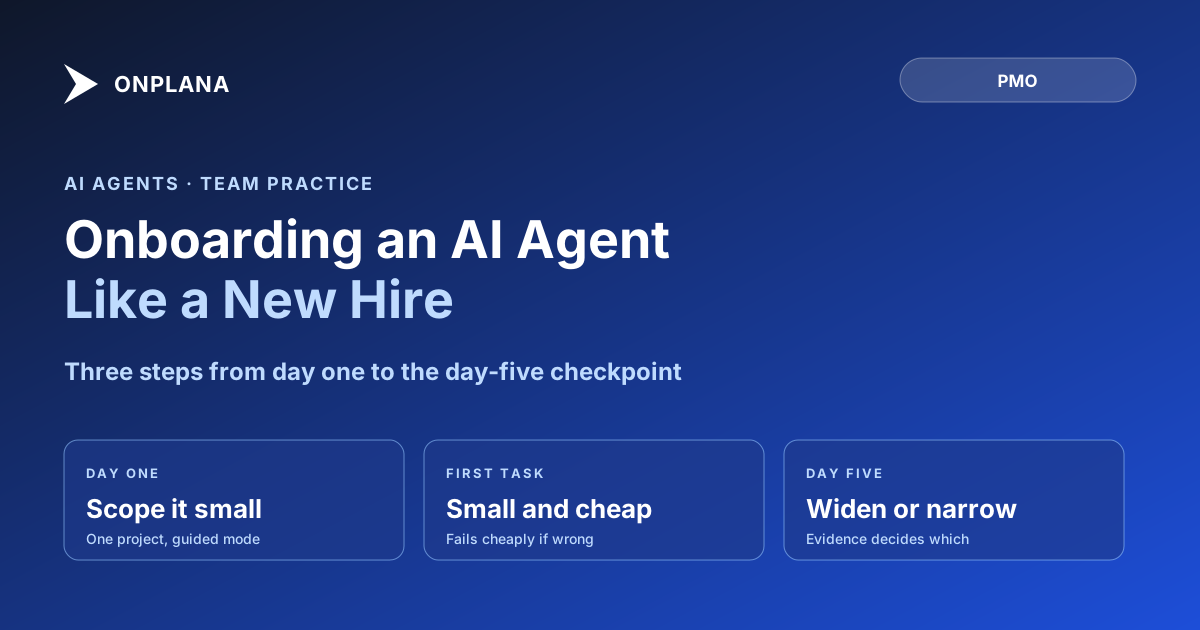
Onboarding an AI Agent Like a New Hire
Onboarding an AI agent works like onboarding a new hire: scope it to one project, give a small first task, then widen or narrow access at a day-five checkpoint.
The framing that trips teams up is treating a new AI agent connection like flipping on a feature. Grant broad access, point it at the whole project catalog, and hope the model's judgment matches the org's risk tolerance on day one. It rarely does, for the same reason a new human hire does not get admin rights and the keys to production before anyone has seen them work.
The direct answer: onboarding an AI agent works the same way onboarding a cautious new hire does, not the way flipping on a feature does. Give it a name and a role, scope its access to a single project, hand it one small task to prove the pattern, and set it to guided mode so it pauses for a human go-ahead before each step. Review what it actually did at a checkpoint around day five, evidence, Issues filed, corrections needed, and only then decide whether to widen its scope or narrow it. Treat everything before that checkpoint as a supervised trial, not a rollout.
Onboarding an AI Agent: What to Give It on Day One
Start with less than feels efficient. Three things make the first day work:
- A name and a role, not an anonymous credential. When you connect an agent over MCP with a personal access token, it shows up as a real member persona with a name, the same way a contractor shows up on the team roster. Give it a name that says what it is (
Migration Agent, not a generic bot label), so anyone reviewing the audit log later knows exactly what acted. - Scope limited to one project. A personal access token can be scoped to specific projects rather than the whole org, which is the single highest-leverage setting on day one. An agent that can only see one project cannot make an expensive mistake in nine others.
- One task small enough to fail cheaply. Pick something with a fast, checkable output: draft a status report, break one task into subtasks, extract action items from a meeting note. Run with Agent covers the built-in capability library this maps to; every one of those runs lands in a review inbox as a draft, not a committed change, so a bad first attempt costs a rejection click, not a cleanup project.
Set the connection to guided mode for this first task. Guided mode pauses the agent for a human go-ahead before each step instead of running a full sweep unattended, which is the right default for a connection nobody has watched work yet.
What to Withhold Until It Has Earned It
Three things stay off the table until the agent has a track record, not because the technology cannot handle them, but because nobody has verified yet that this specific connection, on this specific org's data, behaves the way the demo suggested:
- Org-wide project access. Widen scope one project at a time as trust builds, not all at once because the first task went well.
- Unsupervised sweep mode. Guided mode costs a few extra seconds per step during the trial. Autonomous sweep, where the agent works through open tasks without pausing, is the mode worth earning, not the default worth assuming.
- Judgment-heavy or expensive-to-undo tasks. Anything where a wrong call is costly to reverse, a budget reallocation, a stakeholder-facing status report, a schedule change with downstream dependencies, waits until the agent has proven itself on lower-stakes work first.
The diagram below lays out the branch: what a clean first week earns versus what a messy one costs.
The Day-Five Checkpoint
Around day five, review what the agent actually did rather than how it felt to have it running. Three things to check: the evidence attached to each task it marked done (screenshots, test output, whatever the task type calls for), whether it filed Issues instead of silently leaving stuck work behind, and how many of its outputs a human had to correct before they were usable. Onplana logs every agent tool call under the same audit trail, matrix, and plan gating as human activity, so this review is a query against the log, not a guess based on Slack chatter about how the trial is going.
A clean record is the signal to widen access: more projects, guided mode to autonomous sweep, small tasks to ones with more judgment attached. A record with repeated corrections is the signal to hold the scope where it is, or narrow it further, not to assume the next sprint will go better on its own.
Revoking Access When It Does Not Work Out
If the trial does not earn wider access, revoking it is a single action: pull the agent's persona from the People area, the same place you would remove a human teammate, and its access ends immediately. Nothing it already produced gets automatically undone, which is exactly why the first-week task list should stay small and reviewable rather than ambitious. Multi-agent orchestration covers what changes once more than one connected agent is working the same plan, and AI governance for PMOs covers the org-wide policy layer this individual onboarding checklist sits inside. The full setup walkthrough covers minting the scoped token and installing the skill files if you have not connected an agent yet; the rest of the Onplana blog covers the governance and multi-agent patterns that matter once the first one is running well.
Frequently asked questions
How do you onboard an AI agent to a project team?
The same way you onboard a cautious new hire: give it a name and a role, scope its access to one project instead of the whole org, hand it one small task, and set it to guided mode so it pauses for a go-ahead before each step. Widen access only after a checkpoint shows it earned it.
What should an AI agent not be given in its first week?
Org-wide project access, unsupervised sweep mode, and any task where a wrong call is expensive to undo. Start narrow: one project, a personal access token scoped to that project, and tasks small enough that a bad output costs minutes to catch, not days.
What happens at the day-five checkpoint for a new AI agent?
You review what it actually did: the evidence attached to each completed task, any Issues it filed when it got stuck, and whether a human had to correct its work. A clean record widens scope, guided mode to autonomous sweep, one project to a few. A messy one narrows it or ends the trial.
Can you revoke an AI agent's access if the trial doesn't work out?
Yes, immediately. Revoking the agent's persona from the People area cuts off its access the same way removing a human teammate does. Nothing it already did gets undone automatically, which is exactly why the first-week task list should stay small and low-stakes.
Ready to make the switch?
Start your free Onplana account and import your existing projects in minutes.