What Is a Tool Call? How AI Agents Take Action
A tool call is how an AI model asks a system to act. The model proposes it, but the system, not the model, decides whether it's actually allowed to happen.
Every claim that an AI agent "did something" traces back to the same mechanism: a tool call. Understanding that one mechanism is enough to understand what an agent can and cannot actually do, without reading a line of code.
The direct answer: a tool call is a structured request an AI model makes when it wants a system to do something beyond generating text, update a task, read a schedule, send a message. The model proposes the call by name with specific arguments; the system that receives it checks whether the connecting user's credentials actually permit that action, then executes it or refuses, and returns the result to the model. The load-bearing detail for anyone evaluating agent tools is the middle step: permission is checked by the system, not decided by the model.
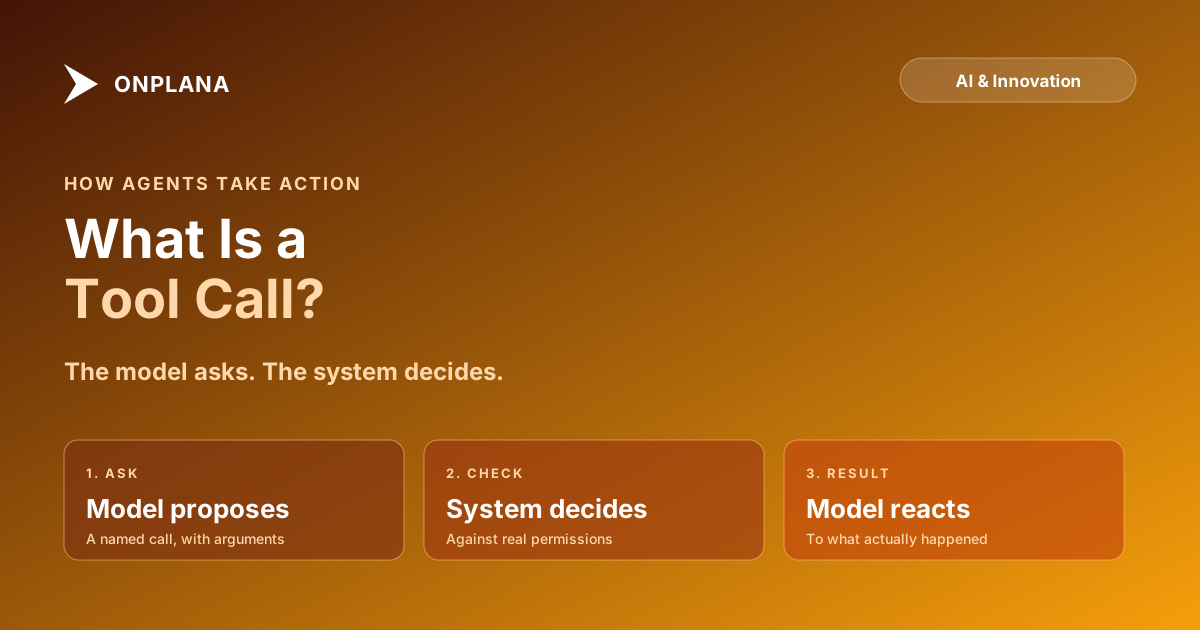
A tool call has three parts: the model asks for a named action with arguments, the receiving system checks that request against the connecting user's real permissions, and the result goes back to the model either way. The model never executes anything directly. It can only ask, which means the system's permission check, not the model's judgment, is what actually decides what an agent can do.
The Three Steps Behind Every Agent Action
Strip away the conversational framing and a tool call is a request-check-response cycle, the same shape whether the action is trivial or consequential.
- The model proposes a call. Based on the conversation, the model decides it needs to do something and outputs a structured request: a tool name (
update_task_status) and arguments (task_id: 481, status: done). This is text generation, not action; the model has produced a request, nothing has happened in the real system yet. - The system checks the request. The system receiving the call looks up who the connecting credential belongs to and what that credential is actually permitted to do. A request to close a task in a project the credential can't reach, or to run an action outside what it's scoped for, gets rejected here, before anything changes.
- The result returns to the model. Success or rejection comes back as data the model can read, and the model continues the conversation based on what actually happened, not what it asked for. A rejected call should read back clearly enough that the model (and the person reading the transcript) can tell the difference between "done" and "denied."
Why the Middle Step Is the Whole Point
The step that actually matters is the second one, and it's the one marketing copy skips. A model that can propose any call its training and instructions suggest is not dangerous by itself, because proposing is not executing. What determines whether an agent can do real damage is entirely in whether the receiving system enforces permission before running the call, or trusts the model's own judgment about whether it should. Permissions for AI agents covers what that enforcement needs to look like in practice: scope narrowed to a single project, irreversible actions denied by default, and read access kept separate from write access, none of which the model itself has any say over.
The diagram below traces one tool call through all three steps, with the permission check marked as the point where the system, not the model, makes the decision.
Tool Call and Function Calling Are the Same Thing
The term shifted, not the mechanism. Function calling described a model outputting a structured request to run a specific function a developer had defined; tool call is the term that took over once the pattern extended beyond a single developer's code to tools published by external systems, including through open protocols like Anthropic's Model Context Protocol. MCP vs REST API covers the protocol layer this sits inside: an MCP server publishes a catalog of callable tools that any connected agent can discover and call, which is what turns a one-off function call into a general integration surface an agent can use across many systems without custom code for each one.
| What the model controls | What the system controls |
|---|---|
| Which tool to call, and when | Whether the connecting credential may call it at all |
| What arguments to send | Whether those specific arguments are within scope |
| How to react to the result | What the result actually contains |
| The conversation that follows | The permission and audit record of what happened |
What This Means for Evaluating an Agent Tool
Once the mechanism is visible, the evaluation question for any agent-connected tool becomes concrete: ask where the permission check actually happens. Onplana's MCP server is the piece of infrastructure that publishes the tool catalog and enforces this check on Onplana's side, and how Onplana's MCP server was built covers why the check runs against the same role and plan gating a human user hits in the product, not a separate, looser rule written just for agents. A tool call is not inherently safe or unsafe. It's a request. What decides the outcome is what the system does with it, which is exactly the part a buyer should be asking about instead of how fluent the model sounds. The rest of the Onplana blog's AI and Innovation coverage goes further into the protocol, the permission model, and the governance layer this single mechanism sits underneath.
Frequently asked questions
What is a tool call, in plain terms?
A tool call is a structured request an AI model makes to do something outside its own text generation, update a task, look up a schedule, send a message, phrased as a named action with specific arguments. The model doesn't run the action itself; it asks a connected system to run it and waits for the result.
Is a tool call the same thing as function calling?
Yes. Function calling is the older, code-focused name for the same mechanism: a model outputs a structured call to a named function instead of plain text. Tool call is the term that stuck once the pattern moved from calling a developer's own function to calling tools exposed by external systems, including through protocols like MCP.
Does the AI model decide whether a tool call is allowed?
No, and this is the detail that makes agent work governable at all. The model can propose any call its instructions suggest, but the system receiving that call checks it against the connecting user's actual permissions before doing anything. A model asking for something it isn't authorized to do just gets a rejection back, the same as a person trying an action their role doesn't permit.
Can an AI agent call a dangerous tool just because it decided to?
It can propose the call. Whether it executes depends entirely on what the receiving system allows for that credential, which is why permission design, not model behavior, is what actually stops a dangerous action. A well-built system denies destructive calls by default regardless of how the model justified asking for one.
How does a model know which tools it's allowed to call?
The connected system publishes a catalog of available tools with their names, descriptions, and expected arguments at the start of a session. The model reads that catalog and can only propose calls to tools listed in it; a tool nobody published isn't something the model can invent and call anyway.
If a tool call fails or is denied, does anything happen silently?
It shouldn't, in a well-built system. A denied or failed call should return a structured result the model can see and react to, either by trying a different approach or by telling the user what happened, rather than the failure disappearing with no trace in the conversation or the audit log.
Ready to make the switch?
Start your free Onplana account and import your existing projects in minutes.