What a Project Management API Is Actually For
A project management API only earns its keep in four jobs: warehouse sync, intake automation, notifications, and AI agents acting on live data.
Ask a vendor if their project management API is any good and you'll get a Postman collection and a scope list back. That answers the wrong question. The one that actually matters is narrower: what does a PMO build with a project management API that still pays for itself after the person who wired it up moves teams?
In practice, only four things do: syncing project data into a warehouse or BI tool, automating task intake from a form or ticket system, pushing notifications to a channel the team already watches, and giving an AI agent structured, permissioned access to read and act on the portfolio. Everything else, a generic "we have an API" line in a sales deck, a one-off script nobody documented, is overhead wearing the API's name.
The direct answer: A project management API is worth evaluating for four jobs: warehouse sync, intake automation, notifications, and AI agent access. REST handles the first two well, webhooks handle notifications and intake triggers, and MCP is the piece that lets an AI agent discover and call tools itself instead of a developer pre-wiring every call. Most PM tools that claim "API support" only ship the REST piece, which is the part that scales worst for the other three jobs.
What a Project Management API Actually Exposes
A real project management API exposes read and write access to the entities a PMO actually cares about: projects, tasks, assignments, members, and the metadata attached to each (custom fields, status, dates, dependencies). Onplana's REST API scopes that access per credential, projects.read, tasks.write, and similar, so an integration only touches what it was built to touch.
Access itself isn't the differentiator anymore; most serious PM tools ship a REST layer. The differentiator is whether the tool also ships the two pieces that make the four real use cases below practical instead of theoretical: a webhook system that pushes events instead of forcing you to poll, and an MCP server that lets an AI agent call the API on a user's behalf without a developer building a bespoke integration first.
The Four Use Cases That Pay for Themselves
- Warehouse and BI sync. PMO teams running portfolio analytics in Power BI, Looker, or Tableau need project and task data flowing into a warehouse without a scheduled scrape. A webhook-fed staging table, upserted into dimension and fact tables on a background job, gives near-real-time numbers without polling the API on a timer.
- Automated intake. A form submission, a new row in a spreadsheet, or a ticket created in another system becomes a task without a human re-typing it. This is a REST write call triggered by whatever system originates the request, usually the cheapest integration on this list to build and the first one most teams should build.
- Notifications that fire on the actual event. A milestone completes, a task gets flagged blocked, a project status flips to "at risk," and a Slack message shows up in the right channel within seconds. This is what webhooks are for. Polling the API every five minutes for something that needs to fire in near real time wastes API calls and still feels slow.
- AI agents that read and act on the portfolio. "What's overdue across my active projects, and which one is most at risk" isn't a fixed query a developer can pre-wire; the right sequence of calls depends on what the first call returns. MCP is the protocol built for exactly this: an agent discovers a catalog of tools at the start of a session and composes its own call sequence, under the same permissions the signed-in user already has.
REST, Webhooks, and MCP: Which Piece Handles the Job?
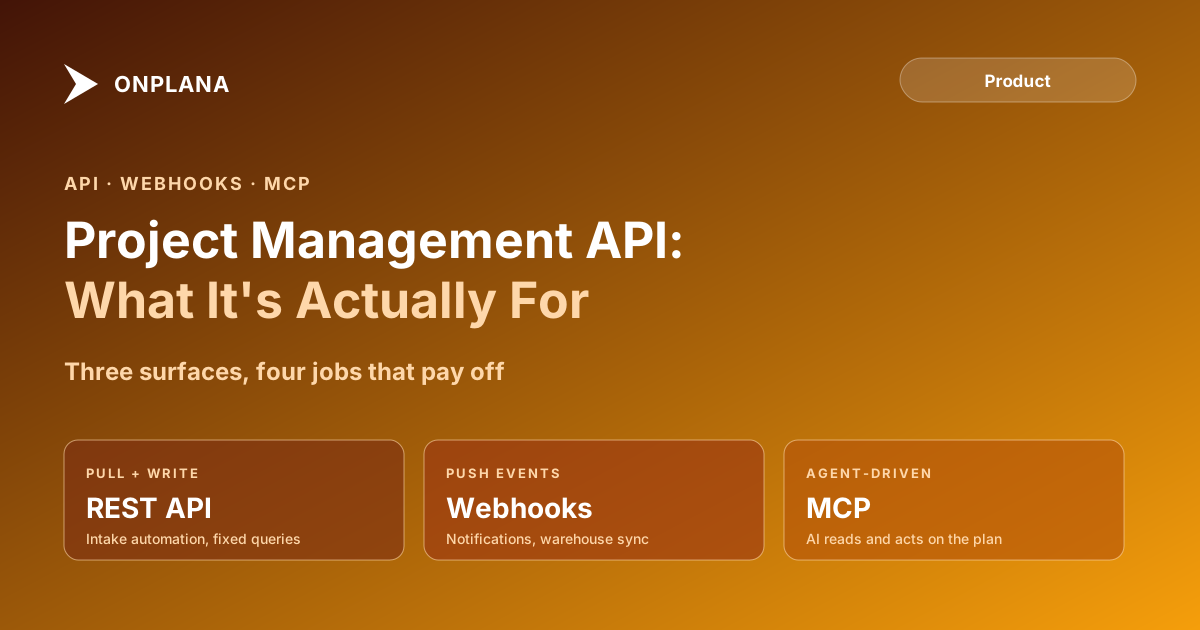
The diagram below shows which of the three pieces actually fits each use case; REST and webhooks split the first two jobs, webhooks alone own notifications, and MCP is the only one built for an AI agent acting on its own initiative.
| Dimension | REST API | Webhooks | MCP |
|---|---|---|---|
| Direction | Pull: your code asks, tool answers | Push: tool sends the event when it happens | Runtime: agent discovers and calls tools itself |
| Who decides the call sequence | A developer, in advance | The event, whenever it fires | The AI agent, based on the conversation |
| Auth model | API key or personal access token | A signed secret verifying the sender | OAuth or a scoped token tied to the connecting user |
| Best fit | Fixed-sequence jobs: intake writes, dashboard queries | Time-sensitive triggers: notifications, sync kickoffs | Conversational, adaptive tasks an agent composes on the fly |
| New client cost | Rebuilt per client that wants the data | One endpoint serves every subscriber | Zero extra server work per new MCP-aware client |
| Failure mode if skipped | Integration can't read or write anything | Falls back to slow, wasteful polling | Agent can only act through hand-coded, narrower tools |
The Integration That Doesn't Pay Off
The failure pattern isn't a missing API. It's building the wrong piece for the job. A team that needs Slack notifications but only has REST access ends up polling every few minutes, burning API quota and still running seconds to minutes behind the actual event. A team that wants an AI assistant to answer portfolio questions but only has REST and webhooks ends up hand-coding a narrow set of fixed queries the assistant can call, which is exactly the kind of "AI feature" that stops working the moment someone asks a question outside the hard-coded list.
The other failure pattern is building any integration for a job that happens twice a quarter. If a human can do the task in the product's UI in under a minute and it comes up rarely, the engineering time to build and maintain an API integration usually costs more than it saves. Save the API for the four jobs above, not for automating away occasional manual work.
Onplana ships all three pieces, REST with scoped personal access tokens, an HMAC-signed webhook system, and an MCP server, on top of the same permission model, so an AI agent or a warehouse sync job sees exactly what the connecting user is allowed to see. Model Context Protocol is Anthropic's open standard for the third piece, released in November 2024; it's the reason "does this tool have an API" started including a fourth answer beyond REST and webhooks.
Do You Need an API, or Just One of These Four Things?
Before scoping an integration, name which of the four jobs it actually is. A warehouse sync and a notification pipe both look like "we need API access" in a kickoff meeting, but one wants a webhook-fed staging table and the other wants a single subscribed event type; building both against a generic REST poller solves neither well. Naming the job first is what keeps the integration from becoming the fifth thing on this list: the one nobody uses in six months because it was built to have an API rather than to do a job.
See the full REST, webhook, and MCP surface on the features page for what each plan includes, and read MCP vs REST APIs for a deeper look at why an AI agent needs the discovery model MCP provides instead of a fixed set of endpoints.
Frequently asked questions
What can I actually do with a project management API?
Four things pay for themselves in practice: syncing project data into a data warehouse or BI tool, automating task intake from a form or ticket system, pushing notifications to a channel the team already watches, and giving an AI agent structured, permissioned access to read and act on the portfolio.
What's the difference between a REST API and webhooks in a PM tool?
A REST API is pull-based: your code asks for data or sends a change and waits for a response. Webhooks are push-based: the PM tool sends you an event the moment something happens, so you don't have to poll for it.
Do I need to write code to connect an AI agent to my project data?
No. MCP (Model Context Protocol) exposes a catalog of tools an AI agent discovers and calls itself under the connecting user's own permissions, so there is no per-integration code to write the way there is for a REST integration.
When does a PM tool integration not need an API at all?
When the workflow is a one-off, low-frequency task a human can do in the UI in under a minute. Building and maintaining an API integration for something that happens twice a quarter usually costs more engineering time than it saves.
Ready to make the switch?
Start your free Onplana account and import your existing projects in minutes.