Requirements Traceability Matrix: The Minimum That Works
A requirements traceability matrix links each requirement to the work that delivers it and the test that proves it, and most die within a month.
Most requirements traceability matrices are dead within a month of being created, and not because traceability was a bad idea. They die because someone built a fifteen-column spreadsheet to look thorough in a governance review, and updating fifteen columns every time a requirement changes is a chore nobody signed up for.
The direct answer: a requirements traceability matrix links each requirement to the work item that delivers it and the test or acceptance criterion that proves it was delivered. Done well, it is four columns: requirement ID, delivering work item, verification method, and status. Done badly, it is a compliance artifact that gets updated once, for the audit, and never again.
An RTM's only real job is answering two questions on demand: what was this built for, and how do we know it works. The minimum viable version has four columns, requirement ID, delivering work item, verification method, and status, and lives inside the same tool the team already updates rather than a separate document. Most RTMs fail because they carry ten columns nobody maintains, not because traceability itself is the wrong idea. Reserve a formal RTM for regulated, safety-critical, or contractually gated work; everywhere else, a well-tagged backlog and a clear definition of done deliver the same traceability without the separate artifact.
What Is a Requirements Traceability Matrix?
An RTM is a table, not a methodology. Each row is one requirement, and the columns answer what delivers it and how delivery gets verified. The value is whether someone can answer, mid-project, "which requirement does this task satisfy" and "which test proves requirement 14 is done" without opening five documents to find out.
| Column | What it holds | Why it earns a place |
|---|---|---|
| Requirement ID | A stable identifier, not a description that changes wording each edit | Everything else in the row points back to this, so it has to be stable |
| Delivering work item | The task, story, or deliverable that satisfies the requirement | This is the forward link: requirement to work |
| Verification method | The test, acceptance criterion, or review that proves it | This is the backward link: work to proof |
| Status | Not started, in progress, delivered, verified | The one field a stakeholder actually scans |
Everything past these four is a candidate for the cutting-room floor. Rationale, owner, priority, and risk belong in a requirements register; they are usually why an RTM collapses when someone bolts them onto the traceability table instead.
When You Actually Need One
A formal RTM earns its maintenance cost in three situations: regulated products where an auditor asks for it by name, safety-critical systems where a missed requirement has a real-world consequence, and contracts with formal client acceptance criteria where "we built it" and "you accepted it" are legally distinct events. Regulated-industry audit scheduling covers the wider documentation discipline traceability sits inside for that first case.
Outside those three, the goal still matters, answering "why are we building this" and "how do we know it's done", but a separate matrix is usually the wrong tool for it. A well-tagged backlog with a requirement reference on each story, plus a clear definition of done, answers both questions without a document living outside the system of record. If your project already maintains a work breakdown structure, the natural home for a lightweight trace is a requirement-ID field on the WBS items themselves, not a second table mapping the same work twice.
The Minimum Columns That Earn Their Keep
Keep exactly four, and resist every addition until it survives one full sprint of actual use.
- Requirement ID. Assign it once, at intake, and never renumber. A renumbered requirement breaks every link that pointed at the old number, which is how matrices go stale without anyone noticing.
- Delivering work item. One requirement can map to several work items and vice versa; record the mapping as it actually is rather than forcing a one-to-one relationship the work doesn't have.
- Verification method. Name the specific test case or acceptance criterion, not "QA will check it." A verification column with no specific method is a status column wearing a disguise.
- Status. Four states are enough: not started, in progress, delivered, verified. A fifth state invented for an edge case is usually the first sign the matrix is about to grow the columns that kill it.
How Do You Keep an RTM Alive Without a Full-Time Analyst?
Update it in the same motion as the work, not as a separate task.
- Tag work items with the requirement ID at creation, not retroactively; a task created without the tag almost never gets tagged later.
- Derive status from the work item's own status wherever the tool allows it, rather than typing it twice. Two places to update the same fact is the maintenance cost that kills matrices.
- Review the matrix at the same cadence as the requirements change, not on a fixed schedule that runs whether anything changed or not.
- Cut a requirement the moment it is descoped, rather than marking it "cancelled" and leaving it to accumulate. Forty resolved rows against six live ones turns a work tool into an archive nobody opens.
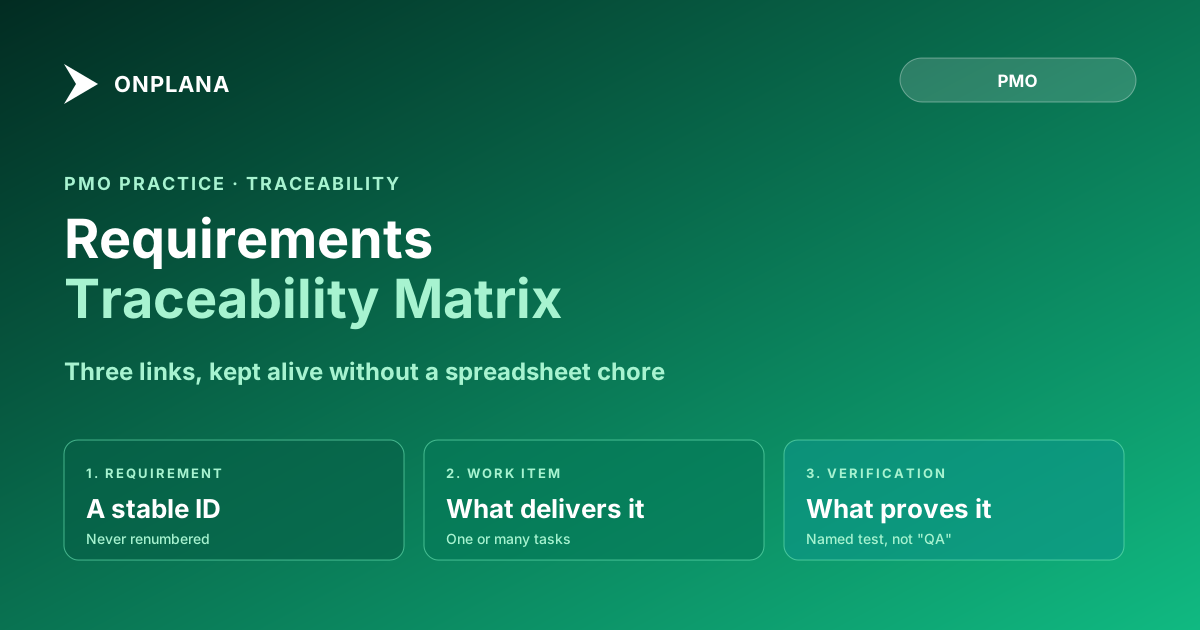
The diagram below shows the trace itself: one requirement, one or more delivering work items, and the verification step that closes the loop back to the original ask.
A Worked Example, Four Rows
A small feature, traced end to end:
| ID | Requirement | Delivering work item | Verification | Status |
|---|---|---|---|---|
| R-14 | Export project data to CSV | Build export endpoint | CSV matches source data, row-for-row | Delivered |
| R-14 | Export project data to CSV | Add export button to UI | Button visible only to roles with export permission | Verified |
| R-15 | Retain export history for 90 days | Add export log table | Log entry created on each export, purged after 90 days | In progress |
| R-16 | Notify admin on failed export | Add failure webhook | Webhook fires on simulated export failure | Not started |
R-14 has two rows because two items deliver it, each with its own verification: the honest shape of most requirements, rarely one task, rarely one test.
Where the Matrix Should Actually Live
The matrix that survives is the one that isn't a separate document at all. If work items already carry custom fields, a requirement-ID field on each task does the linking automatically, and a cross-project report filtered on that field produces the RTM view on demand rather than as a maintained artifact: traceability as a living query, not a document someone has to remember to open.
Requirements traceability is one discipline among several that keep scope honest over a project's life. Milestones vs. deliverables vs. tasks untangles the adjacent vocabulary problem, and when a requirement's own scope drifts mid-project, the scope-creep conversation is the harder half of the job traceability alone won't solve. A business analyst is usually accountable for keeping the trace honest, and the rest of the Onplana blog covers the wider PMO practice this discipline sits inside.
The matrix that survives past week one is the one with fewer columns than feels responsible. Start at four, and make anyone who wants a fifth defend it against the maintenance cost, not the audit checklist.
Frequently asked questions
What is a requirements traceability matrix?
An RTM is a table that links each requirement to the work item that delivers it and the test or acceptance criterion that proves it was delivered correctly. Its job is answering two questions on demand: what did we build this for, and how do we know it works.
Do agile teams need a requirements traceability matrix?
Only when the cost of an untraced gap is high: regulated products, safety-critical systems, or contracts with formal acceptance criteria. A typical internal product team gets the same value from a well-tagged backlog and a definition of done, without maintaining a separate document.
Why do most RTMs get abandoned?
Because they are built with more columns than anyone will maintain. A spreadsheet with owner, rationale, priority, risk, and status columns looks thorough on day one and is three sprints out of date by day thirty, because updating it is a separate chore from doing the work it describes.
What is the minimum viable RTM?
Four columns: a requirement ID, the work item that delivers it, the test or acceptance criterion that verifies it, and a status. Anything beyond that is being added for someone in a meeting, not for the person keeping the matrix current.
How is an RTM different from a work breakdown structure?
A WBS decomposes work into a hierarchy of deliverables; it does not require each item to trace back to a specific requirement or forward to a specific test. An RTM is a mapping across three things: requirement, work, and verification. A project can have a WBS with no RTM, or the RTM's middle column can point directly at WBS items.
How often should a traceability matrix be updated?
At the same cadence as the requirements or the backlog it tracks, not on a separate schedule. If updating it is a distinct end-of-sprint task, it will eventually get skipped under deadline pressure and then abandoned entirely.
Ready to make the switch?
Start your free Onplana account and import your existing projects in minutes.