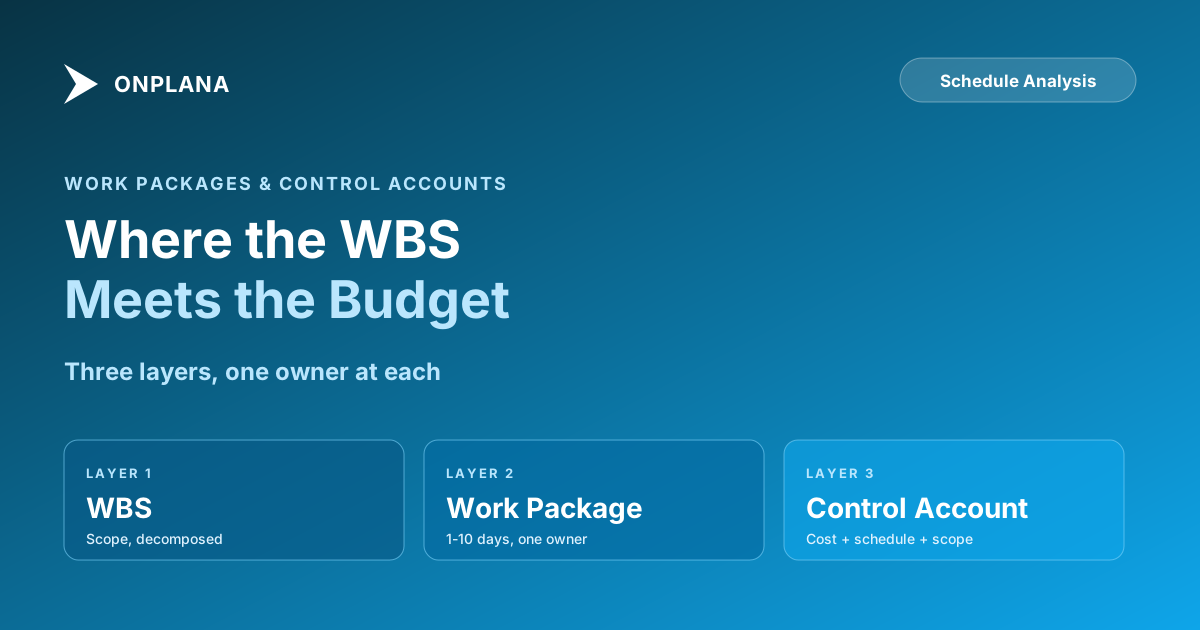
WBS to Gantt Chart: Work Packages and Control Accounts
A work package becomes a Gantt chart bar once it has a duration, dependencies, and a named owner; a control account groups packages under one budget owner.
Ask a PMO to show you the project's Work Breakdown Structure and most will produce a clean hierarchy down to the work package: phases at the top, deliverables in the middle, work packages at the bottom. Ask how that hierarchy becomes the Gantt chart the team actually works from, and the answer gets vague fast: durations, dependencies, and owners get attached somewhere between the WBS and the schedule, but rarely through a defined process anyone could repeat.
A WBS to Gantt chart conversion adds three things to every work package the WBS itself doesn't carry: a duration estimate, dependency links to whatever it can't start before, and a named owner. A scheduling tool sequences those three inputs against a calendar and the WBS stops being a scope list and becomes a working schedule. The same work packages also need a control account layer alongside this step, grouping them under a single accountable manager for cost and schedule reporting, which is why skipping either step produces a schedule nobody trusts and a budget nobody owns.
TL;DR. A WBS becomes a Gantt chart by adding duration, dependencies, and a named owner to each work package, then sequencing the result against a calendar so bars land on real dates. A control account groups related work packages under one accountable manager for cost and schedule reporting, the same integration point formal earned value management is measured at. Skip either step and you get a WBS that looks organized on a slide and a schedule or budget nobody can actually defend.
What a Work Package Actually Is
A work package is the lowest level of the WBS, the point where decomposition stops because the piece of work is small enough to estimate accurately, assign to a single person or small team, and track to a clear definition of done. "Build the login page" is a work package. "Phase 2: Authentication" is not; it's a summary level that still needs breaking down.
The work breakdown structure guide covers how to build the WBS itself in detail, including the 100% rule and the difference between phase-based and deliverable-based decomposition. This post picks up one level above that: what happens once you have a full set of work packages and need to actually manage cost and schedule against them, not just list them.
WBS to Gantt Chart: What Each Work Package Needs
A Gantt chart is just a WBS whose work packages have been given three additional inputs: a duration, dependency links to whatever can't start until something else finishes, and a named owner. None of those three live in the WBS itself, which is why a finished WBS and a working schedule are not the same artifact, even though teams often talk about them as if they were.
Follow one work package through the sequence. CA-101, the Engineering-owned control account for "1.1 Planning" introduced below, contains a work package called "Draft integration requirements doc." On the WBS alone, that's just a name. To put it on a Gantt chart, the CAM estimates it at 4 days, links it finish-to-start after "Kickoff meeting complete," and assigns it to a named analyst. The scheduling tool takes those three inputs and calendars them: if kickoff finishes on a Tuesday, the work package becomes a bar running the rest of that week into the next. Repeat across every work package in the control account and the resulting Gantt view is the sum of its bars, which is also where the account's schedule variance numbers come from once work starts. Once a portfolio of work packages is sequenced this way, critical path math is what determines which chain of bars actually controls the finish date; the free Gantt chart builder runs that calculation as soon as dependencies are linked.
When a work package won't decompose cleanly. Some WBS elements resist this. A work package that still needs two different skill sets to finish, that has no single point where you'd call it done, or that you can't put a confident duration on, is usually a deliverable wearing a work package's clothes. The fix isn't to force a duration onto it: decompose one level further, splitting it by sub-deliverable or handoff point until each piece has one owner and one estimate that doesn't need a caveat. If it still won't split cleanly, that's often a sign the WBS dictionary entry itself is vague rather than that the work resists decomposition, worth revisiting against the WBS guide's 100% rule before assuming the schedule is the problem.
What Is a Control Account?
A control account is the management layer that sits between individual work packages and the total project budget. It groups one or more related work packages, ideally work packages that belong to the same phase or deliverable and are owned by the same part of the organization, under a single accountable manager and a single set of cost, schedule, and scope data.
The formal name for that manager, used in Department of Defense and aerospace earned value management systems, is the Control Account Manager (CAM). The ANSI/EIA-748 standard definition describes a control account as the management control point where budgets and actual costs are accumulated and compared to earned value, tied to a single WBS element and a single accountable organization. Most commercial PMOs don't use the CAM title, but the accountability it describes is exactly what's missing when a $340,000 phase has plenty of task owners and no single owner for the phase's budget as a whole.
Three things define a control account:
A defined scope boundary. The control account contains a specific, bounded set of work packages, not "everything in Phase 2, roughly." If a work package's scope isn't clearly inside or outside the control account, the boundary is broken and cost data will leak across accounts silently.
A single accountable owner. One person, not a team, owns the control account's budget, schedule, and technical scope. This is the same principle that makes milestone ownership work: diffused accountability across a group means no one actually watches the number.
Integrated cost, schedule, and scope data. The control account is where these three dimensions come together in one place. You can ask "is Phase 2 Integration on budget, on schedule, and delivering what was scoped?" and get one coherent answer, instead of stitching it together from three different systems.
Work package vs. control account, side by side.
| Dimension | Work Package | Control Account |
|---|---|---|
| WBS level | Lowest (leaf node) | Groups one or more work packages |
| Typical size | 1 to 10 days of effort | Several weeks to a few months |
| Owner | A single person or small team | One accountable manager (the CAM) |
| What's tracked | A duration, dependencies, a definition of done | Budget, schedule, and earned value (PV, EV, AC) |
| Where EVM is measured | Rarely; too noisy at this level | Here, by every formal EVM standard |
| Rolls up to | Its control account | The project total |
The Gantt view that turns a work package's duration, dependencies, and owner into a dated bar ships on every Onplana plan, including Free, so scheduling at this level doesn't require a paid tier before a PMO can even see whether the control account layer is worth building.
Why Earned Value Is Measured at the Control Account, Not the Task
Earned value management needs three numbers at every reporting period: Planned Value, Earned Value, and Actual Cost. The earned value management guide covers how those numbers turn into CPI, SPI, and a forecast finish cost. What it assumes, and what this post fills in, is the question of at what level those numbers actually get collected.
Task-level earned value sounds more precise, but in practice it's noisier and more expensive to maintain than it's worth. Individual tasks are small enough that estimating errors, a task planned for 3 days that takes 4, dominate the signal. Multiply that noise across a thousand tasks and the aggregate earned value number becomes a statistical exercise nobody trusts. It's also expensive: task-level EVM requires actual cost captured at task-level granularity, which means timesheet and invoice data mapped to a thousand individual line items instead of a few dozen.
Control accounts solve both problems. They're large enough (typically several weeks to a few months of work, several work packages) that individual estimating errors average out, while still being small enough that a single manager can credibly vouch for the numbers. This is why every formal EVM standard, from the US government's EVMS guidelines to PMI's earned value practice standard, anchors performance measurement at the control account level, with work packages and planning packages as the detail underneath it, not as the reporting unit itself.
The practical implication: if your PMO is trying to run earned value management and finds the numbers noisy or expensive to maintain, the first thing to check is whether performance is being measured at the task level instead of the control account level. That's usually the actual problem, not the EVM formulas themselves.
The Responsibility Assignment Matrix: Mapping Who Owns What
A control account isn't just a budget grouping; it's formally the intersection of two different structures: the WBS (what work needs doing) and the OBS, the Organizational Breakdown Structure (who in the company delivers it). The tool that maps these two together is the Responsibility Assignment Matrix (RAM), and the control account is, by definition, the cell where a WBS element meets the organizational unit accountable for it.
The diagram below shows a simplified RAM: WBS elements down the left, organizational units across the top, with the highlighted intersections marking control accounts and their owners.
Reading the grid: "1.1 Planning" work belongs entirely to Engineering, so it forms one control account, CA-101, owned by the Engineering lead. "1.2 Build" splits across Engineering and QA in this simplified example, but only the QA-owned slice is broken out as its own control account here; in a real RAM every populated cell is its own account. The pattern that matters: every control account has exactly one owner, and every dollar of budget lives in exactly one account. No cost data should be reportable to two accounts, and no account should have two people who could plausibly say they're accountable for it.
Building Your Control Account Structure Step by Step
Once your WBS and work packages exist, laying the control account structure on top of them follows a consistent sequence.
- List every work package from the completed WBS. You need the full leaf-level list before grouping anything.
- Group work packages by natural ownership. Work packages that belong to the same organizational unit and the same phase or deliverable are candidates for the same control account. Don't group across organizational boundaries just because the work is chronologically close.
- Check each group against the size test. A control account with one tiny work package is probably not worth the overhead of separate tracking; fold it into a neighboring account. A control account with fifteen work packages is too large for one person to meaningfully vouch for; split it.
- Assign exactly one Control Account Manager per account. Same rule as milestone ownership: a name, not a department. This person owns the budget, the schedule, and the scope boundary for everything inside.
- Allocate the budget to the account, not just the work packages. The control account's budget should be the sum of its work packages' budgets, with the CAM accountable for the total, not just each piece individually.
- Set up cost and schedule tracking at the account level. This is where PV, EV, and AC get collected, per the earned value guide, not at the individual task level.
- Document the RAM. Write down which control account owns which WBS elements and which organizational unit, so the mapping survives staff turnover and doesn't live only in one person's head.
What Goes Wrong When This Layer Is Skipped
Most PMOs that skip control accounts don't notice the gap until they try to roll individual projects up into a portfolio view, or until a CFO asks a specific question about a specific chunk of spend.
Portfolio rollups become guesswork. Without a consistent control account structure across projects, comparing "how is Phase 2 tracking across our five active integration projects" requires manually reconciling five different ad-hoc groupings of tasks, because there's no consistent unit of comparison across projects.
Nobody can answer "who owns this number" under pressure. When a budget variance shows up, the natural question is who is accountable for the piece of the project that's over. Without control accounts, the answer is a diffuse "the team," which is not an answer a CFO or sponsor can act on.
Earned value data gets collected at the wrong granularity, then abandoned. Teams that try to run EVM at the task level, because nobody defined the control account layer, find the resulting CPI and SPI numbers too noisy to trust, and stop maintaining them within a quarter or two. The framework gets blamed when the actual problem was measuring at the wrong level.
Scope, schedule, and cost drift independently. Without an integration point, a project can report "on schedule" and "on budget" separately while a specific piece of scope has quietly ballooned, because no single view forces all three dimensions to reconcile against each other for any given slice of work.
Auditing Your Own Control Account Structure
Run this check against your current project structure in about ten minutes.
- Pick any WBS phase and ask who owns its budget as a single number. If the honest answer is "several people, informally," you don't have a control account there yet.
- Check that every work package maps to exactly one control account. A work package split across two accounts means cost data will double up or fall through the cracks.
- Check account size. If any account has more work packages than one person could reasonably track weekly (a rough guide: more than six or seven), it's too big.
- Confirm the RAM exists in writing. If the WBS-to-organization mapping only lives in the PM's head, it's not durable enough to survive the PM changing roles.
- Ask whether cost, schedule, and scope for one account can be viewed together, in one place, right now. If it takes stitching together three separate reports, the integration the control account is supposed to provide isn't actually happening.
Getting this layer right doesn't require adopting a full formal EVMS. It requires deciding, deliberately, who owns each meaningful slice of the budget, and refusing to let that ownership stay implicit. That's the entire discipline, and it's the difference between a WBS that looks organized on a slide and a project where every dollar has exactly one person accountable for it.
This piece sits alongside the rest of the scheduling fundamentals series: decomposition in the WBS guide, dependency and float mechanics in the critical path breakdown, and the sequencing step covered here that turns a scope list into dated bars a team can actually work from.
Frequently asked questions
How does a WBS turn into a Gantt chart?
Add three things to each work package: a duration estimate, dependency links to whatever it can't start before, and a named owner. A scheduling tool sequences those inputs against a calendar and produces the dated bars that make up the Gantt chart.
What is a control account in project management?
A control account is the point where the organization actually manages a project: it's where a defined chunk of scope (one or more work packages) meets a single accountable manager and a single set of cost, schedule, and earned value data. It sits below the WBS and above the individual work package.
What is the difference between a work package and a control account?
A work package is a piece of scope small enough to estimate and assign, typically one to ten days of effort. A control account is a management layer that groups one or more related work packages under a single owner for cost and schedule tracking. Work packages roll up into control accounts; control accounts roll up into the project.
What is a responsibility assignment matrix?
A responsibility assignment matrix (RAM) maps WBS elements against the organizational structure delivering them, typically as a grid with WBS elements on one axis and organizational units on the other. The cell where a WBS element intersects with the organizational unit accountable for it is the control account.
What do you do when a work package won't decompose cleanly?
Don't force a duration onto it. A work package that still needs two skill sets, has no single point you'd call done, or resists a confident estimate is usually a deliverable one level too high. Split it by sub-deliverable or handoff point until each piece has one owner and one estimate.
Ready to make the switch?
Start your free Onplana account and import your existing projects in minutes.