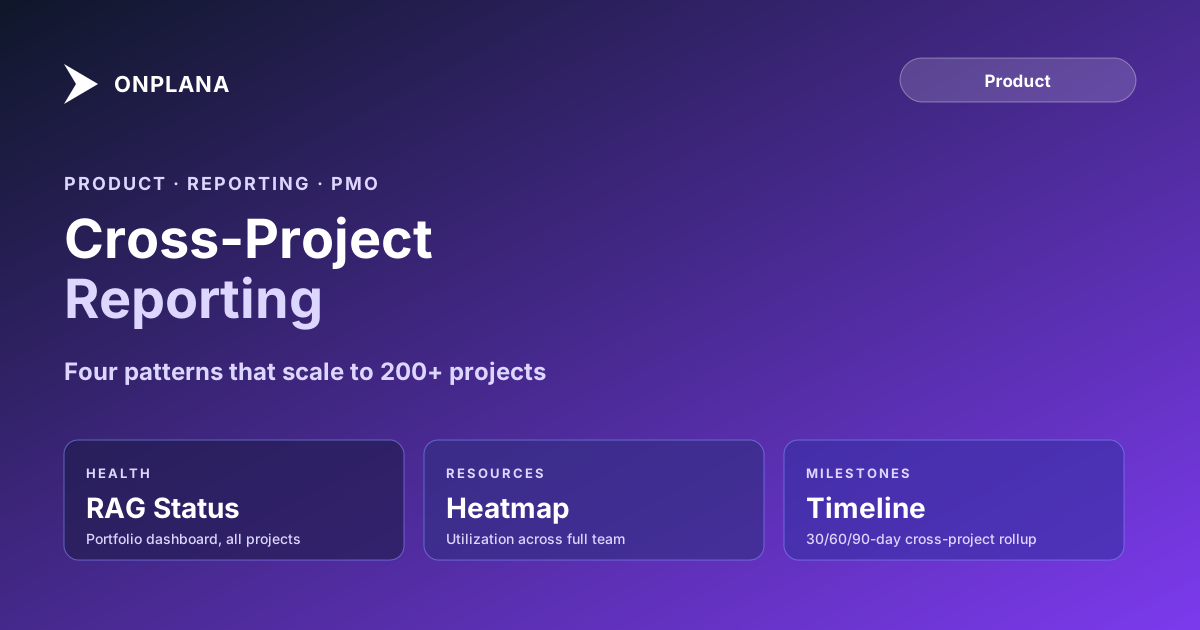
Cross-Project Reporting: Patterns That Scale to 200 Plus
Cross-project reporting breaks at portfolio scale. Here's how Onplana's rollup hierarchy, custom fields, and portfolio dashboards handle 200-plus projects.
Here is the pattern that breaks cross-project reporting at a certain portfolio size. A PMO runs five projects with five status reports. The director asks for a single summary. A PM assembles it manually: opens each project, copies the key numbers, pastes them into a slide deck, and sends it. That works at five projects. At fifteen projects, the manual assembly takes half a day. At thirty projects, it takes long enough that the portfolio summary is already stale by the time it reaches the director. At fifty projects, nobody sends the summary anymore; they just sit in individual project views and hope the right person asks the right questions.
Cross-project reporting is what the PMO installs when the manual assembly model fails. The question is not whether you need it, but how to build it so the data is trustworthy and the maintenance burden does not just move from "assembling the report" to "keeping the report architecture working."
TL;DR. Onplana's cross-project reporting system aggregates project status, milestone progress, resource utilization, budget data, and custom field values across the full portfolio. The portfolio view shows all projects as a configurable list or dashboard. Custom fields defined at the workspace level appear on every project and are filterable, sortable, and aggregatable in dashboard widgets. The resource heatmap shows allocation across the full team, not one project at a time. Reporting patterns that work at 10 projects also work at 200 with the same configuration, because the data model is flat by design.
What Cross-Project Reporting Actually Requires
Cross-project reporting is not one thing. It is a category of views that serve different audiences asking different questions:
Portfolio health view answers the director's question: "Which projects are on track, which are at risk, and which have problems I need to know about?" It needs a status indicator per project (green, amber, red), a brief note on the reason for amber or red status, and enough context about timeline and budget variance to know whether a conversation is needed.
Resource utilization rollup answers the resource manager's question: "Who is overallocated, who has slack, and where do I have capacity to take on new work?" It requires allocation data aggregated across all projects a given resource is on, not just one at a time.
Milestone tracker answers the program manager's question: "Which milestones are coming up in the next 30 days, which are overdue, and which projects are hitting critical dates simultaneously?" It requires dates and milestone status pulled from every project into one sortable list.
Budget summary answers the CFO's question: "What is total committed spend across the portfolio versus what was approved?" It requires budget and actual cost data from every project, convertible to a single reporting currency.
Each view requires data at the project level (status, timeline, resources, budget) that is consistently defined and populated across projects. That consistency requirement is the first thing that breaks when cross-project reporting is attempted on a portfolio where data entry is ad hoc.
The Cross-Project Reporting Data Model in Onplana
Onplana's data model treats the portfolio as the primary unit, with individual projects as members of that portfolio. This matters because it means the reporting infrastructure is always in place: every project automatically participates in portfolio reporting from the moment it is created.
The diagram below shows the four reporting layers and how they relate.
At the base level, tasks and milestones record completion status, assignee, due date, and any custom field values. Projects aggregate those into progress percentage, schedule health, and budget tracking. Programs (optional groupings of related projects) aggregate project-level data into program-level summaries. The workspace portfolio aggregates everything into the top-level dashboard.
Every layer updates in real time. When a milestone moves to Complete, the project progress percentage recalculates. When a project status changes from Green to Amber, the portfolio health dashboard reflects that change immediately. The portfolio manager does not need to refresh a report or trigger a data sync.
Custom-Field Aggregation Across Projects
The consistency problem in cross-project reporting is that projects collect data in different ways. One PM tracks budget variance as a percentage; another tracks it as an absolute dollar amount. One team uses "Phase" as a custom field; another uses "Stage." When you try to aggregate across those projects, you get incompatible data.
Onplana addresses this at the workspace level. Custom fields defined at the workspace level apply to all projects in the workspace. A "Department" field, a "Budget Approved (USD)" field, and a "Phase" field defined once at the workspace level appear on every project, populated according to each project's specifics but with consistent structure.
In the portfolio view, you can:
- Filter all projects by any workspace-level custom field (show only projects where Department = Marketing)
- Group projects by custom field value (group by Phase to see how many are in initiation, execution, and close-out)
- Create dashboard widgets that count or sum custom field values (total approved budget across all active Infrastructure projects)
The aggregation runs against live data, not against a snapshot. If a project manager updates their project's Phase from "Execution" to "Close-Out," the portfolio count for each phase updates immediately.
Custom fields added at the project level (fields created inside a specific project that are not workspace-level fields) do not participate in cross-project aggregation. They are project-scoped. This distinction matters when setting up a new PMO: workspace-level custom fields are the ones that need to be standardized before you start expecting cross-project reports to be comparable.
Resource Utilization Across the Portfolio
Resource reporting is where single-project views systematically mislead. A resource manager who checks each project individually sees that the lead architect is assigned to Project A at 50% and Project B at 60%. Neither PM flagged an overallocation because each PM sees only their own project. The aggregate, 110%, is invisible until someone looks across the full portfolio.
Onplana's resource heatmap aggregates allocation across the full portfolio in a single view. Each resource appears as a row; each time period appears as a column. The cell value shows total allocation across all projects for that period. Cells above 100% turn red automatically. Portfolio managers and resource managers can immediately see who is overallocated, by how much, and during which weeks, without opening individual projects.
Clicking a heatmap cell drills down to the list of projects contributing to that allocation percentage, with each project's allocation shown individually. This makes the overallocation source visible: the architect is 50% on Project A, 40% on Project B, and 20% on Project C, totaling 110%. The resource manager can address the conflict by adjusting one of those assignments, still within the heatmap view, without switching contexts.
For the PMO maturity levels framework, consolidated resource utilization is typically a level 3 capability: it requires a single tool for all projects, standardized resource pool definitions, and consistent assignment tracking. Organizations that reach level 3 maturity typically cite consolidated utilization reporting as one of the capabilities they could not have built manually at scale.
The Four Report Patterns Every PMO Needs
Four report configurations cover the majority of executive and portfolio reporting requirements. Each can be built in Onplana's drag-and-drop dashboard builder without custom development.
Portfolio health summary. A table or card view showing every project's RAG status, schedule variance (days ahead or behind planned end date), budget variance (percent over or under approved), and a one-line status note from the PM. This view answers the director's Monday-morning question without requiring each PM to write a separate summary. PMs update their project status in Onplana; the portfolio health summary aggregates those updates automatically. For guidance on what the status note should contain, the status report writer produces structured status language from project data.
Upcoming milestone tracker. A cross-project list of milestones with due dates in the next 30, 60, and 90 days, filterable by project, department, or phase. This view surfaces schedule risks before they surface in status reports: a milestone that is two weeks away and has not been moved to "In Progress" is a risk worth discussing before it becomes a miss.
Resource utilization by team or department. A heatmap filtered to a specific team or organizational unit, showing total allocation by resource and week. For departments that share resources across multiple projects, this is the primary tool for proactive conflict resolution.
Budget-vs-actual by program or department. A table showing each program or department grouping's total approved budget, committed spend to date, and projected final cost. This view is what the CFO needs at the end of each month: are we spending as planned, and if not, where is the variance?
None of these require custom reports, data exports, or integrations with separate reporting tools. They are configurations of Onplana's built-in dashboard builder using data that projects already maintain.
What Changes at Scale: 50, 100, 200 Projects
Cross-project reporting that works at 10 projects typically breaks at 50 without structural changes. Three issues appear as portfolio size grows.
Status signal noise. At 10 projects, an amber status flag gets attention. At 100 projects, half the portfolio might be amber at any given time; the signal is lost in the volume. PMOs at larger scale need to filter the portfolio view aggressively: show me only the projects with status changed in the last 7 days, or only projects where budget variance exceeds 10%, or only projects owned by a specific department. The filtering capability in Onplana's portfolio view is designed for this: the default view shows everything, but saved views with filters reduce the visible set to what requires attention.
Custom field consistency drift. At 10 projects, informal custom field standards hold. At 100 projects, individual PMs start creating project-level custom fields instead of using workspace fields, phase terminology diverges, and department assignments become inconsistent. At scale, the PMO admin role needs to own the custom field schema and audit it quarterly. Onplana's workspace admin settings show all workspace-level fields, their usage counts, and which projects are missing values for required fields.
Dashboard performance. Portfolio views that load all task-level data for 200 projects simultaneously are slow. Onplana's portfolio view is optimized to load project-level summary data (status, progress percentage, dates, custom fields) and defer task-level details until a specific project is opened. This keeps portfolio views performant at 200 projects without requiring separate data warehouse infrastructure.
For workspaces approaching the 500-project threshold, Onplana recommends partitioning the workspace into programs so that individual portfolio views are scoped to 100-200 projects each. A master workspace with one workspace per business unit, all under a parent organization structure, scales to thousands of projects while keeping individual portfolio views manageable.
Common Mistakes That Break Cross-Project Reporting
Mixing project-level and workspace-level custom fields. If the PMO tries to aggregate a field that 20 projects have at the workspace level and 15 have as a project-level field with a different name, the portfolio view shows incomplete data without explaining why. Audit field consistency before attempting cross-project reports; fix the schema first.
Letting PMs self-define status. If 10 PMs define "green" differently (one means "all tasks on time," another means "sponsor is not actively worried"), the portfolio health view aggregates incompatible signals. Standardize RAG status criteria once at the PMO level and document them. The discipline, goals, milestones, and status reporting post covers how to define consistent status thresholds that produce trustworthy portfolio-level signals.
Building reports before building data discipline. Cross-project reports are only as accurate as the project data they aggregate. If PMs are not maintaining current status, milestone dates, and assignment data in Onplana, the portfolio dashboard reflects their inactivity, not the project reality. The reporting architecture should come after, not instead of, a culture of accurate project data entry.
Treating portfolio dashboards as substitutes for project reviews. Portfolio views answer executive questions. They do not substitute for the project-level conversations where risks are surfaced, decisions are made, and scope is managed. The PMO that stops having project reviews because "everything is green on the dashboard" is the one that gets surprised when green projects fail to deliver. Portfolio reporting is a complement to project governance, not a replacement.
For guidance on the full maturity arc from ad hoc delivery to portfolio-level reporting, the PMO maturity tiers guide covers the organizational and process changes that make the reporting architecture meaningful. Technical configuration is the easy part; getting consistent, trustworthy data from 50 or 100 projects is the work.
Run the free PMO Maturity Assessment See which reporting capabilities your PMO has in place and which are gaps. The assessment scores your portfolio governance, data consistency practices, and executive reporting maturity in about 10 minutes. → Open the assessment
Frequently asked questions
What is cross-project reporting?
Cross-project reporting aggregates status, progress, resource utilization, and cost data from multiple individual projects into a single view, giving portfolio managers and executives a unified picture without opening each project individually.
How do I see all projects in a portfolio view in Onplana?
Navigate to Portfolio in the left sidebar. The portfolio view shows all projects in your workspace as a configurable list or dashboard, with columns for status, health, progress percentage, owner, and any custom fields you choose to surface.
Can I aggregate custom fields across projects in Onplana?
Yes. Custom fields set at the workspace level appear across all projects. You can filter, sort, and group the portfolio view by any custom field value, and create dashboard widgets that aggregate those values into counts, averages, or totals.
How many projects can Onplana's cross-project reporting handle?
Onplana's portfolio views are optimized for workspaces with up to 500 active projects. Beyond 500, Onplana recommends using program groupings to partition the workspace into sub-portfolios that each stay under 500 projects.
What types of cross-project reports does Onplana support?
Onplana supports portfolio health dashboards, resource utilization rollups, cross-project milestone trackers, budget-vs-actual summaries, and custom field aggregation reports. All report types are available in the drag-and-drop dashboard builder.
How does cross-project resource reporting work in Onplana?
The resource heatmap aggregates allocation data across all projects in the portfolio. You see each resource's total committed hours across their full project load, not just one project at a time, which surfaces overallocations that are invisible when viewing projects individually.
Which Onplana plan includes portfolio-level dashboards?
Portfolio dashboards are available on Professional and Enterprise plans. The free plan shows individual project views only.
Ready to make the switch?
Start your free Onplana account and import your existing projects in minutes.