Self-Hosted Project Management: The Real Total Cost
Self hosted project management total cost includes infrastructure, backups, patching, and engineer hours, not just the license: here is a 3-year model.
The self-hosted pitch is always the same: no license fee, full control, ship it on your own infrastructure and skip the subscription forever. The subscription is the only cost that actually stops. Self hosted project management total cost includes infrastructure, backups, upgrade labor, security patching, and the engineer hours to run all of it every week, and for most teams under roughly 100 seats, that total lands higher than a comparable SaaS subscription would have cost.
The direct answer: Self-hosted project management total cost is the license (often $0 for open source) plus infrastructure, backup and disaster-recovery testing, upgrade and patching labor, optional SSO/SCIM setup, and the ongoing engineer hours to run all of it, typically two to four hours a week for a small deployment. Modeled over three years for a 50-person team, that operational cost commonly exceeds what a comparable hosted SaaS subscription would have cost outright. Self-hosting still wins on cost at larger scale with existing infrastructure capacity, and it wins regardless of cost when a data-residency or air-gap requirement makes it non-optional.
What "Self-Hosted Project Management Total Cost" Actually Includes
The free-license pitch counts one line item and calls it the total. A complete model has six:
- License or subscription. Often $0 for a genuinely open-source tool, a real number for a paid self-hosted commercial product.
- Infrastructure. Compute, a managed or self-run database, and object storage for attachments and backups, whether on AWS, Azure, GCP, or physical hardware.
- Backup and disaster recovery. Not just a backup job, a tested restore process, run and verified on a schedule.
- Upgrades and patching. Pulling new versions, running database migrations, and validating in staging before production, on a cadence that keeps you off unsupported versions.
- SSO/SCIM setup and maintenance, if your organization requires it, which most PMOs past 25 seats do.
- Engineer hours. The line every free-tool comparison skips: someone's time, every week, for the previous five items combined.
Our comparison of self-hosted PM tools covers what OpenProject, Plane, Redmine, and other options actually ship feature-for-feature. This post prices what running any of them actually costs once the license line stops being the only number on the page.
Pricing the Parts the Free Pitch Leaves Out
Infrastructure for a sub-100-user deployment (a small managed Postgres instance, object storage, and one or two application compute nodes) typically runs in the low hundreds of dollars a month on AWS, Azure, or GCP; call it $200-$400 as a working range, before backup storage and any staging environment.
Engineer hours are the larger number, and the one no free-tool comparison prices. Using the two-to-four-hours-a-week estimate for a small Docker Compose deployment, and a mid-range $75-per-hour loaded infrastructure-engineer rate as an illustrative benchmark, three hours a week works out to roughly $11,700 a year, before a single major-version upgrade or incident. At Kubernetes scale with high-availability requirements, that commitment moves from part-time to a dedicated fraction of a headcount, and the dollar figure moves with it.
SSO and SCIM are a one-time integration cost plus ongoing maintenance as identity providers change their APIs. Budget a few engineer-days for initial setup and periodic maintenance windows after that; free self-hosted tools that include SSO at all usually gate it behind a paid tier for exactly this reason, since supporting it is real, recurring work.
Three-Year Total Cost: Free Self-Hosted vs. Paid Self-Hosted vs. SaaS
The table below models a 50-person team across three deployment paths, using each vendor's own published pricing where one exists, including OpenProject's Enterprise on-premises pricing. Currencies are left as each vendor publishes them; the comparison is directional, not a single converted total.
| Cost category | Free self-hosted (OpenProject Community) | Paid self-hosted (OpenProject Enterprise Premium) | Hosted SaaS (Onplana Pro) |
|---|---|---|---|
| License / subscription | $0 | €15.95/user/month, 100-user minimum | $12/seat/month, 50 seats |
| Infrastructure | ~$300/month (illustrative) | ~$300/month (illustrative) | $0 (included) |
| Backup & DR testing | Engineer time, no vendor tooling | Engineer time, vendor guidance | $0 (included) |
| Upgrades & patching | ~3 hrs/week engineer time | ~1-2 hrs/week (vendor support) | $0 (included) |
| SSO/SCIM setup & maintenance | Engineer time, self-built | Included in Enterprise tier | Not on Pro; add Onplana Enterprise ($29/seat/month) if required |
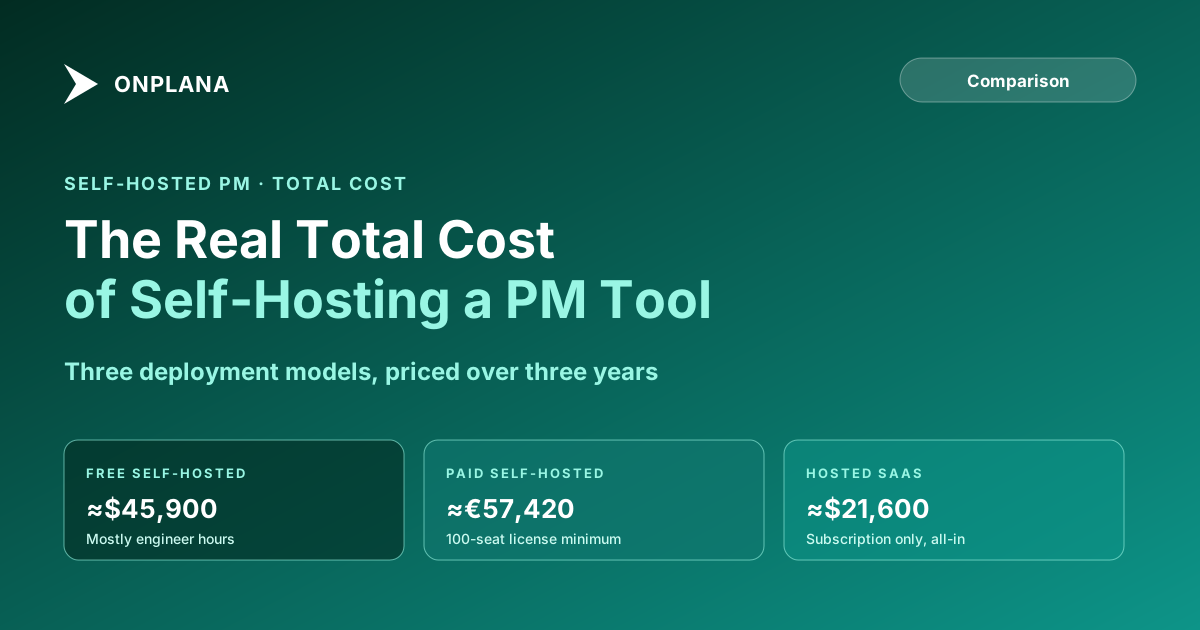
| Illustrative 3-year total | ≈$45,900 (infra + ops hours at $75/hr) | ≈€57,420 (100-seat minimum license) + reduced ops hours | ≈$21,600 (list price, before annual discount) |
The paid self-hosted row costs more than either alternative here mainly because of OpenProject's 100-user minimum applied to a 50-person team; a team that actually has 100+ seats spreads that license cost further and the comparison tightens. The free self-hosted row's total is almost entirely engineer time, not infrastructure, which is exactly the cost the license-free pitch doesn't mention.
The diagram above shows why the license line is a bad proxy for total cost: the free self-hosted bar looks cheapest at the license level and most expensive once operational hours are added, while SaaS carries the opposite shape, all cost visible up front, none hidden in a team's calendar.
When Self-Hosting Still Wins on Total Cost
The comparison above assumes a 50-person team with no existing platform engineering capacity. Two situations flip it:
Scale past what per-seat SaaS pricing rewards. An organization running 1,000+ seats with an infrastructure team already operating similar containerized services absorbs one more service at close to zero marginal engineer-hour cost, since the backup, monitoring, and patching pipelines already exist. At that scale, a paid self-hosted license can undercut per-seat SaaS pricing even before counting the ops-hours advantage.
A hard requirement makes the comparison moot. Data-residency regulation (GDPR data-locality clauses, FedRAMP, an air-gapped defense network) or a contractual clause that project data must never leave infrastructure the customer controls turns this from a cost question into a compliance one. When the requirement is real, the extra cost isn't a decision, it's the price of meeting it, and the useful question becomes which self-hosted option meets the requirement for the least operational overhead, not whether to self-host at all.
The Hidden-Cost Checklist Before You Commit
- Price infrastructure at your actual team size, not a demo deployment. Compute, database, and storage costs scale with usage and user count, not license tier.
- Name who owns weekly operations. If the honest answer is "whoever has time," that is not a real ownership model and the hours will slip.
- Test a full restore, not just confirm a backup ran. A backup nobody has restored from is not verified.
- Budget SSO/SCIM as a project, not a checkbox, if your organization requires it.
- Model three years, not one. Year-one enthusiasm underprices ongoing patching and upgrade work; a three-year model surfaces the real number.
- Confirm whether a hard compliance requirement exists before assuming self-hosting is the default. If it doesn't, run the Migration Cost Calculator against a hosted equivalent before committing engineer time to infrastructure a subscription would have covered.
Teams evaluating Project Online alternatives ahead of its September 30, 2026 retirement are exactly the audience running this comparison for the first time in years, and the deployment decision is worth pricing honestly before the deadline forces a rushed one. Onplana's own self-hosted deployment and Onplana vs. OpenProject cover the paid-self-hosted and SaaS sides of this comparison in more feature depth than the cost model above.
Run the free Migration Cost Calculator Model the license, infrastructure, and labor cost of your current setup against a hosted alternative in a few minutes. No signup required. → Open the Migration Cost Calculator
Frequently asked questions
Is self-hosted project management software actually free?
The license often is. The total cost isn't. A free, open-source self-hosted tool still needs infrastructure, backups, upgrade work, and security patching, all done by someone on your team instead of a vendor, and that labor has a real cost even though no invoice ever shows up for it.
What does self-hosted project management total cost actually include?
Six categories: the license or subscription (often $0 for open source), compute and database infrastructure, backup and disaster-recovery testing, upgrade and patching labor, SSO/SCIM setup and maintenance if you need it, and the engineer hours to run all of the above every week.
Is self-hosting a PM tool cheaper than SaaS over three years?
It depends on team size and whether you already have spare infrastructure capacity. For a 50-person team with no existing platform team, the engineer-hours cost of self-hosting usually exceeds a comparable SaaS subscription. For a large enterprise with an infrastructure team already running similar workloads, the marginal cost of one more service can be lower than per-seat SaaS pricing at scale.
When does self-hosting still make sense despite the extra cost?
When a hard requirement exists: a data-residency regulation, an air-gapped network, or a contractual clause that project data can never leave infrastructure you control. In those cases the extra cost isn't optional, so it stops being a total-cost comparison and becomes a compliance requirement with a price tag attached.
Ready to make the switch?
Start your free Onplana account and import your existing projects in minutes.