Cutover IT Operations Management: Four Gates, One Owner
Cutover IT operations management needs four gates: freeze, change window, verification with rollback criteria, and hypercare, each with one named owner.
Most cutover plans are a calendar hold with a checklist stapled to it: a date, a list of steps, and an assumption that everything runs in order. IT operations needs something sturdier: a plan with four gates a system can fail at, and an agreed rule for what happens at each one. Cutover IT operations management is not primarily a scheduling problem; it is a decision-rights problem, because someone has to be able to stop the change at 2 a.m. without waiting for a meeting.
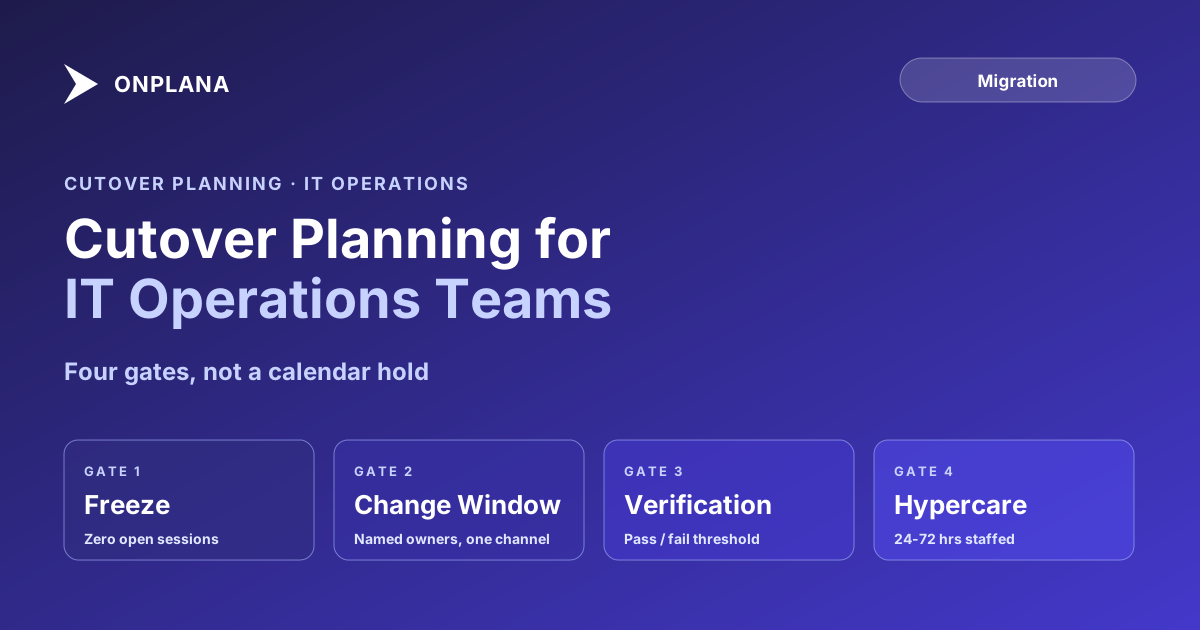
A defensible IT operations cutover has four gated phases: a freeze that confirms nothing is still changing in the source system, a change window with named owners and a fixed comms channel, a verification pass with a quantitative pass/fail threshold, and a hypercare period where the support team is actively staffed, not just on call. Each gate needs an exit criterion agreed before the window opens, and one named person with the authority to call a rollback. Without that, "the weekend" becomes the plan, and Saturday morning becomes the first time anyone improvises under pressure.
| Gate | Exit criterion | Who decides |
|---|---|---|
| 1. Freeze | Zero open sessions at the freeze timestamp plus 15 minutes; source data hashed | Change owner |
| 2. Change window | Tier-1 systems loaded in sequence, failures quarantined after one retry | Workstream owners, reporting to the change owner |
| 3. Verification | Tier-1 validations pass; fewer than the agreed share fail (for example 20%) | Change owner, with the sponsor as backup |
| 4. Hypercare | Open-issue count and resolution dates stated in a closing note | IT operations lead |
Gate One: The Freeze
The freeze exists to guarantee that the data you migrate is the data you intended to migrate, not a version still being edited somewhere. A weak freeze is the single most common cause of a cutover that "succeeds" on Monday and then surfaces missing records on Wednesday.
- Announce the freeze with a specific timestamp, not "Friday evening." A message sent at 16:45 saying the system enters read-only mode at 17:00 gives people 15 minutes to save their work, which is enough.
- Force-close every open session or checkout in the source system at the freeze timestamp, and re-check at freeze plus 15 minutes. The exit criterion is a specific number: zero open sessions, not "mostly done."
- Export and hash-check the source data before touching anything downstream. A file manifest with checksums is your proof that what you imported matches what you exported, which matters if a discrepancy surfaces later and you need to know which phase introduced it.
- Confirm the freeze in the war room channel with a timestamp, so every later phase has a documented starting point.
Gate Two: The Change Window
The change window is where the actual cutover happens, and it is the phase most plans under-specify. "Migrate the data over the weekend" is not a change window; it is a wish. A real change window names who does what, in what order, and where they report status.
The diagram above shows the four gates as a single line with two go/no-go decision points and a rollback path that returns to the frozen source system rather than forward into a half-migrated state.
Before the window opens, list the tiers, systems and record counts it will touch, so the sequence below is built on real numbers rather than a guess. The data migration cutover template gives you that sequence as a starting structure to adapt.
- Name one owner per workstream (data movement, integration reconnection, communications) and one overall change owner with final authority.
- Run everything through a single channel. A Teams or Slack war room, not individual messages, so every status update, blocker, and decision is visible to the whole team at once.
- Sequence tier-1 systems first. If the queue stalls at 2 a.m., you want it to stall on a lower-priority system, not the one finance depends on Monday morning.
- Log every failure with a retry-once rule. Quarantine anything that fails twice rather than blocking the whole queue on one bad record.
The Project Online cutover day runbook is a fully worked example of this window in practice: a 61-hour sequence with a freeze, bulk export and import, and a validation pass, built for one specific migration but structured on exactly this four-gate pattern. The rollback decision itself has its own write-up in how to decide on a migration rollback.
Gate Three: Verification and the Rollback Decision
Verification is where "it looks migrated" becomes "it is verified migrated." The distinction matters because a system that looks right in a spot check can still be silently wrong in the fields nobody checked.
- Validate tier-1 systems and records completely: every field, every integration, every permission. Spot-check tier-2. Skip full validation on tier-3 archival data during the window itself; confirm it opens without error and validate fully afterward.
- Set a numeric rollback threshold before the window opens, not during it. A common one: if more than 20% of tier-1 validations fail, or a single blocking issue exists on a business-critical system with no same-window fix, call the rollback.
- Name the rollback decision-maker in advance. The IT operations lead or change owner holds the authority, with a sponsor as the documented backup, so the 2 a.m. call is an application of an agreed rule, not an argument.
- Treat a rollback as a reschedule, not a failure. If the source system stays accessible in read-only mode, a rollback costs a delay, not lost data. Document the root cause immediately, while the detail is still fresh, so the next attempt fixes the actual problem.
Gate Four: Hypercare, Not Just Go-Live
Go-live is the midpoint of a cutover, not the finish line. Hypercare is the staffed period immediately after go-live where the team's job shifts from moving data to triaging what breaks under real usage.
- Staff the war room channel for the first 24 to 72 hours, scaled to system criticality: a system every employee touches daily needs the full window, a narrow back-office tool needs less.
- Categorize every reported issue on arrival: a data error, an access problem, a training gap, or a known issue already logged with an ETA. Untriaged tickets are how a real problem hides behind a pile of confused-user messages.
- Run a manual check on any executive-facing report or dashboard before the first post-cutover leadership meeting. A blank dashboard in front of a steering committee erodes confidence in the whole migration, even when the underlying data is fine.
- Close hypercare formally, with a short note stating go-live is complete, the open-issue count, and expected resolution dates. An unannounced fade from "hypercare" to "normal support" leaves users unsure whether it's safe to stop worrying. The 30-day post-cutover checklist picks up exactly where hypercare ends, with a week-by-week review through the first month.
Cutover IT Operations Management: Building Your Own Plan
The pattern holds regardless of what's being cut over: an ERP, a CRM, or a project-management platform, as in the migration work that followed the September 30, 2026 Project Online retirement. Four gates, one named decision-maker per gate, and rollback criteria agreed before anyone is tired and it's 2 a.m. Teams that skip straight to "the weekend" are the ones improvising a rollback decision under pressure instead of applying one they already wrote down.
Start from the data migration cutover template A ready structure for the freeze, the change window, verification and hypercare, with an owner and an exit criterion per gate. Adapt it to your own systems. → Open the data migration cutover template
Microsoft Project Online™ is a trademark of Microsoft Corporation. Onplana is not affiliated with Microsoft.
Frequently asked questions
What is a cutover plan in IT operations?
A cutover plan is the sequenced, gated procedure for switching a live system from an old platform to a new one: a freeze window, the change itself, a verification pass, a rollback decision point, and a hypercare period afterward. It is a change-window schedule plus explicit go/no-go criteria, not just a calendar hold.
What should a cutover plan template include?
Named owners for each phase, entry and exit criteria for the freeze, a step-by-step change window sequence, verification checks with a pass/fail threshold, quantitative rollback triggers agreed before the window opens, and a hypercare schedule for the first 24 to 72 hours after go-live. The [data migration cutover template](/templates/data-migration-cutover) lays these out as a ready-made structure.
Who makes the rollback decision during a cutover?
One named person, agreed before the window opens, usually the change owner or IT operations lead, with a sponsor as backup. Rollback criteria should be quantitative and written down in advance so the decision at 2 a.m. is an application of an already-agreed rule, not a fresh judgment call under pressure.
How long should hypercare last after a cutover?
24 to 72 hours of active, staffed support is typical for most system cutovers, followed by a lighter two-week stabilization period. The exact length should scale with user count and system criticality: a system touching every employee daily needs the full window; a back-office tool used by ten people needs less.
Ready to make the switch?
Start your free Onplana account and import your existing projects in minutes.