Reporting on AI Agent Work: What to Disclose
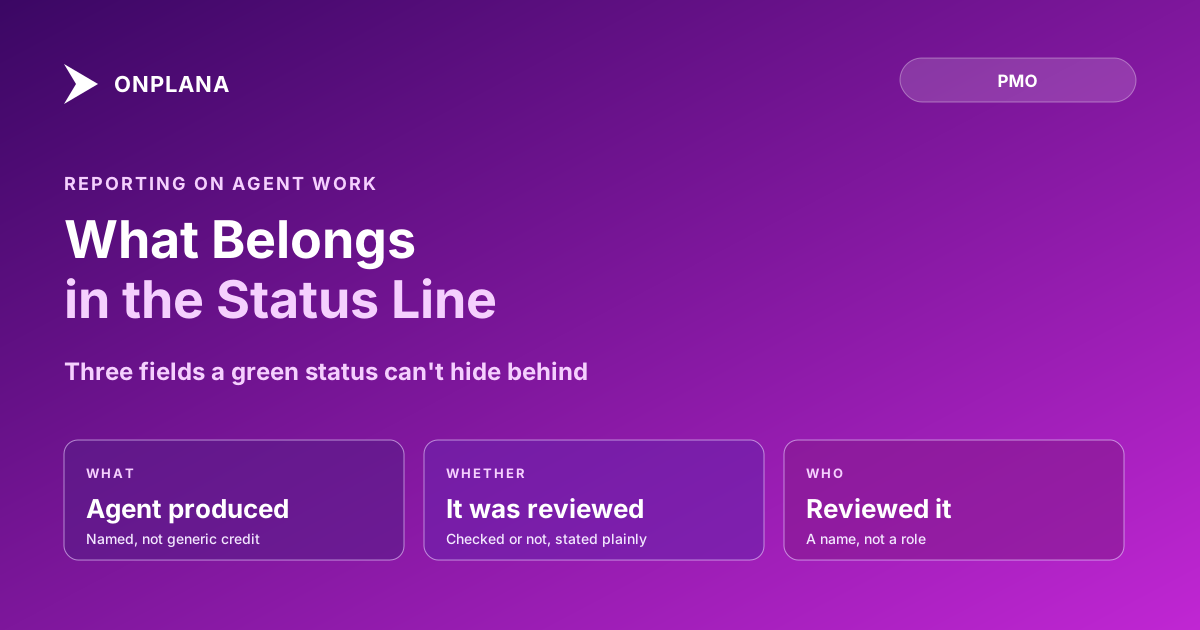
Reporting on AI agent work means naming what the agent produced, whether a human reviewed it, and who that reviewer was, not folding it into a green status.
The question a status report used to answer was simple: is it done. Once an agent can close its own tasks, that question stops being the one that matters. What a sponsor actually wants to know is whether the "done" in front of them can be trusted, and most status reports have no field for that at all.
The direct answer: reporting on AI agent work means adding three fields to the report you already send: what the agent produced, whether a human reviewed it before it counted as done, and who that reviewer was. Leave any one of the three out and the report reads identically whether the work was checked or not, which is the exact gap that costs trust once an agent is doing enough of the work to matter.
TL;DR: The three fields a status report needs once agents do work
- What the agent produced, named specifically, not folded into "task complete"
- Whether a human reviewed it before it counted as done
- Who reviewed it, so accountability has a name attached to it
Reporting on AI Agent Work: The Three Fields a Status Line Needs
A traditional status line answers one question: is the task done. That was sufficient when "done" always meant a person had judged it done. It stops being sufficient the moment an agent can move a task to done on its own, because "done" now covers two different situations that a plain status field can't distinguish: work a human checked, and work nobody has looked at yet.
The fix is not a new report format. It's three fields layered onto the report structure that already exists:
- What the agent produced. Name the actual output (a draft, a data pull, a closed task), not a generic "AI assisted." Vague credit lines are as useless as no credit line.
- Review status. Reviewed and confirmed, reviewed with corrections, or not yet reviewed. All three are legitimate states; the failure is not stating which one applies.
- Reviewer. A name, not a role. "PM reviewed" is weaker than "Reviewed by Dana Cole" because a name is the thing an auditor, or an annoyed sponsor, can actually follow up with.
Why Hiding the Distinction Destroys Trust Faster Than Disclosing It
The instinct to fold agent work quietly into the normal status flow comes from a reasonable place: nobody wants a report that reads like a disclaimer on every line. But the omission doesn't stay neutral. The first time a sponsor discovers, usually the hard way, that a "done" task was agent-closed and never reviewed, every other "done" in every report they've received starts to look suspect. One undisclosed gap taxes the credibility of the whole report, not just the one line it came from.
Disclosure works the other way. A report that names what was agent-done and what was reviewed gives the sponsor a reason to trust the lines that don't get flagged, because they can see the flagging actually happens. Steering committees already run on the discipline of surfacing decisions instead of narrating status; naming agent involvement is the same discipline applied to a newer kind of gap.
A Worked Example
The table below shows the difference between a status line that hides the distinction and one that discloses it.
| Field | What it captures | Undisclosed version | Disclosed version |
|---|---|---|---|
| Task | The unit of work | "Vendor risk memo: done" | "Vendor risk memo: agent-drafted, reviewed" |
| What the agent did | The actual output | (not stated) | "First draft from vendor questionnaire data" |
| Review status | Checked or not | (not stated) | "Reviewed with two corrections" |
| Reviewer | Who is accountable | (not stated) | "Reviewed by Priya Nair" |
The diagram below shows where the disclosure fields sit in the pipeline: they attach at the review step, not after the report is already written.
Building the Disclosure Into the Report, Not Bolting It On
Retrofitting disclosure onto an existing report template is a one-time setup cost, not a recurring one:
- Add a review-status column to whatever report template the team already uses: reviewed, reviewed with corrections, or not yet reviewed.
- Require a name, not a role, in the reviewer field. Roles hide accountability behind a job title; names don't.
- Roll up routine tasks into one disclosed line instead of flagging every minor agent action individually, so the report doesn't turn into a changelog nobody reads.
- Reserve individual disclosure for anything stakeholder-facing or decision-adjacent, since that's where an unreviewed error actually costs something.
- Review the disclosed lines in the same meeting you'd review a red status, not as a separate agenda item, so disclosure becomes part of the normal report cadence rather than an add-on nobody has time for.
The free Status Report Writer builds a report from your structured project data in minutes, and the same disclosure fields, what an agent produced, review status, reviewer, drop straight into its template rather than requiring a separate tracking sheet. Reviewing work an agent did covers the decision behind the review-status field itself: which task types should stop at review versus which can close on their own, the judgment call this reporting structure exists to make visible.
Most PMOs already know how to cut the time a status report takes to write; the guide to trimming a 90-minute report down to 10 covers that half of the problem. Disclosure is the other half: it costs a few extra fields, and it's the reason the report stays believable once some fraction of "done" started coming from something that isn't a person. The rest of the Onplana blog covers the wider set of practices, review, onboarding, permissions, that this reporting structure assumes are already in place.
Cut status reporting time without cutting disclosure Turn structured project data into a polished report in minutes, with the fields to disclose what an agent produced and who reviewed it. No signup required. → Try the Status Report Writer
Frequently asked questions
What if a status report says a task is done but the agent got it wrong?
Yes, an agent can mark something agent-done and still be wrong, the same way a person can. The disclosure fields exist so a wrong call surfaces at the review step, before it becomes the number a sponsor repeats upward in their own report, not after.
Who is accountable if a report built on unreviewed agent work turns out wrong?
The reviewer named in the report is accountable for what they signed off on. If no reviewer is named, accountability defaults to the PM who sent the report, which is exactly why leaving the reviewer field blank is the failure mode worth eliminating first.
Does disclosing that an agent did the work make stakeholders trust the report less?
Some sponsors read agent-drafted as a red flag the first time they see it. In practice, the fields that make an agent's involvement visible are the same fields that make a human's involvement invisible today, so disclosure adds scrutiny to work that was already unscrutinized either way, which is the more trustworthy state, not the less trustworthy one.
What's the difference between an AI-drafted status report and reporting on AI agent work?
An AI-drafted report uses AI to write the prose from data a human already gathered. Reporting on agent work discloses that some of the underlying work, not just the writing, was done by an agent, and the two are independent: a human-written report can still hide agent-done work.
Does every task an agent touches need its own callout in the report?
No. Routine, low-stakes tasks that passed an automated check can roll into one disclosed line, such as twelve routine tasks closed by agent with zero corrections. Reserve individual callouts for anything that reached a stakeholder-facing deliverable or a decision.
Where should the reviewer's name actually live in the report?
Next to the task or deliverable it covers, not in a separate appendix. A name buried in a footnote gets skipped about as often as no name at all, which defeats the point of naming one.
Ready to make the switch?
Start your free Onplana account and import your existing projects in minutes.