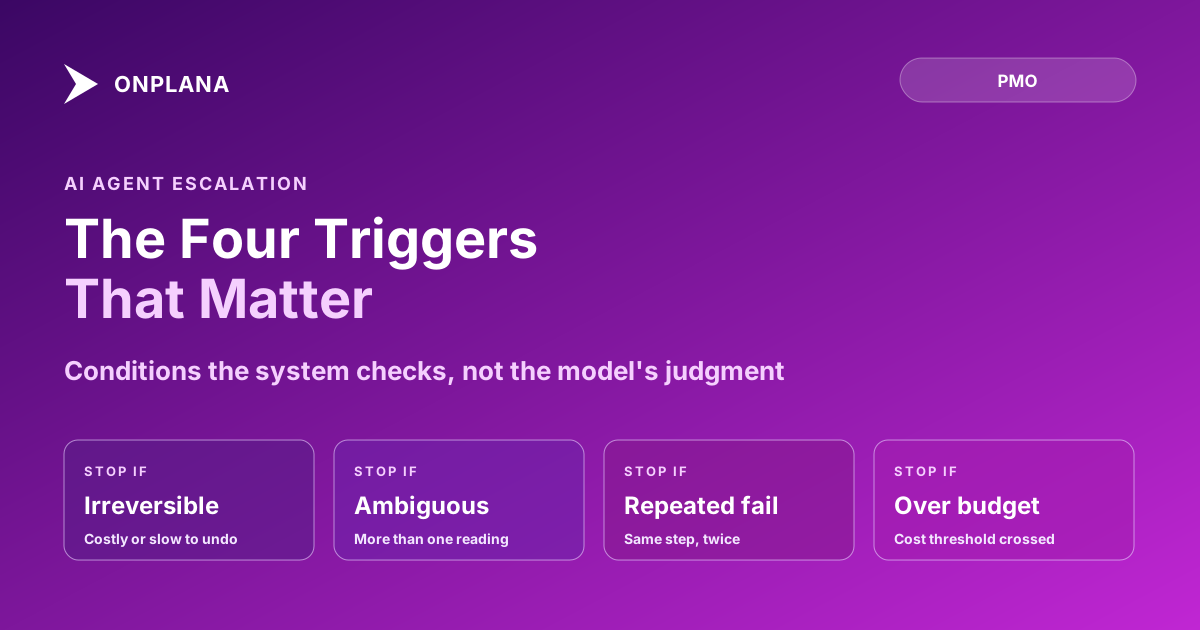
AI Agent Escalation: The Four Triggers That Matter
AI agent escalation should fire on four conditions, not the model's judgment: irreversible actions, ambiguous requirements, repeated failure, budget limits.
An agent that never asks is dangerous. An agent that asks about everything is furniture. Most teams tuning agent autonomy learn this by living through both failure modes in the same month: the agent that quietly reallocated a budget line nobody approved, and the agent that paused for a go-ahead before renaming a task tag. Neither failure is really about the model's judgment. It's about nobody having written down when it should stop.
The direct answer: AI agent escalation should fire on four conditions, not on a vague sense that something feels important: an irreversible or expensive-to-undo action, an ambiguous requirement, a repeated failure on the same step, and a budget or cost threshold. Encode each one as a condition the system checks before the agent acts, not an instruction the model is trusted to interpret, and escalation becomes predictable instead of a coin flip that depends on how the prompt happened to be worded that day.
TL;DR: AI agent escalation triggers
- Irreversible action: anything expensive or slow to undo pauses for approval first.
- Ambiguous requirement: a task with more than one reasonable reading stops instead of guessing.
- Repeated failure: the same step failing twice hands off instead of retrying a third time.
- Budget threshold: crossing a cost or scope limit stops the agent, doesn't just log it.
AI Agent Escalation: The Four Triggers Worth Encoding
Each trigger catches a different failure, and each fails for a different reason if you leave it to the model's discretion instead of writing it as a condition.
| Trigger | What it catches | Example | Why judgment alone fails here |
|---|---|---|---|
| Irreversible action | Work that's costly or slow to undo | Deleting a resource, sending a stakeholder-facing report, moving money | The model can't know your org's specific tolerance for a wrong call; a system check can |
| Ambiguous requirement | A task with more than one reasonable reading | "Update the schedule" with no target date named | The model will pick a plausible interpretation and act on it rather than surface the ambiguity |
| Repeated failure | The same step failing more than once | A data import that errors on the same field twice | Retrying a third time with no new information rarely produces a different result |
| Budget threshold | A cost or scope limit about to be crossed | An AI credit allowance or a defined task-count cap | Thresholds are exact numbers; "use good judgment about cost" is not a number |
These four are worth encoding because they cover the failure modes that actually cost something: money, trust, or wasted effort, rather than every possible decision point in a workflow. A trigger list longer than this tends to escalate on low-stakes steps too, which produces the second failure mode below.
Why "When It Feels Risky" Doesn't Work as a Rule
Teams that skip writing explicit triggers usually fall back on an instruction like "escalate if something seems important" or "check with me if you're not sure." Both read like reasonable defaults and both fail in opposite directions on the same agent. On one task the model decides a step is routine and takes an irreversible action without asking, because nothing in the instruction told it that specific action counted as risky. On the next task it pauses for approval on something trivial, because the same vague instruction gives it no way to distinguish a $50 decision from a $50,000 one.
The fix isn't a longer instruction. It's replacing the instruction with a condition the system enforces regardless of what the model concludes: a dollar figure it can compare a request against, a retry counter it can check, a list of action types flagged irreversible. AI governance for PMOs covers the same distinction at the policy level: a boundary the system enforces holds regardless of what the model wants to do next, while an instruction only holds if the model happens to cooperate with it.
The diagram below shows how a single agent action routes through the four checks before it either proceeds or hands off.
What a Good Handoff Includes
Escalating is only half the mechanism. The handoff itself needs to carry enough context that a human can act on it without reconstructing what the agent was doing. A good handoff states what the agent attempted, why it stopped (which of the four triggers fired), and what specific input or approval it needs to continue. A handoff that just says "needs review" with no context pushes the reconstruction work onto the person least equipped to do it quickly, the same failure a written escalation framework exists to prevent among human team members: escalating two levels too high, or two weeks too late, because the handoff carried no context.
In practice that means the escalation itself, not just the final task, should log which trigger fired and what the agent had already ruled out, the same way Onplana's audit trail records tool calls under the same log as human activity rather than a separate, harder-to-query channel.
Escalation Triggers Are a Starting List, Not a Fixed One
Four triggers are a floor, not a ceiling. A team running agents on financial approvals will want a tighter budget threshold than a team running them on internal documentation. What shouldn't change is the shape of the rule: a condition the system checks, stated as a number or a named action type, rather than a sentence asking the model to use good judgment. Should an agent close its own tasks covers the closely related question of when an agent is trusted to mark something done at all, using the same test: checkable, automatable, and recoverable if wrong. Escalation is what happens when a task fails that test mid-run instead of at the finish line.
Write the four triggers down before connecting an agent to anything that touches money, customer-facing output, or data that's slow to restore. The alternative is finding out where the gaps are from an incident report instead of a policy document. The rest of the agent operating guidance, onboarding, permission scope, and closing rules, lives on the Onplana blog alongside this one.
Frequently asked questions
When should an AI agent escalate to a human?
On four conditions: the action is irreversible or expensive to undo, the requirement is ambiguous rather than underspecified, the same step has failed more than once, or a cost or budget threshold is about to be crossed. Encode each as a check the system runs, not a feeling the model has.
What is agent handoff to a human?
Handoff is the point where an agent stops acting and hands a decision to a person, either by pausing for approval or by filing a task a human has to pick up. Good handoff includes what the agent tried, why it stopped, and what it needs to continue.
Why doesn't 'use your judgment' work as an escalation rule for an agent?
Because judgment is exactly what the agent doesn't reliably have yet on a given org's specific risk tolerance. A vague instruction produces both failure modes at once: silent overreach on some tasks and constant unnecessary interruptions on others. A condition the system checks produces neither.
What happens if an agent escalates too often?
The team stops reading the escalations. An agent that pings a human before every small step trains its reviewers to rubber-stamp without looking, which defeats the purpose of having a checkpoint at all. The fix is narrowing the trigger list to the four conditions that actually carry risk, not adding more human touchpoints.
Ready to make the switch?
Start your free Onplana account and import your existing projects in minutes.