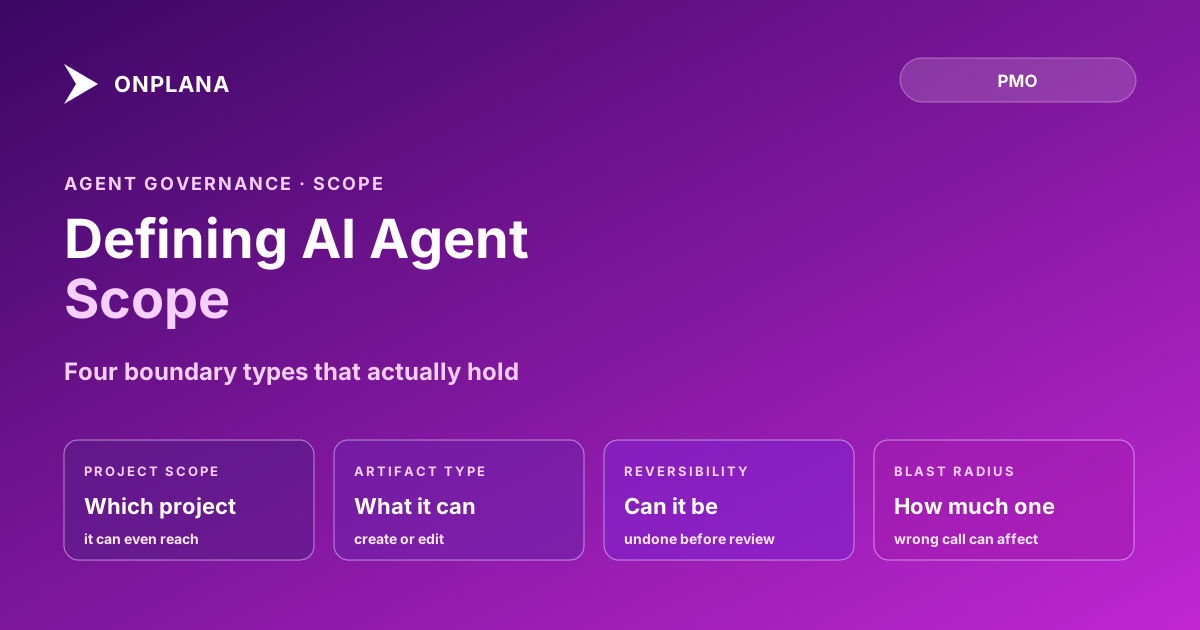
Defining AI Agent Scope: Four Boundary Types That Work
Defining AI agent scope means setting four boundaries: project, artifact type, reversibility, and blast radius, then reviewing what it did, not what you asked.
Here's the uncomfortable pattern. Scope creep with a person takes weeks: a task grows, someone raises it in a status meeting, a PM decides whether to push back. Scope creep with an agent takes one prompt. Ask it to also tidy up the budget field while it's in there, and it will, because an agent doesn't carry the instinct that stops a contractor from touching a system nobody asked them to touch.
The direct answer: defining AI agent scope means setting four boundary types before the agent's first task, not adjusting them after something goes wrong: which project it can touch, which artifact types it can create or edit, which of its actions are reversible, and how large the blast radius is if it gets something wrong. Instructions describe what you want the agent to do; boundaries describe what it's physically able to do even if the instructions, or a persuasive comment, ask for more.
TL;DR: Four boundary types, set before the first task
- Project scope: which project the agent's credentials can even reach
- Artifact type: which kinds of things it can create or edit
- Reversibility: whether its actions can be undone without a person noticing first
- Blast radius: how much damage one wrong call can do before anyone reviews it
Why Agent Scope Creep Moves Faster Than a Person's
A person who oversteps a task usually hesitates first. They ask "should I also fix this," or they flag it in standup and wait for a nod. An agent doesn't have that pause built in. Given an instruction and a plausible-sounding extension of it, an agent will attempt the extension, because attempting the task it was asked for and attempting an adjacent task it wasn't asked for look identical from the inside: both are just the next reasonable step toward being helpful.
That's not a flaw specific to any one agent or model. It's a property of a system that executes based on what a request implies rather than on what it was authorized to touch. The fix isn't a better instruction. It's a boundary the agent can't cross regardless of what the instruction, or a comment on the task, asks it to do.
The Four Boundary Types That Actually Hold
Most scope failures trace back to a boundary that existed only as a sentence in the agent's system prompt. The four types below hold because each one is enforceable at the access-control level, not just the instruction level.
| Boundary type | What it limits | Enforced by |
|---|---|---|
| Project scope | Which project's data the agent can read or write | Credential grant, not instruction |
| Artifact type | Which kinds of things it can touch (tasks, not budget fields) | Field- or object-level permission |
| Reversibility | Whether an action can be undone before review | Requiring a draft or hold state, not a direct write |
| Blast radius | How much a single wrong action can affect | Batch-size limits, approval gates on bulk changes |
Project scope and artifact type answer "where can it go." Reversibility and blast radius answer "how bad is it if it goes somewhere wrong." A boundary set on only the first pair still lets a correctly-scoped agent make a large, irreversible mistake inside the one project it's allowed to touch.
The diagram below shows how the four boundaries stack around a single task before it reaches the agent.
Setting Each Boundary Before the First Task
- Grant project scope at the credential, not the prompt. If the agent's access token can only read and write one project, no instruction, and no comment written to look like one, can move it into a second project.
- Restrict artifact type explicitly. List what the agent can create or edit (tasks, draft status updates) and what it can't (budget fields, resource assignments) as a permission, not a house rule it's told to follow.
- Force irreversible actions through a hold state. Anything that deletes, overwrites, or sends externally lands in a draft or pending state first; a human converts it to final. This alone removes most of the actual damage a scope breach can do.
- Cap blast radius with a batch limit. An agent closing one task on its own is a minor event. An agent closing forty tasks on its own is a different risk entirely; require an approval gate once an action's scale crosses a set threshold.
Onboarding an AI agent to a team follows the same logic at the start of an agent's life: one project, a small first task, before any boundary gets widened. These four boundaries assume the task itself already cleared a more basic bar; the three-part test for what to delegate to an agent is what decides that before scope ever comes into it.
The Review That Catches Drift
A boundary set correctly on day one can still drift, not because the agent changes, but because someone widens access later to unblock a task and never narrows it back. The review that catches this isn't asking the agent whether it stayed in scope. It's reading its action log against the boundary that was supposed to hold: which projects it actually touched, which artifact types it actually wrote to, and whether any action crossed the reversibility or blast-radius limits that were set.
That review works the same way escalation triggers work: both assume the agent's own report of what it did is not the source of truth, the log is. What an audit trail for agent work needs to capture is the same six fields this review reads from: actor, authority, change, prior state, triggering instruction, and human approval. Run that review on a fixed cadence, not just when something looks wrong, because a boundary that quietly widened three months ago won't announce itself.
Setting the four boundaries once is the cheap part. Reading the log against them on a schedule is what keeps the boundary real instead of decorative. The rest of the Onplana blog covers the practices this scope discipline assumes are already in place: onboarding an agent, deciding when it can close its own work, and disclosing what it did in the report that goes to a sponsor.
Frequently asked questions
What does it mean to define an agent's scope?
Setting explicit limits on what project, what artifact types, and what class of action an agent can take, before its first task, rather than giving it an instruction and trusting it to infer the boundaries a person would assume.
What's the difference between agent scope and agent permissions?
Permissions are the technical mechanism: which accounts and API calls the agent can use. Scope is the practical boundary those permissions should enforce: which project, which artifact types, which actions.
Can an agent wander into a project it wasn't assigned to?
Yes, if the boundary is enforced only by instruction rather than by the underlying access grant, because an agent attempts whatever a request plausibly implies, including a reasonable-sounding ask to touch an adjacent project. Scope has to limit what the agent can technically reach, not just what it's been told to avoid.
Who is accountable if an agent acts outside the boundary someone set for it?
Whoever set, or failed to set, the boundary. An agent acting outside scope is a configuration gap, the same way an over-privileged new hire's access is a gap in onboarding, not the hire choosing to misbehave.
Can someone steer an agent past its scope just by asking in a comment or task description?
Yes, if the boundary lives only in the agent's instructions, because a persuasive request in a comment reads the same as a persuasive request from a PM. The boundary has to sit in what the agent's credentials can technically reach, not in what its instructions tell it to avoid.
How wide should an agent's first scope be?
Narrower than feels necessary: one project, one artifact type, reversible actions only. Widen it after a review cycle shows the agent stays inside the lines on the narrow version.
What happens if the boundary is set too narrow and it blocks real work?
Work stalls and someone manually widens it, a small friction cost. That's the safer failure mode next to a boundary set too wide, where the agent completes unwanted work and nobody finds out until after the fact.
What review actually catches scope drift?
Reading what the agent did against its full action log, not just checking whether it reported success. Instructions describe intent; the log describes what actually happened, and drift shows up in the gap between the two.
Ready to make the switch?
Start your free Onplana account and import your existing projects in minutes.