XER File: What It Holds and How to Open One Without P6
An XER file is a Primavera P6 export in tab-delimited text. See what it holds, why converters break it, and three ways to open one without a P6 licence.
You were sent a schedule by a contractor, and the attachment ends in .xer. No P6 licence, no way to read it, and a text editor shows a wall of tab-separated rows. An XER file is the export format of Oracle Primavera P6: a plain-text, tab-delimited file that holds a project's activities, relationships, calendars, resources and assignments as a set of tables. It opens in P6, in other tools that read the format, and in Onplana without any P6 licence.
The short version: An .xer is Primavera P6's tab-delimited export. Open it in P6, in Onplana Schedule on the desktop, or by importing it into Onplana. Do not rename it or push it through a generic converter; the activity IDs, lag and calendars are what you came for, and they are what a converter drops.
The UK National Archives' PRONOM registry lists the format as "Primavera P6 Project Management XER File" (fmt/1455) and describes it as an ASCII file storing project information in tables and fields. That is the whole trick: it is a database dump, not a document.
What does an XER file actually contain?
An XER file is a sequence of tables, each introduced by a table name, a row of field names, and then one row per record. The pieces that matter for a schedule:
| Table content | What it carries | Why you care |
|---|---|---|
| Projects and WBS | The project record and its work breakdown structure | The hierarchy of the plan |
| Activities | Names, activity IDs, durations, dates, status | The rows you see on the Gantt |
| Relationships | Predecessor, successor, link type and lag | The logic that drives the critical path |
| Calendars | Working days and holidays per calendar | The reason dates shift if lost |
| Resources and assignments | Who or what is assigned to each activity | Loading and cost |
The activity ID is the field people forget. It is the stable identifier the scheduler and the contractor both quote in meetings, and it survives a move between P6 databases. An import that renumbers activities makes the file correct and the conversation impossible.
Why do generic converters break an XER file?
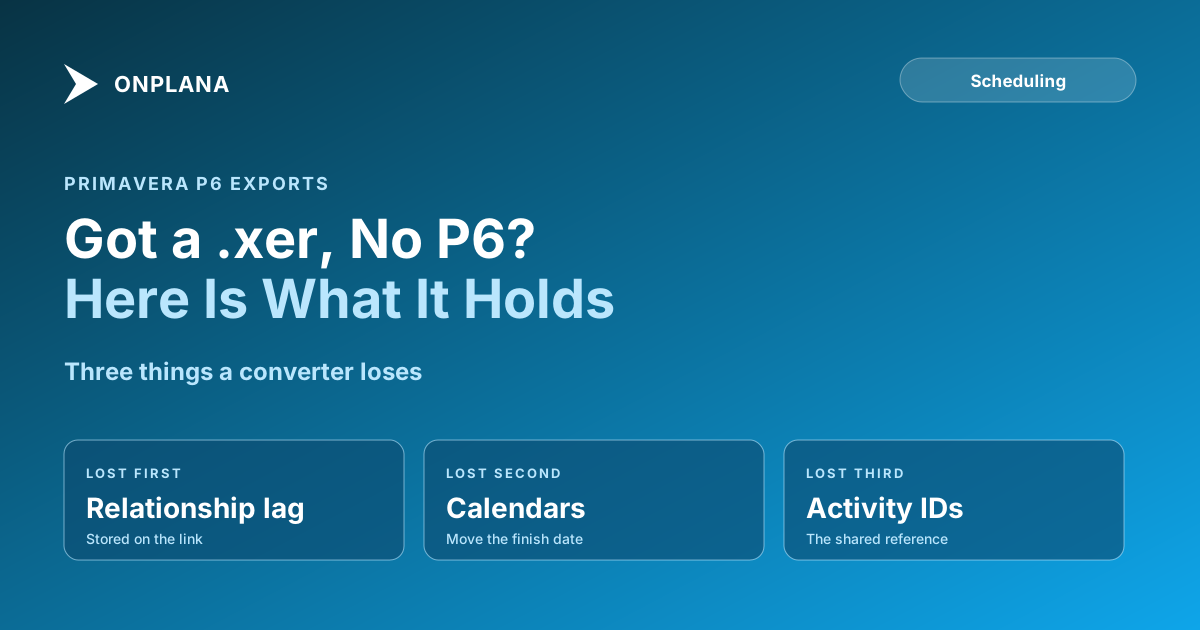
A converter that flattens the tables into a task list keeps the names and loses the logic. Three things go first:
- Relationship lag. Lag is stored against the relationship, not the activity, so a flattened list shows no link at all.
- Calendars. A 5-day and a 7-day calendar change the same duration into different finish dates.
- Activity IDs. Replaced by row numbers, they stop matching the contractor's reference.
The diagram below shows the path an .xer takes in Onplana and where each of those three checks belongs.
How do you open an XER file without a P6 licence?
There are three routes, in order of effort.
- Onplana Schedule, the desktop app. It opens .xer on Windows and Mac and draws the Gantt with critical path and float. It can also save an edited plan as Microsoft Project XML, in a new file beside the original. Get it at onplana.com/schedule.
- Import into Onplana. Upload the .xer through the import wizard, available on every plan including Free, and the plan becomes a project you and your team can edit. See importing a schedule and keeping its dependencies for the checks that apply to any format.
- P6 itself, if the sender can export a PDF or you can borrow a seat. Slowest, and the only one that gives you P6's own calendars.
What happens to your file when you open it?
The file's contents decide where it is read, not its extension. If the contents are Microsoft Project XML, the file is read on your machine and nothing is uploaded. Everything else, which includes a Primavera .xer, is converted on Onplana's servers and the uploaded copy is deleted within 24 hours. An .xer is in the second group.
What should you check after the import?
Compare against the contractor's own numbers, because a plausible Gantt is not a correct one:
- Activity count and IDs. Match the totals and spot-check ten IDs.
- Lag on the key links. Pick the five links on the critical path and confirm the lag.
- Finish date and calendar. The import uses your organization's working calendar, not the P6 calendars, so the finish may move. Reconcile before you quote it.
The dependency types deep dive explains why FS, SS, FF and SF links with lag shift a finish date, and opening a .mpp file without Microsoft Project covers the same problem for the Microsoft format. If the comparison is between the two tools themselves, Project Online vs Primavera P6 sets them side by side.
Check the schedule before you commit to it Run the free Schedule Health Check on a file you have: it reads the plan and flags dangling tasks and broken logic, up to 20 MB and 20,000 tasks. No signup required. → Open the Schedule Health Check
Frequently asked questions
What is an XER file?
An XER file is the export format of Oracle Primavera P6. It is plain tab-delimited text holding a project's activities, relationships, calendars, resources and assignments in a set of tables.
How do I open an XER file without Primavera P6?
Open it in a tool that reads .xer natively, such as Onplana Schedule on the desktop, or import it into Onplana to work the plan. A text editor will show the raw tables but not a schedule.
Can I just rename an XER file to .xml or .mpp?
No. Renaming changes the label, not the contents, and the tab-delimited text inside is not XML or the binary Microsoft Project format. A tool has to parse and convert it.
Is it safe to upload an XER file to an online tool?
It depends on the tool, so read what it says about retention. In Onplana, an .xer is converted on Onplana's servers and the uploaded copy is deleted within 24 hours; an .xer is never read on the machine alone.
Will lag and dependencies survive the import?
Mostly yes, and the honest caveat is calendars. Relationships and lag come across, but Onplana's import uses your organization's working calendar rather than the P6 calendars, so compare the dates before you trust them.
Can Onplana write an XER file back out?
No. Onplana Schedule saves edited plans as Microsoft Project XML, in a new file beside the original, and does not write .xer.
Ready to make the switch?
Start your free Onplana account and import your existing projects in minutes.