Schedule Baseline: What to Freeze, When, and What It Proves
A schedule baseline is the approved plan you freeze after the logic is clean, then measure every slip against. What it captures, when to set it, what it proves.
Most projects that report a slip cannot say how big it is, because nobody froze the plan it slipped from. In our audit of 500 real MS Project files (April 2026), only 27% had a baseline set at all, and 41% of those were more than 90 days old. A schedule baseline is the approved version of the schedule, frozen so every later change is measured against it.
In short. A schedule baseline captures the agreed dates, durations, dependency network and milestones at one moment. Set it after the logic is clean and the sponsor has approved the plan, before work starts. Replace it only through a formal change, and keep the original. What it proves is the gap between what was agreed and what happened, in days.
The project schedule baseline definition most PMs work from is the same: a timetable approved by stakeholders that can only be changed through formal change control. The audit of 500 schedules shows how rarely that holds in practice.
What does a schedule baseline capture?
A baseline stores a copy of each task's start, finish and duration, plus the milestones and the dependency network those dates came from. It is a record of the plan, not a promise about the future.
| Captured | Why it matters |
|---|---|
| Start and finish per task | The numbers variance is measured against |
| Durations | Separates a late start from an underestimate |
| Dependency network | Shows whether the logic changed, not just the dates |
| Milestones | The dates sponsors and clients remember |
When should you set the baseline?
Set it once the logic is clean and before the first task starts. The order matters: run a check first, because a baseline taken on a schedule with dangling tasks freezes the defect. The free Schedule Health Check reads a file for those gaps, and seven checks that catch most schedule problems lists what it looks for.
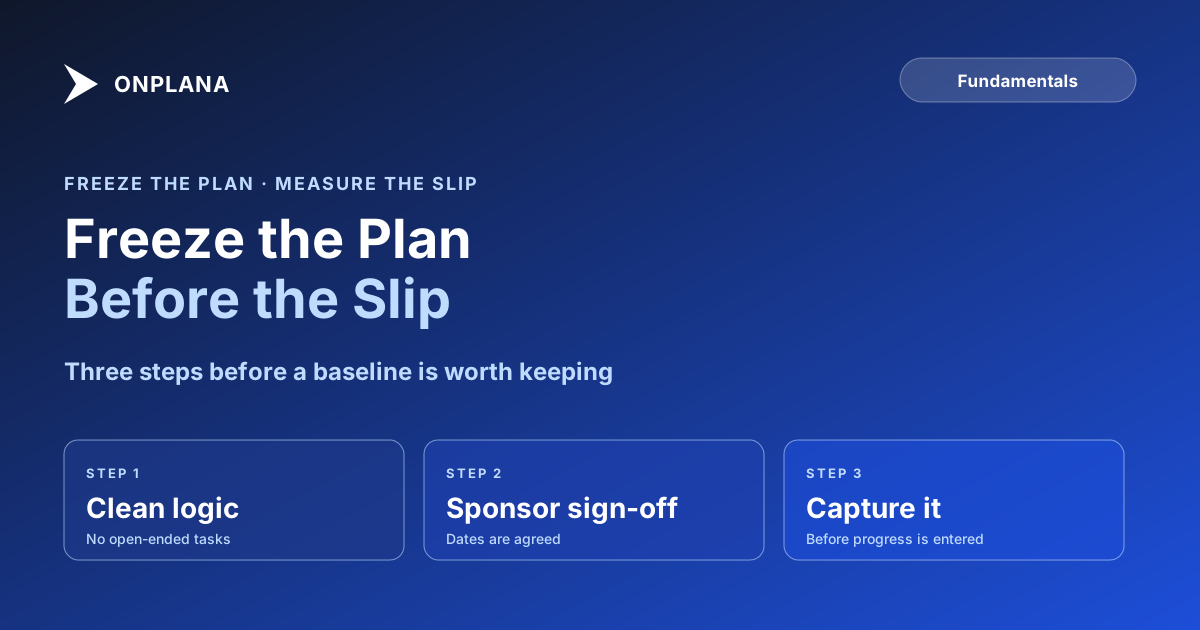
- Fix the logic. Every task has a predecessor and a successor, apart from the start and finish.
- Get the approval. The sponsor signs the dates, so the baseline is agreed and not just yours.
- Capture the baseline. Do it before any progress is entered.
- Record the date and the reason next to the file.
The diagram below shows the sequence and where a second baseline legitimately enters.
When is a second baseline legitimate?
A second baseline is legitimate after an approved change that moves the agreed dates, such as added scope or a client delay. Keep the first one and label the second with the change reference. Replacing it silently to make the variance disappear removes the signal; rebaselining honestly versus hiding a slip covers where that line sits.
What does a baseline prove?
It proves how far the project finished from the dates everyone signed. In a dispute that gap, in working days per task and for the project, is the evidence. It does not show the cause, so keep the change log beside it. For the money-side measure, see earned value management explained, and for both readings side by side, schedule variance two ways.
How does Onplana handle baselines?
Onplana captures a baseline on every plan, including Free, and shows the variance as an overlay on the Gantt with critical path, so the frozen bar sits behind the live one. A baseline in an imported .mpp or Project XML file comes across with it into a new project. If you keep working a schedule on your own machine, Onplana Schedule is the desktop app that opens those files and shows baseline bars when the file carries them.
Run the free Schedule Health Check Upload a schedule you already have and see its logic problems before you freeze a baseline on top of them. No signup required. → Open the Schedule Health Check
Frequently asked questions
What is a schedule baseline?
It is the approved version of the schedule, frozen so you can compare the live plan against it. Dates, durations, the dependency network and milestones are captured, and it changes only through an approved change.
When should you set the schedule baseline?
After the schedule passes a logic check and the sponsor has approved it, and before the first task starts. A baseline set on a plan with open-ended tasks freezes the errors along with the dates.
What is the difference between the project schedule and the baseline?
The schedule is the live plan and moves every time progress is entered or a date changes. The baseline is a snapshot that does not move, which is why the gap between them is the measure of slip.
Can you have more than one baseline?
Yes, after an approved change such as a scope increase or a client-driven delay. Keep the original so the full history stays visible, and record why the second one was taken.
Does a baseline prove a project was late?
It proves the project finished later than the dates everyone agreed to. It does not prove who caused it, so pair it with the change log when a dispute arises.
Does Onplana's Free plan include baselines?
Yes. Baselines and schedule variance are on every plan including Free, shown as an overlay on the Gantt.
Ready to make the switch?
Start your free Onplana account and import your existing projects in minutes.