The Five Levels of AI Agent Autonomy
The five levels of AI agent autonomy run from suggests-only to acts-unattended. Each level changes who decides, who reviews, and what work it should get.
There are five levels of AI agent autonomy, not one light-switch setting most teams reach for: suggests, drafts-for-approval, acts-with-review, acts-and-reports, and acts-unattended. Treating autonomy as on-or-off breaks the first time someone tries to write a policy against it, because the honest answer to "is the agent autonomous" is "for what, and how much."
Each level moves a specific slice of the decision, who commits the change, who reviews it, and when, from the human to the agent. A single agent can sit at different levels on different task classes at the same time, which is the normal, correct state, not a configuration a team eventually finishes cleaning up.
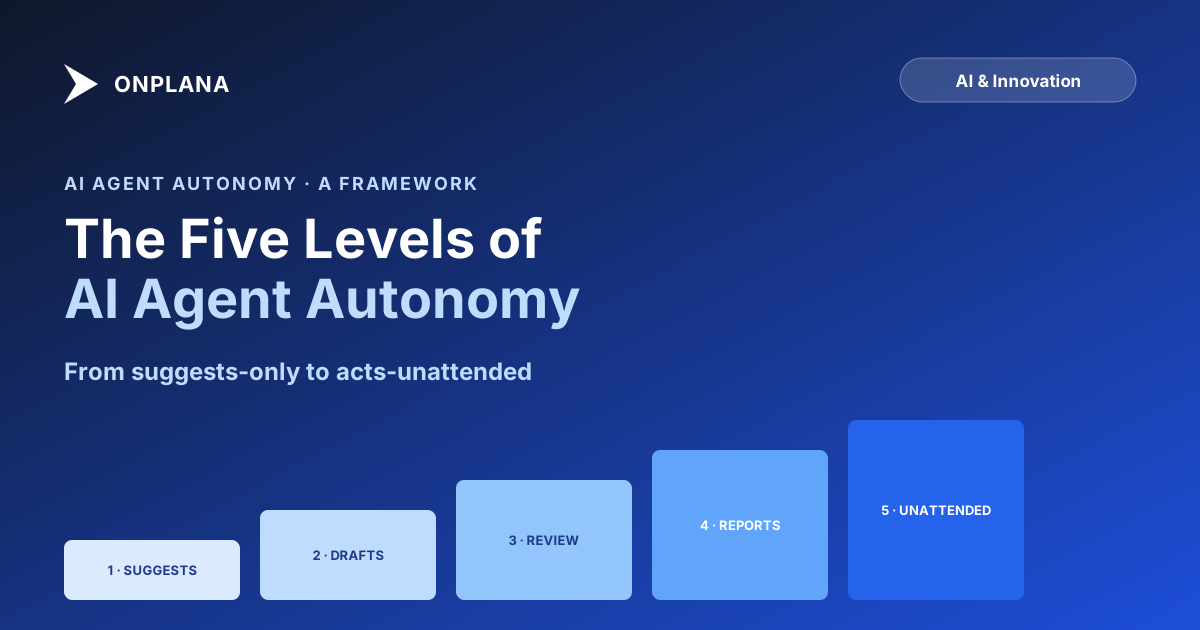
The five levels of AI agent autonomy: (1) Suggests, agent proposes, human decides and commits everything; (2) Drafts-for-approval, agent creates the artifact, a human must explicitly approve before it takes effect; (3) Acts-with-review, agent commits directly, a human reviews after the fact on a sample or a schedule; (4) Acts-and-reports, agent commits and only exceptions get individual review; (5) Acts-unattended, agent runs on its own trigger with no per-action human touchpoint, audited retrospectively. Reversibility and error cost decide which level a task class gets, not how impressive the agent seems in a demo.
The Five Levels of AI Agent Autonomy, In Order
Each level answers the same two questions differently: who commits the change, and when does a human see it.
| Level | Who commits | When a human reviews | Best-suited work |
|---|---|---|---|
| 1. Suggests | Human, always | Before anything happens | Novel or high-stakes work, first week with a new agent |
| 2. Drafts-for-approval | Agent drafts, human commits | Before the draft takes effect | Plans, status reports, task trees, anything with an approve step already in the workflow |
| 3. Acts-with-review | Agent | After, on a sample or schedule | Routine writes with a cheap correction, task updates, comments, drafts of low-stakes artifacts |
| 4. Acts-and-reports | Agent | Only on flagged exceptions | High-volume, low-variance work where the agent's error rate is measured and low |
| 5. Acts-unattended | Agent, on its own trigger | Retrospective audit only | Scheduled sweeps on work the team has already trusted at level 4 |
The jump from level 2 to level 3 is the one that matters most, because it's where the human stops being a gate and becomes an auditor. Everything before that point, a human looks at the work before it becomes real. Everything after, a human looks at the work after it's already real, which changes what a mistake costs.
What Actually Changes Between Levels
Three things move together as the level rises, and treating them as one thing is where most autonomy policies go wrong.
Decision rights. At level 1 the agent has an opinion; at level 5 it has a mandate for a defined class of action. The rights transfer gradually, not all at once, which is why "the agent is autonomous now" is a category error. It's autonomous for the task classes assigned to a level, not in general.
Review burden. Levels 1 and 2 put a human in front of every unit of work before it counts. Level 3 samples. Levels 4 and 5 review by exception, meaning the human's attention only lands where the system already suspects a problem. This is the actual scaling mechanism: an agent doing ten times the volume is only sustainable if the review burden doesn't scale with it, and it only doesn't scale if the level is high enough that review is exception-based.
Class of work it suits. Level assignment should track the task class, not the agent's general competence. The same agent can run acts-and-reports on task-status updates and suggests-only on anything touching a customer commitment, in the same afternoon, because those are different bets with different costs when wrong. Multi-agent orchestration covers the mechanics of running several agents at different levels against the same plan without them stepping on each other.
The diagram below shows the five levels as an ascending staircase: each step up trades a human touchpoint for review volume, and the review burden on the human drops as the step rises.
How Do You Decide Which Level a Task Gets?
Two questions settle it, the same two that govern any human delegation decision: how expensive is it to undo, and how much does a wrong call cost someone outside the team.
Work that's cheap to reverse and cheap to be wrong about, drafting, tagging, a first-pass task breakdown, can run at level 3 or 4 almost immediately, because the cost of an occasional miss is a few minutes of correction. Work that's expensive to reverse or costs something external, a customer-facing commitment, a budget line, a schedule baseline, stays at level 1 or 2 regardless of how good the agent has been elsewhere. Being reliable at drafting status updates says nothing about whether the same agent should be trusted to commit a rebaseline unattended; the levels are assigned per task class, not per agent.
Where Teams Get the Level Wrong
The failure runs in both directions, and the second one is more common than teams expect.
Too high, too fast. A team runs a good first week at drafts-for-approval and jumps straight to acts-unattended because the demo looked clean. The failure that surfaces isn't usually a dramatic one; it's the agent marking something done that wasn't, at a level where nobody was looking closely enough to catch it before it compounded.
Too low, forever. The more common failure is the opposite: a team never moves an agent past suggests-only because moving up feels like a policy decision nobody wants to own, so the agent sits underused for months on work that two weeks of level-3 evidence would have qualified for level 4. The cost here is invisible, which is exactly why it persists longer than the dramatic failure does.
The fix for both is the same discipline: level moves based on evidence from the level below, reviewed on a fixed cadence, not on a launch-day default or an indefinite freeze. Human-in-the-loop versus on-the-loop covers the review posture that makes levels 3 through 5 safe to run at all; agent escalation and handoff covers what an agent does at any level when it hits something the level wasn't built to handle.
Autonomy scales in five concrete steps, not one switch, and the level a task class earns should track the evidence that class has actually produced, not the ambition of the rollout plan. The rest of the Onplana blog covers what makes each level trustworthy in practice: how an agent is onboarded, what a governance policy for it should say, and what changes when it's connected through agent-native project management rather than a chat sidebar bolted onto existing software.
Frequently asked questions
What are the levels of AI agent autonomy?
Five, in order of how much an agent may do without a human: suggests, drafts-for-approval, acts-with-review, acts-and-reports, and acts-unattended. Each level moves a different slice of the decision from the human to the agent, not the whole decision at once.
Which level should a team start an agent at?
Drafts-for-approval for anything that touches real project data, and suggests-only for a first week if the team has never run an agent before. Moving up a level is a decision made from evidence, not a default a vendor ships.
How do you decide when to move an agent up a level?
On acceptance-rate evidence from the level below, not on a calendar. A team that has accepted a drafting agent's output without edits for two consecutive weeks has real data that the next level is safe to try on the same class of work.
Can an agent at the highest autonomy level do something irreversible?
Yes, if the operation itself is reversible-by-design, acts-unattended is safe for it regardless of level. The level controls how much a human reviews before or after the fact; it does not by itself make an irreversible operation safe, which is why irreversible actions need a stay-out rule independent of autonomy level.
Who is accountable when an acts-and-reports agent gets something wrong?
The human or team that set the level, not the agent and not the model vendor. Choosing acts-and-reports for a class of work is a decision to accept its error rate in exchange for not reviewing each instance, and that trade belongs to whoever made it.
Can someone steer an agent past its assigned autonomy level through a comment or a prompt?
Only if the level is enforced as a convention instead of a system permission. A comment can ask an agent to skip review; it should not be able to grant the write access that review was gating, which is a difference between a policy and a control.
What happens when an agent marks something done that isn't actually finished?
It's the specific failure mode that pushes a task class back down a level rather than up one. A wrong done-marking at acts-with-review is caught by the review it was already getting; the same failure at acts-and-reports or acts-unattended surfaces later and costs more to unwind, which is the real cost of skipping a level too early.
Can an agent's autonomy level be reduced after it's been raised?
Yes, and it should be treated as a routine adjustment rather than a failure. A level is a bet based on the evidence available at the time; new evidence, a near-miss, a personnel change, a higher-stakes project, is a normal reason to move a task class back down, not an exception to justify.
Ready to make the switch?
Start your free Onplana account and import your existing projects in minutes.