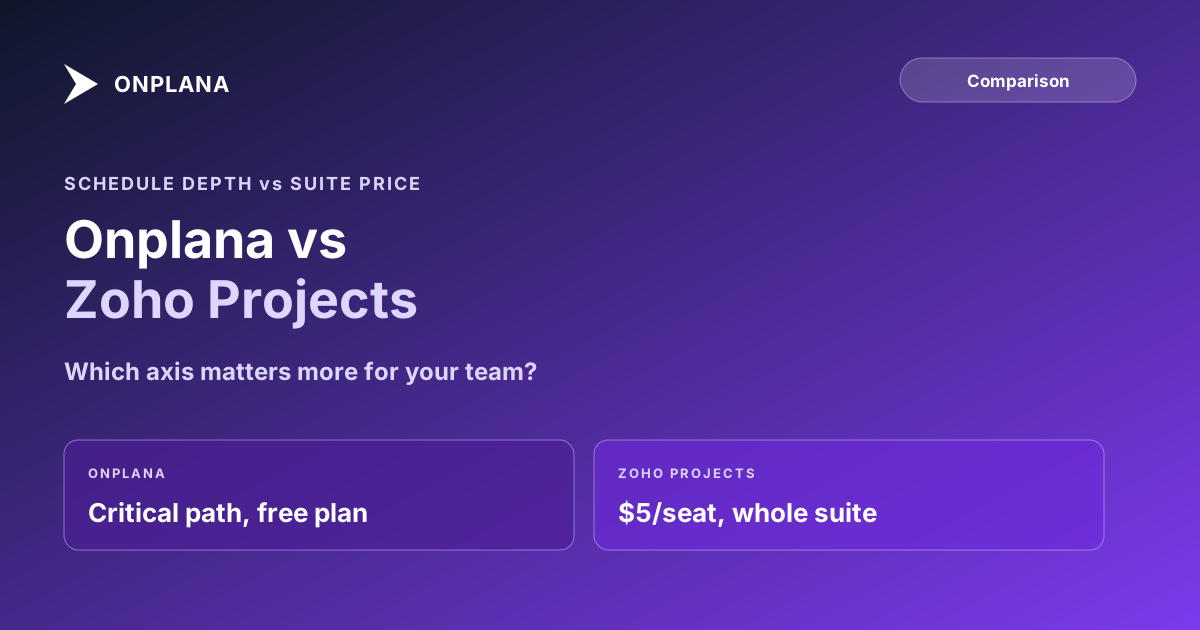
Onplana vs Zoho Projects: Suite Price vs Schedule Depth
Onplana vs Zoho Projects: Zoho wins on suite pricing and ecosystem lock-in. Onplana wins on scheduling, with Gantt and critical path free on every plan.
Teams shortlisting Onplana against Zoho Projects usually frame it as a straight price comparison, and on the cheapest paid tier, Zoho wins that comparison outright. The more useful question is what each price actually buys, because the two tools are built around different bets: Zoho bets on suite pricing and ecosystem reach, Onplana bets on scheduling depth being worth paying for directly.
The direct answer: Zoho Projects is the cheaper entry point and the stronger pick if your team already runs on other Zoho apps, since Projects plugs into the same login and billing as Zoho One. Onplana is built around the schedule itself: all four dependency types with lag and a calculated critical path on every plan including Free, where Zoho's own pricing page shows no Gantt chart or dependencies on Free at all, and critical path arriving only at the $10-a-month Enterprise tier. The right choice depends on whether your team is buying a scheduling tool or buying into a suite.
Zoho Projects starts at $5/user/month (Premium, billed monthly) and reaches critical path calculation only at $10/user/month (Enterprise). Its Free plan caps out at 5 users, 3 projects, and no Gantt chart. Onplana's Free plan ships a full Gantt with critical path and all four dependency types at $0, then scales through Professional ($12), Business ($20), and Enterprise ($29), all published. Pick Zoho for suite pricing and ecosystem reach; pick Onplana when the schedule itself, not the seat price, is what has to hold up. Full matrix at the compare hub.
What Zoho Projects Actually Does Well
Give Zoho credit for the thing it was built toward: being the project-management module of a much larger, cheaper suite. Zoho's own pricing page lists Premium at $5 a user a month ($4 annual) with unlimited users and projects, a genuinely aggressive number for a team that just needs task tracking with some structure. Zoho Projects also ships an MCP server on every plan, including Free, so an AI client can connect even before you've paid for the Zia AI features that start at Premium.
The real pitch, though, is the suite. A team already running Zoho CRM, Zoho Books, or Zoho Desk adds Projects under the same login, the same admin console, and the same Zoho One bill, instead of standing up a new vendor relationship and a new integration. For an org that has already committed to the Zoho ecosystem, that convenience is a legitimate reason to pick Projects over a better standalone scheduler.
Where Zoho's Scheduling Engine Falls Short
The gap shows up the moment a project needs a real dependency-driven schedule rather than a list of tasks with due dates. Zoho's Free plan has no Gantt chart and no task dependencies at all, according to Zoho's own pricing comparison. Premium ($5/user/month) adds a project-specific Gantt chart and all four dependency types within a single project, but still no critical path calculation and no custom fields. Critical path, cross-project dependencies, and custom fields only appear at Enterprise, $10 a user a month billed monthly ($9 annual).
Onplana ships the opposite structure: Gantt chart, critical path, and all four dependency types with lag (FS, SS, FF, SF) on every plan including Free, because the schedule is the product's starting point rather than an upsell. Dependency types, explained in full covers why the finish-to-start-only model many cheaper tools ship with can't represent genuine parallel work accurately, which is exactly the gap between Zoho's Premium tier and its Enterprise tier. If you're not sure which gap actually matters for your current plan, the free Schedule Health Check will show whether your dependency structure and critical path already carry real risk before you compare tools on price.
Onplana vs Zoho Projects: Eight Dimensions Compared
| Dimension | Onplana | Zoho Projects |
|---|---|---|
| Free plan limits | 5 members, 2 projects, 300 MB storage | 5 users, 3 projects, 5 GB storage |
| Gantt chart | Every plan, including Free | Not on Free; project-specific from Premium ($5) |
| Task dependencies | FS, SS, FF, SF + lag, every plan | Not on Free; within-project from Premium, cross-project from Enterprise ($10) |
| Critical path | Calculated on every plan | Enterprise ($10/user/mo) and up only |
| Custom fields | From Professional ($12/user/mo) | From Enterprise ($10/user/mo) |
| AI features | Full suite (chat, NL parsing, plan generation) on every plan, metered by token balance | MCP server on Free; Zia AI features from Premium ($5/user/mo) |
| Workflow automation | From Professional ($12/user/mo), no published execution cap | From Free (50/mo); scales to 500,000/mo on Ultimate ($15/user/mo) |
| Entry paid tier | Professional, $12/user/month | Premium, $5/user/month |
The diagram below compares the two tools on the axis each one was actually built around.
The Suite Lock-In Tradeoff
Zoho's pricing makes the most sense as part of a bet on the whole Zoho One catalog, not Projects in isolation. That's not a hidden cost, it's the actual value proposition: cheaper seats in exchange for standardizing on one vendor across CRM, finance, support, and project work. The tradeoff is real too. Moving off Zoho Projects later means untangling it from whatever else in the org depends on the same login and the same admin console, and any PMO-specific capability Zoho doesn't build, deeper resource capacity planning, a governance pipeline with gate reviews, stays absent until Zoho decides to build it, because a suite vendor's roadmap serves the whole suite, not any one module.
Onplana makes the opposite bet: a standalone product priced and built specifically for project delivery, with no suite discount to chase and no shared roadmap to wait on. PM tool total cost of ownership covers why the cheapest seat price often isn't the cheapest tool once migration, training, and the cost of a schedule nobody trusts get counted, which is the calculation this tradeoff actually turns on.
Which One Wins
Zoho wins for: teams already committed to Zoho One and wanting one login across the suite, budget-constrained teams that need high-volume workflow automation more than schedule depth, and any team whose projects are simple enough that a Gantt chart and critical path genuinely aren't load-bearing.
Onplana wins for: teams running projects with real parallel work that needs all four dependency types to represent accurately, PMOs that need a calculated critical path without paying for Zoho's Enterprise tier to get it, teams that want a meaningful AI suite without waiting for a paid tier to unlock it, and any team choosing a standalone tool on its own merits rather than as a suite add-on.
The best project management software roundup covers the wider field including both Onplana and Zoho, evaluated on the same criteria, and the rest of the Onplana blog covers the scheduling and dependency topics this comparison touches in more depth.
Run the free Schedule Health Check See what a real dependency graph and critical path calculation surface in your current schedule, in about ten minutes, before you commit to either tool's paid tier. No signup required. → Open the Schedule Health Check
Frequently asked questions
What is the main difference between Onplana and Zoho Projects?
Zoho Projects competes on price and on being part of the wider Zoho suite: cheap seats, and single sign-on across dozens of Zoho apps if you're already using them. Onplana competes on scheduling depth: critical path and all four dependency types ship on every plan including Free, where Zoho's Free plan has no Gantt chart or dependencies at all.
Does Zoho Projects calculate critical path on its cheaper plans?
No. Zoho's own pricing page lists critical path as available starting at Enterprise, $10 a user a month billed monthly. The Free and Premium plans get a Gantt chart (project-specific on Premium) but no critical path calculation. Onplana calculates critical path from the full dependency graph on every plan, including Free.
How does Zoho Projects pricing compare to Onplana?
Zoho runs Free (5 users, 3 projects), Premium at $5/user/month ($4 annual), Enterprise at $10/user/month ($9 annual), and Ultimate at $15/user/month ($14 annual). Onplana runs Free, Professional ($12), Business ($20), and Enterprise ($29), all published, with 20% off annual billing. See zoho.com/projects/pricing and onplana.com/pricing for current rates.
Is Zoho Projects a good choice if we already use other Zoho apps?
Often, yes. If your CRM, invoicing, and helpdesk already run on Zoho One, adding Projects means one login and one vendor relationship instead of a new integration to wire up. That ecosystem convenience is real and it's the main reason to pick Zoho Projects over a standalone tool with deeper scheduling.
Does Zoho Projects offer AI features on its free plan?
No. Zoho's Free plan lists MCP server access only; its Zia AI features (summarization, translation, task creation, insights) start on the Premium plan. Onplana's AI suite, including natural-language task parsing, chat, and plan generation, is available on every plan including Free, metered against a token balance rather than gated by tier.
Which tool has more workflow automation available on a budget?
Zoho Premium ($5/user/month) includes 5,000 automation executions a month, more headline volume than Onplana offers at a comparable price. Onplana's workflow automation rules start at Professional ($12/user/month) without a published per-execution cap. For high-volume, low-complexity automation on a tight budget, Zoho's Premium tier is the cheaper starting point.
Ready to make the switch?
Start your free Onplana account and import your existing projects in minutes.