Subtasks: When to Split a Task and When to Add People
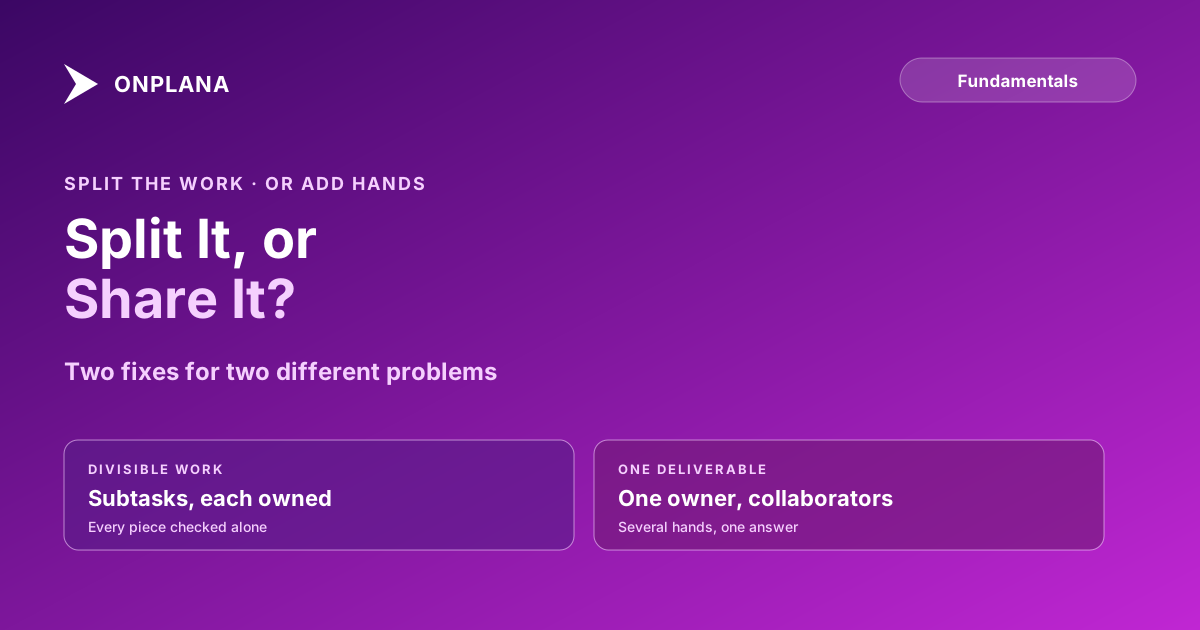
Subtasks split work that can be finished and checked in pieces. Work that is one deliverable with several helpers needs one owner plus collaborators instead.
When a task slips, the usual fix is to split it into subtasks or to put more people on it. They are different fixes for different problems, and using the wrong one is how a parent task sits at 90% for three weeks. In our audit of 500 schedules (April 2026), 83% had tasks with no predecessor or successor, the same kind of piece that goes missing when a task is split carelessly.
In short. Use subtasks when the work divides into pieces that can each be finished and checked alone, with their own owner and date. Use one task with one owner plus collaborators when it is a single deliverable that several people contribute to. The test is simple: can each piece be marked done without the others?
What is a subtask, and when should you split a task?
A subtask is a task nested under a parent, small enough to own, date and finish by itself. Split when the parent is too large to know whether it is on track.
| Signal | Split into subtasks? |
|---|---|
| Pieces finish on different days | Yes |
| Different people own different pieces | Yes |
| Each piece can be reviewed alone | Yes |
| One deliverable, several contributors | No, add collaborators |
| Steps that only matter to one person | No, use a checklist |
Onplana includes subtasks on every plan, Free included. For deciding how deep to go, the work breakdown structure guide covers the 100% rule: the subtasks together must account for all of the parent's work.
When should you add people instead of subtasks?
Add people when the work is one thing. A design review, a client proposal or a launch announcement cannot be marked done in halves. Splitting it creates subtasks like "write intro" that nobody tracks, while the real risk, that no one owns the whole, goes unmanaged.
In Onplana a task has one accountable assignee and up to 20 collaborators, the other people working on it. Collaborators see the task in My Work, are notified when they are added and when someone comments, and can update it as their project role allows. The word is collaborators, not multiple assignees: one person stays accountable. Tracking action items to a named owner makes the same argument for meetings.
How do subtasks go wrong?
Three failures account for most of it.
- A parent nobody owns. Each subtask has an owner and the parent has none, so no one answers for the whole. Keep an owner on the parent.
- Subtasks used as a checklist. Ten one-line steps for one person add noise to every report. Use a checklist, or keep it as the task description.
- Progress counted, not weighed. Three of four subtasks done reads as 75% even when the fourth is the week of work. Size subtasks by effort or check how your tool rolls up progress.
The diagram below sets the two cases side by side.
How do you decide in practice?
Ask three questions in order. Can each piece be finished without the others? Does each piece have a different owner or date? Would you review it separately? Three yes answers mean subtasks. Anything else means one task with collaborators. Whichever you pick, make sure a person, not an automation, owns the parent; the same rule applies when you give an AI agent a task, where accountability stays with a named person. The wider picture of comments, mentions and shared plans is on the team collaboration page.
If a task has already grown unmanageable, the milestones, deliverables and tasks post helps decide which level each item belongs at.
Run the free Schedule Health Check Upload a plan you already have and see which tasks have no predecessor or successor before you add another level of subtasks. No signup required. → Open the Schedule Health Check
Frequently asked questions
What is a subtask?
A subtask is a smaller piece of a parent task that can be assigned, dated and finished on its own. The parent is done when its subtasks are done.
What is the difference between a task and a subtask?
A task is a unit of work someone owns and finishes. A subtask is a task nested under another, used when the parent is too big to track as one item.
How many subtasks should a task have?
As many as there are separately checkable pieces, usually between two and eight. One subtask is a rename, and twenty means the parent is really a small project.
Should every subtask have its own owner?
Yes, unless it is only a checklist step. A subtask nobody owns is the usual way a parent task stalls at 90%.
When should I add collaborators instead of subtasks?
When the work is one deliverable that several people contribute to and cannot be checked in pieces. Keep one accountable owner and add the others as collaborators.
Can a task have more than one assignee in Onplana?
A task has one accountable assignee plus up to 20 collaborators. Collaborators see the task in My Work and are notified when added and when someone comments.
Ready to make the switch?
Start your free Onplana account and import your existing projects in minutes.