Task Assignment Rules: One Owner, Visible to the Whole Team
Good task assignment gives every task one owner, keeps it on that person's list, and records each reassignment. Four rules, and how Onplana applies them.
Gallup reported in October 2015 that only about half of employees strongly agree they know what is expected of them at work (Gallup, "Many Employees Don't Know What's Expected of Them at Work"). On a project, the smallest unit of that gap is a task nobody clearly owns.
In short. Good task assignment follows four rules: every task has exactly one owner, an unassigned task is invisible, reassignment is a change plus a comment rather than a silent edit, and people who help are collaborators rather than co-owners. In Onplana the assignee is the one accountable person, and up to 20 collaborators can see and update the task without taking it over.
What does good task assignment look like?
Task assignment works when anyone can answer three questions in ten seconds: who owns this, can they see it, and what happened when it changed hands. The four rules below each protect one of those answers.
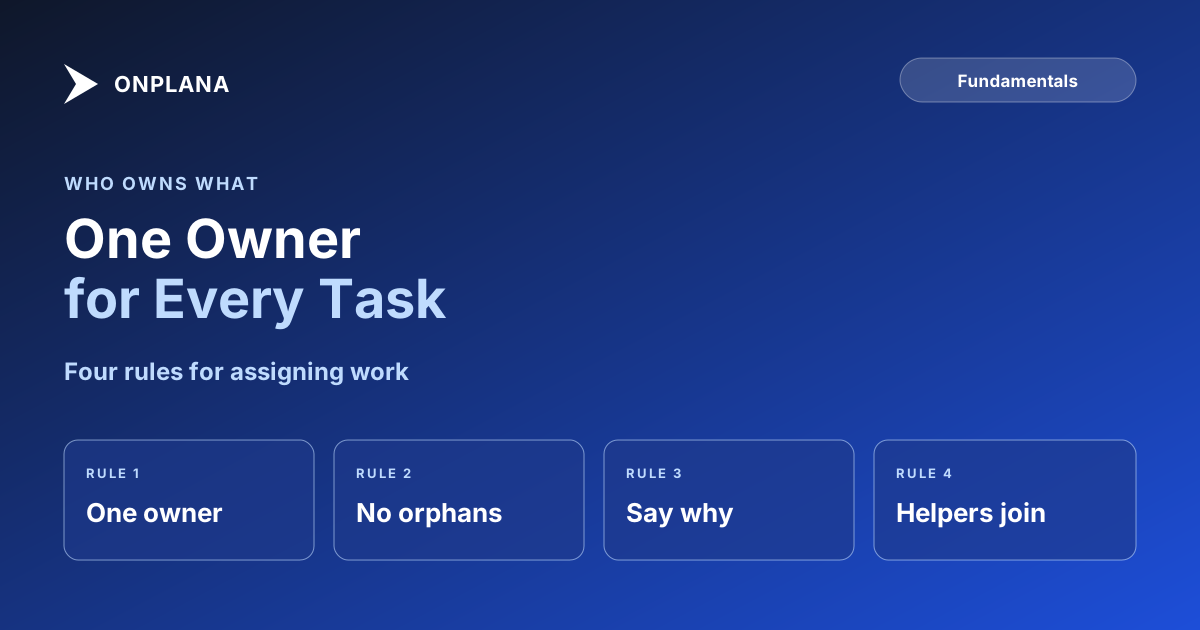
The diagram above sets the four rules side by side. The sections below take them in turn.
Why does every task need exactly one owner?
A task has one status, one due date and one outcome, so one person has to answer for it. When two names sit on a task, each can reasonably assume the other is chasing it, and the overdue conversation has no obvious first call. The same principle sits behind the accountable role in the RACI model: many people can be responsible for the doing, and exactly one is accountable.
In Onplana the rule is built in. Each task has one assignee, chosen from the project's members, and the assignee defaults to whoever creates the task (Projects, Tasks and Views).
What happens to a task nobody is assigned to?
An unassigned task is invisible. It appears in nobody's My Work, no one is chased when it slips, and it can sit untouched while the plan reports it as scheduled. In Onplana, My Work shows tasks assigned to you and tasks you collaborate on, and a task with collaborators but no assignee still counts as unassigned (work with collaborators).
Run one check each week: filter the project for unassigned tasks with a date in the next two weeks, and give each an owner or remove it from the plan.
How should you reassign a task?
Reassignment is a change plus a comment, never a silent edit. Follow these steps:
- Change the assignee on the task.
- Write one comment that says why, what has been done so far and where the working files are.
- @mention the new owner so the handover reaches them directly.
- Keep the previous owner as a collaborator if they still know things the new owner needs.
The comment is the part that gets skipped and the part that matters later. A decision made in the thread stays next to the work it changed, which is the argument in task comments vs a chat channel.
How do helpers fit if only one person owns the task?
Helpers are collaborators. A collaborator sees the task in My Work with a Collaborating chip, receives comments, and can update it as their project role allows. They cannot reassign it, move it or delete it. Collaborators carry no workload: capacity, cost and leveling count only the assignee, so a helper never looks overallocated. The details are in one owner plus collaborators.
If two people each own a separable piece, do not add a second name. Split the task, as covered in when to split a task into subtasks, so each piece has its own owner and date.
When should you assign a task to an AI agent?
Assign to an agent only when the task has a clear brief and a result someone can check. The three-part test for delegating to an agent sets out the conditions. In Onplana, "Delegate to an agent" on a task posts an @mention, the agent picks it up on its next sync, and anything it produces lands in the Agent review inbox. Nothing is sent or published until a person approves it, so the person who delegated stays accountable.
For the briefing side of any handover, human or agent, see task delegation that sticks.
Read how Onplana handles teams, clients and agents on one plan Assignees, collaborators, comments and request access all work from the same task. Start from the collaboration overview. → See team collaboration
Frequently asked questions
What is task assignment in project management?
Task assignment is naming the one person accountable for finishing a task, and making sure they can see it. The assignee answers for the status, the due date and the outcome, even when others help.
Can one task be assigned to more than one person?
In Onplana, no: a task has one assignee plus up to 20 collaborators. Two owners usually means each assumes the other is chasing, so split the task into subtasks if two people truly own separate parts.
What happens to a task that has no assignee?
It belongs to nobody. It appears in no one's My Work, and in Onplana a task with collaborators but no assignee still counts as unassigned for workload.
How should a task be reassigned?
Change the assignee and say why in a comment on the task. That leaves a record next to the work of who held it, who holds it now and what was handed over.
Can an AI agent own a task?
An agent can be given a task, but a person stays accountable. Anything the agent produces goes to the Agent review inbox, and nothing is sent or published until a person approves it.
Is one owner per task too rigid for a small team?
It can feel rigid, and the rule still holds. Helpers are not excluded: add them as collaborators so they see the task and can update it while one person answers for it.
Ready to make the switch?
Start your free Onplana account and import your existing projects in minutes.