Capture Project Ideas: The Free Tool Built Into Onplana
Onplana's Ideas feature is a free capture project ideas tool: private by default, gets AI feedback, and promotes to a task or proposal with the link kept.
Type a new item into most project tools and it becomes a task the moment you hit save: an owner, a due date, a place on somebody's list, whether or not anyone has actually agreed the thing should happen. That default is backwards for anything that starts life as a maybe. An idea nobody has discussed, priced, or approved doesn't belong on anyone's assigned work, and forcing it there is a structural reason backlogs fill up with items nobody remembers committing to.
The direct answer: Onplana's Ideas feature is a capture project ideas tool built as its own object, distinct from tasks, risks, issues, and change requests. An idea is private by default, can be shared for debate or opened to the whole org, gets structured AI feedback, and promotes to a task or a governance proposal in one click with the link back to the original idea preserved rather than discarded. It never appears on anyone's assigned work until a person actively promotes it, and it's free on every plan, including Free.
Onplana models an idea as its own work artifact, not a flavor of task. Capture is private by default; you decide when to share it for debate or open it to the org. AI feedback helps sharpen an idea before anyone spends real time on it, and one click promotes it to a task or a formal governance proposal with the original idea linked, not copied. Nothing you capture shows up as assigned work until you decide it should, and the whole feature is free on every plan.
Why Ideas Need Their Own Object, Not a Task Field
Bolting an "idea" checkbox onto the task model doesn't fix the underlying problem: a task still has an owner field, a due date field, and a spot on somebody's assigned list, and most tools notify that owner the moment the row exists. A checkbox doesn't turn off any of that machinery; it just adds a label to a thing that still behaves like real, assigned work.
That's the same reasoning behind keeping a risk register separate from an issue log: a risk and an issue are different kinds of things with different owners and different review cadences, and collapsing them into one tracker breaks both. An idea is a different kind of thing again, one step earlier than either: it hasn't been agreed to yet, so it shouldn't carry an owner, a deadline, or a place in anyone's workload at all. A genuine idea management project needs an object with no owner and no due date as its starting state, which a repurposed task field structurally cannot offer.
Inside the Capture Project Ideas Tool: What Happens Before Work Starts
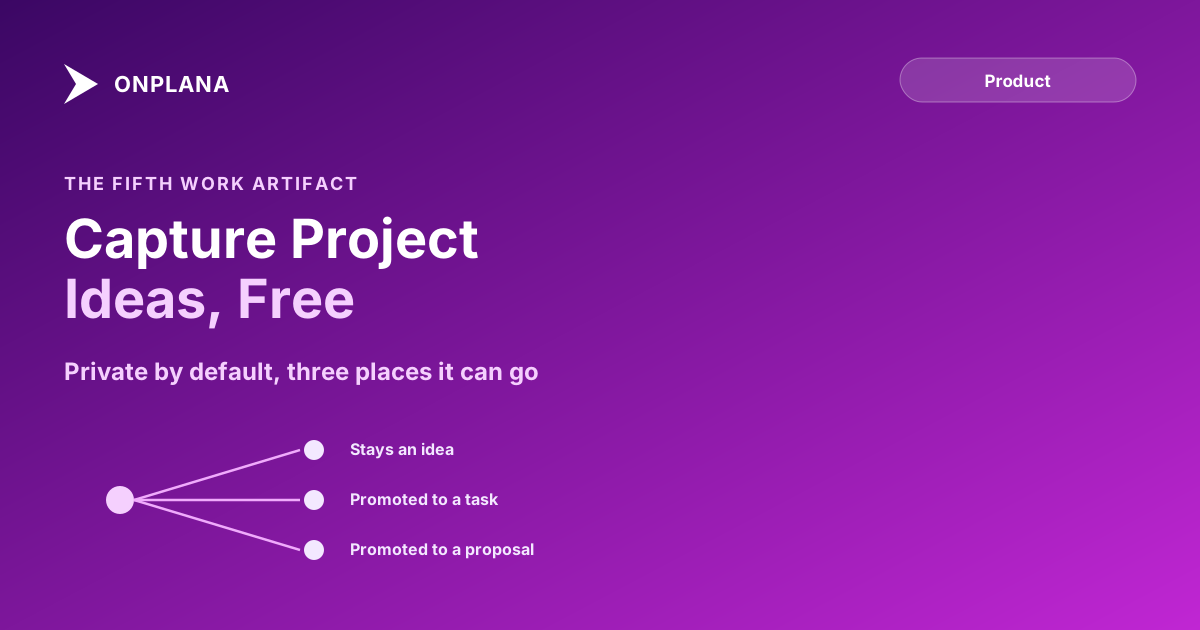
Capturing an idea in Onplana takes one field: a description of the idea itself. From there, three things can happen, and none of them are automatic.
You can leave it private and revisit it later. You can share it with specific collaborators for debate, the way a draft gets circulated before anyone commits to it. Or you can open it to the whole organization, so anyone can weigh in before it becomes a formal ask. At any point, you can request structured AI feedback on the idea itself, feedback aimed at sharpening the idea before it costs anyone real time, not at deciding whether it should exist.
The diagram below shows the path an idea can take from capture to becoming real work, and the one it takes most of the time: nowhere, until someone decides otherwise.
Ideas vs Tasks vs the Issue Log, at a Glance
An idea backlog software problem shows up the moment a team tries to answer "is this thing I'm looking at real work yet, or just a suggestion," and the answer should be visible from the object type alone rather than a status field someone has to remember to set.
| Object | Starts with an owner? | Starts with a due date? | Visible by default | Appears in assigned work? |
|---|---|---|---|---|
| Idea | No | No | Private to you | No, until promoted |
| Task | Yes | Usually | Project members | Yes |
| Issue | Yes | Yes (a deadline) | Project members | Yes |
| Risk | Yes (a watcher) | No (a review date) | Project members | No, it's monitored, not worked |
The Issue Log already keeps issues distinct from risks for the same reason; Ideas extends that same separation one step earlier, before anything has been agreed to at all.
Getting Started With Idea Capture
Idea capture is live on every plan, including Free, so there's no tier decision to make before trying it. Type the idea, decide whether to keep it private or open it up for debate, and request AI feedback if you want a second pass on the framing before anyone else sees it. When (and if) it's ready, promote it to a task if it's just work to be scheduled, or to a governance proposal if it needs a decision first, the same way Onplana's OKR feature connects a goal to the project work under it rather than treating the goal as a task itself. See what's new for the rest of what shipped alongside it.
The rest of the Onplana blog covers the wider product beyond idea capture, including how a project goes from a one-sentence description to a running plan once an idea clears the point where it's ready to become one.
Frequently asked questions
What is Onplana's Ideas feature?
A capture project ideas tool built as its own object, separate from tasks, risks, issues, and change requests. It's private by default, can be shared for debate or opened to the whole org, and gets structured AI feedback before anyone commits real time to it.
How is an idea different from a task in Onplana?
A task is assigned work with an owner, a due date, and a place on someone's list. An idea is neither of those things until a person actively promotes it. Nothing you capture as an idea shows up as assigned work on its own.
Who can see an idea before it's promoted?
Only you, by default. You choose when to share a specific idea for debate with named collaborators or open it to the whole organization. It never becomes visible more broadly on its own.
Does capturing an idea create a task automatically?
No. An idea stays an idea until someone promotes it to a task or a governance proposal in one click. That one click is a deliberate decision, not something the capture step does for you.
What happens to an idea's history once it's promoted?
The link back to the original idea is preserved, not copied and disconnected. The task or proposal that comes out of it stays traceable to the idea that started it, including whatever AI feedback and discussion happened before the promotion.
Is idea capture available on the Free plan?
Yes. Ideas are free on every Onplana plan, including Free, the same way tasks, the Kanban board, and the calendar view are.
Ready to make the switch?
Start your free Onplana account and import your existing projects in minutes.