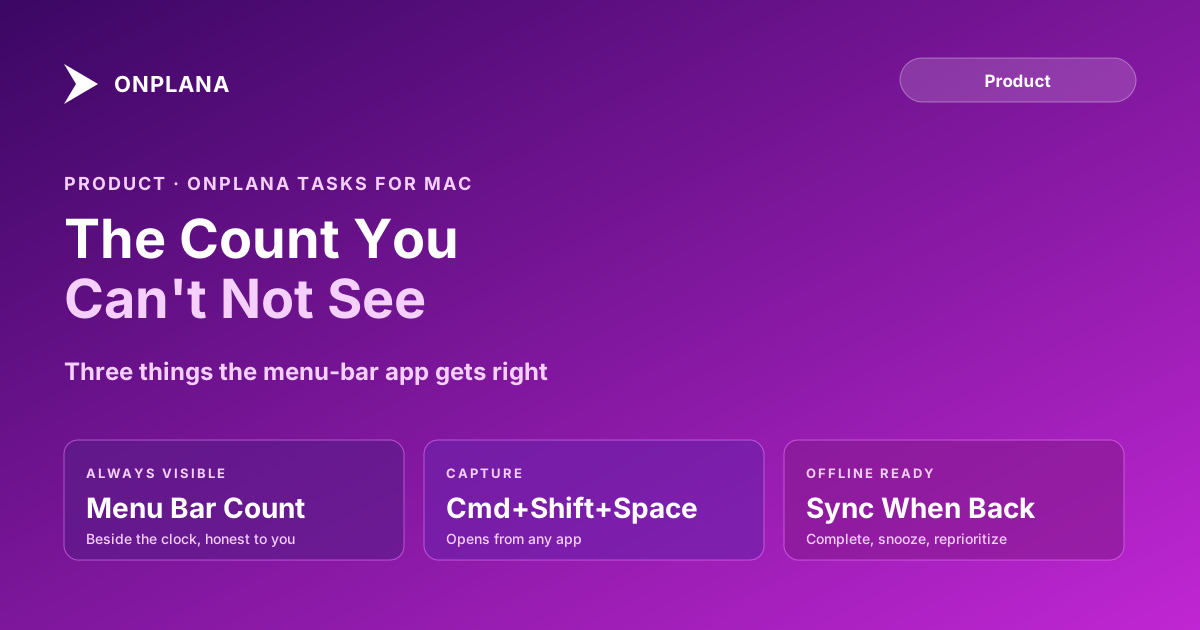
Onplana Mac App: The Open Count You Can't Not See
The Onplana Mac app puts your open-task count in the menu bar, opens quick-add from any app with Cmd+Shift+Space, and works offline. Free on every plan.
A task list you have to open is a task list most people stop opening. The menu bar sits in a different spot: checked by habit dozens of times a day, whether or not anything useful lives there, because that is where the clock is. The Onplana Mac app puts your open-task count exactly there, which turns out to be the entire design decision that matters.
The direct answer: the Onplana Mac app is a free menu-bar companion that shows your open-task count beside the clock, opens a quick-add field from any application with Cmd+Shift+Space, and keeps working offline for everything except creating a brand-new task. It signs in through your browser rather than a password typed into the app, appears as its own row under Connected apps so a lost laptop means revoking one entry, and ships as a single notarized download that runs natively on both Apple silicon and Intel.
The Onplana Mac app is a free menu-bar companion, not a smaller copy of the web app. It shows your open count at a glance, opens quick-add from any application with Cmd+Shift+Space, and keeps completing, snoozing, and re-prioritizing working with no connection; creating a new task still needs one. It signs in through your browser, so no password lives in the app itself, and one universal, notarized download covers both Apple silicon and Intel Macs.
What the Onplana Mac App Does
The Mac app is built around one moment: a glance at the menu bar answers "does anything need me" before you decide whether to open anything at all. Click the count and the list opens grouped into overdue, today, and this week. Past that first glance, the app carries an Agents view that puts a blocked agent task needing your review at the top, an Issues view for what's open against your name, and a task detail pane where an agent's comment sits in the same thread as a colleague's reply, because separating the two would just recreate the problem a single glance is supposed to solve.
Planning depth, the Gantt view, dependencies, resource capacity, dashboards, stays in the full web app, one click away. A menu-bar icon that tried to fit a schedule into itself would be worse at both jobs than a purpose-built glance tool and a purpose-built planning tool working together, the same logic behind Onplana's other companion apps.
How the Count Stays Honest
A badge that inflates with noise stops meaning anything within a week, so the number beside the clock counts only work assigned to you: overdue, due today, and due this week. It does not fold in an agent's in-progress work, a teammate's tasks, or org-wide activity, because those are true statements about the account, not about what you personally owe. The Agents view keeps its own count for anything blocked and waiting on your review, shown separately rather than merged into the same digit, so a glance can answer two different questions, "what's mine" and "what's waiting on me," without either one drowning out the other.
Quick-Add With Cmd+Shift+Space
- Press Cmd+Shift+Space from anywhere on macOS, including from inside another application. The quick-add field opens on top of whatever window had focus.
- Type the task in plain language. The same natural-language parsing the web app uses reads a day, a priority marker, or a project name out of what you type.
- Press Enter. The task is created and the field closes, no window to close and no tab to find.
The diagram below shows the same loop, from the moment you press the shortcut to the count updating everywhere else you work.
Does It Work Offline?
Completing, reopening, snoozing, and re-prioritizing a task all work with no connection and sync the moment you reconnect, so a flight or a spotty conference-room network doesn't stop you clearing your list. Creating a brand-new task is the one action that needs a connection, since a task has to reach the server to exist anywhere at all. Sign-in happens through your browser on onplana.com rather than a password typed into the app, and the Mac app appears as its own entry under Connected apps, so losing a laptop means revoking one row instead of resetting a password everywhere.
Signed, Notarized, and Universal
One download runs natively on both Apple silicon and Intel Macs, and it's signed and notarized by Apple, so macOS installs it with no unidentified-developer warning. The app checks for updates itself, then downloads, applies, and relaunches, so the download link only gets used once; you can also check on the spot from Settings then About. It requires macOS 13 Ventura or later and ships as a direct notarized download rather than through the Mac App Store, which lets Onplana push a fix without waiting on review. The Safari extension does come from the Mac App Store, because Safari extensions have no other route.
Installing the Onplana Mac App
Download the Mac app, open the DMG, and drag Onplana Tasks into Applications. Sign in through the browser prompt and the menu-bar icon appears with your current count. If you also carry an iPhone or a Windows laptop, those companions cover the same idea on their own hardware, and the Onplana Tasks companion apps overview puts the full family side by side.
The rest of the Onplana blog covers the product beyond the companion family, including how the same account plans a full schedule once a captured task turns into real project work. See what's new for the release that shipped this alongside the rest of the Onplana Tasks family.
Frequently asked questions
What is the Onplana Mac app?
A free menu-bar companion to your Onplana account. It shows your open-task count beside the clock, opens a quick-add field from any application with a global shortcut, and works offline for everything except creating a brand-new task.
How do I open quick-add on the Mac app?
Press Cmd+Shift+Space from anywhere on macOS, including from inside another application. The field opens on top of whatever you were doing; type the task and press Enter to capture it.
Does the Onplana Mac app work without an internet connection?
Completing, reopening, snoozing, and re-prioritizing a task all work offline and sync once you reconnect. Creating a brand-new task still needs a connection, since it has to reach the server to exist.
Does the Onplana Mac app cost anything?
No. It's free on every plan, including Free, because it's a companion to your existing Onplana account rather than a separate product with its own price.
Why isn't the Mac app in the Mac App Store?
It ships as a direct notarized download instead, which lets Onplana push fixes without waiting on App Store review. The Onplana Safari extension does come from the Mac App Store, because Safari extensions have to.
What are the system requirements?
macOS 13 Ventura or later. One universal build runs natively on both Apple silicon and Intel, and it's signed and notarized, so macOS installs it with no unidentified-developer warning.
Ready to make the switch?
Start your free Onplana account and import your existing projects in minutes.