WIP Limits in Kanban: Why Less Started Finishes More
WIP limits in Kanban cap how many items a stage works on at once, and cutting that number lowers cycle time even with fewer things underway.
Limiting how much work a team can have in progress sounds like it should slow them down. Fewer things underway looks, to almost every manager's instinct, like wasted capacity. The instinct is wrong in a specific, well-documented way: capping work in progress raises how much finishes, not how much starts, and the two get confused constantly.
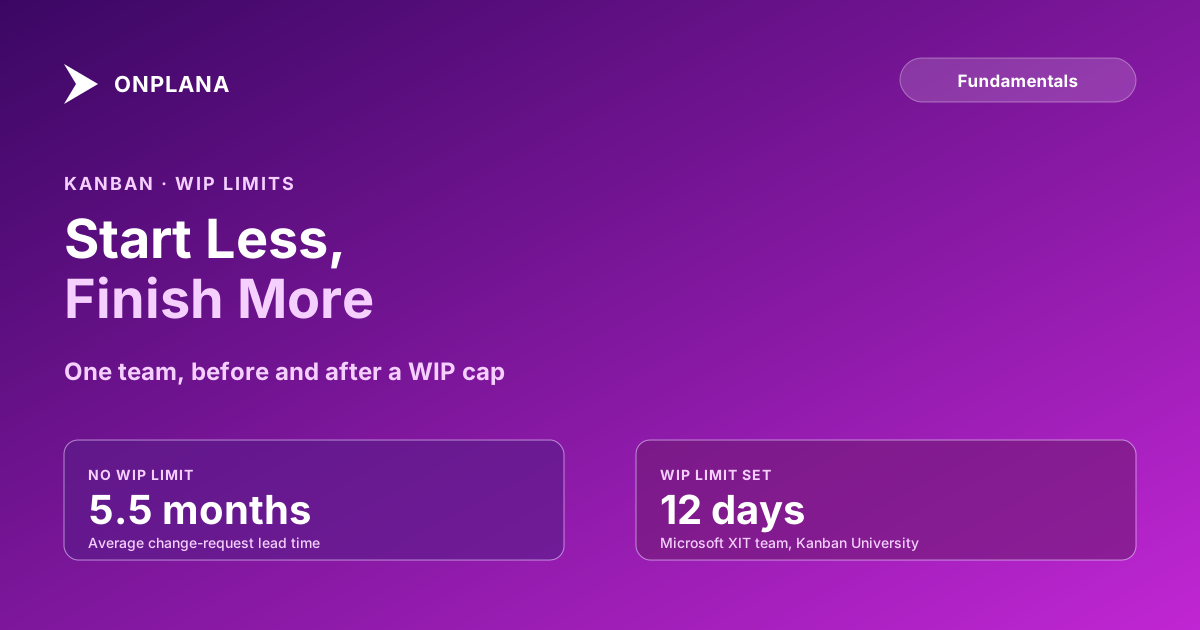
The direct answer: a WIP limit is a hard cap on how many items a workflow stage can hold at once. When the cap is hit, nobody pulls in new work at that stage until something moves out, which forces the team to finish what's already started instead of spreading attention across an ever-growing pile. Lower WIP without changing throughput and cycle time falls, because cycle time is roughly work in progress divided by throughput, a relationship with its own name and its own predictive uses: fewer items in the system at once means each one waits behind less of a queue. David Anderson's Kanban rollout on Microsoft's "XIT Sustained Engineering" team is the most-cited real case of this working: Kanban University's case study records the team's change-request lead time falling from an average of 5.5 months to 12 days after they moved to a limited, pulled workflow, with on-time delivery rising to 98 percent.
In short. A WIP limit caps how many items a stage can hold at once, and hitting the cap means the team helps finish what's already underway instead of starting something new. This raises throughput because task-switching has a real cost: spreading attention across more items than a person can hold at once slows every one of them down. Set the first limit close to current WIP, lower it gradually, and give urgent work a separate, still-capped lane rather than an exemption from limits altogether.
What a WIP Limit Actually Caps
A WIP limit is attached to a single workflow stage, not to the whole board. A three-stage flow of To Do, In Progress, and Done typically only limits the middle stages, since To Do is an unlimited backlog by design and Done only grows. "In Progress limit: 3" means at most three cards can occupy that column at once; a fourth item waits in To Do until one of the three moves to Done or to the next stage.
This is the part of Kanban a board alone doesn't enforce: a board with unlimited columns visualizes work, but visualizing a pile isn't the same as capping it. The limit is a policy the team holds itself to, not a feature the columns provide automatically.
Why Limiting Work in Progress Increases Throughput
The diagram below compares the same team under two policies: no WIP limit, and a limit of three. Throughput, how fast the team actually finishes items, is held constant in both panels to isolate what the limit changes.
Both panels finish work at the same rate. The only thing that changes is how much is in flight at once, and that single change moves average cycle time from about 12 days to about 4.5 days, because each item now waits behind a shorter queue instead of a longer one. This is the mechanism the Microsoft XIT case study rode: the team's headcount and skills didn't change, only how much they let themselves start at once.
Setting Your First WIP Limit
- Count what's actually in the stage right now. If eight items typically sit in "In Progress," that number, not an ideal you'd like to hit, is the honest starting point.
- Set the first limit at or slightly below that count. A limit of 6 against a typical 8 is enough friction to start the conversation without stalling the board on day one.
- Hold it for one to two weeks before adjusting. Early resistance is normal; a limit that never gets tested never proves anything.
- Lower it in small steps as the team adapts. Each drop should follow evidence, cycle time actually falling, not a fixed schedule.
- Give expedite work its own capped lane instead of an exemption. One slot, always capped, keeps "urgent" from quietly becoming the new normal WIP.
The Two Objections That Kill Adoption
| Objection | What's actually true | The fix |
|---|---|---|
| "People look idle." | A capped stage means someone occasionally has open capacity with nothing new to pull, visible in a way a pile of started-but-stalled work never was. | Treat open capacity as a signal to help clear the bottleneck, not a problem to fill with new starts. |
| "Urgent work still arrives." | True, and a WIP limit doesn't pretend otherwise. | Give urgent work a separate, still-capped expedite lane rather than an exemption that unwinds the limit for everything else. |
| "The limit will stall the board." | A limit set at or near current WIP creates friction, not a freeze, because it's close to what's already happening. | Set the first limit close to today's actual count and lower it gradually as cycle time improves. |
WIP limits and team capacity get treated as the same lever and aren't. Capacity is headcount; a WIP limit is a policy about how much of that headcount works on at once, and it's usually set below full capacity on purpose, freeing someone to swarm whatever's stuck rather than start something new every time they finish a task. A cumulative flow diagram is how a team actually sees whether a limit is working: a stage that keeps widening despite a stated cap means the cap isn't being held, not that the idea has failed.
Most resistance to WIP limits fades within a month, once the team notices items stop sitting half-finished for two weeks at a time. The number itself matters less than the discipline of actually stopping at it.
This sits alongside the rest of the flow metrics and Kanban posts on the blog: reference material for teams switching from a to-do list with columns to a workflow that actually limits itself.
Frequently asked questions
What are WIP limits in Kanban?
A WIP (work in progress) limit is a hard cap on how many items can sit in a given workflow stage at once. Once a stage hits its limit, nobody pulls in new work at that stage until something moves out.
Why do WIP limits increase throughput if fewer things are being worked on?
Because task-switching has a real cost. When a stage carries more items than one person can focus on, work doesn't move faster, it moves in smaller slices spread across more things, and every slice pays a switching cost. Capping WIP forces attention onto fewer items, which finishes each one sooner even though fewer are underway at any moment.
How do you set your first WIP limit?
Count how many items are typically in that stage right now, then set the limit at roughly that number or slightly below it. Lower it gradually every one to two weeks as the team adjusts, rather than picking an aggressive number on day one.
What happens when a WIP limit is hit and nobody has capacity?
The team stops starting new work at that stage and helps clear whatever's stuck downstream instead. That reallocation is the entire mechanism: a hit limit is a signal to swarm the bottleneck, not a rule to quietly override.
Do WIP limits apply to urgent or expedite work?
Most teams carry a separate, tightly capped expedite lane, usually one slot, for genuinely urgent items, rather than exempting urgent work from limits entirely. An expedite lane that's always full stops meaning anything, so the cap on it matters as much as the cap on regular work.
Is a WIP limit the same thing as team capacity?
No. Capacity is how many people are available; a WIP limit is a policy choice about how many items they work on at once, and it's usually set below headcount on purpose, to keep people focused on finishing rather than starting.
Ready to make the switch?
Start your free Onplana account and import your existing projects in minutes.