Hammock Activity: What It Is and When a Schedule Needs One
A hammock activity takes its start and finish from the tasks it spans, so it stretches when they move. See an example and how it differs from a summary task.
Site supervision does not have a duration. It has a start, when the first crew arrives, and a finish, when the last one leaves, and it lasts however long the work in between takes. Plan it as a fixed 40-day task and the first slip makes the schedule wrong, and nobody notices until the cost report.
The direct answer: a hammock activity is an activity whose start and finish are tied to two other activities, so its duration is whatever the span between them turns out to be. It is the standard way to schedule level-of-effort work that supports other work, such as supervision, inspection or project management time.
In short. A hammock activity spans two points in the schedule logic and takes its duration from them, so it moves when they move. It is never on the critical path because it drives nothing. Primavera P6 handles the idea with a Level of Effort activity type; Microsoft Project has no native hammock.
How does a hammock activity work?
A hammock has two links, and nothing else. Its start is linked to a start point, usually the start of the first supported activity. Its finish is linked to an end point, usually the finish of the last. Start-to-start and finish-to-finish are the only link types a hammock needs.
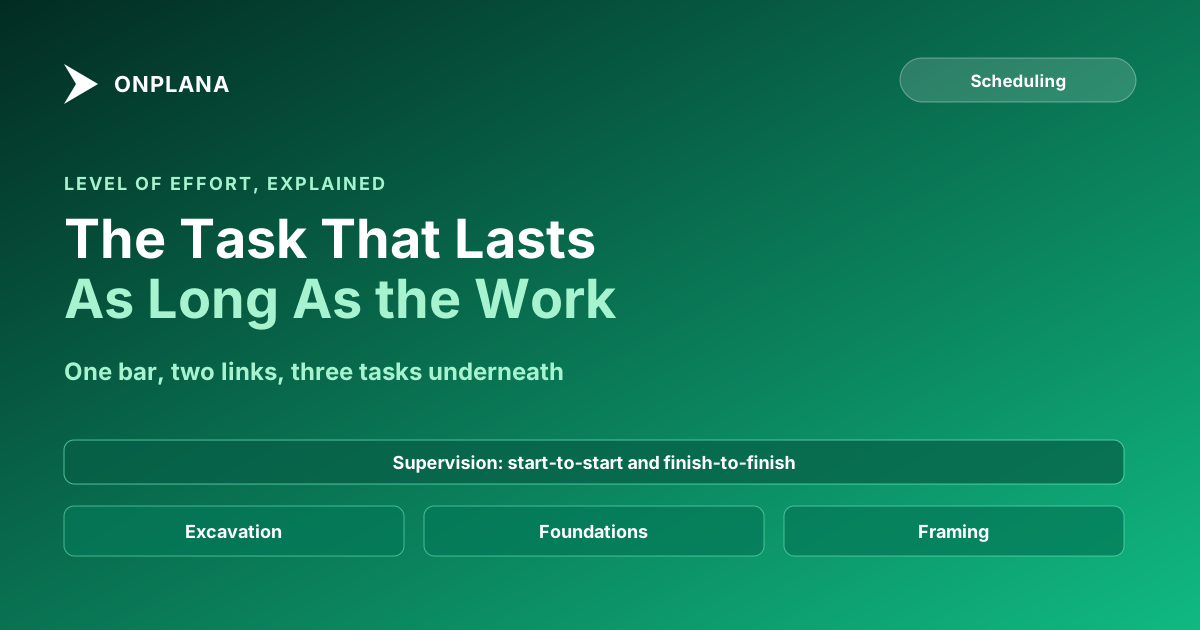
Take a build with three supported activities: excavation (days 1 to 10), foundations (days 11 to 25) and framing (days 26 to 40). Site supervision is a hammock from the start of excavation to the finish of framing, so it shows 40 days. If foundations slip by five days, framing finishes on day 45 and supervision becomes 45 days with nobody editing it.
The diagram below shows that example, with the hammock drawn over the work it spans.
What is the difference between a hammock and a summary task?
The two look alike on a Gantt chart and are built differently. A hammock takes its dates from two links to activities anywhere in the plan; a summary task takes them from the subtasks nested beneath it.
| Hammock activity | Summary task | |
|---|---|---|
| Dates come from | Two linked activities | Its own subtasks |
| Defined by | Schedule logic | Outline hierarchy |
| Can span activities in different branches | Yes | No, only its children |
| Drives other activities | No | Not normally |
| Typical use | Supervision, inspection, PM time | Phases and work packages |
| Hierarchy relationship | Sits beside the work | Contains the work |
Use a summary task when the work is a phase with a place in the work breakdown structure. Use a hammock when the work is a service that runs across several phases. Summary Task: How Parent Tasks Roll Up a Schedule's Dates covers the rollup rules.
How do Primavera P6 and Microsoft Project handle hammocks?
Primavera P6 has a Level of Effort activity type for this job. Oracle's P6 help says its duration "is calculated from the earliest early start of its predecessors/successors" to "the latest early finish" of the ones linked to it, that it cannot have constraints, and that it is left out of resource leveling (Oracle P6 help: level of effort activity). Oracle also states that a hammock allows only start-to-start and finish-to-finish links, while a level of effort activity accepts any type, so the two are close but not identical. For the wider comparison of the two tools, see Microsoft Project vs Primavera P6.
Microsoft Project has no native hammock. The usual workarounds are a summary task over the spanned work, which only works when the spanned tasks sit together, or a task whose dates you keep in step by hand, which is the fragile option because nothing updates it.
How does Onplana treat a hammock?
The Onplana docs do not describe a hammock activity type, so this post does not claim one. The closest feature is a parent task that takes its start and due dates from its subtasks, which covers the summary-task case and not the span-two-branches case.
If you are moving a Primavera or Microsoft Project file in, check the supervision and support activities first, because they are the ones most likely to carry fixed durations after import. Onplana Schedule, the desktop app, opens the file so you can read those dates before you commit to anything.
When does a schedule need a hammock?
Add one when the work lasts as long as other work lasts and you want that cost and effort visible in the plan. Skip it when the work has its own scope and deliverable.
- List the support activities that have no output of their own: supervision, inspection, project management.
- For each, name the first and last activity it supports.
- Link start to start and finish to finish, and give the activity no fixed duration.
- Check it never appears on the critical path; if it does, a link is wrong.
Check the logic of a schedule you already have Upload a project file to the free Schedule Health Check and see dangling tasks, missing links and constraint problems before you rely on the dates. No signup required. → Open the Schedule Health Check
Microsoft Project™ is a trademark of Microsoft Corporation. Onplana is not affiliated with Microsoft.
Frequently asked questions
What is a hammock activity?
A hammock activity is a schedule activity whose start and finish are set by two other activities, so its duration stretches or shrinks as they move. It is used for support work such as site supervision that lasts as long as the work it supports.
What is the difference between a hammock and a summary task?
A summary task takes its dates from its own subtasks, while a hammock takes its dates from two activities it is linked to, wherever they sit in the plan. The hammock is driven by logic, the summary task by hierarchy.
Does Microsoft Project have a hammock activity?
No, Microsoft Project has no native hammock activity. Planners approximate one with a summary task over the spanned work or by keeping a task's dates in step by hand, and both need upkeep.
Does Primavera P6 have hammock activities?
P6 has a Level of Effort activity type that serves the same purpose. Oracle's help says its duration is calculated from the earliest start and latest finish of the activities it is linked to.
Is a hammock activity on the critical path?
No. A hammock is driven by other activities and does not drive any, so it cannot lengthen the project. It can span the critical path, which is why it shows a long duration without being critical.
Does Onplana support hammock activities?
The Onplana docs do not describe a hammock activity type, so this post does not claim one. The nearest feature is a parent task that takes its dates from its subtasks.
Ready to make the switch?
Start your free Onplana account and import your existing projects in minutes.