MCP Project Management: What the Protocol Actually Changes
MCP project management integrations replace one-off chat plugins with an open protocol. What MCP actually unlocks, what it doesn't, and its trust model.
MCP project management integrations promise one thing above everything else: no more solving the same connector problem from scratch for every AI client. Every vendor that wanted a project management integration used to build it once for Claude, once for ChatGPT, once for whatever agent framework a customer's platform team picked next quarter. Each connector spoke a slightly different dialect, required its own maintenance, and broke separately when the PM tool shipped an API change. Multiply that across every tool an AI client wanted to reach and the number of connectors needed does not grow with the number of tools; it grows with the number of tools times the number of clients.
That is the specific, named problem the Model Context Protocol was built to eliminate. Understanding what MCP actually changes, and what it deliberately does not change, matters more for evaluating a PM tool in 2026 than most feature comparisons do.
MCP (Model Context Protocol) is an open standard, released by Anthropic in November 2024, that lets any AI chat client discover and call a tool's data and actions without a custom integration. For project management, that means asking Claude, ChatGPT, or another MCP-aware client to read your actual tasks and risks, or create a task and update a status, directly, instead of copying information between a chat window and the PM tool by hand. MCP does not grant an agent more access than the connecting human already has, does not replace the PM tool's own permission model, and does not make a poorly designed tool integration good; it only makes a well-designed one reachable from everywhere at once.
What MCP actually is
MCP is an open-source protocol, first released by Anthropic in November 2024, that standardizes how an AI application talks to an external system, a data source, or a tool. The official specification describes it with a deliberately mundane analogy: think of MCP the way you think of USB-C. Before a common connector standard, every device needed its own cable. MCP plays the same role for AI applications: a common connector so that any MCP-aware client can plug into any MCP-aware server without a bespoke adapter in between.
Structurally, MCP defines three roles. A host is the AI application the person is using, Claude Desktop, ChatGPT, Cursor, or a custom agent runtime. A client lives inside the host and manages the connection. A server is what the tool vendor builds and runs, exposing a catalog of callable tools (list_projects, create_task, update_risk) along with the schema for each one's inputs and outputs. When a user connects their PM tool through MCP, the host's model gains the ability to call those tools mid-conversation, see the structured result, and use it in the next step of the response, all without the user leaving the chat window.
The integration problem MCP replaces
Before a shared protocol existed, connecting M different AI applications to N different tools required, in the worst case, M times N separate custom integrations: a Claude connector for the PM tool, a ChatGPT plugin for the same tool, a different connector again for Cursor, each maintained separately and each breaking independently when either side changed its interface. Vendors either picked one or two clients to support and left the rest unaddressed, or spread thin engineering effort across a growing list of one-off integrations that scaled worse with every new AI client that launched.
MCP collapses that to roughly M plus N. A tool vendor builds one MCP server. Any MCP-aware client, current or future, can connect to it without the vendor writing client-specific code. A client vendor implements MCP once in their host application and gains access to every MCP server that exists, again without writing tool-specific code. Neither side needs to know about the other's internals in advance; the protocol's shared schema is the only contract required.
What MCP project management integrations actually unlock
The practical shift for a project manager is where the work happens. Without MCP, asking an AI assistant about a stalled initiative means describing the situation in the chat window, or exporting a status report and pasting it in, then manually applying whatever the assistant suggests back into the actual plan. With a PM tool connected over MCP, the same question, "what's overdue across my active projects," gets answered by the model calling the tool's find_tasks or equivalent function directly and returning a structured, current answer. If the model then drafts a status update or creates a follow-up task, that action can apply to the real project immediately, subject to the connecting user's permissions, rather than living only as text in the chat transcript.
That closes what is often called the round-trip problem: the manual copy-paste cycle between where a decision gets discussed (increasingly, an AI chat window) and where the plan actually lives (the PM tool). For a PMO evaluating tools, the MCP question is not "does this tool have an AI chatbot" but "can the AI tools I already use reach this tool's real data without an export step."
What MCP does not do
The protocol has real limits worth stating plainly, because MCP hype tends to blur them.
MCP does not replace a well-designed API. A PM tool with a poorly modeled data layer, missing permission checks, or an unclear task schema does not become a good integration by adding an MCP server on top. MCP exposes what is underneath; it does not fix what is underneath.
MCP does not grant an agent more access than the connecting human has. This is a common misconception worth correcting directly: connecting an AI client to a tool over MCP is not equivalent to giving that AI client an admin account. A correctly implemented server checks the same role and plan permissions the human user already has on every tool call.
MCP does not make an agent's actions unreviewable. The protocol itself is silent on whether a given tool call requires human confirmation before it runs; that is a design decision each server and each client makes independently. A PM tool's MCP server can and should decide, tool by tool, which actions execute directly and which require the connecting client to confirm with the human first.
MCP is not a replacement for a well-designed UI. Reading a risk register through a chat response is useful for a quick question. Actually working a portfolio, reviewing a Gantt chart, or running a resource-leveling pass still benefits from a visual interface built for that job. MCP extends where the data is reachable; it does not obsolete the reasons a dedicated PM tool exists.
What is the trust model behind an MCP connection?
The trust model has three layers, and a PMO evaluating any MCP-connected tool should be able to get a straight answer on all three.
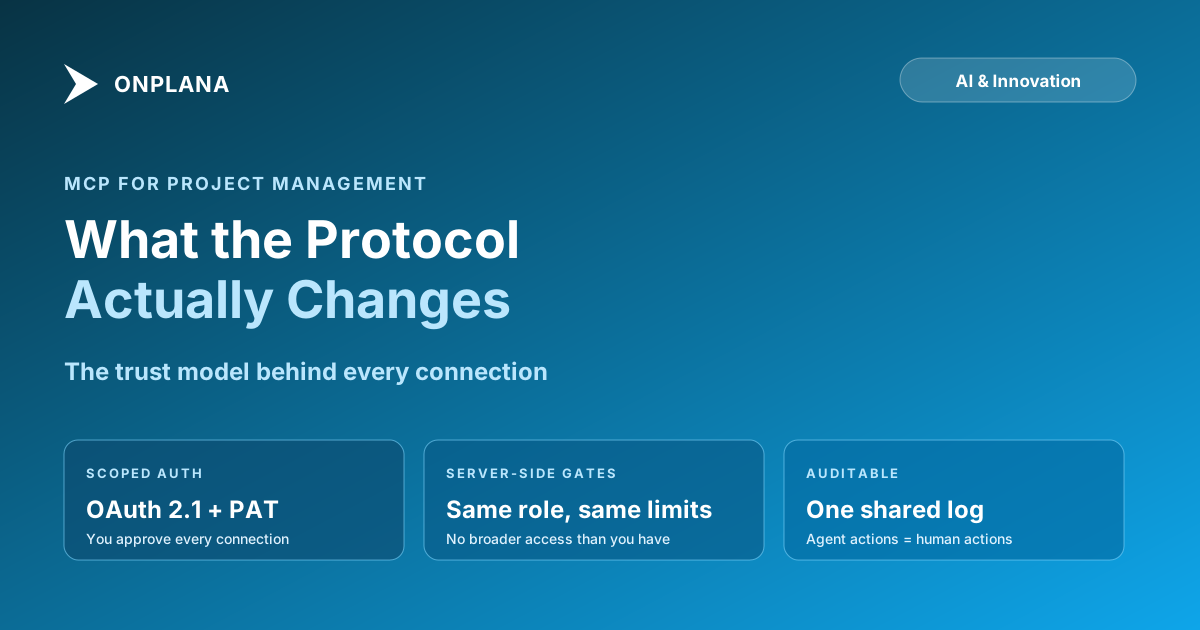
Scoped authorization. A properly implemented MCP server uses OAuth (commonly OAuth 2.1 with PKCE for interactive clients) so the connecting user explicitly approves which scopes a given AI client receives, and can revoke that connection later without affecting other connected clients. For headless or automated agents, a Personal Access Token scoped to a specific permission set serves the same purpose without requiring a browser-based login flow each time.
Server-side permission enforcement. The tool call itself should be checked against the same role and plan gating the human user is subject to in the regular product, not a separate, looser rule set applied only to AI traffic. If a user's role cannot edit a risk register in the web app, an MCP tool call from that user's connected agent should not be able to either.
Auditability. Every MCP tool call, who initiated it, from which connected client, what it read or changed, should land in the same audit trail the tool already maintains for human actions. Treating agent actions and human actions as the same category of event, logged the same way, is what lets a PMO answer "did an AI change this" with a real record instead of a guess.
Onplana's own MCP server implements this model concretely: OAuth 2.1 with dynamic client registration for interactive clients, Personal Access Tokens for headless agents, server-side plan and role gating on every one of its 29 tools, and an audit trail shared with the web app. The announcement post walks through the specific product decisions behind that implementation at Onplana Now Speaks MCP, and the engineering detail on how the OAuth flow and tool catalog were built is at the MCP build narrative.
Why an open protocol beats one-off vendor integrations
The case for MCP over proprietary integrations is not primarily philosophical, it is a maintenance and reach argument. A vendor that builds a custom Claude plugin has reached exactly one client's users. A vendor that builds one MCP server has reached every current and future MCP-aware client without additional engineering work per client. That asymmetry compounds as the number of AI clients grows, and it already includes Claude, ChatGPT, and a widening set of developer tools like Cursor and VS Code, all supporting the same underlying standard.
The same logic runs in the other direction for buyers. A PMO that adopts a PM tool with a genuine MCP server is not locking its AI workflow to one chat client's roadmap. If the organization's AI strategy shifts from Claude to ChatGPT, or adds a second client for a different team, the PM tool's MCP connection does not need to change. That portability is the practical argument for treating MCP support as a real evaluation criterion, not a checkbox feature.
What to ask a PM tool vendor about their MCP support
A vendor claiming "MCP support" spans a wide range of actual implementations, from a genuine tool catalog with proper permission gating down to a thin read-only wrapper around a public API. Four questions separate the two:
- What is actually in the tool catalog? Read-only listing tools are easy to build. Write tools (create a task, update a risk, add a comment) that respect existing permissions are the harder, more valuable half.
- Does the server enforce the connecting user's actual permissions, or a broader default? Ask directly whether a lower-permission user's agent connection is restricted the same way the web app restricts that user.
- Is the connection auditable? Ask to see what an admin's audit log shows for an AI-initiated action versus a human-initiated one.
- Is the server open-source or independently reviewable? Not a requirement, but a strong trust signal; a server a customer's security team can read is easier to approve than one they have to take on faith.
MCP made it possible for an AI agent to reach a project's real data without a custom integration for every client that agent might run in. Whether that reach is actually safe and useful for a specific PM tool still depends on the same fundamentals it always did: sound permission design, honest auditability, and a tool catalog built for the actual work, not just a demo.
If you're evaluating this hands-on, the fastest way to see the difference between a thin MCP wrapper and a real one is to connect a client yourself and ask it to do something that requires a write, not just a read, then check whether the result actually respects your role's permissions and shows up in the audit log. Onplana's MCP server is free to connect on every plan, including the free tier, if you want a live reference point.
Frequently asked questions
What is MCP in project management?
MCP (Model Context Protocol) is an open standard, released by Anthropic in November 2024, that lets an AI chat client like Claude or ChatGPT connect directly to a project management tool's real data and actions. Instead of copying a task list into a chat window, the model calls the PM tool's MCP server directly and reads or writes the actual project.
Is MCP the same thing as an API?
No. An API is the interface a PM tool exposes; MCP is a standard shape for describing that interface to an AI model so any MCP-aware client can discover and call it without custom integration code. A PM tool still needs a real API and a real permission model underneath; MCP is the layer that makes that API legible to an AI agent.
What can an AI agent actually do through an MCP-connected PM tool?
Whatever the server's tool catalog and the connecting user's permissions allow: typically listing projects, finding tasks, reading risk registers and wiki content, and writing changes like creating a task, updating status, or adding a comment. What it cannot do is exceed the human user's own permissions or bypass the tool's underlying access controls.
Does MCP give an AI agent more access to my project data than a human user has?
No, if the server is built correctly. A well-designed MCP server enforces the connecting user's existing role and plan permissions on every tool call, so the agent sees exactly what that person could see in the web app and nothing more.
Do I need to be a developer to connect an AI client to a PM tool over MCP?
No. For an interactive client like Claude Desktop or ChatGPT, connecting is a settings-panel action: add the server URL, authorize through OAuth in a browser tab, approve the requested scopes. Building an MCP server is a developer task; connecting to one that already exists is not.
Why do multiple AI vendors support the same MCP standard instead of competing formats?
Because the alternative is the integration problem MCP was built to avoid: every AI client building a custom connector for every tool, an M times N problem that scales badly. A shared open protocol means a PM vendor builds one MCP server and every MCP-aware client, regardless of which company built it, can use it.
Ready to make the switch?
Start your free Onplana account and import your existing projects in minutes.