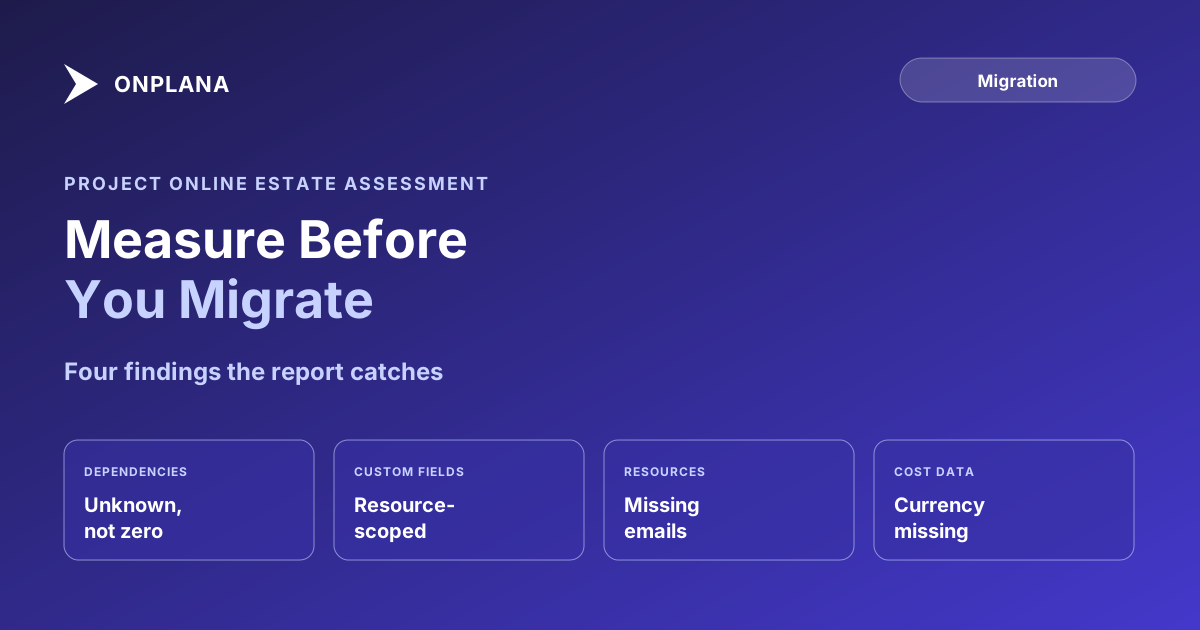
Project Online Estate Assessment: Measure Before You Move
A Project Online estate assessment reads your PWA tenant read-only, scores every project's migration readiness, and creates nothing until you import.
Every Project Online migration guide starts the same way: pick a destination, build a plan, set a cutover date. That assumes you already know what is in your Project Online estate precisely enough to scope a plan around it. Most PMOs do not, not without opening dozens of projects by hand and comparing notes.
A project online estate assessment is a read-only scan of your Project Web App tenant, task and milestone counts, dependency shape, custom fields in use, cost coverage, and resource email coverage across every project, that returns a per-project compatibility score and a realistic effort estimate before you touch a migration plan. Nothing is written to Project Online, and nothing is created in the destination tool unless you separately choose to import.
The direct answer: A Project Online estate assessment connects to your Project Web App reporting feed with read-only credentials and scores every project's migration readiness, worst-first. It calls out the specific gaps, missing resource emails, currency absent from the feed, resource-scoped custom fields, and dependency data your access token cannot reach, so nothing gets misread as a clean project when it is really an unmeasured one. It changes nothing in Project Online and creates nothing in the destination until you choose to import.
What a Project Online Estate Assessment Actually Reads
Project Online exposes two different schemas: an administrative one (PSI and CSOM) built for read-write operations, and a separate OData reporting feed built specifically for reading and exporting. An estate assessment only ever touches the second one. That distinction is what makes "read-only" a structural guarantee rather than a promise: the reporting feed has no write path to abuse in the first place.
Connecting needs two things: an account with reporting access to the tenant, membership in the Portfolio Viewers group is enough, no edit rights required, and an access token, either copied from your browser while signed in or minted through Azure AD OAuth. Microsoft's documentation on granting reporting access covers the permission side in detail. Those tokens expire after about an hour; a large estate that outlives one simply pauses mid-run, keeps everything already analyzed, and resumes with a fresh token rather than starting over.
The diagram below shows the four-step flow from connection to decision.
The Four Findings Worth Reading Carefully
Most of the report is a straightforward rollup: project count, task and milestone totals, cost coverage. Four findings are worth slowing down for, because they are the ones most likely to get misread if you skim the summary instead of the detail.
| Finding | What it actually means | Why it gets misread |
|---|---|---|
| Dependency data unavailable | A narrow reporting token cannot always reach the TaskLinks endpoint, so link counts come back as unknown | Read as zero dependencies instead of unmeasured ones, which understates how tightly a schedule is sequenced |
| Resource-scoped custom fields | The field is defined against a resource, not a project, so it needs a separate mapping step at import | Assumed to migrate the same way project-level custom fields do |
| Resources without an email address | That assignment will not auto-reconnect to a person at import and needs manual reconciliation | Treated as a minor detail rather than a source of import-day rework |
| Currency missing from the feed | Cost figures arrive without a currency code attached | Cost totals get compared across projects as if they were already in the same currency |
The report states each of these as an explicit line, not a footnote, because a finding that is technically true but easy to miss is worse than no finding at all.
How Long It Takes, and What It Costs
An assessment runs in a few seconds per project, so a sixty-project estate finishes in a few minutes. The effort estimate that comes with the report uses what the product team calls the batches-of-ten rule: roughly half a day of migration work per ten projects, plus time for cutover planning on top. That number turns a project count into something you can put on a calendar, which is the actual output most PMOs need before they will commit to a migration date.
It runs on every Onplana plan including Free, so measuring the estate carries no purchase decision with it. The clock that does matter is Microsoft's: Project Online retires on September 30, 2026, and the live reporting feed an assessment depends on stops responding shortly after. Run the assessment while the tenant is still live; there is no version of this that works against an archived export.
Before running one, it helps to already know the rough shape of the tenant. The free Project Online Inventory Checklist walks through a manual pass across project count, resource pool, and custom fields, useful context to have on hand before the automated assessment fills in the detail.
No Live Feed? Assess From a File Instead
Some tenants block the OData connection outright, and some teams have already started decommissioning by the time they think to measure what they are giving up. Either way, the fallback is the same free file-based tools used elsewhere in the migration cluster: export a project as .mpp and run it through Migration Preview or Schedule Health Check. Neither needs an account, and both apply the same compatibility analysis, just one file at a time instead of across the whole portfolio.
This sits at the front of the broader Project Online migration: an estate assessment is what tells you whether the data extraction window needs to start now or can wait another quarter. Pair it with the full migration checklist once you have a scope, and the retirement timeline if you still need to confirm exactly how many weeks are left.
Run the free Project Online Inventory Checklist Walk through your tenant in about 10 minutes and get a structured export plan you can hand to your migration team. No signup required. → Open the checklist
Microsoft Project Online™ is a trademark of Microsoft Corporation. Onplana is not affiliated with Microsoft.
Frequently asked questions
What is a Project Online estate assessment?
A read-only scan of every project in your Project Web App tenant that returns a per-project compatibility score, a custom field inventory, and specific gaps like missing resource emails, before you build a migration plan.
Does the assessment change anything in Project Online?
No. It reads the reporting feed, which cannot be written to, and creates no projects, tasks, or import jobs in the destination tool unless you separately choose to import a project.
Do I need a paid plan to run one?
No. The assessment runs on every Onplana plan including Free, so you can measure the estate before any purchase decision. Creating the account takes about a minute.
What if I can't connect to the live OData feed?
Export a project as .mpp and run it through the free Migration Preview or Schedule Health Check tools instead. Neither needs an account, though they analyze one file at a time rather than the whole portfolio.
Can I still run an assessment after Project Online retires?
No. The assessment reads the live reporting feed, which stops responding once Microsoft retires Project Online on September 30, 2026. After that date, only the file-based path works.
Ready to make the switch?
Start your free Onplana account and import your existing projects in minutes.