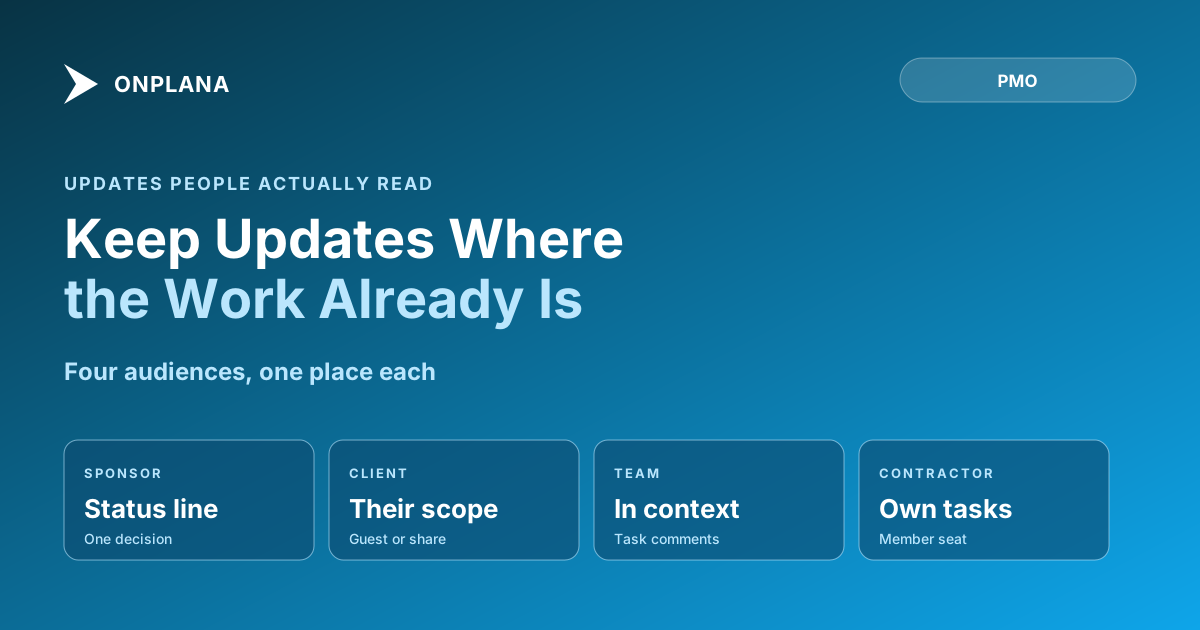
Stakeholder Communication: Put It on the Project, Not Email
Stakeholder communication works when people read it where the work is. A table of what sponsors, clients, teams and contractors need, and how to deliver it.
Of every US$1 billion spent on projects, PMI's 2013 Pulse of the Profession found US$75 million is at risk because of ineffective communications (PMI, The Essential Role of Communications). Most of that loss is not a message that went unwritten. It is a message that was written, sent, and never read, because it landed in an inbox next to two hundred others.
The short answer. Stakeholder communication works when each audience reads a short, current update in the place where the work lives, instead of receiving it as a separate email. Decide what each audience needs and how often, then give each one a single place on the project to read it. The table below covers the four audiences most projects have.
What does each stakeholder actually need?
Each stakeholder needs the information tied to the decision they own, no more. The project communication plan lists audiences and channels; this table is the working version of it, with the delivery mechanism added.
| Audience | What they need | Cadence | Where they read it |
|---|---|---|---|
| Sponsor | A status line and the one decision needed | Weekly | AI-drafted status report, @mention on the decision |
| Client | Progress on their deliverables, nothing internal | Weekly or per milestone | Guest seat, or one shared document |
| Team | What changed, what is blocked, who owns it | Daily, in context | Task comments and @mentions |
| Contractor | Their tasks, dates and acceptance criteria | As work changes | Member seat on the tasks they own |
The sponsor owns the budget and the go or no-go call, so the sponsor needs a status line and the one open decision. The client owns acceptance, so the client needs progress on their own deliverables and none of the internal noise. If you have not yet sorted people by influence and interest, start with stakeholder mapping on a power-interest grid, then return here.
Why does email fail as the channel?
Email fails because it separates the update from the thing it describes. A status email is out of date the moment a task moves, and the reader cannot click through to the task that explains it. The diagram below shows the alternative: each audience reads in the place that suits them, and all of those places are the project itself.
The change is small in practice. You stop attaching a status document and start pointing at a project that is already current.
How do you reach a sponsor in ten seconds?
Give the sponsor a status line, a colour and one question. Draft the weekly status report from the live plan rather than retyping it: Onplana's AI report generation is on every plan, subject to your AI token balance, and the free Status Report Writer does the same job without an account. The craft of the report itself is in the status report writing guide. When the report needs a decision, @mention the sponsor on that one task, because a mention reaches them as a notification, and by email depending on their preferences (Onplana docs: comments and mentions).
How do you keep a client informed without a licence?
There are two routes and they differ in scope. To share one document, send it to the client's email: they enter a 6-digit code and read it view-only, with no account and no seat, on every plan including Free. To give a client standing visibility of a project, use a guest seat. Guest seats are included on every paid plan (the Free plan has none), and how guest seats are counted is worth reading before you promise a client "access to everything". A client who opens a link to a project they cannot see can ask for access from that same page, and the people who manage the project decide; see requesting access to a project.
How do you keep the team informed in context?
Keep team communication on the task it concerns. A comment with an @mention on the task travels with the work, so the next person to open it sees the reasoning without scrolling a chat history. Task comments versus a chat channel works through when each fits. Reserve the channel for chatter and the comment for anything that changes a date, an owner or a decision.
Where does stakeholder communication still go wrong?
Putting updates on the project does not fix an update nobody needs. Three failures survive the move. First, an audience nobody mapped: the person who can veto the launch is not on the list. Second, a cadence set once and never revisited as the project changes phase. Third, a status colour that never changes, which teaches readers to stop looking. The non-specialist case is the hardest, and working with non-PM stakeholders covers the vocabulary problem. For the wider picture of teams, clients and agents on one plan, see team collaboration in Onplana.
Draft your next stakeholder update with the free Status Report Writer Turn your project notes into a sponsor-ready status report in a few minutes. No signup required. → Open the Status Report Writer
Frequently asked questions
What is stakeholder communication in project management?
Stakeholder communication is the practice of giving each person with a stake in a project the information they need, at the pace they need it, in a place they will actually read. It is a reading problem before it is a writing problem.
How often should you update project stakeholders?
Match the cadence to the decision each person owns: weekly for a sponsor, per milestone for a client, continuously for the team. An update nobody acts on is overhead, however regular it is.
Is a stakeholder communication plan the same as stakeholder communication?
No. The plan is the document that lists audiences, channels and cadence; the communication is the practice of following it. The plan is covered in the project communication plan guide, and this post covers the practice.
Can a client see the project without paying for a seat?
For one file, yes: send a document to their email and they open it view-only with a 6-digit code, on every plan including Free. For standing access to a project, a guest seat is the route, and the paid plans include free guest seats (none on Free).
Does putting updates on the project replace email completely?
No, and it should not. Email still carries the invitation and the notification that something changed; the project holds the answer. The aim is that nobody has to search an inbox to find the current status.
How do you make sure a sponsor actually reads the update?
Keep it to a status line and the single decision you need, and @mention them on that decision so it reaches their notifications. A sponsor who reads ten seconds of the right thing beats one who skims a page of everything.
Ready to make the switch?
Start your free Onplana account and import your existing projects in minutes.