Collaborative Wiki Project Documentation That Stays Current
Collaborative wiki project documentation means two people edit one page at once instead of copies drifting apart, so the runbook actually stays current.
Here's the pattern that shows up on almost every PMO that has run for more than a year: the incident runbook everyone swears by has quietly forked. One person's copy lives in a Word document from March. Another person updated a Google Doc in June and never told anyone. A third version exists only in someone's head, because they fixed the actual problem last time and never wrote it down at all. Nobody decided to fork the runbook. It just happened, one separately-saved copy at a time.
The direct answer: collaborative wiki project documentation is a wiki page two or more people can edit at the same time, watching each other's cursor and changes appear live, instead of each person keeping a private copy and reconciling them after the fact. A 2018 Panopto survey of 1,000 US knowledge workers found they lose 5.3 hours a week waiting on information from coworkers or recreating work that already existed somewhere else (HR Dive, 2018); most of that time is the tax of exactly this forking problem, not a lack of documentation effort.
In short. A collaborative wiki page removes the fork by removing the reason to make a copy in the first place: everyone edits the same page, sees the same live text, and there's only ever one version to trust. That only works if the team also knows what belongs in the wiki versus a task description versus a document library, because putting the wrong content in the wrong place recreates the fragmentation the wiki was supposed to fix.
Why the Runbook Forks in the First Place
A shared document without live co-editing still behaves like a single-author tool in practice, even when the platform technically allows multiple editors. Whoever opens it first "owns" the edit; anyone who has a change to make either waits, asks the owner to add it, or, more often, saves a personal copy and edits that instead. The personal copy is faster. It's also how a team ends up with three versions of the same runbook and no way to know which one reflects Tuesday's incident postmortem.
Real-time collaborative editing changes the incentive, not just the interface. When two people can be in the same wiki page at once and see each other typing, there's no moment where copying the document is the path of least resistance. The edit happens where everyone already is. Onplana's own documentation on project wikis describes co-writing a page and seeing each other type, available on Pro and above.
What Real-Time Editing Changes About Collaborative Wiki Project Documentation
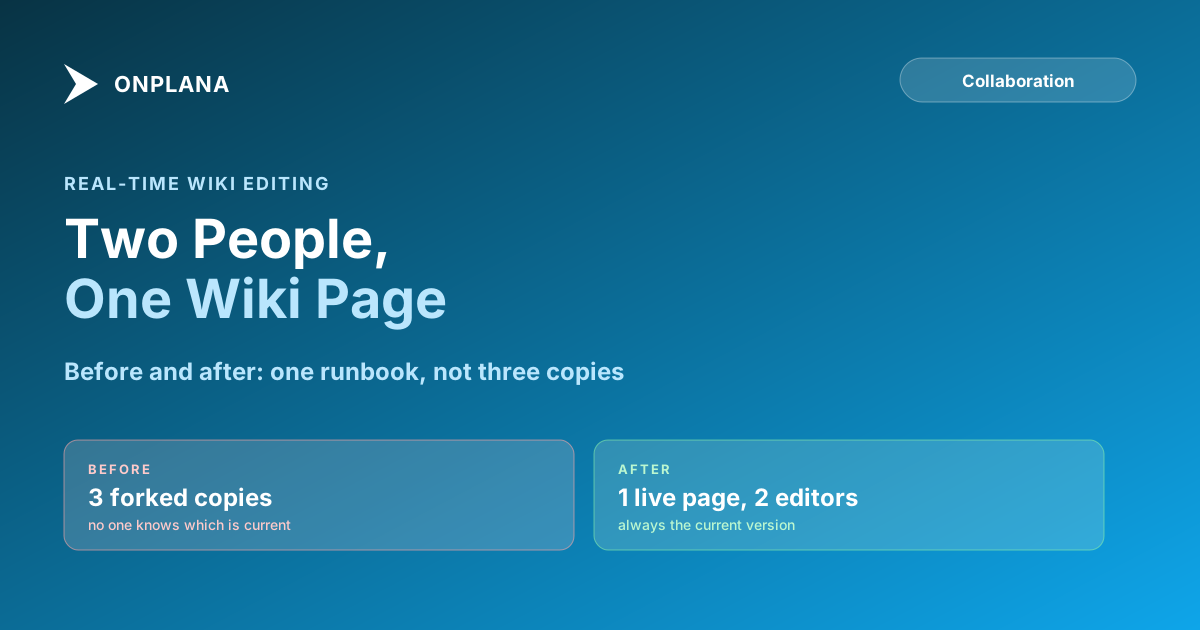
The diagram below shows the same incident runbook under both models: separate copies drifting apart on the left, one live page with two editors on the right.
Two changes matter more than the "it's live" novelty. First, there's no merge step, because there was never a second copy to merge back in. Second, ownership moves from a person to the page itself: nobody has to ask permission to edit the runbook, because there's no owner's private file being interrupted.
Wiki Page, Task Description, or Document Library: Where Does This Go?
Real-time editing only pays off if the content lands in the right artifact to begin with. Splitting the same information across a task description and a wiki page recreates the forking problem in miniature, just inside one project instead of across three files.
| Wiki page | Task description | Document library | |
|---|---|---|---|
| Best for | Procedures, decisions, reference content the team returns to | What this specific task needs, for the person doing it | Files authored or exported elsewhere |
| Lifespan | Persists past the task or project phase that created it | Relevant until the task closes | As long as the file is needed |
| Editing model | Real-time, multiple people at once | Usually one owner, with comments from others | Versioned uploads, not live text |
| Wrong use | Storing a one-off note nobody will look up again | Pasting in a full runbook that belongs to the whole team | Copy-pasting file content in as page text |
A runbook, an onboarding guide, or "how we handle a client escalation" belongs in the wiki because the next person who needs it wasn't in the room when it was written. A task description should stay scoped to the task in front of it. A signed contract or a design export belongs in the document library, because it's a file, not text someone is actively editing.
Project Wiki vs Confluence: The Actual Difference
Confluence also supports real-time co-editing and a page hierarchy, so the meaningful gap isn't the editor, it's where the page lives. An Onplana wiki page sits inside the project it documents, next to the tasks, dependencies, and comments that reference it, rather than in a separate product a PM has to keep manually in sync with the schedule. Onplana vs Jira and Confluence covers the fuller comparison, including cost, for teams evaluating the two side by side.
Setting Up a Wiki Page That Doesn't Fork
- Write the runbook once, in the project's wiki, not in a personal doc. The first version doesn't need to be complete; it needs to be the only copy.
- Link the wiki page from the task, not the other way around. A task that references an incident should link to the runbook page rather than restating it, so there's still one source when the runbook changes.
- Let whoever fixes the next incident edit the page directly, during the postmortem. Real-time editing means the fix and the documentation update can happen in the same sitting, with more than one person present.
- Use comments and @mentions on the page for open questions, not a separate chat thread. A question left in a chat channel about a wiki page is exactly the kind of context that gets lost.
- Check the page into the project's structure, not a personal favorites list. A wiki page only survives turnover if the next person on the project can find it without being told where to look.
The habit that actually prevents a fork isn't a tool feature, it's making the wiki page the fastest way to write something down. Real-time collaborative editing is what keeps it faster than opening a new document, which is the only reason the second copy stops getting made.
Frequently asked questions
What is collaborative wiki project documentation?
It's a wiki page that more than one person can edit at the same time, with each person's changes and cursor visible to the others as they type, instead of each person keeping a separate copy and merging them later.
Can two people edit the same wiki page in Onplana at the same time?
Yes. Onplana's wikis run on real-time collaborative editing, so two or more people can open the same page and see each other's edits and cursors live, on Pro and above.
Is real-time wiki editing available on every Onplana plan?
No. Collaborative wikis, along with whiteboards and web-part pages, start on the Pro plan. Free doesn't include the wiki.
What belongs in a wiki page instead of a task description?
Anything that needs to outlive the task: a runbook, a decision record, an onboarding guide, a process a team follows repeatedly. A task description should describe the work on that task, not carry the team's only copy of a procedure.
When should a file go in a document library instead of a wiki page?
When the content is naturally a file someone else authored or exported, a signed contract, a spreadsheet, a design export, rather than something written and maintained directly inside Onplana. A document library stores and versions files; a wiki page is text that's edited in place.
How is a project wiki in Onplana different from Confluence?
Both support real-time co-editing and page hierarchies. The difference is scope: an Onplana wiki page sits inside the project it documents, next to the tasks and dependencies it describes, instead of in a separate documentation product a PM has to keep in sync by hand.
Ready to make the switch?
Start your free Onplana account and import your existing projects in minutes.