AI Scheduling Software for Project Plans: Six Compared
AI scheduling software for project plans, not meetings: what the AI changes in the schedule, who approves it, and what six tools cost, each price dated.
Search results for "AI scheduling software" mix two different products: meeting schedulers that find a free slot, and project schedulers that sequence tasks, hold dependencies and compute a critical path. This post covers the second kind.
The short answer. AI scheduling software for projects applies AI to a task schedule: it proposes dates, flags risk on the critical path, or rebuilds a plan toward a deadline. The useful test is what the AI changes and who approves it. A tool whose AI only chats beside a Gantt chart is weaker than one whose AI reads the dependency graph and returns a preview you can accept or discard.
Vendors price this unevenly. monday.com lists Gantt views from its Standard plan at USD 12 per seat per month billed annually, with 2,000 AI credits a month (monday.com pricing page, checked 12 November 2026). To test AI on a plan you already have, run your schedule through the free AI Gantt optimizer.
What does AI actually change in a project schedule?
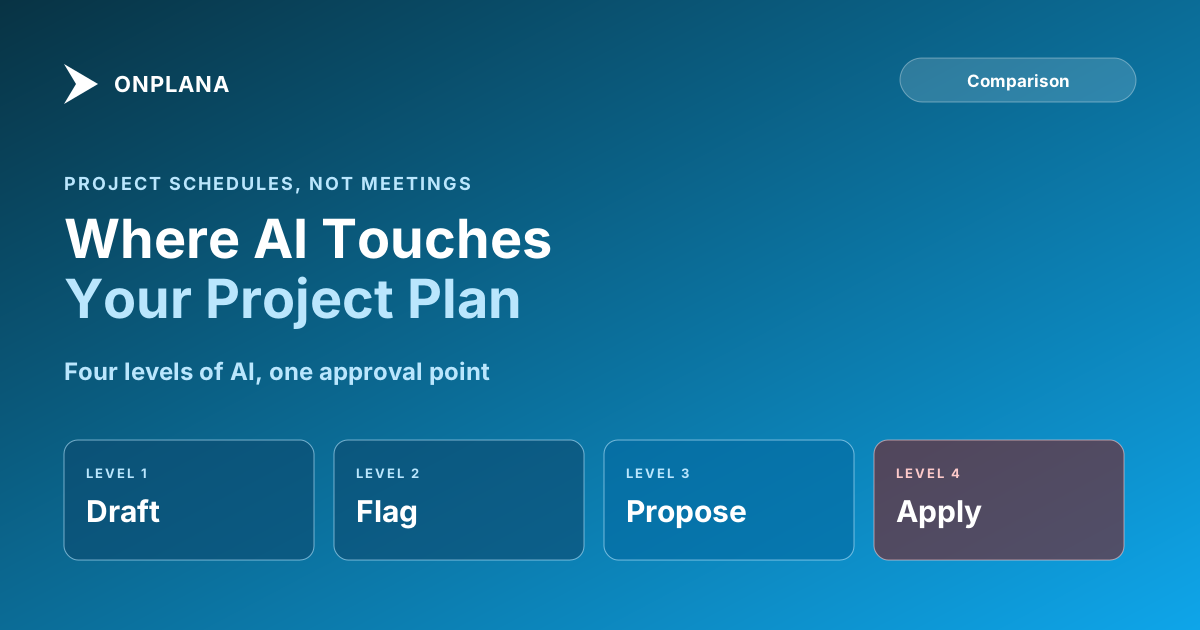
Four things, in rising order of risk:
- Draft. Turn a brief into tasks and a first sequence.
- Flag. Point at tasks with no float, overbooked people or missing links.
- Propose. Suggest new dates, resequencing or leveling.
- Apply. Change the schedule itself.
Steps 1 to 3 are safe when a person reviews the result. Step 4 without review is the risk to avoid. The diagram below places the tools in this post on that ladder.
Which AI scheduling software compares for project plans?
The table lists what each tool's AI does to a schedule, with prices per seat per month billed annually unless noted, from each vendor's pricing page on 12 November 2026. Rows are in no ranking order.
| Tool | AI on the schedule | Gantt and dependencies | Free plan | Entry price |
|---|---|---|---|---|
| Onplana | Suggest schedule (preview), risk detection, free AI Gantt optimizer | Gantt, critical path and four link types on every plan | Yes, 5 members | USD 12 (Professional) |
| monday.com | AI credits for columns, summaries and automations | Gantt from Standard | Yes, 2 seats, no Gantt | USD 12 for Gantt |
| Smartsheet | Smart Assist, formulas, data analysis on all plans | Gantt in sheets | No, 30-day trial | USD 9 (Pro, new customers) |
| Asana | AI Teammates and AI Studio workflows | Timeline view | Yes, 2 users | USD 10.99 (Starter) |
| ClickUp | Brain drafts and summaries, credits metered | Gantt view | Yes | USD 9 (Core) |
| Motion | AI planner for tasks and projects | Gantt view, Business AI plan | No, free trial | USD 29 (Business AI, monthly billing) |
Reading it honestly: Onplana is not the only tool with a Gantt, and ClickUp and monday.com have larger integration ecosystems. Where Onplana differs is that the dependency model (all four link types with lag) and the critical path sit on the free plan, so the AI works on a real schedule rather than a list. Check any other tool's dependency types before assuming its AI can reason about them.
What do pros and cons look like for each tool?
- Onplana. Pro: AI reads the dependency graph; the free optimizer needs no signup; proposals arrive as a preview. Con: Suggest schedule needs Professional or above, and the web app schedules in whole working days.
- monday.com. Pro: strong visual boards and automations. Con: Gantt starts on a paid plan, and AI credits are metered per month.
- Smartsheet. Pro: grid-first, familiar to Excel users. Con: no free plan, and its AI is oriented to data and formulas more than to sequencing.
- Asana. Pro: clean task coordination across teams. Con: a Timeline view, not a full scheduling engine, and AI requests are capped per user.
- ClickUp. Pro: broad features and a free plan. Con: AI is credit-metered, and scheduling depth varies by view.
- Motion. Pro: strong personal and team planning. Con: no free plan, and its focus is task and calendar planning rather than dependency scheduling.
How does Onplana's AI work on a schedule?
Suggest schedule takes a deadline and proposes a start and finish for every task, checked against each link and the working calendar, as a preview you apply or discard. It can also keep people inside their weekly capacity. It is on Professional and above, as are AI risk detection and portfolio insights. The core AI (chat, plan generation, status summaries) is on every plan, subject to the AI balance.
The free AI Gantt optimizer works from a file: upload a .mpp or Project XML, pick a focus (reduce risk, level resources or compress the timeline), and download the result as Project XML. Onplana runs on Claude and Azure OpenAI, managed by Onplana with automatic failover. For the engine underneath, see project scheduling software, the critical path method explained, and what an AI Gantt chart does. The desktop side, Onplana Schedule, opens .mpp files for work on a plan you keep.
How do you pick one?
- Do you have a real schedule? If it has dependencies and a critical path, pick a tool that stores them; otherwise AI has nothing to reason about.
- Does the AI propose or apply? Prefer a preview.
- What does the AI cost at your usage? Check the monthly allowance, not just the seat price.
- Can you test it on your own file? Run one real plan through two tools before buying.
AI does not replace the scheduler. It shortens the loop of drafting, flagging and proposing, and a person still decides what the plan commits to.
Run your schedule through the free AI Gantt optimizer Upload a .mpp or Project XML file, choose reduce risk, level resources or compress timeline, and review the rewritten plan. No signup required. → Open the AI Gantt optimizer
Microsoft Project™ is a trademark of Microsoft Corporation. Onplana is not affiliated with Microsoft.
Frequently asked questions
What is AI scheduling software for projects?
It is software that applies AI to a project schedule: proposing task sequences, flagging risk on the critical path, or rebuilding dates to hit a deadline. It is different from meeting schedulers, which only find a free calendar slot.
Can AI build a project schedule on its own?
It can draft one, and a person still has to own it. A model can produce tasks and dates from a brief, but it cannot know about a contractor's leave or a procurement lead time nobody wrote down.
Does AI change my dates without asking?
It depends on the tool, so check before you trust it. In Onplana, Suggest schedule returns a preview of proposed start and finish dates that you apply or discard, so no date moves until a person accepts it.
Is AI scheduling accurate enough for a critical path?
The critical path itself is arithmetic, not AI, and a scheduling engine computes it exactly. AI is useful around it, for spotting tasks with no float or proposing a resequence, and its proposals still need a scheduler's review.
Is there a free AI scheduling tool for a project plan?
Yes. Onplana's AI Gantt optimizer is free with no signup: upload a .mpp or Project XML file, choose a focus, and download the rewritten plan as Project XML.
What does AI project scheduling cost?
From nothing to about USD 30 per seat per month, depending on the tool and plan. The table in this post lists six tools with the vendor price checked on 12 November 2026.
Ready to make the switch?
Start your free Onplana account and import your existing projects in minutes.