Project Management Teams Integration: What Works
Project management Teams integration works when the PM tool stays the system of record and Teams only surfaces tasks, approvals, and status updates.
Project management lives in a dedicated tool: tasks, dependencies, owners, dates. The conversation about that work lives in Teams: channels, threads, decisions made in passing between meetings. Most attempts at project management Teams integration try to collapse the two into one surface, and that's exactly the wrong goal.
The integration that works surfaces tasks, approvals, and status inside Teams without turning Teams into a second system of record. The PM tool stays authoritative; Teams becomes a faster way to see and act on what the tool already knows. Get the boundary backwards, and a team ends up maintaining two half-truths instead of trusting one plan.
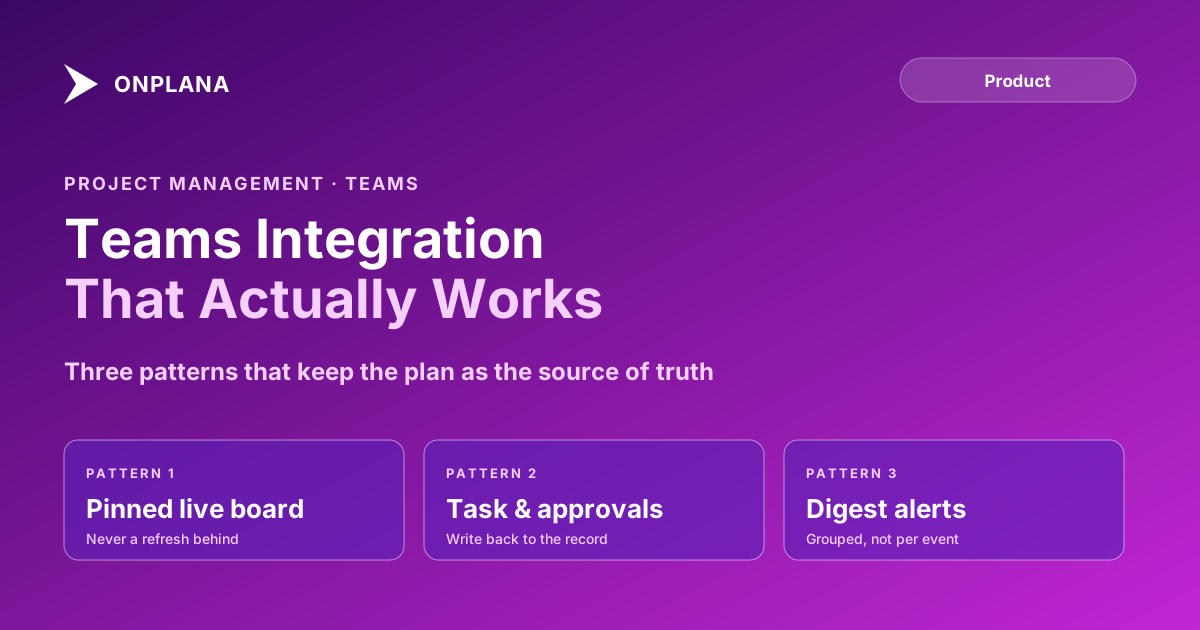
The short version Project management Teams integration works when Teams surfaces tasks, approvals, and notifications that originate in the PM tool, and fails when Teams becomes a second place people track work. Three patterns hold up in practice: a pinned live board, task and approval cards that write back to the plan, and digest-style notifications instead of per-event pings. The plan stays the system of record. Teams is a faster window into it, not a copy of it.
Where the Boundary Actually Belongs
The failure mode is predictable: someone starts assigning tasks in a Teams planner tab because it's one click away, a parallel task list forms next to the "real" one in the PM tool, and within a month nobody knows which list is current. Chat threads and lightweight planner tabs have no dependency logic, no baseline to compare against, and no portfolio rollup. They can hold a list. They can't answer "what's on the critical path" or "who's overallocated this week," because those questions need a scheduling engine underneath, not a channel.
The fix isn't avoiding Teams. It's being explicit about which system answers which question. The PM tool answers scheduling, dependency, and capacity questions. Teams answers "what needs my attention right now" and "who do I talk to about this." Integration should route information one direction for status, the other direction for action, and never let Teams originate data the PM tool doesn't also hold.
Project Management Teams Integration Patterns That Work
| Pattern | What it does | Risk if built wrong |
|---|---|---|
| Pinned live board | A project board or dashboard pinned to a channel, rendering live data | Becomes a stale screenshot instead of a live view, so nobody trusts it after week two |
| Task and approval surfacing | Assigned tasks and pending approvals appear as cards or a personal tab | Two-way edits that let a Teams-side change diverge from the PM tool's record |
| Digest notifications | Status changes and approvals grouped on a schedule, not fired per event | Per-event pinging that trains the channel to mute the app entirely |
The diagram below shows the loop a working integration runs: the PM tool stays the source of truth, an event fires, Teams surfaces it, the user acts, and the action writes back to the same record it came from.
Pinned live board. A dashboard or project board pinned to the channel where the work is coordinated, rendering the same live data the PM tool shows anywhere else. Onplana's Microsoft Teams app, for example, pins a dashboard or project tab directly into a channel rather than exporting a static image, so the board a channel sees is never more than a refresh behind the actual plan.
Task and approval surfacing. Assigned-to-me tasks and pending approvals show up where the recipient already is, instead of requiring a separate login. The write-back has to go through the same API the PM tool's own UI uses, not a shadow copy, or the two surfaces drift within weeks.
Digest notifications. Grouped by schedule or by threshold (newly overdue, newly blocked, newly assigned) rather than fired the instant anything changes. Microsoft's own 2025 Work Trend Index found that employees are interrupted by a meeting, email, or ping on average every two minutes, which is the exact failure mode a per-event PM notification adds to.
The Anti-Pattern: Teams as the System of Record
The anti-pattern is subtle because it starts reasonably. A PM creates a quick task list in a Teams planner tab because setting it up in the PM tool feels like more steps. Within a sprint, half the team is updating the Teams list and half is updating the PM tool, and the two disagree on what's actually done. Nobody deliberately decided to run two systems; it happened one convenient shortcut at a time.
The tell is simple: if a task, a date, or an owner exists only in Teams and nowhere in the PM tool, the plan is no longer the plan. Fix it by making the PM tool's create-task flow at least as fast as the Teams shortcut, not by banning Teams tabs outright.
How Do You Keep Notifications From Becoming Noise?
Trigger on ownership and action, not on activity. A comment on a task someone is watching is activity; a status change on a task someone owns, or an approval waiting on their decision, is actionable. Only the second category earns an interruption. Everything else belongs in a digest the recipient checks on their own schedule, and the recipient, not the integration builder, should be able to choose whether that digest lands in a channel, a DM, or nowhere at all. Task comments vs a chat channel covers the related question of where the decision itself should be recorded once it's made.
For related integration patterns, bi-directional sync with Microsoft To Do covers the same write-back problem in a different surface, and real-time collaboration in Onplana versus Project Online covers what "live" actually needs to mean for a pinned board to stay trustworthy.
The teams that get Teams integration right treat it as a distribution layer, not a second copy of the plan. Everything else follows from that one decision.
Frequently asked questions
How do I integrate a project management tool with Microsoft Teams?
Pin a live project board or dashboard to the channel where the work is actually discussed, surface assigned tasks and pending approvals as cards or a personal tab, and route notifications through a digest rather than a ping per event. The PM tool stays the source of truth; Teams becomes a faster way to see and act on it.
Should tasks be tracked directly in Teams channels?
No. Chat threads have no dependencies, no owner field, and no reporting rollup, so tasks tracked only in Teams disappear the moment the thread scrolls. Teams should surface tasks that live in the PM tool, not replace the PM tool as the place tasks are created and closed.
What should trigger a Teams notification from a PM tool?
Status changes on things a person owns or approvals waiting on them, grouped into a digest rather than fired per event. A notification that requires no action from the recipient usually shouldn't be a push notification at all.
Can Teams be the system of record for project tasks?
It can technically hold task-like items in planner tabs or to-do lists pinned to a channel, but without dependency logic, baselines, or portfolio rollups it can't answer questions like what's on the critical path or who's overallocated. Treat it as a window into the plan, not the plan itself.
Ready to make the switch?
Start your free Onplana account and import your existing projects in minutes.