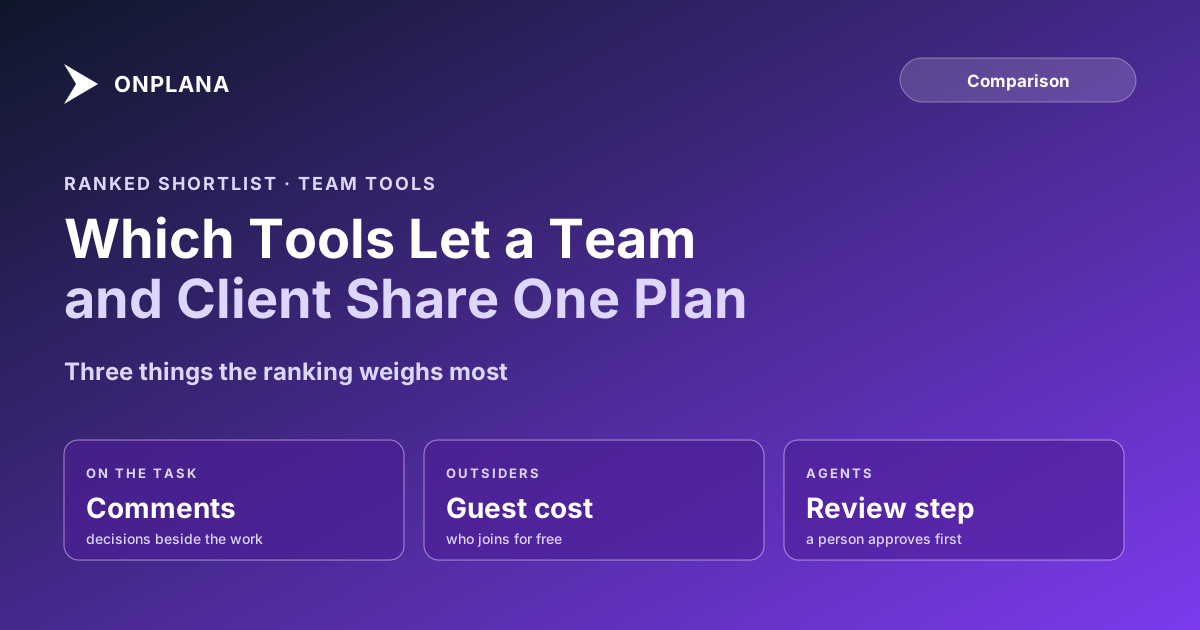
Collaboration Tools for Project Management, Ranked for Teams
Collaboration tools for project management, ranked on task comments, guest access, shared documents, approvals and AI agents, with prices read 2026-10-29.
Most teams do not have a tooling shortage; they have a record shortage. The decision lives in chat, the file in a drive, the status in a spreadsheet, and the client reads a fourth place. The Project Management Institute's Pulse of the Profession report on communications found that ineffective communications was the primary contributor to project failure one third of the time (PMI's 2013 findings, as quoted by Ascertra in 2024).
The direct answer: the best collaboration tools for project management keep comments, documents and approvals on the work itself and let outsiders in cheaply. Ranked on that, Asana is first, ClickUp second, Onplana third and Smartsheet fourth. Onplana is not first: its free guest allowance is smaller than Asana's, and its edge is agent review, which only matters if agents do work in your plan.
The diagram below shows the five checks used for the ranking, from the work outward to the client.
Which collaboration tools rank best for project teams?
The table compares guest access and entry price, which are the figures a vendor publishes and a buyer can check. Prices are per user per month on annual billing, read from each vendor's pricing page on 2026-10-29.
| Rank | Tool | Entry paid price | Guest and client access | Agent review |
|---|---|---|---|---|
| 1 | Asana | Starter $10.99 | Unlimited free guests on Starter | Not assessed here |
| 2 | ClickUp | Core $9 | Free plan: unlimited guests; paid plans: a limited number of guest seats plus unlimited read-only guests | Not assessed here |
| 3 | Onplana | Starter $7 | Free: none; Starter and Pro: 2 free guest seats; Business: 5; Enterprise and above: 10 | Agent review inbox |
| 4 | Smartsheet | Pro $9 (new customers, 1 to 10 members) | Pro: free contributors, no guests; Business ($19): unlimited free guests | Not assessed here |
Sources: Asana pricing, ClickUp pricing, Smartsheet pricing, and Onplana's own pricing page. A cell reading "not assessed here" means we did not verify the capability, not that it is absent.
1. Asana: the cheapest way to bring a client in
Asana's Starter plan lists unlimited free guests, so a client or contractor reviews work without a seat. It is the strongest result when most of your collaborators are outside the company.
Pros: unlimited free guests from $10.99 per user; a familiar interface for non-specialists. Cons: Starter is priced above Onplana's and ClickUp's entry tiers; check which collaboration features sit on Advanced at $24.99.
2. ClickUp: guests even on the free plan
ClickUp's FAQ says Free Forever includes unlimited members and guests, and paid plans include a set number of guest seats plus unlimited read-only guests. That makes it the most permissive option for a team that starts small.
Pros: the lowest entry price on this list at $9 (annual); generous free guests. Cons: on paid plans the full-edit guest seat count is capped, and the plan name in the FAQ does not match the pricing table, so confirm your tier's allowance before you invite people.
3. Onplana: comments, guests and agents on one plan
Onplana gives every task a comment thread with replies and @mentions; a mention reaches the person's in-app bell and email. Guest seats come with every paid plan (none on Free), and a client who needs one document gets a share link instead. A member who opens a link to a project they cannot see can request access from that same URL. An agent can be assigned a task, and what it produces waits in the Agent review inbox until a person approves it; read how the review inbox works before relying on it. Wikis, whiteboards and pages start on Pro, so read the plan matrix for the tier you need. The Gantt with critical path is on every plan.
Pros: the lowest entry price on this list ($7 Starter); agent output is held for human approval; document links need no account. Cons: the free guest allowance tops out at 10, so a heavy external-review workload outgrows it; it is a smaller ecosystem than Asana or Smartsheet.
4. Smartsheet: free guests, but only from Business
Smartsheet's Business plan lists unlimited free guests, and Pro includes unlimited free contributors who can view, comment and upload attachments but are not guests. For spreadsheet-style work with a client, that fits. The catch is that Pro is limited to 1 to 10 members and is only offered to new customers.
Pros: unlimited free guests on Business; strong sheet and dashboard model. Cons: the guest benefit starts at Business, above the entry price; collaboration beyond sheets needs checking against your use case.
What did this ranking leave out?
Microsoft Planner, monday.com, Wrike and Jira are not ranked, because we did not read a current guest policy for each from the vendor's own page, and a ranking built on guest cost needs that figure. Chat tools such as Slack and Teams are also out: they carry conversation well, but a message in a channel is not attached to the task it changed, which is the property this list rewards. The prices above change often, so treat them as dated readings rather than quotes, and confirm the plan you would actually buy.
One more caveat on the order. It ranks on the checks in the diagram with guest cost weighted most, so a team whose collaborators are all internal should weight comments and approvals higher and may reorder the top three. Onplana's third place is the honest result of that weighting, not a modest pose.
How should you choose?
Use this order:
- Count the outsiders. If it is more than ten, weight guest cost above everything else; Asana and Smartsheet Business win on that alone.
- Check where decisions are made today. If it is chat, pick the tool whose task comments reach people on their phone; read task comments versus a chat channel.
- Decide whether agents will do work. If yes, test the review step before you sign.
- Read the whole plan for the feature you need, not the headline price. For the rest of the field, see the best project management software in 2026, which ranks the wider category.
- Run a two-week pilot with one real client project, and write its weekly update with the free Status Report Writer to see whether the record holds up.
Project collaboration comes down to one plan that the team, the client and any agent all read. The team collaboration page lists what Onplana ships for that.
Run the free Status Report Writer Turn a project's current state into a clear update for the client in a few minutes, the fastest way to test whether your collaboration record holds up. No signup required. → Open the Status Report Writer
Frequently asked questions
What are the best collaboration tools for project management?
For client-heavy work, Asana ranks first on this list because its Starter plan includes unlimited free guests. ClickUp, Onplana and Smartsheet follow; the order changes if your priority is agent review or a lower price per seat.
What should a project collaboration tool include?
Comments and mentions on the task itself, a way to give a client access without a full licence, shared documents beside the work, and an approval step. Chat is useful, but it is not the record.
Is a chat tool enough for project collaboration?
No, because a decision made in a channel is not attached to the task it changed, so it is hard to find or prove later. Chat works as a notification layer on top of task comments, not a replacement.
Do collaboration tools charge for clients and guests?
It varies. Asana Starter and Smartsheet Business include unlimited free guests; ClickUp includes a limited number of guest seats on paid plans; Onplana includes 2 to 10 free guest seats on paid plans and none on Free.
Can an AI agent be a collaborator on a project?
Yes, in tools that let you assign work to an agent. The honest limit is review: in Onplana an agent's output waits in a review inbox until a person approves it, and that only helps if somebody opens the inbox.
Where does Onplana fall short as a collaboration tool?
Guest volume. Its free guest seats stop at 10 on the largest plans, so a firm with hundreds of external reviewers pays for seats past the allowance or uses document share links instead.
Ready to make the switch?
Start your free Onplana account and import your existing projects in minutes.