Project Collaboration: One Plan for Team, Client and Agent
Project collaboration means team, client and AI agent reading and changing one plan, not a chat tool beside it. Four practices that make it hold.
Teams do not fail at collaboration for lack of tools. They fail because the plan lives in one place, the argument about it lives in another, and the client is reading a third. The Project Management Institute's 2013 Pulse of the Profession report on communications found that ineffective communications was the primary contributor to project failure one third of the time (as quoted by Ascertra; PMI's own pages were not retrievable when this post was written).
The direct answer: project collaboration is three audiences, the team, the client and increasingly an AI agent, reading and changing one plan. It works when four things hold: decisions are recorded on the task they changed, the client can see the project without a licence for the whole workspace, access is asked for in the place it is needed, and an agent's output waits for a person before it counts.
In short. Collaboration is not a chat tool bolted onto a tracker. It is one plan with three kinds of reader. Record decisions on the task, give clients a guest seat or a share link, let members request access from the link itself, and route agent work through a review inbox.
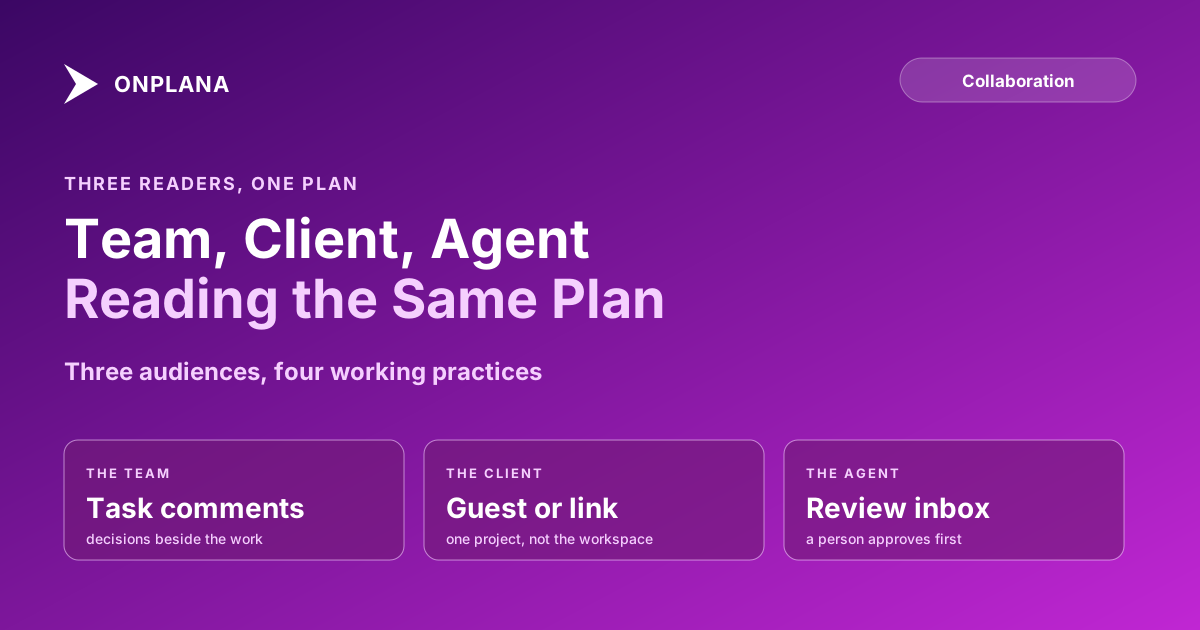
The diagram below shows the three audiences around the single plan, with the practice that serves each.
Where should decisions be recorded?
Decisions belong on the task they changed, because a decision in a chat channel is gone by Friday and one on the task sits next to the work. In Onplana, comments with replies and @mentions work on tasks, projects, issues and ideas, and a mention reaches the person's inbox, email and phone (comments and mentions in the docs). The full argument for the thread over the channel is in task comments vs a chat channel, and which notifications deserve a buzz is in project notifications that reach a phone.
How do you collaborate with a client outside your company?
Give the client the smallest door that does the job. There are two doors, and they are not interchangeable:
| Door | What the client gets | Needs an account | Available on |
|---|---|---|---|
| Share link | One document | No | Every plan |
| Guest seat | One project, with comments | Yes, by invitation | Every paid plan |
A guest cannot browse other projects, see billing or find the rest of the workspace. Each paid plan includes free guest seats (2 on Pro, 5 on Business, 10 on Enterprise and Enterprise+); the Free plan has none, and past the allowance a guest is billed like a seat, per the published limits in src/lib/plans.ts. Guest seats explained covers what a guest can and cannot do, and sharing documents with a client without a licence covers the link route.
How should people get access to what they cannot see?
They should ask from the link itself. A member who opens a project, page, library or list they cannot see gets a request screen instead of an error; the people who manage it decide from an inbox on People and Teams, and approval grants through the normal permission system. Someone outside the workspace still gets a plain not-found page. Request access to a project walks through it.
How do AI agents fit into a shared plan?
An agent is a member you assign work to, with one extra step before anything counts. Delegate to an agent on a task posts an @mention; the agent reacts on its next sync, and what it produces lands in the Agent review inbox. Nothing is sent or published until a person approves it, and an agent never sends email on its own. The reasoning is in AI agents are team members, not tools, and the review step in the Agent review inbox.
What shared spaces sit beside the plan?
Plans need somewhere to put what is not a task. Onplana has workspace document libraries and lists, plus pages and whiteboards, which start on the Pro plan. Whiteboards and pages: when to use each sets out the choice. Keep these linked to the plan rather than parallel to it, or they become the fourth place the truth lives.
Where to start
Pick one live project and fix one thing this week. Move the next decision off chat and onto the task thread, then invite the client to read the project instead of waiting for the weekly email. The weekly summary is the part a status report writer can draft from the plan, so the report and the plan stay the same document. The wider feature set is on the team collaboration page.
Try the free Status Report Writer Turn the state of a plan into a client-ready update in minutes, so the report comes from the plan instead of from memory. No signup required. → Open the Status Report Writer
Frequently asked questions
What is project collaboration?
Project collaboration is the team, the client and any AI agents working from one shared plan, with decisions recorded next to the work they change. It is a property of how the plan is shared, not of which chat tool sits beside it.
How do you collaborate with a client who is outside your company?
Give them a guest seat on the one project they need, or send a share link to the one document they need. Either way they see that piece of work without seeing the rest of your workspace.
Can a guest see everything in my workspace?
No, and that limit is the point. A guest sees only the project they were invited to, and a share link opens only the one document; neither shows billing, the member roster or other projects.
Can an AI agent change my plan without anyone approving it?
An agent can draft and propose, but what it produces waits in the Agent review inbox and nothing is sent or published until a person approves it. The honest limit is that reviewing takes human time, so the inbox only helps if somebody opens it.
What if people keep deciding things in chat instead of on the task?
They will, and no tool can forbid it. Make the task thread the cheaper place to ask: an @mention in a comment reaches the person's inbox, email and phone, so the answer lands next to the work and the chat channel stops being needed for it.
Does collaboration cost more per seat on a paid plan?
Guest seats do not: each paid plan includes an allowance (2 on Pro, 5 on Business, 10 on Enterprise and Enterprise+), and the Free plan has none. Past the allowance, a guest is billed like a normal seat.
Where does this approach fall short?
It does not fix a team that never writes decisions down. One shared plan makes the record easy to keep; someone still has to keep it.
Ready to make the switch?
Start your free Onplana account and import your existing projects in minutes.