MSPDI XML Explained: What an MS Project Export Contains
MSPDI XML format is Microsoft Project's XML interchange schema: tasks, calendars, and lag stored in tenths of a minute, not days. Here is what survives import.
Most people assume MSPDI XML is just a Project file's data written out in plain, readable units: days, hours, dates you can eyeball. It isn't. Microsoft's own XML Data Interchange schema reference (last updated 2021) defines lag in tenths of a minute, duration as an ISO 8601 string like PT40H0M0S, and constraints as integer codes, all built for machine round-tripping rather than human reading.
The direct answer: the MSPDI XML format is Microsoft Project's documented schema for exporting a schedule as text: every task's UID, WBS code, and outline level; every calendar; every predecessor link with its lag and lag format; every baseline; and every custom field as an ExtendedAttribute. What survives an import depends on whether the receiving tool maps each of those elements correctly, not on whether the file itself is missing data. The file usually has everything; the importer is where things get lost.
In short. MSPDI XML is Microsoft's public, text-based schema for a Project file, the counterpart to the proprietary binary
.mppformat. Tasks carry a UID, WBS code, and outline level; dependencies carry lag in tenths of a minute viaLinkLagand a numericLagFormat; baselines are numbered so a file can hold more than one; and custom fields travel asExtendedAttributeelements keyed by field ID. Because the schema is documented rather than reverse-engineered, any tool can parse it correctly, but only if it maps every element rather than a convenient subset.
What MSPDI XML format actually contains
An MSPDI file is one <Project> element wrapping a handful of collections: <Tasks>, <Resources>, <Assignments>, and <Calendars>. That structure is what Project XML import and export has to carry across intact, in both directions. Each task inside <Tasks> carries dozens of possible child elements, but the ones that decide whether an import looks right are a short list:
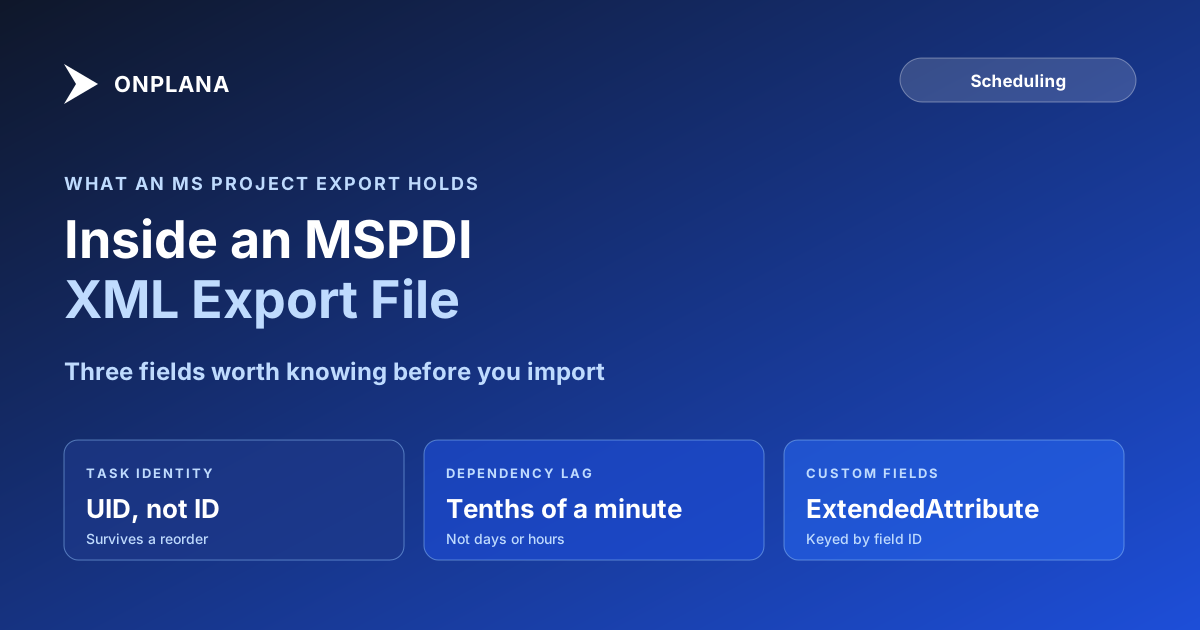
- UID and ID. UID is the task's permanent identity across the file; ID is just its current row position, which shifts if rows get reordered. An importer that keys off ID instead of UID will misassign links after any reorder.
- WBS and OutlineLevel. WBS is the human-readable code (
1.2.3); OutlineLevel is the integer depth used to rebuild the indent hierarchy. Both usually travel together, but only OutlineLevel is required to reconstruct the tree. - Duration. Stored as an ISO 8601 duration string, so 5 days at an 8-hour day is
PT40H0M0S, not5d. A parser that expects a plain number will choke on this field. - PredecessorLink. One element per dependency, carrying the linked task's UID, a
Typecode for FS/SS/FF/SF, and an optionalLinkLag. - ExtendedAttribute. Custom fields, referenced by a field ID that has to be cross-referenced against the file's
<ExtendedAttributes>definitions to know what the number actually means.
Why lag shows up in tenths of a minute, not days
This is the detail that makes a correctly exported file look broken. LinkLag "represents the amount of lag" and, per Microsoft's reference, "requires a LagFormat to be specified," with the value itself stored in tenths of a minute regardless of how Project displayed it to the user. An 8-hour work day is 480 minutes, or 4,800 tenths of a minute, so a 2-day lead comes across as -9600. That is the correct value; it is also unreadable without knowing the conversion, which is why a hand-rolled parser that assumes days or hours will misplace every lag in the file by orders of magnitude.
The table below maps the MSPDI elements most worth knowing to what they store and what commonly goes wrong on import.
| MSPDI element | What it stores | Common import mistake |
|---|---|---|
UID |
Permanent task identity | Importer keys off ID (row position) instead, breaking links after a reorder |
OutlineLevel |
Indent depth for the task hierarchy | Ignored in favor of WBS text parsing, which breaks on non-standard WBS codes |
Duration |
ISO 8601 duration string (PT40H0M0S) |
Parsed as a plain number instead of a duration string |
PredecessorLink / LinkLag |
Dependency type and lag, in tenths of a minute | Lag treated as whole minutes or days, off by a factor of 60 or 4,800 |
ConstraintType / ConstraintDate |
One of eight numeric constraint codes plus a date | Code treated as a boolean (constrained or not) instead of one of eight distinct types |
ExtendedAttribute |
Custom field value, keyed by field ID | Field ID not cross-referenced against <ExtendedAttributes>, imports as an anonymous field |
Baseline / Number |
A numbered baseline snapshot per task | Only baseline Number=0 imported; later numbered baselines dropped |
The diagram below shows how these elements nest inside the file: a <Project> wraps the collections, and each <Task> carries the fields that decide what an import gets right.
What survives an import into Onplana, and what doesn't
Onplana's importer reads MSPDI XML directly, alongside .mpp, .mpx, Primavera .xer, and Excel or CSV. Tasks, the outline hierarchy, all four dependency types with their lag, all eight constraint types, custom fields, milestones, and costs come across because each maps to a named field rather than a guessed position. Imported into a new project, the file's baseline 0 becomes a baseline in Onplana, with baseline cost per task. Calendars do not come across: the project uses the organization's working calendar. What still needs a manual check either way: resource assignments where the email address differs between the source file and the destination, since no importer can match those automatically, and any ExtendedAttribute whose field definition wasn't included in the export, which arrives with a value but no name.
The three checks from importing an MS Project schedule without losing dependencies apply just as much to an MSPDI source as to .mpp: compare predecessor counts, recompute the critical path, and filter for negative lag and blank costs on purpose rather than waiting to stumble on them.
When MSPDI XML is the right export, not .mpp
Reach for .mpp first when the source and destination both expect a same-version Microsoft Project file; Onplana converts the binary server-side and deletes the copy within 24 hours. MSPDI XML earns its place when a version mismatch is likely, when a non-Microsoft tool is in the pipeline, or when you want a diffable text file you can inspect before trusting it. Either format also opens directly in Onplana Schedule, the desktop app, if the goal is to keep working the file locally rather than importing it into a shared plan right away. If you're pulling the file out of Project Online specifically rather than desktop Project, using MSPDI XML to migrate Project Online covers the version-mismatch case in more detail, and the .mpp field mapping guide goes one level deeper on what each individual field needs to map to. For the dependency types themselves, not just how they're encoded, FS, SS, FF, SF explained is the fuller reference. Either export format feeds the same migration path once it's in Onplana's hands, and baselines, custom fields, and lookup tables are exactly the detail importing what you exported from Project Online is about getting right.
Run the free Schedule Health Check on either an MSPDI XML or .mpp export before committing to it. It parses the file directly, the same fields this post describes, and flags dangling tasks, negative-lag confusion, and constraint conflicts in under a minute rather than requiring you to inspect the raw XML by hand.
If the file you were sent came from the other major scheduler, Microsoft Project vs Primavera P6 compares how the two treat constraints, calendars and float before you compare any dates.
Run the free Schedule Health Check Upload your MSPDI XML or
.mppfile and get a per-finding breakdown of dependency issues, constraint conflicts, and the real critical path, computed straight from the file's own fields. No signup, no credit card. → Run the Schedule Health Check
Microsoft Project Online™ is a trademark of Microsoft Corporation. Onplana is not affiliated with Microsoft.
Frequently asked questions
What does MSPDI stand for?
Microsoft Project Data Interchange. It's Microsoft's XML schema for representing a Project file's tasks, resources, assignments, and calendars as plain-text XML instead of the binary .mpp format.
Why does a dependency's lag show up as a huge number in MSPDI XML?
Because LinkLag stores lag in tenths of a minute, not days. A 2-day lead comes across as -9600 (2 days times 4,800 tenths-of-a-minute per 8-hour day), which is correct but unreadable without knowing the unit.
Is MSPDI XML the same as the .mpp file format?
No. .mpp is Microsoft's proprietary binary format and needs a converter to read. MSPDI XML is a documented, text-based schema that any tool can parse without reverse-engineering a binary layout.
Do custom fields survive an MSPDI export?
Yes, as ExtendedAttribute elements, but only if the importer maps each field ID to the right name and data type on the way in. An unmapped ExtendedAttribute imports as an anonymous numbered field.
How many baselines can an MSPDI file carry?
Each Baseline element carries a Number field identifying which of Microsoft Project's numbered baseline slots it came from, so a file can carry more than one baseline per task, not just the original.
Should I export MSPDI XML or .mpp when migrating off Project Online?
Use .mpp for a same-version round trip; it's simpler and Onplana converts it server-side. Reach for MSPDI XML when a version mismatch or a non-Microsoft tool is involved, since its schema is public and documented rather than reverse-engineered.
Ready to make the switch?
Start your free Onplana account and import your existing projects in minutes.