Planned vs Actual: Reading Baseline Bars on a Gantt Chart
Planned vs actual on a Gantt chart is the baseline bar against the current bar. Read the gap three ways: started late, ran long, or waited on a predecessor.
The grey bar under the blue one is the whole story of a late project, and most people who read a Gantt chart never notice it is there. A project can show every task "in progress" and still be three weeks behind, because the only place that is visible is the gap between two bars.
The direct answer: planned vs actual on a Gantt chart compares each task's baseline bar, the dates you committed to, with its current bar, the dates the work is really taking. Read the gap at both ends: a late start, a longer duration, or a finish pushed by a predecessor each have a different cause and a different fix. McKinsey and the University of Oxford's October 2012 study of more than 5,400 IT projects found large ones ran 7% over schedule and 45% over budget on average, so a gap is normal; not looking at it is the choice.
In short. Planned is the frozen baseline bar. Actual is the live bar, built from the real start and the work remaining. The distance between the finishes is schedule variance in working days. Diagnose it by asking whether the task started late, ran long, or waited on something upstream.
What is planned vs actual on a Gantt chart?
Planned vs actual is the comparison between a schedule as approved and the same schedule as it is running. Three things make it possible, and a chart missing any of them cannot show the gap.
| Term | What it is | Set when |
|---|---|---|
| Baseline (planned) | A frozen copy of each task's start, finish and duration | Once, at plan approval |
| Actual start | The date work genuinely began | When the task starts |
| Remaining duration | Work still to do, as of the status date | Every reporting cycle |
| Current bar | Actual start plus actual and remaining work | Recomputed on every change |
The baseline never moves; that is its job. The schedule baseline post covers what to freeze and when, and original vs remaining duration explains why remaining work is not simply original work minus elapsed days.
How do you read the bars?
Read each task bar in pairs: baseline above, current below. Then check the start edge, the length, and the finish edge, in that order. The diagram below shows three tasks with the same kind of finish slip and three different causes.
In the chart, "Started late" has the same length as its baseline but begins two days later. "Ran long" starts on time and takes seven days against a plan of four. "Waited on predecessor" is the same length as planned and starts when the first task finally finishes.
What are the three patterns of drift?
Each pattern leaves a different mark on the bars, and each points at a different owner.
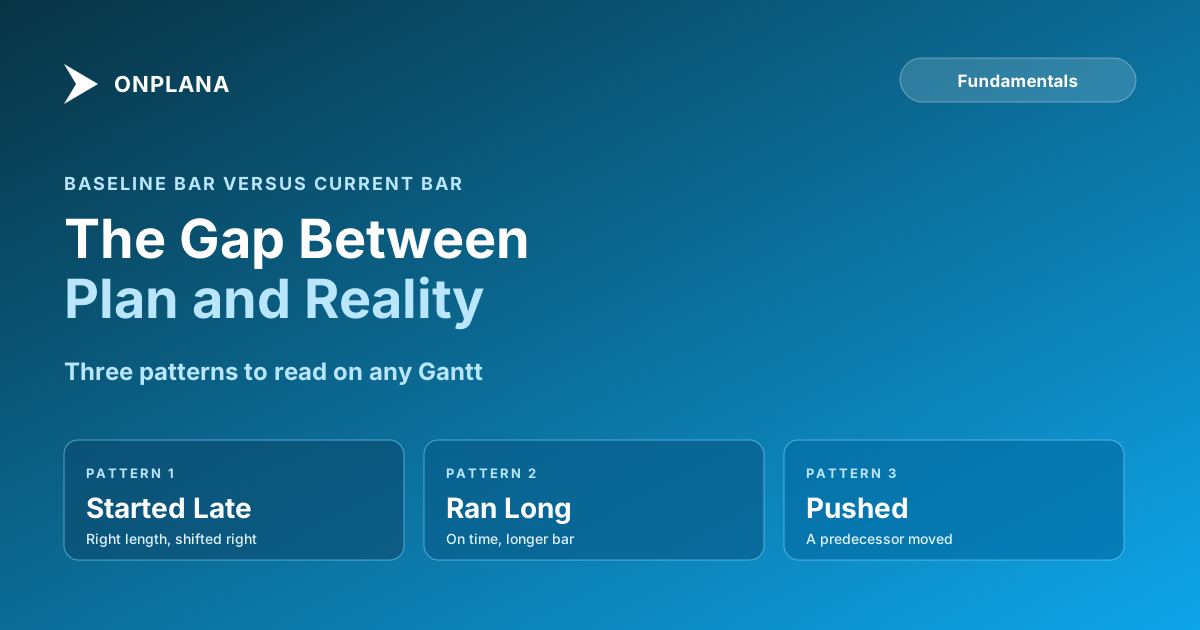
- Started late. The current bar is the right length but shifted right. Check what the task was waiting for: a missing input, a person on another job, or a decision nobody made. The fix is on the day it should have started, not on the finish date.
- Ran long. The start edge matches and the bar is longer. This is an estimating problem. If the same kind of task overruns on every project, change the estimate, not the person.
- Finished late because a predecessor did. The task itself is fine; it was pushed. Follow the dependency link back to the task that moved, because that is where the recovery has to happen. The four dependency types explain how a slip travels through a link, including lag.
A finish slip on the critical path moves the project end date one-for-one. The same slip on a task with float may cost nothing, which is why the colour of a bar is less useful than its float.
How do you measure the gap?
Count the difference between the baseline finish and the current finish in working days. In the example, the three tasks are +2, +3 and +2 days. Onplana counts days inclusively, so a one-day task starts and finishes on the same day, and the numbers match what you see on the chart.
Two cautions keep the number honest. First, do not rebaseline to make the bars match; that deletes the evidence, as rebaselining explains. Second, the number in days and the earned-value figure can disagree, and both are correct for their own question, as shown in schedule variance: the formula and the baseline version.
How does this work in Onplana?
Onplana captures a baseline on every plan, including Free, and draws it behind the live bar on the Gantt, with schedule variance beside it. It records actual start and keeps a project status date, and it computes the critical path and float itself. The baselines and variance page lists what is captured.
Where you start depends on what you have:
- A file you already have: run the free Schedule Health Check before trusting any variance, because a variance computed on a network with missing links is noise.
- A schedule you keep working: Onplana Schedule, the desktop app for Windows and Mac, opens .mpp and Microsoft Project XML files and shows baseline bars when the file carries them.
- A plan you are moving: import it through the migration route, and the baseline in an .mpp or Project XML file comes with it into a new project.
Run the free Schedule Health Check Upload a schedule file and see the logic gaps that make planned vs actual unreliable, before you read any variance. No signup required. → Open the Schedule Health Check
Frequently asked questions
What does planned vs actual mean on a Gantt chart?
It compares the dates you committed to (the baseline bar) with the dates the work is really taking (the current bar). The gap between the two ends of the bars is the schedule variance, counted in working days.
How do I show planned vs actual on a Gantt chart?
Capture a baseline once the plan is approved, then keep updating actual start and remaining work. The Gantt draws the frozen baseline bar behind the live one, so the drift is visible without a separate report.
What is the difference between planned and actual start?
The planned start is the baseline date; the actual start is the day work genuinely began. A task can start late and still finish on time, or start on time and still finish late, which is why you read both ends.
Why does a task finish late when it started on time?
Either its own work took longer than the baseline duration, or a predecessor finished late and pushed it. The first is an estimating problem; the second is a sequencing problem, and the fixes differ.
Should I rebaseline when actuals drift from the plan?
Only after an approved change. Rebaselining to make the bars line up deletes the evidence of the slip, so the chart then looks fine while the project is late.
Is planned vs actual the same as earned value?
No. Planned vs actual here is about dates on a schedule. Earned value compares planned value, earned value and actual cost in money; the two answer different questions and are worth reading together.
Ready to make the switch?
Start your free Onplana account and import your existing projects in minutes.