Project Meeting Notes Template: Decisions, Actions, Owners
A project management meeting notes template with three sections that survive the meeting: decisions, actions with one owner, and open questions. Copy it below.
A meeting ends, someone says "I'll send notes round", and four days later the notes are a transcript of who said what. Nobody can find the one thing they were asked to do, because it is on line 31.
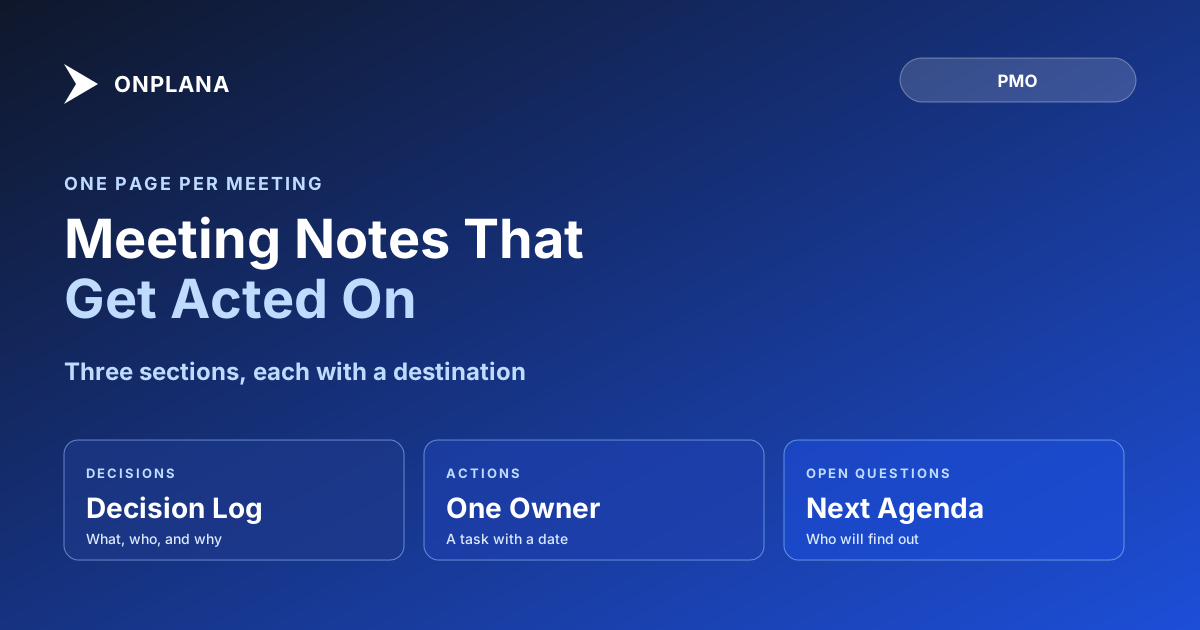
The direct answer: a project management meeting notes template needs three sections and nothing else: decisions, actions, and open questions. Each decision goes to the decision log, each action becomes a task with one owner and a date, and each open question goes onto the next agenda. Atlassian's 2024 survey of 5,000 knowledge workers, reported by Fortune on March 21, 2024, found meetings ineffective 72% of the time; notes that end in outcomes are the cheapest repair.
In short. Write down only what changes the project: what was decided, who now owns what by when, and what is still unresolved. Put the notes on the project, not in a personal folder, so the people named in them can see the task they were just given.
What goes in a project management meeting notes template?
A project meeting notes template is a one-page structure for recording the outcomes of a meeting, not its discussion. The test for any line is whether someone will act on it or look it up later.
| Section | What it holds | Where it goes next |
|---|---|---|
| Header | Date, attendees, purpose in one sentence | Nowhere; it is the label |
| Decisions | What was decided, who decided, the reason in a sentence | The project decision log |
| Actions | One verb, one owner, one date | A task on the project plan |
| Open questions | What nobody could answer yet, and who will find out | The next meeting's agenda |
| Parking lot | Topics raised and deliberately not discussed | Reviewed, then dropped or scheduled |
The diagram below shows the same three outputs leaving one meeting, each landing in a different place.
The template to copy
Paste this into a page on the project, or into the meeting invite itself, and fill it in during the meeting rather than after.
Meeting: [name]            Date: [date]
Attendees: [names]         Purpose: [one sentence]

DECISIONS
1. [Decision, stated as a checkable outcome]. Decided by [name]. Reason: [one sentence].

ACTIONS
1. [Verb + deliverable]. Owner: [one name]. Due: [date].

OPEN QUESTIONS
1. [Question]. [Name] will find out by [date]. Goes to: [next meeting].
Two rules keep it honest. An action has exactly one owner; "the team" owns nothing. An action has a date, because "soon" is not a date and the item will not appear on anyone's list.
What does a filled-in example look like?
A filled example shows how short good notes are. This one comes from a vendor-integration status meeting.
Meeting: Integration weekly        Date: 22 October
Attendees: Priya, Tom, Maya, Jin   Purpose: Decide how to absorb the API delay

DECISIONS
1. Ship the beta without the reporting module. Decided by Priya. Reason: the
   vendor API slips two weeks and reporting depends on it.

ACTIONS
1. Re-sequence the test plan around the cut. Owner: Tom. Due: 24 October.
2. Tell the client about the scope change. Owner: Priya. Due: 23 October.
3. Confirm the vendor's revised date in writing. Owner: Maya. Due: 25 October.

OPEN QUESTIONS
1. Does the contract allow a penalty for the delay? Jin will ask legal by 28 October.
   Goes to: next integration weekly.
That is under 120 words and answers the three questions someone asks a week later: what did we decide, what am I doing, and what is still unknown.
Where should the notes live?
Notes should live on the project, next to the work they changed. A decision in a personal notebook cannot be found by the person who inherits the project, and an action in an email thread is not on the list of the person who owns it.
On Onplana, the notes can sit in a wiki page on the project (wikis start on Pro; check the pricing page for the current tier), and each action becomes a task assigned to its owner. A comment with an @mention on that task reaches the person in their inbox, so the thread that follows the action stays attached to it. The team collaboration features page covers comments and mentions in full. The loop from a line in the notes to an owned task is described step by step in action items tracking.
Can AI write the notes?
AI can draft notes from a transcript, and it handles explicit actions well: a named owner and a stated date come through reliably. It misses commitments made in passing ("I'll look into that"), so a person reads the draft before it is filed. What works and what fails is covered in AI meeting notes to tasks. The template above is what you hand the AI as the output format, which makes its draft easier to check.
What should you do first?
Start with the next meeting you run. Put the three headings on the agenda, fill them in live, and file the page on the project before anyone leaves the call. If the meeting is a kickoff, the kick off meeting agenda shows where the first decisions come from. After two meetings, the question "what did we agree?" stops needing a person to answer it.
Keep decisions where they can be found Read how to log decisions in five fields so the same argument does not run twice. → The project decision log
Frequently asked questions
What should a project meeting notes template include?
Three sections: decisions, actions and open questions, plus a header with the date, attendees and purpose. Everything else (the discussion, the order people spoke in) is minutes, and nobody reads minutes twice.
How long should project meeting notes be?
One page at most, and usually half of one. If the notes need more room, the meeting made more decisions than one meeting should, or the notes are recording discussion instead of outcomes.
Who should take the notes in a project meeting?
The PM or a named delegate, rotated if the team prefers, but one person each time. Notes taken by everyone are owned by no one, and the actions in them are the first thing to go missing.
Where should meeting notes be stored?
On the project they belong to, next to the tasks they created. Notes in a personal folder or an email thread cannot be found by the person who was given an action in them.
Is a meeting notes template the same as meeting minutes?
No. Minutes are a record of the discussion, often needed for governance or legal reasons. A notes template keeps only the outcomes a team acts on, so it is shorter and used more.
Can AI write my project meeting notes?
It can draft them from a transcript, and it reliably catches explicit actions with an owner and a date. It misses commitments made in passing, so a person still reads the draft before it is filed.
Ready to make the switch?
Start your free Onplana account and import your existing projects in minutes.