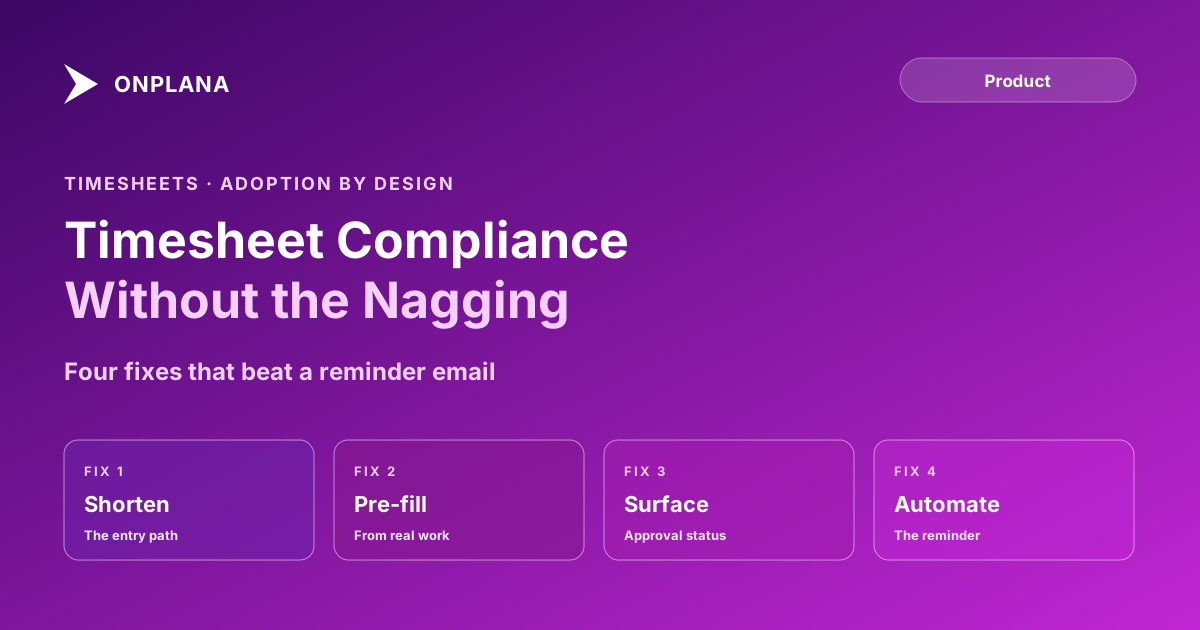
Timesheet Compliance Without Nagging People For It
Timesheet compliance is a design problem, not a discipline problem. Shorten the entry path, pre-fill from real work, and automate the reminder instead.
The standard fix for low timesheet compliance is a stricter deadline and more reminders. That fix keeps not working, and the compliance data explains why: the friction is in the form, not in the person filling it out. A five-minute weekly task that feels like ten minutes of digging through memory gets deprioritized every single week, no matter how many emails ask for it.
The direct answer: timesheet compliance improves by removing friction, not by adding pressure. Shorten the entry path to a quick weekly grid instead of daily re-entry, pre-fill hours from tasks already marked complete, make approval status visible so submitting doesn't disappear into a black hole, and automate the reminder so escalation doesn't depend on a PM remembering to chase. Compliance is a design outcome; nagging treats it as a discipline outcome, which is why it plateaus.
Why "Just Remind Them" Doesn't Fix Timesheet Compliance
A reminder assumes the barrier is forgetting. For most low-compliance teams, the real barrier is that the form itself costs more attention than the task is worth to the person filling it in: reconstructing which task got which hours three days after the fact, re-entering data the tool already has from completed tasks and logged comments, or submitting into a system that never shows whether last week's entry was even approved. None of that gets fixed by a sharper deadline. It gets fixed by making the honest path also the fast path.
What Actually Shortens the Entry Path
A timesheet only has one job: record hours against work, accurately, with as little friction as the accuracy requirement allows. Two changes do most of the work. First, move from daily entry to a single weekly grid: one screen, one row per task the person is assigned to, hours entered once instead of five separate daily visits to the same form. Second, keep the grid scoped to what the person is actually assigned; a timesheet that lists every project in the portfolio and asks the user to find their three rows among forty adds search time to every single submission.
Pre-Filling From Work That Already Happened
The tool already knows which tasks a person was assigned and which ones they marked complete this week; asking them to separately reconstruct hours against that same list is redundant data entry the system could remove. Pre-filling suggested hours from assignment and completion data, then letting the person adjust rather than build the row from a blank screen, is the single highest-leverage change in the entry path, because it turns "fill in a form" into "confirm a number." Onplana's timesheet and approval workflow ships on Pro and above, with per-task logging feeding directly from the same assignment data shown on the schedule, so the numbers a PM sees on the resource heatmap come from the same record the timesheet pre-fills, not a second, disconnected data entry pass.
Making the Approval Loop Visible
A submitted timesheet that vanishes into an approval queue with no status feedback trains people to stop caring whether they submitted correctly, because they never learn whether it mattered. Surface three states clearly: submitted and pending, approved, and returned with a specific reason, not a generic rejection. A PM who returns a timesheet with "Tuesday's hours look off, can you check the Acme project row" gets a same-day fix; a silent rejection gets ignored until the next reminder cycle restarts the whole cycle.
The diagram below contrasts the nagging loop most teams run today with a designed loop that removes the reminder from the critical path.
Automating the Chase Instead of a Human Doing It
Once the entry path and the approval loop are both fixed, the remaining gap is a small number of people who still won't submit on time no matter how little friction is left. Automate that layer instead of asking a PM to personally track down stragglers: a system-sent reminder the day after a deadline, a second escalation to the person's manager after a set number of days, and a record of the pattern so recurring lateness is visible without a human keeping a mental list. Onplana's timesheet compliance enforcement adds this escalation layer on Enterprise, including hard-lock mode that blocks new work assignment until the prior week is submitted and audit-grade evidence export for teams that answer to an external auditor; the entry-path and visibility fixes above are what make that enforcement layer necessary only for genuine stragglers instead of the whole team.
Rolling Out the Four Fixes, In Order
- Shorten the entry path first. Move to one weekly grid scoped to the person's own assignments before touching anything else; this is the single change most likely to move the compliance number.
- Pre-fill hours from completed tasks. Use the assignment and completion data the tool already has so people confirm a number instead of building one from memory.
- Surface approval status in real time, with specific return reasons instead of silent rejection, so submitting stops feeling like shouting into a void.
- Automate the reminder and escalation last, once the first three fixes are live, so enforcement only ever has to catch genuine stragglers instead of compensating for a slow form.
The Symptom, the Real Cause, and the Fix
| Symptom | What it looks like | Root cause | Design fix |
|---|---|---|---|
| Chronic lateness | Same people miss the deadline every week | Entry takes too long relative to its value to them | Weekly grid, pre-filled hours |
| Rounded, suspicious hours | Every entry ends in 0 or 5 | Reconstructed from memory days later | Same-day or next-day entry prompt |
| Approved-then-disputed hours | PM approves, then questions a number later | No visible approval status to catch errors early | Real-time status with specific return reasons |
| One person chasing everyone | A single PM manually emails stragglers weekly | No automated escalation layer | System-sent reminders with manager escalation |
Fixing the form and the feedback loop closes most of the compliance gap before enforcement ever needs to run. That's a different problem from what changes when a team migrates its Project Online timesheets to a new system, where the question is data continuity, not adoption; this is about why people keep submitting once the migration is behind them. The rest of the blog's resource and PMO coverage covers the capacity data timesheets feed into once compliance is solved.
See who's actually overallocated, not who filed hours Once timesheet data is reliable, the free Resource Heatmap shows real allocation against capacity across every project, not just what people remembered to log. → Open the free Resource Heatmap
Microsoft Project Online™ is a trademark of Microsoft Corporation. Onplana is not affiliated with Microsoft.
Frequently asked questions
How do you improve timesheet compliance without constant reminders?
Shorten the entry path to seconds, pre-fill hours from work already logged in the tool, make approval status visible instead of a black hole, and automate escalating reminders so no human has to personally chase anyone.
Why do timesheet reminders stop working over time?
Because the reminder targets the symptom, a person hasn't submitted, instead of the cause, the form takes too long relative to the value the person sees from filling it in. People tune out reminders for a task that stays annoying no matter how many times they're asked.
Should timesheet non-compliance be enforced or redesigned?
Redesign first. Most low compliance is a friction problem that enforcement can't fix; hard-lock enforcement (blocking new work until a timesheet is submitted) is worth adding only after the entry path is genuinely fast and the approval loop is visible, not as a substitute for either.
What data actually improves when timesheet compliance goes up?
Resource capacity numbers. A resource heatmap built on incomplete timesheets under-reports real allocation, which hides overallocation until it shows up as a missed date instead of a chart anyone could have caught earlier.
Ready to make the switch?
Start your free Onplana account and import your existing projects in minutes.